
1:08
Explore
Introducing Omma - 3D, Apps, and Websites - By Spline
Spline · Mar 2026 · 0:39 · Full motion · AI-annotated
- Length
- 0:39
- Scenes
- 23 · 1.7 s avg
- Product on screen
- 0:03
- Features shown
- 2
- Call to action
- 0:30 · 77%
- Voiceover
- No
- Views
- 18K on YouTube
as of November 27, 2026
00:00:00 / 00:39:11
- Length
- 0:39
- Scenes
- 23 · 1.7 s avg
- Product on screen
- 0:03
- Features shown
- 2
- Call to action
- 0:30 · 77%
- Voiceover
- No
- Views
- 18K on YouTube
as of November 27, 2026
Spline’s 0:39 launch film runs 23 scenes, about 1.7 s each. The product shows up at 0:03 and 2 features are revealed. The call to action lands at 0:30 (77% in). A near-black stage with a single centered UI element per beat, where typed text and a white outlined cursor drive the narrative and the camera repeatedly pulls back or tilts flat mockups into 3D perspective. Pacing is fast and rhythmic at about 127 bpm, with depth-of-field blurs marking each category snap and a typographic bookend that opens and closes on a typing input bar.
No filming indicatedEstimated needs: 5 capture groups — your screens or recordings · 1 official logo — reused across the film · 8 3D passages — build or supply
Is this your launch? to your site or press kit.
More like this

0:45
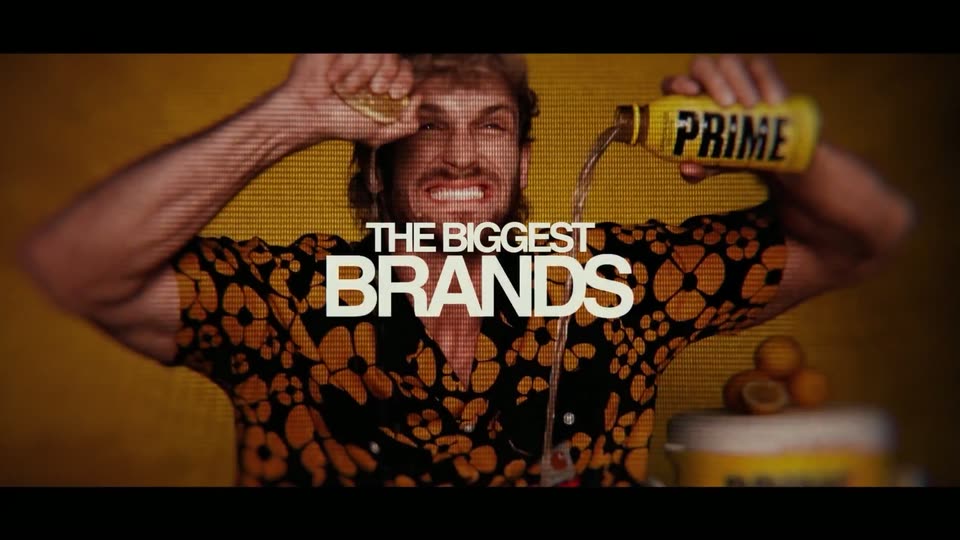
Clipping Hall of Fame - Welcome to the future of clipping.
Clipping Hall of Fame · May 2026
1:20


TovenAI Launch Video
TovenAI · Fintech · Aug 2026
Similar soundtrack
Films whose music sounds like this one, voice left out
0:59

Reka - Most evaluations of world models ask, "Does this look right?" 🌎 We b
Reka · Electronic dance music
3:34

What’s New in Creative Cloud and Adobe Firefly | Adobe MAX 2026
Adobe · Electronic dance music, house, deep house, and pop-rap crossover.
0:37

Introducing Brand Kit by ElevenCreative
ElevenLabs · Electronic dance music with UK Garage, House, and Eurodance influences
Introducing Omma - 3D, Apps, and Websites - By Spline, scene by scene
· 23 scenes as text
01 · Hook · 0:00–0:01
A dark rounded input bar sits centered on a black field. A prompt is typed character by character from the left, a caret trailing the text, until a paper-plane send icon fades in at the right edge.
Techniques: Kinetic type
Camera: Static
02 · Hook · 0:01–0:03
A dark input bar on black shows the word “action” with a blinking cursor and a paper-plane send button. A white outlined cursor arrow glides up to hover the button as the prompt “Make a 3D landing page with water interaction” scales in above.
On-screen text: “Make a 3D landing page with water interaction”
Techniques: Cursor demo
Camera: Static
03 · Product intro · 0:03–0:06
A dark product interface opens on a prompt bubble and a code block, pulls back to reveal the full app with a grid of generating panels, then tilts into 3D perspective as a rendered 3D landing page with a table and lamp fills one panel.
Techniques: UI zoom, 3D mockup
Camera: Pull out
04 · Product intro · 0:06–0:07
A 3D grid of five browser windows tilts against black as the camera pans right, pushing the left chat panel and the pink, blue and teal projects out of frame. Depth of field blurs the exiting windows while the teal and white pages stay sharp.
Techniques: 3D mockup
Camera: Pull out
05 · Feature reveal · 0:07–0:12
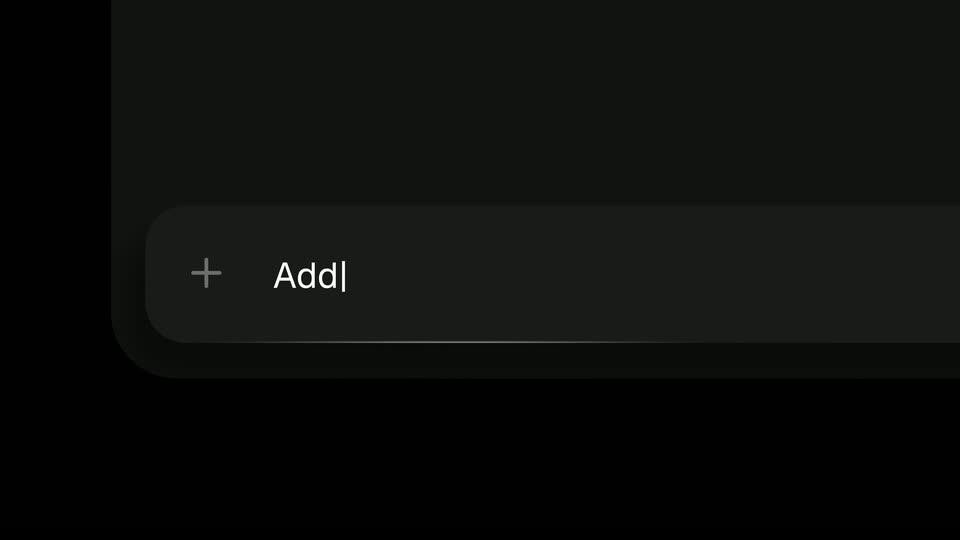
White text “Describe it.” centered on black splits to the edges as a dark input field fades in and a prompt types itself. A cut to “Describe it. Watch it build” leads to a close-up of the field, a plus icon and “Add rain and thunderstorms” typing in.
On-screen text: “Describe it.”, “Describe it. Watch it build”
Techniques: Kinetic type, UI zoom
Camera: Static
06 · Feature reveal · 0:12–0:14
A split view shows a dark chat panel on the left and a 3D website preview on the right. The preview shifts from a purple water scene titled Maison de l'Eau to a blue winter scene, while the new title A Letter to Winter scales in over the arches.
On-screen text: “Maison”, “de l'Eau”, “A Letter”, “to Winter”
Techniques: Split screen, 3D mockup, Kinetic type
Camera: Static
07 · Feature reveal · 0:14–0:14
A dark AI editor panel on the left lists color definitions and a Use Suggestion button. On the right, a 3D winter corridor with arches and falling rain shows the title A Letter to Winter scaling in, with a small caption below.
Techniques: Split screen, 3D mockup
Camera: Push in
08 · Feature reveal · 0:14–0:15
A 3D mockup of a design tool shows a dark code panel on the left and a winter preview on the right. The camera zooms in, reframing onto the preview so the serif title grows large and sharp while the left panel blurs out.
Techniques: 3D mockup, UI zoom
Camera: Push in
09 · Feature reveal · 0:15–0:16
A white rounded button with a globe icon and the word Publish holds center on black. A white outlined cursor glides up from below and presses the button's lower-right corner.
On-screen text: “A Letter”
Techniques: Cursor demo
Camera: Static
10 · Feature reveal · 0:16–0:17
A flat browser window mockup on a black background shows a 3D-rendered website: a pink arched corridor with a central pool and drifting red leaves. The page scrolls from the serif hero title to a second section, the background sliding upward with the content.
Camera: Static
11 · Feature reveal · 0:17–0:18
A flat browser window mockup on black shows a peach arched room with a blue round window and red leaves drifting down. Centered white italic serif headline reads 'Veiled in falling leaves' as 'falling leaves' slides in, with small body copy below. The window scales down toward the bottom of the frame.
On-screen text: “Veiled in”, “falling leaves”
Techniques: Kinetic type, Speed ramp
Camera: Pull out
12 · Feature reveal · 0:18–0:20
A vertical stack of dark pill chips with icons (Games, Creative, Interactive, AI, Animation) drifts upward on black, each chip snapping into focus with a depth-of-field blur while its label slides or scales in. A blurred browser window of the lettertoautumn.com site rises into frame at the bottom.
On-screen text: “Games”, “Creative”, “Interactive”
Techniques: Kinetic type, Parallax
Camera: Static
13 · Feature reveal · 0:20–0:21
Inside a rounded app window, a 3D block structure assembles on a blue baseplate: a red arch with an orange top rises as small blocks drop in from above. On the left, blurred pill labels sharpen, with the Apps & Tools pill scaling up.
On-screen text: “3D Websites”, “Apps & Tools”
Camera: Static
14 · Feature reveal · 0:21–0:22
A tilted 3D mockup of the Arbor website floats center-right, its voxel tree and floating island rendered in perspective. On the left, a vertical menu of pill buttons stays locked off as the 3D Websites label slides in and the Apps & Tools label scales up to active.
On-screen text: “3D Websites”, “Apps & Tools”
Techniques: 3D mockup
Camera: Static
15 · Feature reveal · 0:22–0:23
A rounded game viewport on the right shows a low-poly orange car driving away across a desert, leaving tire tracks toward distant industrial silos, with a control hint bar at the bottom. On the left, pill-shaped category labels including Real-time Data, 3D/2D Games and 3D Websites sit in a column, the outer ones blurred, while the car advances and the labels shift.
Camera: Static
16 · Feature reveal · 0:23–0:23
A white demo window shows a 3D donut chart of market share that rotates slowly in place, its colored segments labeled Apple, Samsung, OPPO, vivo, Xiaomi. Blurred feature pills sit on the left edge against a gray background while the frame stays locked off.
On-screen text: “3D Websites”, “Real-time Data”, “Interactive”
Camera: Static
17 · Feature reveal · 0:23–0:24
A 3D toy train with red and green carriages sits on a wooden track inside a rounded viewport, dotted with low-poly trees and a red sign on gray ground. Three gray pill labels slide in at left, and a cursor hovers over the curved track.
On-screen text: “Real-time Data”, “Interactive”, “WebGPU 3D”
Techniques: Kinetic type
Camera: Static
18 · Feature reveal · 0:24–0:26
A dark 3D viewer shows four glass cubes with green wireframe edges, then cuts to a synth machine model with knobs and level meters. Pill-shaped feature labels with icons slide vertically along the left edge while a parameter panel with sliders stays on the right.
On-screen text: “3D Products”, “WebGPU 3D”, “Interactive”, “Simulation”, “Real-time Data”
Techniques: 3D mockup, Kinetic type
Camera: Static
19 · Feature reveal · 0:26–0:27
A dark product interface shows a vertical menu of pill buttons on the left that scrolls upward, the active label scaling up. On the right, a viewport renders a glowing white particle mesh that gathers from a loose cloud into a folded sheet.
Techniques: Particles
Camera: Static
20 · Feature reveal · 0:27–0:28
White text reading 'Create anything' centers on a black background, then cuts to a 3D perspective cluster of floating app mockups, including a dark dashboard, a settings gear, and a blue share button.
On-screen text: “Create anything”
Techniques: 3D mockup
Camera: Static
21 · Feature reveal · 0:28–0:30
A cluster of tilted 3D cards floats on black, each holding a data visual: voxel model, molecule, smoke, DNA helix, ring, droplet. Share and Publish buttons sit among them while a Community label slides in as the group rotates slowly.
On-screen text: “Create anything”
Techniques: 3D mockup
Camera: Static
22 · CTA · 0:30–0:33
A dark rounded input bar with a plus sign and a blinking white caret sits on black. The view zooms in on the text being typed, then pulls back to reveal the full phrase centered on the black background.
On-screen text: “From words to worlds.”
Techniques: Kinetic type, UI zoom
Camera: Static
23 · CTA · 0:33–0:39
A still tagline, “From words to worlds.”, opens the scene on black. A white flower mark draws itself in, the Omma wordmark fades in beside it, then a URL types out letter by letter with a blinking cursor before the frame holds on black.
On-screen text: “From words to worlds.”, “Omma”, “omma.build”
Techniques: Kinetic type
Camera: Static