1:27


Kiwi (YC F26) - Launch Video
Kiwi · B2B · Oct 2026
HeyGen · Oct 2025 · 1:32 · AI-annotated
HeyGen’s 1:32 launch film runs 45 scenes, about 2.1 s each. The product shows up at 0:12 and 2 features are revealed. The call to action lands at 1:24 (91% in), over a voiceover. A launch video for HeyGen's Motion Designer that alternates a live-action host on a race track with locked-off dark motion graphics cards and close-up UI tours, moving from problem to prompt-to-video demo to brand and integration features. Signature moves include letter-by-letter type reveals, glowing gradient chips that merge, and fast zoom-ins on interface panels.
Is this your launch? to your site or press kit.
Kiwi · B2B · Oct 2026
Watch.fun · Jun 2026
A mustached man in a black T-shirt sits at a wooden desk on a race track, hands on a keyboard, a vintage beige computer to his right. Vintage race cars speed past behind him, blurred. Stacks of paper, a coffee cup and a radio clutter the desk.
Camera: Static
A mustached man in a black t-shirt sits at a cluttered wooden desk on a race track, hands resting on a keyboard beside a vintage beige monitor. Stacks of paper, a coffee cup, headphones and cables fill the desk. He looks at the camera as his fingers move slightly.
Camera: Static
Three rounded cards fade in in sequence on a dark background, each with a colored icon, a heading and a short paragraph. The blue diamond card is Expensive, the green stopwatch card Time Consuming, the purple target card Skills You Lack.
On-screen text: “Expensive”, “Time Consuming”, “Skills You Lack”
Camera: Static
Three vertical cards sit side by side on a dark background. Each card carries a blue, green, or purple gradient glow and a small icon at the top, a bold white title, and a short paragraph of body text. The layout holds still.
On-screen text: “Expensive”, “High-end tools and premium resources often require a significant financial investment to access.”, “Time Consuming”, “Mastering new platforms and complex workflows demands countless hours of dedicated practice and effort.”, “Skills You Lack”, “Ambitious projects frequently require specialized expertise that can take years of focused work to develop.”
Camera: Static
A mustached man in a black t-shirt sits at a cluttered desk with a beige CRT monitor, papers and coffee cups, gesturing while he talks, a long race track stretching into the distance behind him.
Camera: Static
A dark settings panel titled New Subagent fills in with a knowledge base toggle and a document list as a green line arcs from the top left into a small New Subagent card. Locked-off frame.
Camera: Static
A dark map of the Austin metro zooms in slowly while small gray, teal and pink dots fade in across neighborhoods, and a price legend appears in the lower left corner beneath the fixed white header title.
On-screen text: “Austin Real Estate Market”, “Median Home Prices by Neighborhood”
Techniques: UI zoom
Camera: Push in
A dark real estate market map, with a centered title and colored price dots, crossfades out to reveal a training dashboard. The dashboard's four stat cards, a weekly activity bar chart, and a daily goals panel sit on a near-black background.
Camera: Static
Three blurred colored orbs (teal, green, purple) sit on a black field as a bold white headline, TURN IDEAS INTO MOTION GRAPHICS, scales and slides into the center. The frame stays locked-off while the text sharpens from a soft fade to full contrast over the short clip.
On-screen text: “TURN IDEAS”, “INTO MOTION”, “GRAPHICS”
Techniques: Kinetic type
Camera: Static
A dark stage holds a white bold headline over three icon cards that fade in, each pairing a colored line icon with a short label. Outline shapes, a circle, two squares and a diagonal line frame the composition while a kinetic headline scales in at the open.
On-screen text: “TURN IDEAS”, “INTO MOTION”, “GRAPHICS”, “FOR THOSE WHO EXPLAIN”, “FOR A LIVING”, “Present Ideas”, “Record Content”, “Share Knowledge”
Techniques: Kinetic type
Camera: Static
A mustached man in a black tee sits at a desk with a beige keyboard, coffee cup and stacked papers, gesturing as he talks, a blurred racetrack behind him. The camera slowly pushes in on him.
On-screen text: “FOR THOSE WHO EXPLAIN”, “FOR A LIVING”, “Share Knowledge”, “白”
Camera: Push in
A mustached man in a black t-shirt and silver chain sits centered on a race track, speaking to camera and gesturing with one hand. The asphalt, grass runoff, and grandstand blur into a soft background behind him.
Camera: Static
A mustached man in a black t-shirt sits at a wooden desk set on an empty race track, talking to camera and gesturing with his hands. A vintage beige computer, coffee cups, headphones and paper stacks fill the desk in a static medium shot.
Camera: Static
A white rounded input field sits centered on a pale blue gradient. Gray placeholder text is overwritten as a prompt types in letter by letter, a caret blinking at the end. A cyan Generate button appears beneath, then pastel rings expand behind the field.
Techniques: Kinetic type
Camera: Static
A mustached man in a black t-shirt and long silver necklace stands centered on an empty race track, talking to the camera and gesturing with both hands. The locked-off medium shot keeps the grandstands and track barriers softly blurred behind him.
On-screen text: “HeyGen's Motion Designer brings it to life.”
Camera: Static
On a near-black background, the white headline NO EDITOR NEEDED builds in letter by letter from the left as a bright horizontal light sweep glints across the type.
On-screen text: “NO EDITOR NEEDED”
Techniques: Kinetic type, Light sweep
Camera: Static
On a black background, the line “NO EDITOR NEEDED. NO EXPERIENCE NEEDED.” builds in word by word, then a gold highlight sweeps left to right across the words, shifting them from white to orange.
On-screen text: “NO EDITOR NEEDED. NO EXPERIENCE NEEDED.”
Techniques: Kinetic type
Camera: Static
A small dark input field sits centered on a black background. A blinking caret types out the prompt character by character, filling the field from left to right.
On-screen text: “Animate a 3-step explainer video with icons and brand colors.”
Techniques: Kinetic type
Camera: Static
A dark rounded prompt field sits centered on black. Light gray text types out letter by letter inside it, ending with a blinking caret.
On-screen text: “Animate a 3-step explainer video with icons and brand colors.”
Techniques: Kinetic type
Camera: Static
Three white feature cards with soft shadows build on a pale gray field. The left card, marked by a pink avatar icon, holds a heading, two lines of copy and a light panel with a pink arc; a green-voiced card and a faint third card fade in to the right.
On-screen text: “Animate a 3-step explainer video with icons and brand colors.”, “Create Avatar”
Camera: Static
Three white feature cards fade in on a light gray background. A pink avatar outline sits in the first, a green waveform animates in the second, and a blue globe draws itself in the third as its greeting switches from Hello to Hola.
On-screen text: “Create Avatar”, “Voice Cloning”, “Video Translate”, “Hello”, “Hola”
Camera: Static
Three white feature cards sit side by side on a light gray background, each with a bold title and a small illustration: a pink ring outline, a green waveform that pulses, and a blue globe with the word Bonjour. The cards hold still while the waveform animates.
On-screen text: “Create Avatar”, “Voice Cloning”, “Video Translate”
Camera: Static
A dark dashboard grid of feature tiles with colored icons fills the frame. The view zooms in toward the lower rows, centering the Motion Designer card.
Techniques: UI zoom
Camera: Push in
A dark Motion Designer dialog slides in over a blurred app, showing an upload box and a grid of style presets. The view then zooms into the grid, settling on a white card reading Motion Graphics.
Techniques: UI zoom
Camera: Pan
A close-up of a dark interface: a Prompt field with the placeholder Describe your style and a blinking caret on the right, a dashed upload box and a green video thumbnail on the left. The shot opens with a brief zoom blur and settles into a locked-off frame.
Techniques: UI zoom
Camera: Push in
Light gray background with a centered black headline and a white rounded drop-zone card below it. Two small tilted document cards, one carrying a blue mascot and one with a checkmark, drift down from the headline, cross the white card and exit at the bottom.
On-screen text: “Even add your own reference graphics, documents or data”
Camera: Static
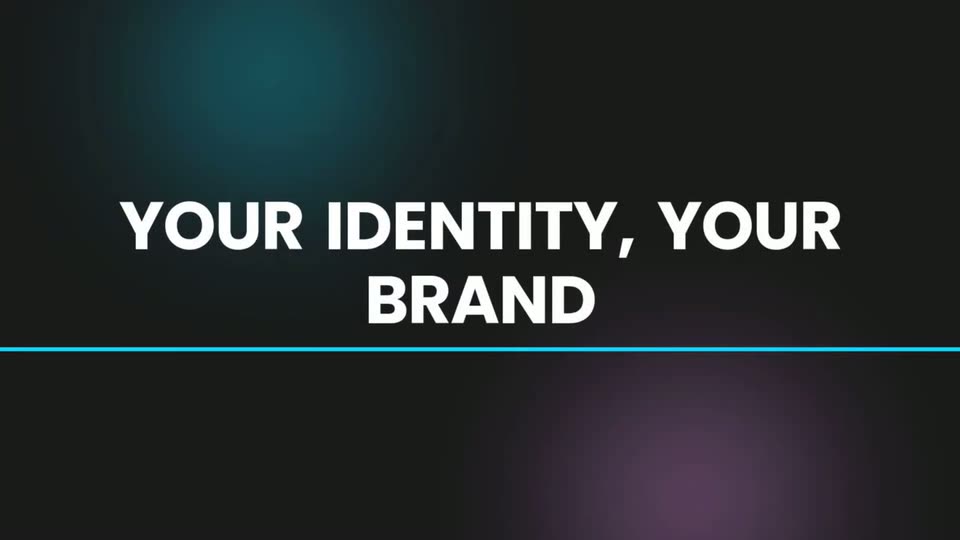
On a near-black background with a teal glow top-left and a purple glow bottom-right, the white headline scales in on two centered lines while a thin cyan line draws in from the left beneath it.
On-screen text: “YOUR IDENTITY, YOUR BRAND”
Techniques: Kinetic type
Camera: Static
Eight rounded color swatches fade in and saturate on a light grey grid, each tagged with a name and hex code, then the frame cuts to a dark Motion Designer panel of the app showing a video drop zone, style presets and a prompt box.
On-screen text: “YOUR IDENTITY, YOUR BRAND”
Techniques: Kinetic type
Camera: Static
A dark Motion Designer modal fills the frame; the view then zooms to its lower-right corner, blurring the background app, and locks off on the cyan Generate Asset button, which lights up with a soft glow.
Techniques: UI zoom
Camera: Static
A locked-off close-up of a dark interface panel shows a horizontal slider with a small device icon and a cyan Generate Asset button at the lower right, with partial text reading 'enerations left.' at the left edge. No motion occurs.
Camera: Static
A locked-off near-black frame in which two centered lines fade in and scale up: “Professional Motion.” in white above “Instantly Generated.” in blue. The second line lands slightly larger, closing the piece.
On-screen text: “Professional Motion.”, “Instantly Generated.”
Techniques: Kinetic type
Camera: Static
Two centered lines sit on a near-black background. The white line holds still while the cyan line scales up from the center, the frame staying locked.
On-screen text: “Professional Motion.”, “Instantly Generated.”
Techniques: Kinetic type
Camera: Static
On a near-black background, a gray line reading Professional Motion. and a blue line reading Instantly Generated. hold center, then swap to a blue Created in Minutes lockup beside a purple line-art clock icon. The frame stays locked off throughout.
On-screen text: “Professional Motion.”, “Instantly Generated.”, “Created in”, “Minutes”
Techniques: Kinetic type
Camera: Static
On a black background, bold cyan text reading Created in Minutes sits beside a magenta clock icon. The pair is then swapped for two glowing rounded cards, cyan and magenta, labeled Motion Designer and AI Agent in orange. Locked-off frame, no camera move.
On-screen text: “Created in Minutes”, “Motion Designer”, “AI Agent”
Camera: Static
On black, two glowing rounded chips, a cyan one labeled Motion Designer and a pink one labeled Video Agent, slide together and merge into a single green chip. The label becomes Motion Designer + Video Agent as the green glow pulses once and settles.
On-screen text: “Motion Designer”, “Video Agent”, “Motion Designer + Video Agent”
Techniques: Kinetic type, Morph
Camera: Static
A glowing green rounded rectangle sits centered on a black field, holding the white text “Motion Designer + Video Agent”. The frame is locked and static, with no movement across the shot.
On-screen text: “Motion Designer + Video Agent”
Camera: Static
The HeyGen app interface fills the frame, then the view reframes onto the left sidebar. A cursor moves down the menu from Home to Video Agent, which highlights in teal as it is selected.
On-screen text: “Motion Designer + Video Agent”
Techniques: UI zoom, Cursor demo
Camera: Push in
A dark sidebar menu fills the left of the frame, the Video Agent row highlighted in teal with a Beta badge. The shot starts soft and racks into focus on the menu items.
Camera: Static
A dark prompt box with a glowing cyan border fills the frame, the typed line “Try it today!” above a row of icons: plus, at-sign, gear, Auto dropdown, device toggle. A fast zoom-in blur settles into a locked close-up; a caret blinks after the text.
Techniques: UI zoom
Camera: Pan
A mustached man in a black t-shirt sits at a desk on a race track, typing and talking to the camera while gesturing. The camera slowly pushes in to a close-up of his smiling face. The desk holds paper stacks, a coffee cup, cables, and a beige monitor.
Camera: Push in
A man in a black tee on a racetrack crossfades into a dark end card. A soft blue glow sits behind the white line and the bold blue wordmark, both locked still.
On-screen text: “Available now on”, “HeyGen.com”
Camera: Static
A near-black background with faint teal and purple glows holds the centered white headline ALL VISUALS YOU SAW, which resolves from a soft blur into sharp focus. The card gives way to the static sign-off Available now on HeyGen.com.
On-screen text: “ALL VISUALS YOU SAW”, “Available now on”, “HeyGen.com”
Camera: Static
Two centered lines of text sit on a dark background, the top in white and the bottom in cyan. A thin gradient underline draws in horizontally beneath the lower line. The frame stays locked off.
On-screen text: “ALL VISUALS YOU SAW”, “MADE BY MOTION DESIGNER”
Camera: Static
A tilted 3D cube with iridescent gradient faces rotates and flattens into a 2D mark, settling beside the bold black wordmark Hey Gen on a pale background, with a small locked-off caption crediting the motion designer.
On-screen text: “ALL VISUALS YOU SAW”, “MADE BY MOTION DESIGNER”, “Hey”, “Gen”
Techniques: Morph
Camera: Static
A black frame holds the large words Hey and Gen in white type, with the brand logo present, on a locked-off shot. The text stays still for the duration of the clip.
On-screen text: “Hey”, “Gen”
Camera: Static