
0:22
Explore
00:00:00 / 01:19:15
- Length
- 1:19
- Scenes
- 8 · 10.0 s avg
- Product on screen
- 0:10
- Features shown
- 1
- Voiceover
- Yes
- Views
- 103K on X
as of November 18, 2026
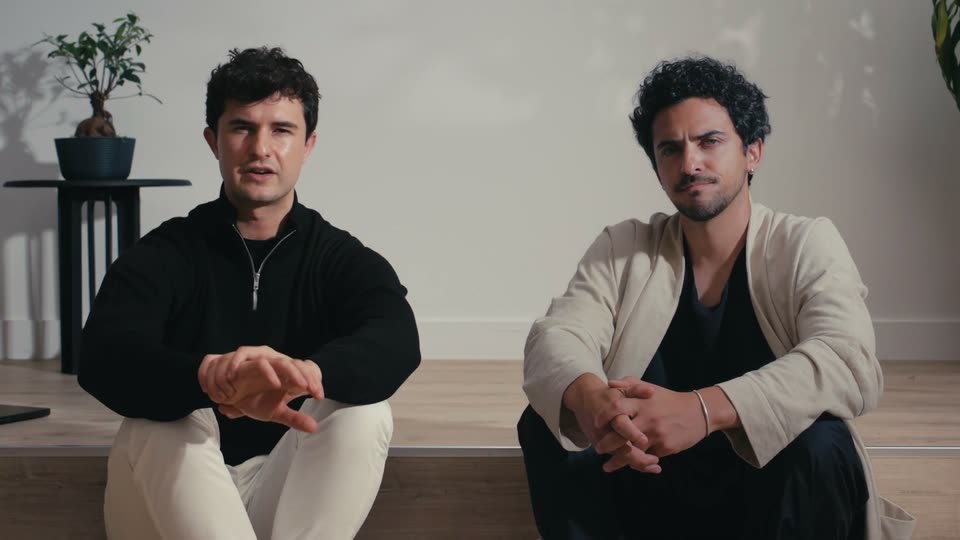
Sim’s 1:19 launch film runs 8 scenes, about 10.0 s each. The product shows up at 0:10 and 1 feature is revealed, with social proof. There is no explicit call to action; a voiceover carries the film. The video cuts between a locked-off two-shot of two men on a bright set and flat UI screens floating over a grayscale mountain photo, with the live action framing the product and the UI carrying the demo. Motion is restrained: cream text fades over the talking head, the cursor drives every UI step, and the closing logo assembles from white squares on black.
Footage neededEstimated needs: 1 capture group — your screens or recordings · 1 official logo — reused across the film · 3 filmed passages — shoot, supply or replace
Is this your launch? to your site or press kit.
More like this



Similar soundtrack
Films whose music sounds like this one, voice left out
3:34

Mads Lunau - Today, we’re launching Parahelp 3. With Parahelp 3, we’re doubling d
Parahelp · Corporate tech launch
3:12


Introducing GPT-4
OpenAI · Electronic
1:31

Artificial Societies - Introducing Radiant, our flagship simulation platform. Built to infor
Artificial Societies · Electronic
Emir Karabeg - Introducing Sim Search Agents can now use your credentials to build, scene by scene
· 8 scenes as text
01 · Social proof · 0:00–0:10
Two men sit on wooden steps in a bright room; the man in black talks and gestures while the other listens. A cream overlay of the number, company names, and the eXp logo fades in above them, then fades out. Static camera.
On-screen text: “100,000+”, “RIVIAN | VOLKSWAGEN GROUP TECHNOLOGIES”, “eXp REALTY”
Camera: Static
02 · Feature reveal · 0:10–0:29
Two men sit on a light wooden floor before a white wall. The man in a black zip-up on the left speaks and gestures; the man in a cream cardigan on the right listens with hands clasped. A potted plant sits on a black stand at left. Locked-off framing.
Camera: Static
03 · Feature reveal · 0:29–0:33
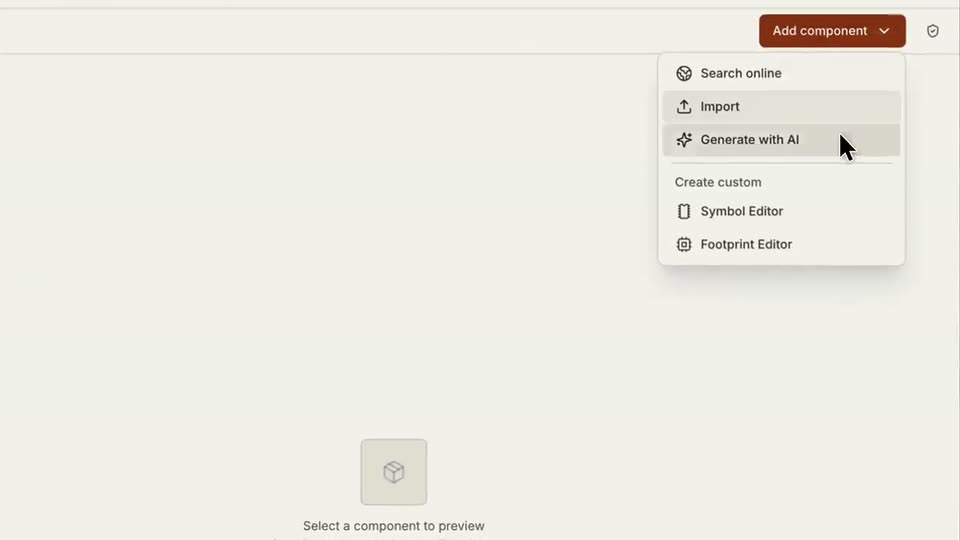
A flat browser window of the Sim app sits over a grayscale mountain backdrop. A hand cursor clicks Integrations, types Gcalen into the search field, the list filters to Google Calendar, then the frame zooms into that row as a Connect dialog opens.
Techniques: Cursor demo, UI zoom
Camera: Static
04 · Feature reveal · 0:33–0:36
A flat interface window over a blurred snowy mountain backdrop. A Connect Google Calendar dialog sits centered; a hand cursor clicks Connect, the dialog closes, the calendar appears under Connected, and a success toast slides in at the bottom right.
Techniques: Cursor demo
Camera: Static
05 · Feature reveal · 0:36–0:55
A flat app window floats over a grayscale mountain photo. A cursor opens the integrations list, selects Google Calendar, and types a question into the prompt. The screen switches to a chat that types a bulleted day schedule, then the cursor types and sends a follow-up request.
Techniques: Cursor demo
Camera: Static
06 · Feature reveal · 0:55–0:56
A locked-off desktop shows an AI agent chat on the left and a Brex login window on the right. The agent lists a day's schedule and a cursor hovers a follow-up row as the Brex page finishes loading.
Camera: Static
07 · Other · 0:56–1:14
Two men sit on a wooden step before a white wall, flanked by potted plants. The man in the cream jacket on the right gestures with his hands while speaking; the man in black on the left listens, then talks. Static medium shot, soft light, leaf shadows on the wall.
Camera: Static
08 · Outro · 1:14–1:19
A black screen shows a thin white vertical bar that fades, then white rounded squares pop in at center and rearrange into a blue three-square mark beside the blue wordmark sim.
On-screen text: “sim”
Camera: Static