1:20

Anthropic - We’re building tools to support research in the life sciences, from e
Anthropic · AI · Oct 2025
Shadcn Labs · Nov 2026 · 0:29 · Full motion · AI-annotated
Shadcn Labs’s 0:29 launch film runs 11 scenes, about 2.7 s each. The product shows up at 0:04. There is no explicit call to action. The video is built as a rapid sequence of single-word title cards, a logo sting, and a pullback montage of dashboard screens, cut at about ten cuts per minute on a 100 BPM pulse. Its signature moves are the pop-in words with a trailing echo, the crossfading headline over a collage, and the zoom-out reveal of a wall of UI screens.
Is this your launch? to your site or press kit.
Anthropic · AI · Oct 2025
Anthropic · AI · May 2026
Anthropic · AI · Aug 2025
Films whose music sounds like this one, voice left out
Flock PHP · Electronic dance music with funk and Latin influences
On a plain off-white background, five words appear one at a time in the center: Dashboards, your, agents, can, operate. Each word pops in with a quick slide and a faint trailing echo, then settles sharp and still before the next one enters.
On-screen text: “Dashboards”, “your”, “agents”, “can”, “operate.”
Techniques: Kinetic type
Camera: Static
A white four-point sparkle mark and the wordmark Panelo UI sit centered on a black background, fading in gently and holding as a sign-off.
On-screen text: “operate.”, “Panelo UI”
Camera: Static
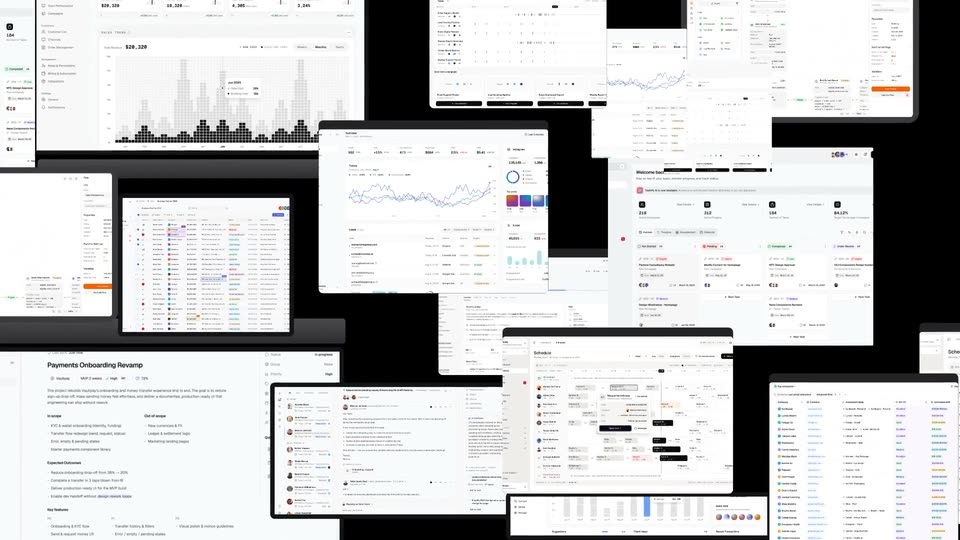
A dense mosaic of white app screens, dashboards, charts and list views drifts slowly across a black background, the windows overlapping in a loose grid.
Camera: Pan
A flat collage of product dashboard screens covers a black background behind the centered white headline “Every dashboard.” The screens dissolve to black while the headline crossfades to “Agent-ready.”
On-screen text: “Every dashboard.”, “Agent-ready.”
Camera: Static
Close-up of a chat input field on a light gray panel. Large black text types out prompts at a fixed line, each phrase boxed in a colored highlight (purple, blue, green, orange) as it lands, then the line scrolls up to make room for the next. The input box drifts up and out as the list grows.
On-screen text: “a revenue dashboard”, “CRM table”, “churn report”, “ops panel”, “can run”, “Agent-ready.”
Techniques: Kinetic type
Camera: Pan
A light gray screen with a white top bar shows the word “run” with a typing cursor at the lower left. The text scales, then clears as a black mouse pointer appears in the center and a gray up arrow sits at the right edge.
On-screen text: “an run”
Techniques: Kinetic type, Cursor demo
Camera: Static
A white-outlined mouse cursor overlaps a black circle holding a white up-arrow. The cursor clicks, the circle shrinks to a small gray dot, and the cursor scales up, filling solid white with a thin outline, on a plain light gray background.
Camera: Static
A scheduling dashboard fills the frame, its left sidebar listing operations and people, the main grid showing caregiver rows with colored visit blocks across a morning timeline. A white detail card for one client sits at the center. The view zooms in slightly, tightening the crop on the grid.
Techniques: UI zoom
Camera: Pull out
A grid of product interface screens fills the frame as the camera pulls back, revealing more screens until the whole wall of dashboards, lists and charts is visible.
Camera: Pull out
On a dark background with faint dashed grid lines, a white four-point star mark holds center while the wordmark Panelo UI assembles letter by letter to its right. The lockup settles, then a soft blue light sweep glides across the mark and text.
On-screen text: “Panelo UI”
Techniques: Kinetic type, Light sweep
Camera: Static
A black four-petal mark and the wordmark Panelo UI sit centered on a cream-to-blue vertical gradient. A small white by raycanvas.ai credit scales in near the bottom edge. The frame stays locked-off throughout.
On-screen text: “Panelo UI”, “by raycanvas.ai”
Camera: Static