1:01

Turn Granola Meeting Notes Into Tasks Automatically
Roma · Consumer · Nov 2026
Minerva’s 1:03 launch film runs 42 scenes, about 1.5 s each. The product shows up at 0:24 and 4 features are revealed. The call to action lands at 0:57 (91% in), over a voiceover. The video opens on a single declarative line, then runs a fast-cut before montage of archival and UI footage framed in rounded cards over blurred duplicates, with words that track the voiceover one by one. It pivots to a flat off-white product section that walks through four features using bold sans headlines, animated UI mockups and a green done accent, closing on the serif logotype and a typed URL.
Is this your launch? to your site or press kit.
Roma · Consumer · Nov 2026
Trajectory · Nov 2026
StarSling · B2B · Jun 2026
Films whose music sounds like this one, voice left out
Runway · Electronic
Figma · Cinematic trailer hybrid blending orchestral, electronic trap, and pop elements
Apollo · Electronic, Cinematic
White bold sans-serif text types out letter by letter on a black background, a vertical cursor trailing the end. The line reads “We're going to kill accounting firms.” and scales up slightly as it completes.
On-screen text: “We're going to kill accounting firms.”
Techniques: Kinetic type
Camera: Static
Bold gray text builds on a black background, starting with 'We're going' then completing the line. It cuts to a grainy, dark archival photo of a busy office with people at desks, framed in a rounded rectangle, with the word 'Bookkeeping' centered in white.
On-screen text: “We're going to kill accounting firms.”, “Bookkeeping”
Techniques: Kinetic type
Camera: Static
Black-and-white archival footage plays inside a rounded card over a blurred backdrop, cutting from a crowded office to a hand filling out a form. Centered white words swap in sync with the voiceover: Bookkeeping, began with, paper.
On-screen text: “Bookkeeping”, “began with”, “paper”
Techniques: Kinetic type
Camera: Static
Grainy black-and-white archival footage of clerks at wooden desks plays inside a centered rounded card, backed by a blurred copy of the same shot. Bold white words cut in one at a time across the center, tracking the narration.
On-screen text: “paper”, “patience”, “and people”
Techniques: Kinetic type
Camera: Static
A black and white archival clip of three men at a desk plays in a rounded rectangle over a blurred copy of itself. Diagonal rain streaks fall across the frame as the white text “and people” holds centered, locked off.
On-screen text: “and people”
Camera: Static
Vintage black-and-white footage of office workers at a desk plays inside a rounded frame, overlaid with the word Manual in white. A film-grain and rain scratch effect covers the shot as it fades to black.
On-screen text: “Manual”
Camera: Static
Black-and-white archival footage of clerks working at paper-strewn desks plays inside a rounded card, set over a blurred duplicate of the same scene. The word repetitive sits centered in white over the moving footage.
On-screen text: “Manual”, “repetitive”
Camera: Static
A rounded-corner black and white archival photo of an expense statement and a clerk at a desk sits on a wrinkled fabric background. White bold text reads painfully slow centered over the photo, fading in as the flat lay drifts slowly.
On-screen text: “repetitive”, “painfully slow”
Camera: Static
A rounded card holds a photo of a vintage Microsoft Excel 2000 box, set over a blurred copy of the same image. The word software sits in white at the center as the box slides into place on a locked-off frame.
On-screen text: “software”
Camera: Pan
Archival footage of a young man in glasses and a suit seated before a monitor, framed in a rounded card over a blurred copy of itself. White words flash in one by one across the center: and, changed, everything. A fine grain and scratch texture overlays the image.
On-screen text: “software”, “and”, “everything”, “changed”
Techniques: Kinetic type
Camera: Static
Hands lift the lid of a silver, boxy retro laptop to reveal a white keyboard. The clip is framed in a rounded rectangle over a blurred background.
Camera: Pull out
A rounded-rectangle mask reveals a close-up of a tablet screen showing a spreadsheet, its blue highlighted cell block centered, while the surrounding frame stays blurred with a diagonal line texture. The shot drifts in slowly.
Techniques: Masking, UI zoom
Camera: Static
A vintage still of several men in suits leaning over a table sits in rounded corners at center, over a blurred, radially zoomed copy of the same frame with faint film grain. The image holds static.
Camera: Static
A spreadsheet window sits on a gray background with diagonal streaks. Two empty columns fill in with the headers Q3 and Q4 and their values, completing the table.
Camera: Static
A QuickBooks spreadsheet window sits on a light blurred backdrop, then a rounded card slides in over a dark streaked background. The card holds the green product box, the caption “One could,” and a black bar with the free trial offer, phone number and URL.
On-screen text: “One could”, “FREE TRIAL OFFER”, “1-800-851-0600”, “www.tryquickbooks.com”
Camera: Static
A blurred QuickBooks interface fills the frame as large white caption text swaps in the center, reading “do now” then “do the work.” The shot stays locked off and soft-focused throughout the one-second beat.
On-screen text: “do now”, “do the work”, “QuickBooks”, “FREE TRIAL OFFER”, “1-800-851-0600”, “www.tryquickbooks.com”
Techniques: Kinetic type
Camera: Pan
A blurred stack of paper bank statements fills the background while a white rounded card holding a bank reconciliation screen tilts and rotates in 3D perspective, revealing a transaction list. Large white lowercase words sit centered at the bottom, swapping from one to the next over the moving card.
On-screen text: “ten”, “humans”
Techniques: 3D mockup, Kinetic type
Camera: Static
A rounded card of an IRS report widens over a blurred gray field, revealing a strip of tax forms and letters, while the centered white caption 'still juggle' holds and 'emails' scales in.
On-screen text: “still juggle”, “emails”
Techniques: Masking, Kinetic type
Camera: Static
A dim, blurred shot of a bald, bearded man in a blue shirt fills the frame. A sharper rounded-corner window of the same clip sits centered, with the word emails in bold white type scaling in over it.
On-screen text: “emails”
Techniques: Kinetic type
Camera: Static
A rounded card of live-action footage shows a man writing on a glass panel, over a blurred, streaked copy of the same clip. The white word “emails” scales in at center, then swaps to “chase receipts” as the man keeps writing.
On-screen text: “emails”, “chase receipts”
Techniques: Kinetic type
Camera: Static
A plain white card holds centered text that swaps in sequence: “chase receipts”, then “until now” fading from gray to black, then the large “OneAgent” wordmark. The frame stays locked off throughout.
On-screen text: “chase receipts”, “until now”, “OneAgent”
Techniques: Kinetic type
Camera: Pull out
A black sans-serif sentence builds word by word, centered on a white background. As the line grows, the first words slide off the left edge. The final word then scales up until it fills the frame.
On-screen text: “One Agent will do the work of a million”
Techniques: Kinetic type
Camera: Static
On a white field a large grey ring contracts toward the center, then resolves into a thin line-drawn face in profile. The serif word Meet assembles to the right of the face as the ring fades.
On-screen text: “Meet”
Techniques: Morph, Kinetic type
Camera: Static
On a plain white field, a line-art classical head icon and the serif wordmark Minerva scale into the center with a motion-blur trail. A bold sans tagline, Your AI Accountant, scales in beneath it and the lockup locks off centered.
On-screen text: “Your AI Accountant”
Techniques: Kinetic type
Camera: Static
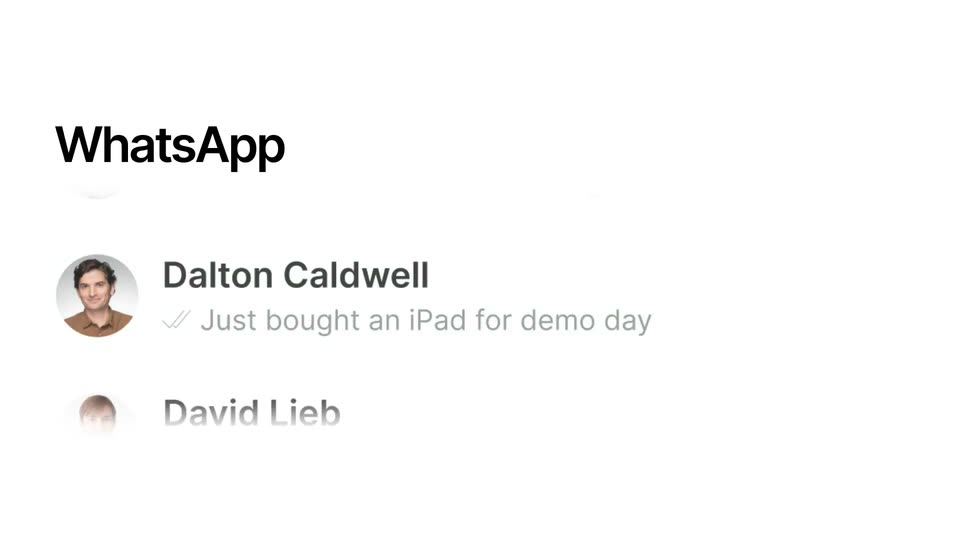
A near-white WhatsApp contact list builds up: the Dalton Caldwell row slides in and takes a pale green highlight, then the David Lieb row fades in beneath it. The bold heading stays fixed throughout.
Camera: Static
A light email inbox under a fixed Inbox heading scrolls as rows crossfade and swap subjects, ending on a receipt row that drops in a grey PDF attachment chip.
Camera: Static
A white email inbox view shows an Inbox heading and a Your receipt from Apple row with a PDF chip. An Apple receipt document for an iPad Pro then scales in at the center, overlapping the list as it fades to a faint ghost behind it.
Camera: Static
A white Apple receipt is centered on a pale background. The view zooms in on the iPad Pro product line while a purple highlight band across it becomes a green outline box.
Techniques: UI zoom
Camera: Push in
On a light background, the word Category sits above a green rounded box labeled Capital Expense that scales up from the center. A thin vertical line drops to a blue box labeled Computer Equipment, which grows in below to complete the two-level diagram.
On-screen text: “Category”, “Capital Expense”, “Computer Equipment”
Camera: Static
A black circular line-art face logo holds center over the bold caption 'Connects to all your platforms'. Colored app icons (Gmail, WhatsApp, Shopify, Stripe, QuickBooks, Drive) pop in one by one and drift outward, spreading into a loose ring around the logo.
On-screen text: “Connects to all your platforms”
Camera: Static
App icons ring a central black logo above the headline, then the composition cuts to three white status cards that scale in: Drive, the logo, and QuickBooks rows with spinning loaders. The frame stays locked off on a pale background.
On-screen text: “Connects to all your platforms”
Camera: Static
A vertical list of four white status cards sits on a pale gray field, each pairing a service icon with a task label and a small spinner. The view zooms in, enlarging the cards until the top one crops at the frame edge.
Techniques: UI zoom
Camera: Push in
A vertical list of white status cards scrolls upward on a light background. Each card's gray label and bold checking text crossfade into a single bold line with a green check, while the word Agenticall fades in beneath the QuickBooks card.
On-screen text: “Agenticall”
Camera: Pan
A dark gray headline reads “Agentically communicates” on a white field, then a flat chat card slides in with a small avatar, an “Expense Deferring” label, a “minerva” tag, and a typed prompt with a blinking cursor.
On-screen text: “Agentically communicates”
Techniques: Kinetic type
Camera: Static
A white rounded card settles into the lower frame with a brief motion blur, holding an avatar, the title Expense Deferring, a minerva tag that slides in, and a question line about deferring an iPad purchase.
Camera: Static
A white email card with a brain icon, subject line and sender chip rests on a light gray background. The camera zooms into the card, enlarging the body copy until a green figure appears at the bottom edge.
Techniques: UI zoom
Camera: Push in
A white document fills the frame and the view slowly zooms in on a paragraph about deferring an iPad purchase. The phrase “$64 net gain” is set in bold green while the rest of the text stays dark gray.
Techniques: UI zoom
Camera: Push in
Bold black headline reads “Reconciles in seconds” as the last word slides in. Below, three tilted document mockups fan out in perspective, each marked with a purple tag: ACH Transfers, Bank Statement, Accounting ledger. The sheets scale up and the rightmost ledger slides into place.
On-screen text: “Reconciles in seconds”, “ACH Transfers”, “Bank Statement”, “Accounting ledger”
Techniques: Kinetic type, 3D mockup
Camera: Static
Two overlapping spreadsheet documents, tagged ACH Transfers and Bank Statement, scroll vertically at different speeds beneath a static bold black headline. The left file and right statement move at offset rates, creating layered depth on a white background.
On-screen text: “Reconciles in seconds”, “ACH Transfers”, “Bank Statement”
Techniques: Parallax
Camera: Static
A vertical ledger of dated transaction rows with right-aligned amounts fills the frame. The list crossfades between two arrangements, so rows overlap and ghost mid-transition, while one row stays highlighted in light green.
Techniques: Morph
Camera: Pan
A ledger table of RBC account rows fills the left half while a bold black headline builds on the right, its final line fading in before the words swap for a line-drawn brain icon.
On-screen text: “Automatically matches ledger to bank statements”
Techniques: Split screen, Kinetic type
Camera: Static
A black line-art classical head icon sits left of center on white. The serif word Minerva assembles to its right, its final letter settling from a gray 3D form into flat black. Below, tryminerva.ai types out with a blinking cursor.
On-screen text: “Minerva”, “tryminerva.ai”
Techniques: Kinetic type, Morph
Camera: Static