1:30
Fabian Zbinden - Software can now secure itself Introducing (YC F26) We found 30+ Li
0.security · Nov 2026
Trajectory · Nov 2026 · 1:43 · AI-annotated
Trajectory’s 1:43 launch film runs 48 scenes, about 2.2 s each. The product shows up at 0:23 and 4 features are revealed, with social proof. The call to action lands at 1:32 (89% in), over a voiceover. A two-act launch film: a moody black-studio act built on a glass-cube metaphor and grainy 3D silhouettes, then a bright cream-grid act of flat UI motion, pastel clouds and counting charts. Pacing is steady at roughly 112 BPM with quick 1 to 3 second cuts, alternating locked-off typographic cards with drifting collages, and the signature moves are the cube resolving into wireframe, the house blueprint refining into an aerial photo, and the dotted-cloud sky bookending the product name and the wait
Is this your launch? to your site or press kit.
A man in a black jacket stands in a dark studio next to a pedestal holding a small cube, then the shot cuts to a close-up of his face. As he speaks, the word Remarkable builds across the screen in large white type, split into two segments.
On-screen text: “Remarkable”
Techniques: Kinetic type
Camera: Push in
A bearded man in a dark coat is filmed against pure black, speaking to camera; his head turns from a three-quarter view to profile. Static white type fragments sit at the frame edges, one oversized.
On-screen text: “Remar”, “able”, “S”
Camera: Static
A man in a black zip jacket and light trousers stands in a dark studio beside a tall pedestal. A small cube with silver edges and a black core sits on top. He reaches a hand toward it, then withdraws and faces the camera.
Camera: Static
A hand lifts a clear glass cube from a black surface, tilting it as it rises. The cube's edges catch a thin line of light against the dark set, and the hand holds it steady mid-air.
Camera: Static
A hand holds a translucent cube with glowing edges against a black background. The cube rotates, showing grainy monochrome footage of a person on its faces. The hand lets go and the cube keeps spinning as its edges thin into wireframe lines.
Techniques: 3D mockup
Camera: Static
A grainy black-and-white 3D scene shows a humanoid figure on the right reaching toward a tall vertical panel with two prongs on the left. The forms stay soft and noisy as the camera slowly drifts, gradually resolving the silhouette against a black void.
Camera: Push in
A grainy, particle-textured silhouette of a head and shoulders holds center in a black void as a white panel slides in from the left edge. The stippled figure shimmers and shifts slightly across the second.
Techniques: Particles
Camera: Static
A grainy black-and-white 3D scene holds a tilted white panel on the left and a rounded head form on the right. The camera drifts so the head slides across the panel and back, all under a heavy static noise overlay.
Techniques: Parallax
Camera: Static
A grainy, particle-formed silhouette of a person faces a bright white panel on a black background. The words “What” then “good” appear in sequence over the figure's head, matching the voiceover.
On-screen text: “What”, “good”
Techniques: Kinetic type, Particles
Camera: Static
A grainy dark frame reading “looks” dissolves into a flat lavender illustration of a person in orange halftone dots seated at a blue-outlined desk and monitor. The white word “like” sits centered, swapping in as the voiceover lands.
On-screen text: “looks”, “like”
Techniques: Kinetic type
Camera: Static
A blue line-art figure at a desk with a monitor drifts right across a peach background while the white word like stays locked in the center.
On-screen text: “like”
Techniques: Parallax
Camera: Static
A soft pink field with the white word like and thin orange and blue outline shapes blurs and resolves into a light gray grid, where Imagine sits centered in a gray to violet gradient.
On-screen text: “like”, “Imagine”
Techniques: Kinetic type, Morph
Camera: Static
A light gray grid background holds centered dark gray text. “Imagine” appears first, then the line shifts into “what we could build” with a soft motion blur. The camera stays locked off while the voiceover continues.
On-screen text: “Imagine”, “what we could build”
Techniques: Kinetic type
Camera: Static
On a cream grid background, the bold black word build holds steady at right while a distorted abstract image in yellow, green and blue resolves at left. A small text card fades in at top right and a pink block slides in at the bottom-left corner.
On-screen text: “build”
Camera: Static
A cream grid is scattered with architectural blueprints, a black keyboard, an isometric cube, a line graph and a purple 3D landscape, while a large gray lowercase build sits on the right. The collage drifts slowly upward across the locked frame.
On-screen text: “build”
Camera: Static
A cream grid holds a static collage of architectural line drawings, pastel clouds, task cards and a black film strip. A soft gradient rectangle in the center slowly shifts from pink to peach, while oversized black letters spell build at the right edge.
On-screen text: “build”
Camera: Static
A flat board of white cards sits on a pale grid, each holding small type and diagrams. A large central panel shows a soft desert gradient with pixelated clouds; it drifts down to reveal a horizon line, a small hut and a row of blue shapes.
Camera: Static
A blue twisted 3D shape materializes in the center of a hazy desert and grows upward, its top flaring into a wide cup. A small town and trees sit on the pale horizon under a washed-out sky.
Camera: Static
A man in a black jacket stands in a sunlit field beside a black table holding a small device, gesturing as he talks. The Trajectory logo and serif wordmark appear as a static title across the top of the frame, then vanish.
On-screen text: “Trajectory”
Camera: Static
Illustrated pastel sky with dotted cream clouds holds a locked-off frame while three dark gray phrases cycle through the center: Easiest scales in, then most intuitive tool and to shape intelligence fade in word by word and out. The sky stays still throughout.
On-screen text: “Easiest”, “most intuitive tool”, “to shape intelligence”
Techniques: Kinetic type
Camera: Pull out
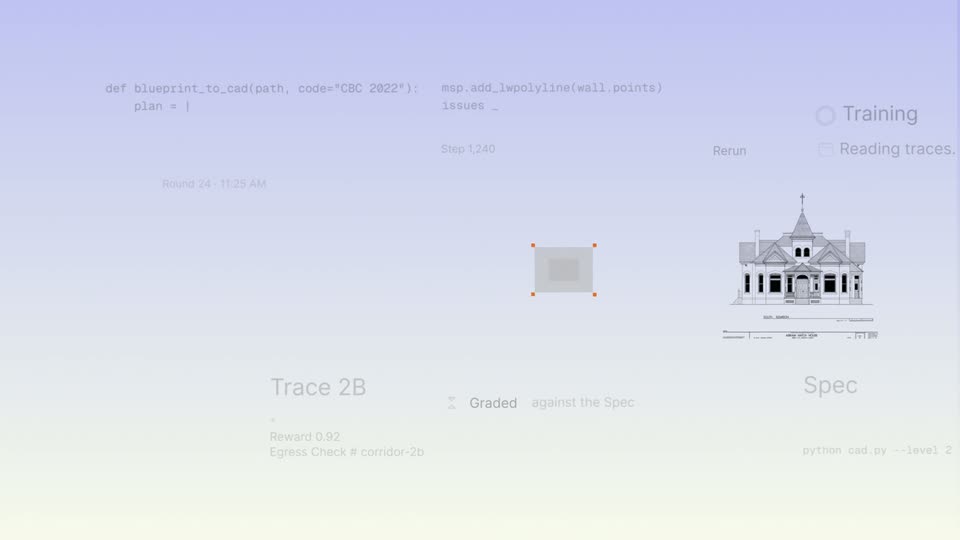
A soft purple-to-cream sky with dotted mesh clouds holds a fading-in interface: a Python code editor left, a square wireframe that fills into a 2D floor plan center, and a line-drawn Victorian house labeled Spec right.
Techniques: Morph
Camera: Pan
A flat collage of code, a house blueprint, and gray Spec tiles with orange handles fills the frame, then fades to a faint backdrop. Large black words What, like, Write pop in one by one. A rounded chat input card scales in as a prompt types itself.
On-screen text: “What”, “like”, “Write”
Techniques: Kinetic type, UI zoom
Camera: Push in
A centered chat input types out a prompt for a Python script as a dark blue code card, a wireframe 3D house, and small task labels fade in around it on a cream background.
Techniques: Kinetic type
Camera: Pull out
A vertical stack of large light-gray words, Traces to Production, holds centered with Websites tinted peach. Small UI cards, a staircase explainer, a Fenwick shop, a green zoning card, a dark code search and a code editor, float at the left and right edges and drift slowly downward.
On-screen text: “Traces”, “Emails”, “PDFs”, “Websites”, “Apps”, “Benchmarks”, “Production”
Techniques: Parallax
Camera: Pan
A vertical list of large pale-gray words scrolls upward, with Production in peach, while small white app icons, notification cards and dark terminal windows drift along the edges at different speeds.
On-screen text: “Emails”, “PDFs”, “Websites”, “Apps”, “Benchmarks”, “Production”, “Vibe-designs”, “Examples”, “Building codes”
Techniques: Kinetic type, Parallax
Camera: Pan
A 'Start training' button with a purple outline sits centered on a light gray field. A blurred menu list behind it fades to plain, then a cursor glides in from the lower right and stops at the button's lower edge.
Techniques: Cursor demo
Camera: Static
A rounded button labeled Start training sits centered on a cream background, outlined in violet. A black cursor rests at its lower edge, then drifts away to the right.
Techniques: Cursor demo
Camera: Static
A close-up of a line chart with a vertical marker sweeping right as Train and Validation values tick up, then the frame pulls back to reveal the full dashboard, where the reward cards and step counter count up to 30 / 3,000.
Techniques: UI zoom
Camera: Push in
A light frame opens out of focus on a centered headline, then snaps sharp onto a paragraph of dark body text with the phrase highlighted in lavender, sitting above a large dark heading at the bottom edge.
Camera: Static
A tight view of a document highlights the phrase 'California Building Code' in a purple box, then the frame pulls back to reveal a feed card and a dark review panel with status buttons below it.
Techniques: UI zoom
Camera: Static
A static close-up of a document editor shows a paragraph of building-code text beneath a ruler and zoom controls; the phrase California Building Code is highlighted in lavender while the surrounding lines remain still.
Camera: Static
A task card reading 'Task: Zoning Check' with a spinning loader floats in front of a dark code editor. The focus pulls from the card to the Python code behind it, sharpening the syntax-highlighted lines as the card softens.
Camera: Static
A dark code editor with syntax-highlighted Python and line numbers holds a white task card centered, its peach icon's progress ring filling while the status reads Running. The whole editor then blurs and dissolves to black.
Camera: Pull out
A wireframe building sits in 3D perspective on a beige field with a white task card floating above it. Two purple side panels wipe open to reveal more wireframe models crossed by a thin white scan line, framing the central card.
Techniques: 3D mockup, Masking, Split screen
Camera: Pull out
A 3x3 grid of wireframe building illustrations, each tagged with a running task card, scrolls up through lavender and cream tiles. The view then zooms into three colored bars reading 0.00.
Techniques: UI zoom
Camera: Static
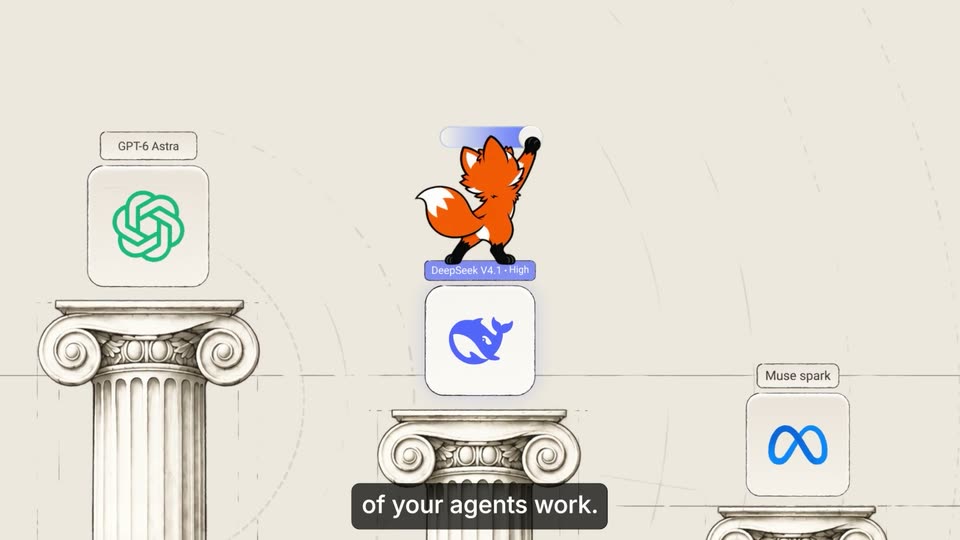
Three colored bars extend across a benchmark chart as their values count up and the rows reorder. A header and model names fade in. A Deploy button pops into the center while the chart blurs behind it, and a cursor slides in to rest on the button.
Techniques: UI zoom, Cursor demo
Camera: Push in
On a cream canvas, nested selection frames with corner handles zoom into an inner frame labeled with a counting step number. Inside, a line drawing of a house refines from a loose wireframe into a detailed isometric sketch with chimneys and porch.
Techniques: UI zoom
Camera: Push in
Aerial drone view of a two-story red brick house with a gray slate roof and brick chimneys, set on a green lawn bordered by trees, with a paved road along the left. The camera drifts forward and rises slightly, keeping the house centered in warm late-afternoon light.
Camera: Push in
A man sits at a wooden desk in a sunlit room, facing a 3D terminal window that floats in front of him. The window shows three agent tabs and a command line that types out a prompt, with the phrase 'my floor plans' highlighted in purple.
Techniques: 3D mockup
Camera: Static
A dark terminal window floats over a sunlit room where a man sits at a desk, listing three agent tabs and a prompt line, Train a model that reads my floor plans, the phrase in purple. The locked-off shot pulls back slightly at the end.
Camera: Static
A dark terminal window floats over a vertical photo of a sunlit room, listing model cards for Claude Code and Devin and a typed prompt. The composition eases in scale on a cream field with a thin outline, corner plus marks, and a monospace identifier line below.
On-screen text: “A-101 1020 044 170”
Camera: Static
A cream field holds the phrase building word by word in the center, two small plus marks drifting slowly, and a faint gray monospace code line fixed along the bottom edge.
On-screen text: “a creative surface for intelligence”, “A-101 1020 044 170”
Techniques: Kinetic type
Camera: Static
A single dark-gray sans-serif line, “a creative surface for intelligence”, sits centered on a cream field, framed by four small orange corner squares and two gray plus marks. The line resolves from a brief motion blur into a locked frame.
On-screen text: “a creative surface for intelligence”
Techniques: Kinetic type
Camera: Static
A scrolling grid of abstract tiles, dotted grids, halftone clouds and pixel blocks, fills the frame. In the center, the partner names NVIDIA, rogo and Harvey fade in one after another over the moving collage.
On-screen text: “NVIDIA”, “rogo”, “Harvey”
Camera: Static
A locked-off grid of rectangular tiles fills the frame, each holding a different abstract pattern: dot matrices, pixelated clouds, halftone gradients and repeated text rows on pastel or black grounds. Three partner logos, NVIDIA, rogo and Harvey, sit in the center row.
On-screen text: “NVIDIA.”, “rogo”, “Harvey”
Camera: Static
A grainy illustrated sky in soft lavender holds peach cloud puffs at the top and bottom. In the center, the word “just” appears in bold black, then “the start” fades in beside it in a lighter weight.
On-screen text: “just the start”
Techniques: Kinetic type
Camera: Static
A man in a black jacket stands on a sunlit grassy hilltop beside a black pedestal table holding a small boxy device. A white panel wipes away to reveal the table, then large black text builds word by word above his head as he gestures to camera.
On-screen text: “You know what good looks like”, “Go build it”
Techniques: Masking, Kinetic type
Camera: Static
A grainy pastel sky of soft clouds frames a thin dark line that draws itself into the Trajectory logo. The serif wordmark and a bold sans-serif tagline fade in below, then a smaller sans-serif URL line appears at the bottom.
On-screen text: “Own your value function”, “join the waitlist trajectory.ai”
Techniques: Morph
Camera: Static