0:37

New in Superhuman: Write with Voice 🎤
Superhuman · Productivity · Apr 2026
Screenpipe · Feb 2026 · 0:18 · Full motion · AI-annotated
Screenpipe’s 0:18 launch film runs 16 scenes, about 1.2 s each. The product shows up at 0:03 and 1 feature is revealed. There is no explicit call to action. Black-and-white typewriter monospace on a black field, built as a rapid crossfade montage of the app's interface over a recurring mosaic of captured screens. Pacing is tight at about 70 cuts a minute, with focus-pull zooms, a chromatic-aberration glitch accent and typed captions, closing on the logo over a starfield.
Is this your launch? to your site or press kit.
Superhuman · Productivity · Apr 2026
ElevenLabs · AI · Sep 2026
Windsurf · Developer tools · May 2025
Films whose music sounds like this one, voice left out
iPad Air · Classical, Chinese traditional, Electronic
Halo · Modern cinematic orchestral
Apple · Cinematic score, video game music, and vocal performance
A plain black frame holds a centered line of white monospace text that types out word by word, starting with 16 and completing the sentence 16 hours of your life. The camera stays locked off throughout.
On-screen text: “16 hours of your life.”
Techniques: Kinetic type
Camera: Static
A static grid of dozens of small video clips and screen captures fills the frame on a black background, arranged in even rows. The caption '16 hours of your life.' holds still over the mosaic.
On-screen text: “16 hours of your life.”
Camera: Static
A macOS desktop shows a dark Activity Monitor window over a lighter app window. The app window then comes to the front, revealing a scheduled tasks sidebar and a chat panel with a greeting and a cursor.
Camera: Static
A macOS desktop with a blurred Scheduled Tasks panel and a Background Activity card crossfades into a General Settings window, its sidebar and option cards resolving into focus over the mountain wallpaper and dock.
Camera: Static
A macOS desktop holds the Screenpipe window on its Connections page, listing Claude Desktop and Obsidian Sync cards. A centered recording caption fades out as the window content crossfades to a blank loading state.
Camera: Static
A blurred close-up of the app window pulls focus and zooms out to a sharp full view, revealing the Connections panel with Claude Desktop and Obsidian cards, a video preview of a man, and an editing timeline below.
Techniques: UI zoom
Camera: Static
An overexposed view of the Mediar page fades into a dashboard. A left sidebar and a top navigation bar frame a main panel showing a Connections heading and a centered code snippet card.
Camera: Static
A blurred macOS desktop holds a Screenpipe Settings window with a Connections panel listing Claude Desktop and Obsidian Sync. The window swaps to a Gmail compose pane over an inbox. A white caption reads Questions & Answers at the bottom and drifts downward.
On-screen text: “Questions & Answers”
Camera: Static
A blurry, overexposed view of a computer screen zooms in and sharpens, revealing a web browser with a text document in the center and a social media feed on the right.
Techniques: UI zoom
Camera: Static
A desktop with a Google Docs document cross-dissolves into a macOS browser window showing a settings page, while white caption text fades in over the new screen.
On-screen text: “I WROTE MY DAY”, “screenpi.pe”, “AI REMEMBERED”, “AI WROTE MY DAY”
Camera: Static
A dissolve through white transitions from the image compressor page, its centered white card fading, into a social dashboard with a feed and right-hand trending panels.
Camera: Static
A washed-out desktop zooms out from a close chat window to reveal several overlapping app windows, including a blank white panel and a small notes card on the left. The whole screen stays at low opacity with a visible cursor drifting in the center.
Techniques: UI zoom
Camera: Static
A dark Screen Studio pricing page sits in a locked-off frame, two plan cards side by side under the headline about video-making needs, the whole shot wrapped in a glitchy chromatic-aberration effect that jitters the colors.
Camera: Static
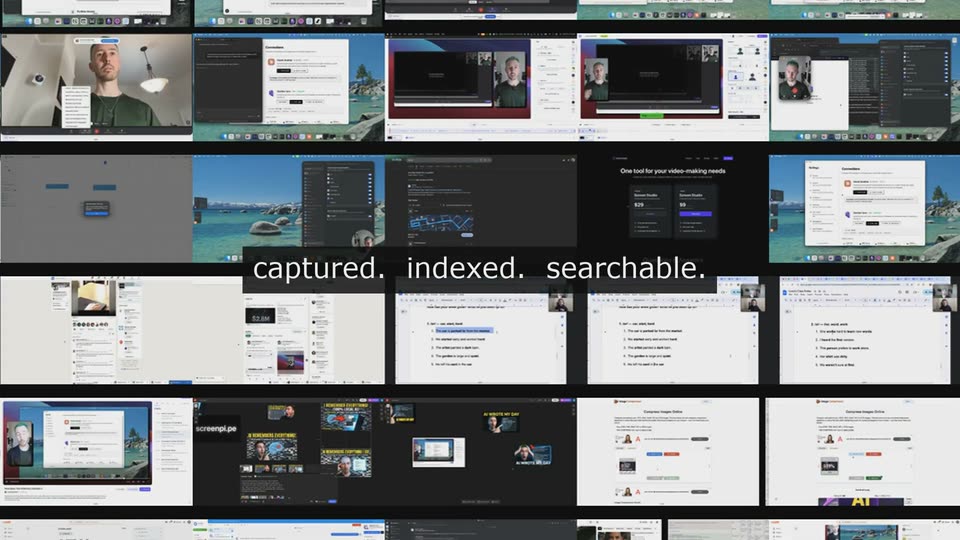
A dense mosaic of small screen-recording and code-editor tiles fills the frame, including a man on a video call. A black bar across the middle holds the white caption. The frame is locked off with no motion.
On-screen text: “captured. indexed. searchable.”
Camera: Static
A dimmed mosaic of small screen captures fills the frame behind a dark center band. A terminal prompt types the question word by word, ending on the full line. The grid stays static throughout the four seconds.
On-screen text: “> what did i work on at 3pm?”, “captured. indexed. searchable.”
Techniques: Kinetic type
Camera: Static
A white rounded-square logo and the wordmark screenpipe sit centered on a black starfield. Below, a monospace tagline swaps from a question to a product line, with a smaller caption of keywords and a URL beneath.
On-screen text: “screenpipe”, “> what did i work on at 3pm?”, “open source · local · private · screenpi.pe”, “your AI finally knows what you're doing”
Camera: Static