1:40

Windsurf Wave 9: Introducing SWE-1, Our Frontier Models
Windsurf · Developer tools · May 2025
Superhuman · Apr 2026 · 0:37 · Full motion · AI-annotated
Superhuman’s 0:37 launch film runs 7 scenes, about 5.4 s each. The product shows up at 0:02 and 1 feature is revealed. There is no explicit call to action; a voiceover carries the film. The video runs as one continuous phone take: a typographic promise opens, a spoken prompt fills an email line by line, the send button fires, and a tagline card plus rippling wordmark close the loop. Its style is dark glow-lit minimalism with white UI cards, gradient accent text, smooth scroll-and-zoom camera moves, and letter-by-letter typing with waveform pulses.
Is this your launch? to your site or press kit.
Windsurf · Developer tools · May 2025
TaxGPT · B2B · Aug 2024
MyUnisoft · Nov 2026
Films whose music sounds like this one, voice left out
Riverside · Latin funk, salsa, and jazz fusion
A dark gradient background with soft purple and teal glows holds a centered headline. White 'Write with' sits above 'just your voice' in a pink-to-blue gradient that types on letter by letter, then both lines fade out.
On-screen text: “Write with”, “just your voice”
Techniques: Kinetic type
Camera: Static
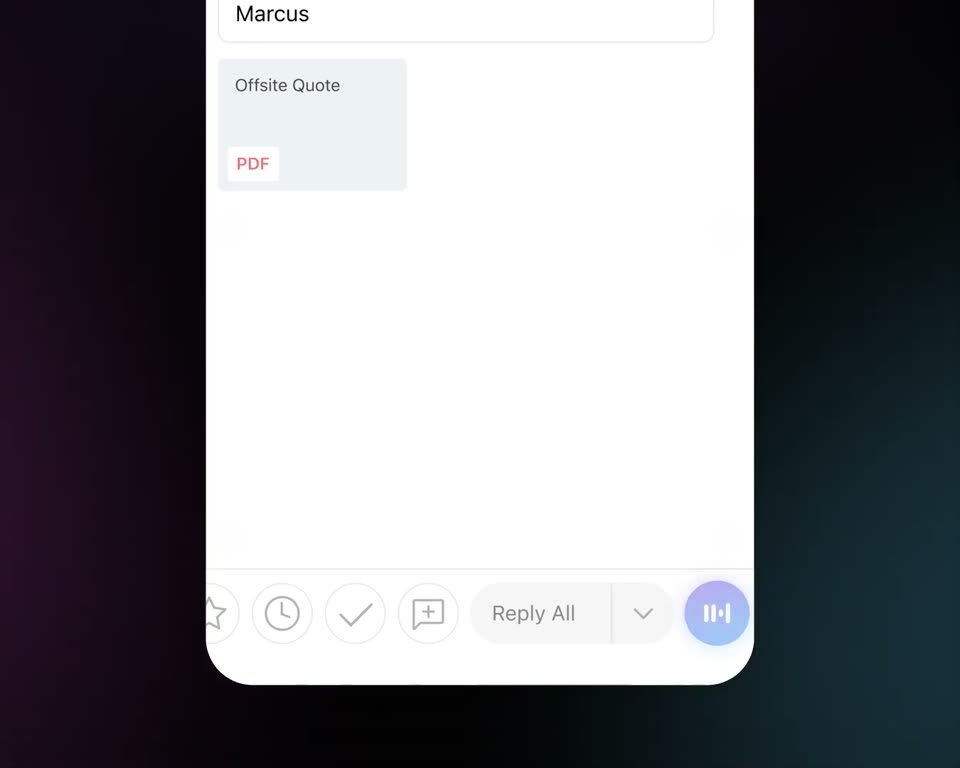
A blurred card fades out over a phone screen showing an email from Marcus Chen with a PDF attachment. The view scrolls down to the reply toolbar, the mic button turns blue, and a Write with AI sheet slides up with a voice input pill.
Camera: Pan
A flat phone UI on a dark background shows an email composer. A waveform pulses in the input bar as white captions type the spoken prompt below, then the email text fills in line by line and the view reframes to the full card.
On-screen text: ““ask for pricing flexibility and request a quick call””, ““just share the soonest time””
Techniques: Kinetic type, UI zoom
Camera: Pull out
A mobile email draft with a keyboard is shown. The view zooms into the purple send button, blurring the surrounding interface.
Techniques: UI zoom
Camera: Push in
A close-up of a white chat input card against a dark purple background. A purple circular button with a white paper plane icon sits at the lower right, then pulses with a soft pink glow ring as if pressed.
Camera: Static
On a near-black background with a soft purple glow at the bottom, the white text 'Say it.' scales into focus, then 'Send it.' in a blue-purple gradient holds below it. The two lines then slice into vertical slats that drift apart, clearing the frame.
On-screen text: “Say it.”, “Send it.”
Techniques: Kinetic type
Camera: Static
A white headline “SUPERHUMAN MAIL” is centered on a dark purple gradient. The letters ripple with a horizontal wave on entry, hold crisp, then soften into a blur and fade out.
On-screen text: “SUPERHUMAN MAIL”
Techniques: Kinetic type
Camera: Static