1:37

Introducing AI Mode: A New Experiment in Google Search
Google · AI · Apr 2025
Stitch’s 1:32 launch film runs 47 scenes, about 2.0 s each. The product is on screen from the first frame and 4 features are revealed. There is no explicit call to action; a voiceover carries the film. The film opens on the Stitch BETA lockup, then runs four feature beats (Create, Iterate, Prototype, Collaborate), each introduced by a single word that snaps from blur to focus over drifting aurora before a UI demo on the dotted grid. Signature moves are blur-to-focus text reveals, glowing cyan-to-purple borders tracing panels, and slow 3D pull-backs through floating mockups, ending on a particle field and the Google Labs lockup.
Is this your launch? to your site or press kit.
The wordmark Stitch glows in soft focus over a dark violet haze, its blurred letters shifting as a cluster of tiny dots assembles a small shape on the right.
On-screen text: “Stitch”
Techniques: Kinetic type, Particles
Camera: Static
A soft purple gradient drifts behind the white wordmark Stitch, which sharpens out of a blur. A thin rounded BETA badge draws in to its right as the lockup settles in the center.
On-screen text: “Stitch”, “BETA”
Techniques: Kinetic type
Camera: Static
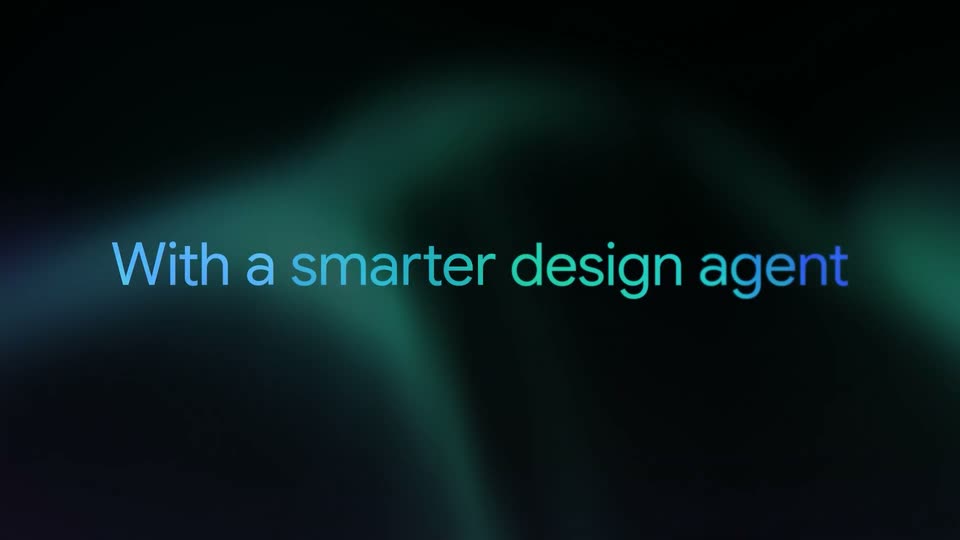
A soft teal and purple blur fills a dark frame. The word Create scales up at center, then blurs out as the line With a smarter design agent fades in at center and holds.
On-screen text: “Create”, “With a smarter design agent”
Techniques: Kinetic type
Camera: Push in
A dark dotted grid holds a centered rounded prompt box with a glowing cyan border. White text types in word by word, the fill shifts to a purple gradient and the box grows a second line. Voiceover captions fade in at the bottom.
On-screen text: “With a smarter design agent”, “Okay,”, “I want to design a new landing page for our brand.”, “Something in matcha green,”, “peach, and lilac.”
Camera: Static
A close-up of a chat card with a teal-to-purple gradient border on a dark dotted background. A white pill with black dots loads at the top left, then the gradient headline “Generating new ideas” fades in, and a bar with a palette icon and “Reticulating Splines” appears below.
On-screen text: “Sequences shortened. Results for illustrative purposes.”
Camera: Static
A dark chat card on a dotted grid background opens with a three-dot typing pill, then the message text fades in and three numbered style names appear one after another. The card border shifts from a green-blue gradient to flat gray while a caption line sits below.
On-screen text: “I've generated three visual directions for you.”, “Sequences shortened. Results for illustrative purposes.”
Camera: Static
On a dark dotted background, three vertical cards fade in one after another, the left with a blue glow and the middle with a green glow, then the words Organic handcrafted, Noir editorial and Neo-chroma appear on each.
Camera: Static
Three phone frames rest on a dark dotted grid. The left and center frames pull focus from a heavy blur into sharp brand-identity layouts, while the right frame stays soft and unreadable. Small labels above each frame name the style options.
Camera: Static
Three phone screens stand side by side on a dark dotted grid. The left white screen keeps its layout while a purple tint washes over it; the two darker screens on the right fade to empty glowing outlines. A gray caption sits centered below the row.
On-screen text: “Let's go with Organic Handcrafted.”
Camera: Static
A teal gradient panel with a glowing blue left edge slides up from the bottom over a dark dotted grid. As it settles, a small STUDIO ALPHA label and a large serif headline fade in line by line inside the panel, while a static caption sits above.
On-screen text: “Studio Alpha - Organic handcrafted”
Camera: Static
A browser window mockup with a cyan glowing edge fades in against a dark dotted grid. Inside, a light lavender hero page shows the STUDIO ALPHA logo, a top nav, and a large serif headline.
Techniques: 3D mockup
Camera: Static
A portfolio view opens defocused on a purple-to-green dotted gradient, then pulls into sharp focus as the content slides up slightly. The sharp frame holds a “Featured Works” heading with arrow icons and two project cards, one with green stationery and one with a pale table still life, each with title and caption.
Camera: Static
A light website card for Studio Alpha reveals left to right behind a glowing vertical bar on a dark dotted grid. The serif headline, body copy, buttons and an arch photo settle into place as the background shifts from mint to lavender, then a gray note reads at the bottom.
On-screen text: “Hey, can we swap the photo”
Techniques: Masking
Camera: Pull out
On a dark dotted grid, a framed photo of a model in a green dress sits left of a phone mockup of a landing page. The phone's image blurs and swaps to the green dress photo; the left border shifts from purple to teal.
On-screen text: “Hey, can we swap the photo”, “with this image?”
Techniques: Split screen
Camera: Push in
A soft purple and teal light trail drifts across a black background while the word Iterate scales up from small to full size in the center, sharpening as it grows. The frame stays locked off throughout.
On-screen text: “Iterate”
Techniques: Kinetic type
Camera: Static
A centered headline reads “With a faster design process” over a dark field of soft green and purple aurora light. The text color shifts between a teal gradient and white while the glow drifts slowly behind it.
On-screen text: “With a faster design process”
Camera: Static
A dark rounded panel sits on a dotted grid background, labeled “Design System - Deep Sleep” at the top left. A blue tile fills with a row of vertical bars, a gray tile appears below it, and a large “Aa” typography tile plus a second tile pop in on the right.
On-screen text: “Design System - Deep Sleep”, “With a faster design process”
Camera: Static
A dark design-system screen sits on black. The central grid of color swatches, Aa type samples and component tiles fades in and brightens, while a theme settings panel stays fixed at the right and a caption appears below.
On-screen text: “Yeah, nice.”
Camera: Static
On a dark dotted grid, a rounded command bar with a glowing teal border holds a row of icons. The prompt line types in word by word, while a small white caption sits centered at the bottom.
On-screen text: “Let's apply the design system to the whole site.”
Techniques: Kinetic type
Camera: Static
A dark gradient backdrop, black at the top fading to purple below, with a thin cyan line across the upper third. A large headline builds word by word, white and blue, while a small white caption sits at the bottom.
On-screen text: “Let's apply the design system to the whole site.”, “Apply this design system”, “to the whole site.”
Techniques: Kinetic type
Camera: Static
A row of phone screens sits side by side, the center one in focus showing a Featured Community card titled Mindful Mornings with a Join Circle button. The whole frame fades in from a washed-out pale state to full color while the camera stays locked off.
On-screen text: “Let's apply the design system to the whole site.”
Camera: Static
A dark stage holds a row of wellness-app phone screens beside a design-system panel with color swatches and a large type specimen. A chat card at the top left reads as a prompt, and the camera pulls back to reveal the full lineup.
On-screen text: “Aa”, “Done! Would you like to”, “explore new layouts?”
Techniques: 3D mockup
Camera: Pull out
Close-up of a dark interface on a faint dot grid. A circular play button with the Prototype label below it brightens into a blue radial glow, while a rounded Export pill with an image icon sits to the right.
Techniques: Light sweep
Camera: Static
A glowing white play button sits over a dark, blurred row of UI cards. The button fades and drifts right as a vertical phone screen with a purple-to-teal gradient lights up in the center.
Camera: Static
A front-facing phone mockup floats on a dark dotted grid, its screen glowing with a blue-purple gradient. The interface scrolls up, moving the Wellness Circles heading off the top and bringing in a forest photo and a Sunlight & Serenity recommendation card.
Camera: Static
A smartphone screen centered on a dark grid background scrolls upward through stacked community cards. A forest path image labeled Sunlight & Serenity slides up, followed by a leaf image for Mindful Mornings and a forest image for Wellness Circles, each with a blue action button.
Camera: Static
A flat phone mockup sits centered on a dark dotted grid. The Wellness Circles app interface scrolls upward inside the fixed frame, revealing the Mindful Mornings card, the Forest Bathing Collective card with a forest photo, and the Stress-Free Living card.
Camera: Static
On a black field a soft green and violet light ribbon drifts behind centered text. The teal word Collaborate racks from blur into sharp focus, then a smaller line slides in and blurs out at the end.
On-screen text: “Collaborate”, “Stress-Free Living”
Techniques: Kinetic type
Camera: Push in
Centered light-teal text reads 'Using your voice' over a black field of blurred purple and teal gradients. The phrase scales in gently as the soft color shapes drift behind it.
On-screen text: “Using your voice”
Techniques: Kinetic type
Camera: Static
A dark prompt bar with a cyan glowing border zooms in toward the camera over a dotted blue-purple gradient backdrop, while the caption 'Using your voice' scales up beside it.
On-screen text: “Using your voice”
Techniques: UI zoom
Camera: Static
On a dark dotted grid with soft purple and blue glows, a rounded pill toolbar with a microphone icon and a Voice picker dropdown fades in from dim to bright, a thin cyan line glowing along its top edge. The caption 'What do you think of this screen?' appears below.
On-screen text: “What do you think of this screen?”
Camera: Static
A phone mockup of a yoga app breathing screen sits centered on a dark dotted grid, with a gray caption below. At 4s the caption swaps to 'Let's do it.'; at 5s the phone slides left as an empty second phone outline with a teal edge appears on the right.
On-screen text: “What do you think of this screen?”, “I think we can try out some other color and layout options?”, “Sequences shortened. Results for illustrative purposes.”, “Let's do it.”
Techniques: Split screen
Camera: Static
Two flat phone mockups float on a dark dotted grid, the left showing a meditation app with a large circle that pulses in and out while the word Breathe scales with it. The right phone stays a dark blurred panel, and the frame is locked off throughout.
Techniques: Kinetic type
Camera: Static
Two phone mockups of a yoga app sit side by side on a dark dotted grid. The left screen is a light cream player; the right, a dark teal one, fades in beside it. A green ring around the word Breathe pulses slowly, scaling with the text.
On-screen text: “Session Player - Yoga”, “Session Player - Midnight Bloom”
Techniques: Split screen
Camera: Static
A dark rounded interface card sits in 3D perspective against a dotted grid, its top edge glowing teal to purple. A white pill with two dots hovers above large extruded teal text reading “I've generated”.
Camera: Static
Locked-off close-up of a rounded panel's top-left corner on a black dot-grid background. A cyan light traces the glowing edge, then brightens and blooms as the shot holds.
On-screen text: “I've generated”
Techniques: Light sweep
Camera: Static
A glowing cyan line traces the right and bottom edges of a dark navy panel with a rounded corner, set over a faint dot grid on a near-black background. The frame holds nearly still with a soft pulse, the bottom edge shifting slightly between frames.
Camera: Static
On a green-to-blue gradient, two glowing white serif titles, Nexus Agency and Solstice Wellness, sit over small green index labels. The frame racks from soft blur into sharp focus as Solstice scales up; a dotted grid lines the dark left edge.
On-screen text: “01 / BRANDING & DIGITAL”, “Nexus Agency”, “02 / IDENTITY SYSTEM”, “Solstice Wellness”
Camera: Static
Three webpage mockups stand in 3D perspective on a dark purple gradient, each tagged with a small label. The camera pulls back from a close crop on two panels to a wider frame revealing the third, holding on the row of landing pages.
On-screen text: “Star Guide Landing Page”
Techniques: 3D mockup, UI zoom
Camera: Pull out
A row of tilted smartphone mockups floats in a dark purple space, each showing a fashion website. The camera pans left and pulls back, revealing additional phones on both edges with different pages, rings, fabric and a model.
Techniques: 3D mockup, Parallax
Camera: Pull out
A field of floating interface mockups drifts through a purple 3D space, with a typography panel, brand documents, jewelry app screens, and a recipe app arranged at varying depths. The screens pan slowly, foreground and background shifting at different speeds.
Techniques: 3D mockup, Parallax
Camera: Pull out
A hazy field of floating design mockup panels in purple light defocuses, and the tagline Your partner in vibe design sharpens into view at center.
On-screen text: “Your partner in vibe design”
Techniques: 3D mockup
Camera: Static
A centered light cyan sentence appears over a soft purple and blue gradient. It starts blurred and slightly smaller, then scales into focus before holding steady on a locked-off frame.
On-screen text: “Your partner in vibe design”
Techniques: Kinetic type
Camera: Static
A dark field of soft purple, blue and green glows drifts slowly while a swarm of small purple and blue dots floats across the frame. The tagline scales in at center over the particles.
On-screen text: “Your partner in vibe design”
Techniques: Particles, Kinetic type
Camera: Pull out
A white pill logo with two dots glows on a dark purple-to-teal gradient, then morphs into the white wordmark Stitch as a small BETA tag fades in to its right.
On-screen text: “Stitch”, “BETA”
Techniques: Morph
Camera: Static
The white Stitch wordmark and a BETA pill scale and brighten into the center of a dark purple-to-teal gradient with a faint dot grid. A small gray disclaimer line fades in along the bottom edge.
On-screen text: “Age 18+ only. Currently available in English and in countries where Gemini is supported.”
Techniques: Kinetic type
Camera: Static
On black, a white flask icon shrinks and settles at the left as the Google Labs wordmark fades in beside it. A small gray disclaimer line holds at the bottom edge. The lockup holds for a beat, then fades out to black.
On-screen text: “Stitch”, “BETA”, “Age 18+ only. Currently available in English and in countries where Gemini is supported.”, “Google Labs”
Camera: Static