1:47
Explore
Stitch by Google - Your vibe design partner just got more collaborative! To celebrate I
Stitch · May 2026 · 1:18 · Full motion · AI-annotated
- Length
- 1:18
- Scenes
- 34 · 2.3 s avg
- Product on screen
- 0:06
- Features shown
- 4
- Call to action
- 1:10 · 91%
- Voiceover
- Yes
- Views
- 511K on X
as of November 15, 2026
00:00:00 / 01:18:04
- Length
- 1:18
- Scenes
- 34 · 2.3 s avg
- Product on screen
- 0:06
- Features shown
- 4
- Call to action
- 1:10 · 91%
- Voiceover
- Yes
- Views
- 511K on X
as of November 15, 2026
Stitch’s 1:18 launch film runs 34 scenes, about 2.3 s each. The product shows up at 0:06 and 4 features are revealed. The call to action lands at 1:10 (91% in), over a voiceover. The video alternates locked-off title cards that rack from blur to sharp with fast UI demos on a dark dotted canvas, each feature introduced by a gradient headline. Signature moves are the soft-focus text reveals, teal to violet light sweeps across buttons, and the purple agent cursors steering the design.
No filming indicatedEstimated needs: 4 capture groups — your screens or recordings · 1 official logo — reused across the film · 3 graphic passages — draw or supply · 2 3D passages — build or supply
Is this your launch? to your site or press kit.
More like this

1:40

Best AI SaaS Product Launch Video | Sovera
Sovera · May 2026
2:10
Welcome to the all new Affinity
Affinity · Oct 2025
Stitch by Google - Your vibe design partner just got more collaborative! To celebrate I, scene by scene
· 34 scenes as text
01 · Hook · 0:00–0:01
A light blue sans-serif headline sharpens into focus over a dark, blurred background of blue and purple gradients.
On-screen text: “Your vibe design partner”
Camera: Static
02 · Hook · 0:01–0:02
A dark frame holds a soft teal ribbon drifting slowly out of focus. The line “Just got more collaborative” racks from blur to sharp at center, while a smaller heading line sits locked above it.
On-screen text: “Your vibe design partner”, “Just got more collaborative”
Camera: Static
03 · Hook · 0:02–0:03
A centered headline, 'Just got' in white and 'more collaborative' in blue, holds still over a dark blurred teal glow, then fades out as the background light dims.
On-screen text: “Just got more collaborative”
Camera: Static
04 · Hook · 0:03–0:06
A centered list of feature labels in a blue-to-teal gradient scrolls upward over a dark, blurred field of drifting color glows. The lines slide through a soft bright band, fading at the top and bottom edges.
On-screen text: “Intelligent design agent”, “Design.md”, “Voice Mode”, “Instant Prototypes”, “MCP Server & Skills”, “Import your Design”, “Streaming and Steering”, “Design in Motion”, “Publish to the Web”
Techniques: Kinetic type
Camera: Static
05 · Product intro · 0:06–0:09
On a purple-to-blue gradient, the word Stitch sharpens from a soft blur at center while a scatter of small white dots drifts away on the right. A thin white pill holding BETA expands in beside the wordmark, then the frame holds still.
On-screen text: “Stitch”, “BETA”
Techniques: Particles
Camera: Static
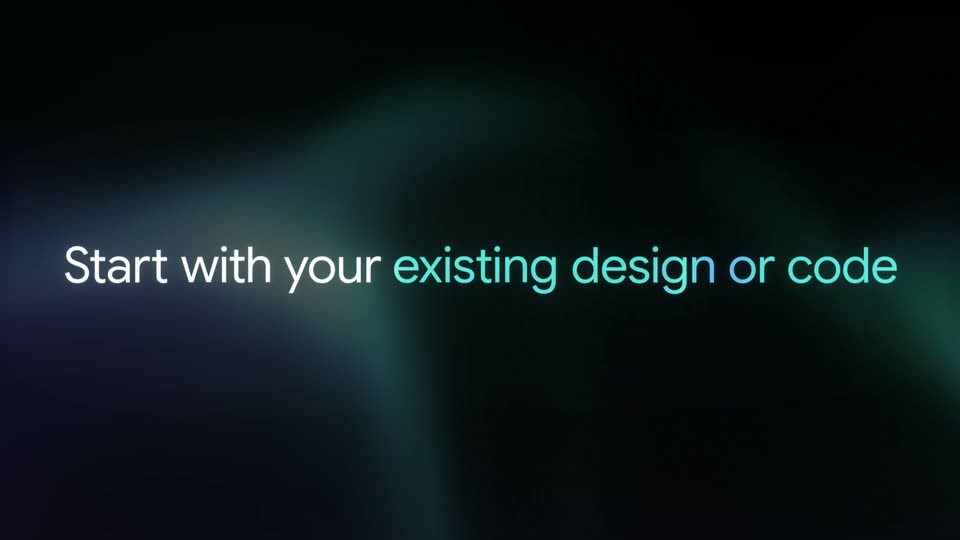
06 · Feature reveal · 0:09–0:11
A dark field of blurred teal and violet light streaks drifts slowly behind a centered headline. The line wipes in from left to right, then holds steady on a locked-off frame.
On-screen text: “Stitch”, “BETA”, “Start with your existing design or code”
Techniques: Masking
Camera: Static
07 · Feature reveal · 0:11–0:13
A dark dotted design canvas holds a pill button reading “Start with your design” with a plus icon. A cursor rests on its right edge while the button scales up and a blue light sweep glints across its top and bottom edges.
On-screen text: “Start with your existing design or code”
Techniques: UI zoom, Cursor demo, Light sweep
Camera: Push in
08 · Feature reveal · 0:13–0:19
A dark upload modal on a dotted grid expands from a single drop area into three file cards. The cursor moves to the right card, a white file icon is dropped onto it, and the card glows with a gradient border as the view zooms in, then pulls back.
Techniques: UI zoom, Cursor demo
Camera: Pan
09 · Feature reveal · 0:19–0:19
A soft, out-of-focus purple and teal gradient fills the frame. The caption “See as it builds” sits centered and sharpens from blur to crisp over the clip, on a locked-off frame.
On-screen text: “See as it builds”
Camera: Static
10 · Feature reveal · 0:19–0:21
A black field of blurred teal and violet shapes drifts slowly behind centered text. “See as it builds” holds still, then gives way to “and design together,” which scales in, with blue accent words in each line.
On-screen text: “See as it builds”, “and design together”
Techniques: Kinetic type
Camera: Static
11 · Feature reveal · 0:21–0:26
On a dark dot-grid canvas, a rounded prompt bar with a teal-to-purple gradient border sits centered; the prompt text types in word by word while a matching caption swaps below. The frame then pulls back to reveal the full app window with a phone mockup and side toolbars.
On-screen text: “We just launched a new camping collection.”, “Add a new “Adventure Essentials” category to the home screen.”
Techniques: UI zoom
Camera: Static
12 · Feature reveal · 0:26–0:28
A dark dotted-grid canvas shows a Thinking card on the left that gains an Auditing color libraries pill. Two purple agent cursors drift at the center as a white screen mockup pops in, tagged Generating Screen.
On-screen text: “Sequences shortened. Results for illustrative purposes.”
Camera: Static
13 · Feature reveal · 0:28–0:29
On a dark dotted background, a gray caption slides left while a white rounded card slides in from the right and grows into a full mobile screen. A purple cursor arrow points at a purple loading pill as the interface fades in: menu icon, bear logo, and status lines.
On-screen text: “Generating Screen..”
Techniques: Morph
Camera: Push in
14 · Feature reveal · 0:29–0:31
A flat phone mockup sits centered on a dark dotted background, with a small “Generating Screen…” caption above it. Inside, a chat view with two purple typing bubbles crossfades into a starry night camping hero, where “Discover your stay” and two buttons fade and scale in.
On-screen text: “Generating Screen..”, “Generating Screen...”, “Discover your stay”, “Tent Sites”, “RV Parks”
Camera: Pull out
15 · Feature reveal · 0:31–0:32
A white listing card with a night-tent illustration, rating, price and a green Reserve button sits on a dark dotted background. It starts blurred and snaps into focus while a purple cursor hovers over a small purple pill with two dots.
On-screen text: “Generating Screen...”, “Discover your stay”, “▲ Tent Sites”, “RV Parks”
Techniques: Cursor demo, Kinetic type
Camera: Pan
16 · Feature reveal · 0:32–0:42
Four camping-app screens sit on a dark dotted canvas while a voice bar glows and subtitles caption a reorder command. The screens shift and their cards fill in, then the view zooms into the left screens.
On-screen text: “Scratch that.”, “Let's put Adventure Essentials right under Discover your stay.”, “On it!”
Techniques: UI zoom
Camera: Push in
17 · Feature reveal · 0:42–0:45
Two centered text lines hold on a dark, blurred teal light background: “Move beyond the static” gives way to “Put your designs in motion.” Both lines stay static on a locked-off frame.
On-screen text: “Move beyond the static”, “Put your designs in motion”
Camera: Static
18 · Feature reveal · 0:45–0:46
A dark dotted-grid backdrop frames a rounded card with a glowing cyan border. Inside, the headline builds from “Make the stars” to “Make the stars twinkle.”, the last two words in cyan, while a small caption and a plus mark sit below.
On-screen text: “Make the stars twinkle.”, “Make the stars twinkle.”
Techniques: Kinetic type
Camera: Static
19 · Feature reveal · 0:46–0:49
Four flat phone screens of the camping app stand side by side on a dark dotted grid. The camera zooms into the first phone, filling the frame with its starry night hero image over pine trees and the Discover your stay label.
On-screen text: “Make the stars twinkle.”
Techniques: UI zoom
Camera: Push in
20 · Feature reveal · 0:49–0:51
A flat illustration of a starry night with a thin constellation and purple nebula over a forest of green and blue pine trees. The trees drift slowly upward while the stars twinkle, framed by black dotted side panels.
Techniques: Parallax
Camera: Static
21 · Feature reveal · 0:51–0:52
A flat illustration of a starry night sky over a row of green pine trees. White lines draw a constellation, then the central star flares with radiating beams and a scatter of small particles, while a warm orange glow sits at the bottom center.
Techniques: Particles
Camera: Push in
22 · Feature reveal · 0:52–0:54
On a dark design-tool canvas with a dotted grid, four flat phone mockups of a camping app line up in a row. The view pans slowly across them, sliding the screens past the left edge while a cursor hovers at the right.
Camera: Push in
23 · Feature reveal · 0:54–0:55
A dark dotted background frames a centered Export button that scales up as a teal light sweep glides along its border, while a play icon and Share button fade to the edges and two white cursors drift toward it.
Techniques: Cursor demo, Light sweep, UI zoom
Camera: Push in
24 · Feature reveal · 0:55–1:01
A glowing dark Export button with an icon dissolves into teal text. The phrase Export directly to stays on the left while destination names, AI Studio, Figma, Lovable, .zip and Netlify, scale in and out on the right over blurred blue light streaks.
On-screen text: “Export directly to AI Studio”, “Export directly to Figma”, “Export directly to Lovable”, “Export directly to Bolt”, “Export directly to .zip”, “Export directly to Code to Clipboard”, “Export directly to Project Brief”, “Export directly to Netlify”
Techniques: Kinetic type
Camera: Static
25 · Feature reveal · 1:01–1:04
A dark Export dialog sits on a dotted grid. A cursor glides down the format list and clicks the Netlify radio, then the panel scrolls to reveal a Deploy with Netlify button before the dialog fades out.
Techniques: Cursor demo
Camera: Push in
26 · Feature reveal · 1:04–1:05
A glowing horizontal light bar holds the dark frame, then contracts to a thin line as five angled phone mockups scale up in a row, each showing a different screen of a camping app from destination cards to a user profile.
Techniques: 3D mockup
Camera: Pull out
27 · Feature reveal · 1:05–1:06
Five phone mockups stand in a row on a dark stage with a violet floor glow. The array tilts into a shallow arc while each screen scrolls its camping app content, revealing destination cards, gear tiles and trip lists.
Techniques: 3D mockup
Camera: Pull out
28 · Other · 1:06–1:08
Four stacked headline lines slide in and brighten over a dark backdrop lit by a soft green beam rising from the center. The frame stays locked while the text moves from faint to full opacity.
On-screen text: “Import your Design”, “Streaming and Steering”, “Design in Motion”, “Publish to the Web”
Techniques: Kinetic type
Camera: Static
29 · Other · 1:08–1:08
Four lines of gradient text list product features on a dark background with a soft blue glow. The block slides upward on a locked-off frame, lines fading in at the bottom and out at the top.
On-screen text: “Import your Design”, “Streaming and Steering”, “Design in Motion”, “Publish to the Web”
Techniques: Kinetic type
Camera: Static
30 · Other · 1:08–1:10
A dark background holds soft purple and teal light beams. The headline resolves from blur to sharp focus, locked off center-left, with the first words in white and the rest in teal.
On-screen text: “Collaborate with your vibe design partner”
Camera: Static
31 · CTA · 1:10–1:12
The white Stitch wordmark sits centered on a soft purple and blue gradient, resolving from a soft blur into a sharp focus while a small sparkle flicks off the final letter. The frame stays locked off throughout the short reveal.
On-screen text: “Collaborate with your vibe design partner”, “Stitch”
Camera: Static
32 · CTA · 1:12–1:15
On a soft purple gradient, the white Stitch wordmark scales up from a small glowing mark to full size, settling left of a white-outlined BETA pill, while the URL stitch.withgoogle.com fades in below.
On-screen text: “Stitch”, “BETA”, “stitch.withgoogle.com”
Techniques: Kinetic type
Camera: Static
33 · Outro · 1:15–1:17
A white Erlenmeyer flask icon sits centered on black, then slides left as the white Google Labs wordmark reveals beside it, forming the lockup. A small gray legal line stays fixed at the bottom.
On-screen text: “Age 18+ only. Currently available in English and in countries where Gemini is supported.”
Camera: Static
34 · Outro · 1:17–1:18
A black screen holds the gray Google Labs flask icon and wordmark centered, with a small gray age disclaimer fixed along the bottom edge. The frame is locked off and stays static for the full shot.
On-screen text: “Google Labs”, “Age 18+ only. Currently available in English and in countries where Gemini is supported.”
Camera: Static