1:56


Milestone Analysis
Amplitude · Jun 2020
Scape for Outlook · Nov 2026 · 1:32 · AI-annotated
Scape for Outlook’s 1:32 launch film runs 25 scenes, about 3.7 s each. The product is on screen from the first frame and 2 features are revealed, with social proof. The call to action lands at 1:17 (84% in), over a voiceover. The video alternates between static two-shot host interviews and tight UI close-ups, using soft rack focus and dissolves to white to move between talking heads and screen captures. End cards build their text word by word on a plain gray field before the logo card closes the loop.
Is this your launch? to your site or press kit.
Amplitude · Jun 2020
Microsoft · AI · Nov 2023
Films whose music sounds like this one, voice left out
Workers IO · Modern electronic and rock
TryNearby · Promotional / Tech Launch
Superhuman · Upbeat corporate electronic pop
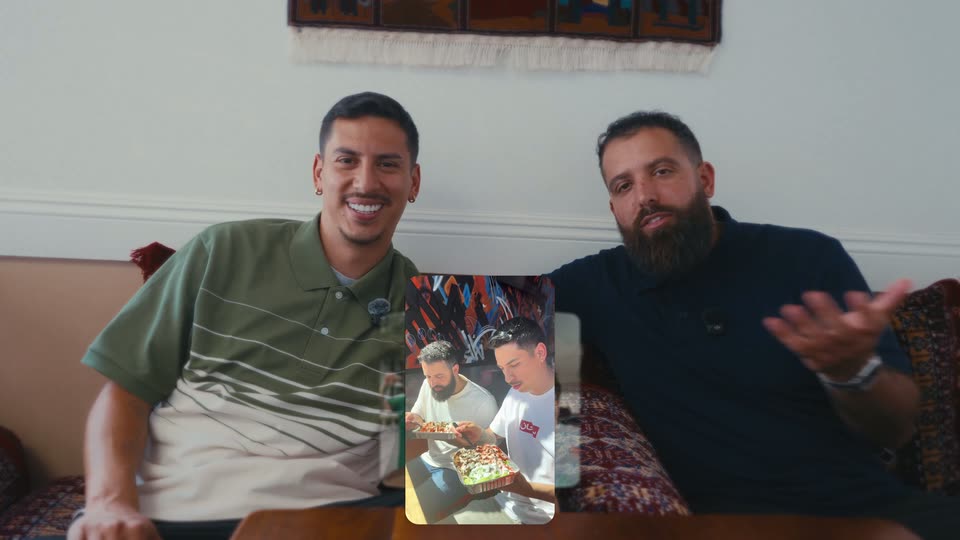
Two men sit at a wooden table before white-framed windows. The man on the left, in a black zip-up, gestures with his hand as he speaks; the man on the right, in navy, keeps his hands clasped. A silver laptop sits open in front of the left man.
Camera: Static
A man in a black zip sweater sits at a desk with a laptop, talking and gesturing, while a second man in blue sits at the right edge. A window with a building outside fills the background, then the image defocuses as the first man turns toward the second.
Camera: Pan
A man in a navy sweater speaks to camera in a medium close-up, with a second man partly visible at the left edge. A window showing a rooftop and a potted plant fill the background. The shot opens soft and out of focus, then sharpens on the speaker.
Camera: Pan
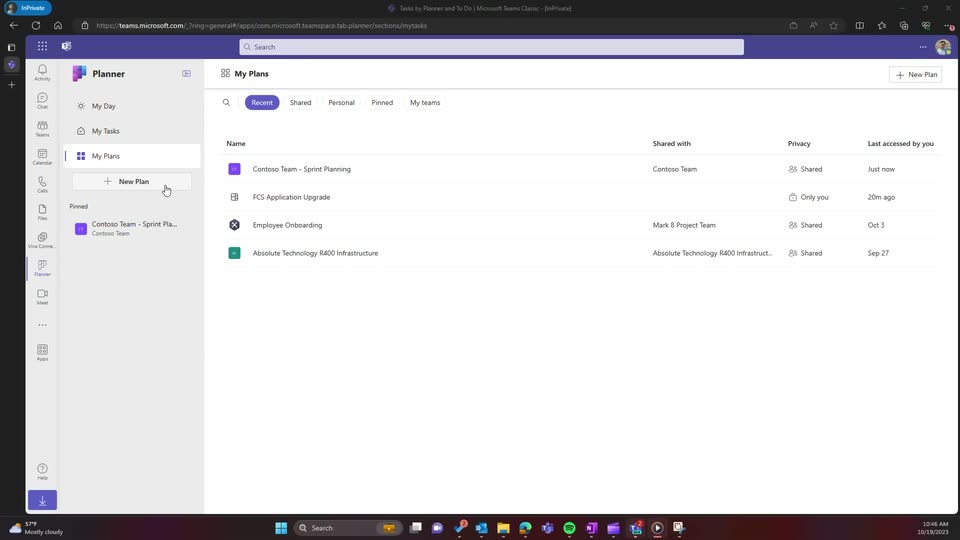
A tablet on a desk is framed at an angle with shallow focus, its screen showing an email thread and an Inbox assistant panel that shifts from Searching Slack to Thinking. Large white text Introducing Outlook overlays the lower left.
On-screen text: “Introducing Outlook”
Camera: Static
Two men sit at a wooden table in a bright room by a window. The man on the left, in a black zip sweater, talks and gestures beside an open silver laptop. The man on the right, in a navy sweater, listens with hands clasped, turning his head. Static medium shot, soft daylight.
Camera: Static
A laptop on a wooden desk shows an email thread and a chat panel; a person's hands type on the keyboard in the soft-focus foreground. The shot holds steady, then dissolves to white.
Camera: Push in
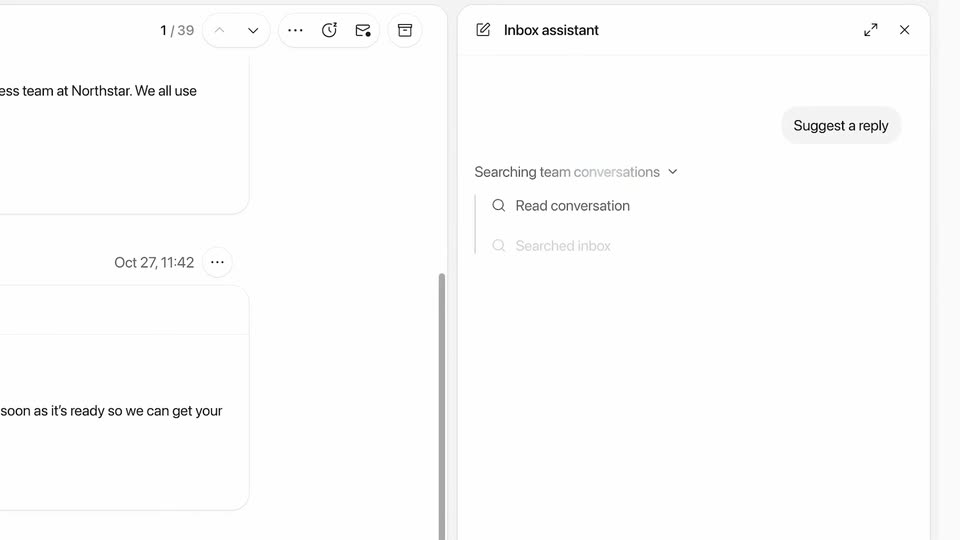
A two-pane inbox interface: a cursor hovers over “Suggest a reply” in the right panel, which then switches to an “Inbox assistant” view where task steps appear one by one and the status label cycles from Reading conversation to Searching meetings, while the conversation thread on the left scrolls.
Techniques: Cursor demo
Camera: Push in
Two men sit at a wooden table behind a silver laptop in a bright office. The man on the left, in a black zip-up, talks and gestures; the man in navy listens. A window reveals rooftops. The shot cuts to a tighter frame on the speaker.
Camera: Static
A man in a black zip-neck sweater gestures with both hands while talking, seated at a table beside a second man in navy at the right edge. A laptop and a potted plant sit in the bright, window-lit room.
Camera: Static
Two men sit at a wooden table in a bright room with a large window behind them. The man on the left gestures with both open hands while speaking, the man on the right listens with hands clasped. A silver laptop sits open in the foreground.
Camera: Static
A man in a navy sweater sits at a table with a laptop, talking and gesturing with one hand toward the screen while a second man listens at the left edge of frame. Soft daylight from a window behind them.
Camera: Static
A two-panel inbox UI: the left email thread scrolls up as the right assistant panel adds steps one by one, its header changing from Searching Slack to Thinking to Worked for 13s, then a drafted reply types out below.
Camera: Static
Two men sit at a wooden table in a sunlit room. The man on the left looks at a silver laptop while the man on the right, hands clasped, watches the screen. Static medium shot with a conversational, real-time pace.
Camera: Static
A silver laptop sits on a wooden desk, its screen showing an email draft in the Scape app with an inbox assistant panel on the right. A person's hands type on the keyboard at the bottom of the frame while the camera holds still.
Camera: Static
A man in a black zip sweater gestures while speaking, seated beside a man in a navy sweater with hands clasped. Both look at a silver laptop in the foreground, its lid facing the camera. The static shot sits in a bright room with a window behind them.
Camera: Static
Over-the-shoulder locked-off shot of a laptop on a desk. A hand types on the keyboard while the screen shows an email app: the middle pane switches from a draft to a received message, and a right-hand assistant panel lists completed actions.
Camera: Static
Two men sit at a wooden table in a bright room; the man on the right in a navy sweater speaks and gestures while the man on the left listens beside an open silver laptop. The locked-off shot cuts to a tighter frame of the listener at the end.
On-screen text: “Caught up on your chat with Luadvig. Attached a short deck on how Scope ould help with”
Camera: Static
A person in a black zip-up talks while seated at a laptop in a bright room beside a window. The shot cuts to a two-shot as a second person in a blue sweater faces them across the table, both gesturing mid-conversation.
Camera: Pan
Static medium shot of a man in a navy sweater speaking and gesturing at a table, a window with a round porthole and city roofline behind him. At 8.5s, a cut to a second man in a black zip-up sweater clapping beside a laptop.
Camera: Pan
A man in a black zip sweater sits at a table and talks, gesturing with both hands. A second person in a dark sweater sits to his right, and a silver laptop rests in the left foreground against a bright windowed room.
Camera: Static
Two men sit at a wooden table before a bright window. The man on the left, in a black zip sweater, talks and gestures with open hands. The man on the right, in navy, listens with hands clasped. A silver laptop faces away in the foreground.
Camera: Static
A washed-out shot of two men seated at a table with a laptop dissolves to a plain off-white background. In the center, the words Outlook available now fade in one by one in dark sans-serif, the frame locked off.
On-screen text: “Outlook available now”
Techniques: Kinetic type
Camera: Static
A plain light gray background holds a single centered line of black text. The line reads Outlook available now and remains static in a locked-off frame for the full shot.
On-screen text: “Outlook available now”
Camera: Static
On a plain light gray background, the line Get started at scape.app builds word by word, the later words fading in, holds for a beat, then the whole line dissolves out to an empty card.
On-screen text: “Outlook available now”, “Get started at scape.app”
Techniques: Kinetic type
Camera: Static
A small black logo of six teardrop shapes arranged in a ring sits centered on a plain light gray background. It holds static for the full clip with no motion or added text.
Camera: Static