3:31

Introducing Galaxy S26 Ultra | Galaxy AI | Samsung
Galaxy S26 Ultra · Feb 2026
Samsung Galaxy S26 Ultra · Mar 2026 · 3:32 · AI-annotated
Samsung Galaxy S26 Ultra’s 3:32 launch film runs 103 scenes, about 2.1 s each. The product shows up at 0:05 and 10 features are revealed. There is no explicit call to action; a voiceover carries the film. The video opens with a dark, cinematic teaser montage of glowing title cards and a star-particle bloom, then moves through one named feature at a time, each announced by a white headline and proven with a mix of 3D macro renders and live-action hands holding the phone. Its signature moves are the blue star sparkle that punctuates every AI beat, the recurring corgi as a test subject, and hard cuts between sterile black 3D spaces and warm, string-lit lifestyle scenes, all held to a steady 122 bpm.
Is this your launch? to your site or press kit.
Galaxy S26 Ultra · Feb 2026
Apple · Hardware · Oct 2026
Films whose music sounds like this one, voice left out
Galaxy S26 Ultra · Modern electronic, cinematic
Adobe · Electronic dance music, house, deep house, and pop-rap crossover.
Samsung Galaxy Z Fold8 · Cinematic electronic pop
A black screen holds for the full clip. A tiny white disclaimer line sits in the lower-left corner, reading “Image simulated for illustrative purposes.” No other element moves, scales or appears.
On-screen text: “Image simulated for illustrative purposes.”
Camera: Static
A dark reflective stage holds a titanium phone frame and a small black watch above an embossed SAMSUNG wordmark. A thin blue streak of light rises and blooms into a glowing cluster of blue stars and particles, the foreground blurring as focus shifts to the star.
On-screen text: “Image smuated for latrstie purpcoes”
Techniques: 3D mockup, Particles
Camera: Static
The SAMSUNG wordmark sits angled in 3D on a dark gradient field, locked off. A beam of light sweeps left to right across the letters, brightening them, while a faint dotted trail arcs beneath the text.
On-screen text: “SAMSUNG”, “Image simulated for illustrative purposes.”
Techniques: Light sweep, Particles
Camera: Static
A close side profile of a phone edge in the dark; a streak of light with a particle trail sweeps along the top edge, the metal brightens, then the view pulls back to a thin phone line on a purple platform as “Galaxy AI” slides in.
On-screen text: “Image simulated for illustrative purposes.”, “Galaxy AI”
Techniques: 3D mockup, Particles, Light sweep, Kinetic type
Camera: Static
A purple curved dome sits on a black background in 3D perspective. The white wordmark 'Galaxy AI' slides in across the center, then a glossy blue star grows and glows in front of it, sending a vertical light beam upward and scattering small stars.
On-screen text: “Galaxy AI”
Techniques: Kinetic type, Light sweep, Particles
Camera: Static
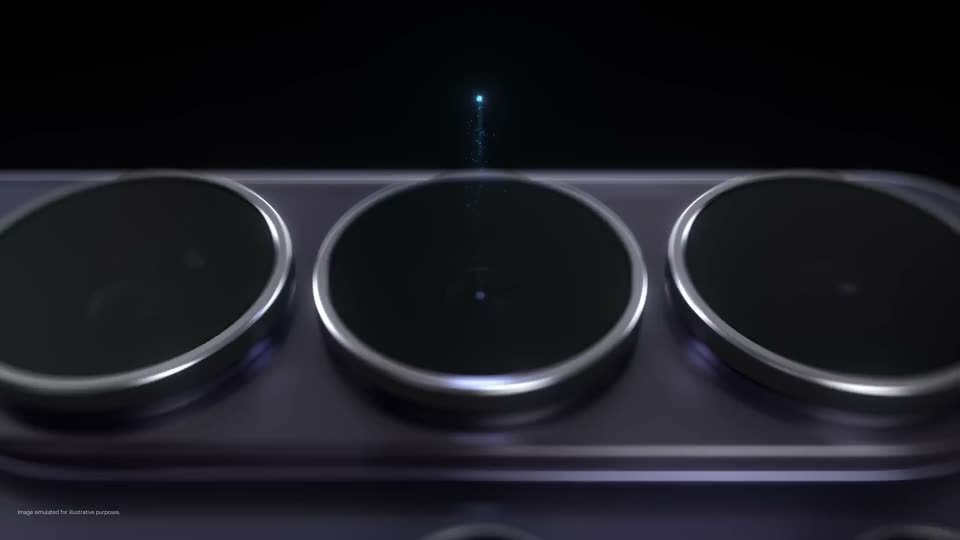
A dark 3D render of three circular camera lenses on a metallic base, a blue particle stream rises from the center, and white glowing text Next-Level Pro Cameras forms above as the lenses settle into view.
On-screen text: “Image simulated for illustrative purposes”, “Next-Level”, “Pro Cameras”
Techniques: Particles, Kinetic type, 3D mockup
Camera: Pull out
A glowing blue processor chip fills the lower frame in 3D as the white headline The Most Powerful Processor on Galaxy fades in above it. The camera pushes in low across the circuitry, the text scales down with the move, and the shot flares to white.
On-screen text: “The Most Powerful”, “Processor”, “on Galaxy”, “Next-Level”, “Pro Cameras”
Techniques: Kinetic type, 3D mockup
Camera: Pull out
A tight close-up on the device's edge tilts upward to reveal the top face of a smartphone in 3D perspective, its screen lit blue with a grid of tiles, set against black.
On-screen text: “Processor”
Techniques: 3D mockup
Camera: Static
A smartphone stands at a steep low angle in 3D perspective against a dark gradient. Its screen changes from a bright blue layout to a soft purple wallpaper with flowing curves, while the device tilts slightly as the view moves up its length.
On-screen text: “Image simulated for illustrative purposes.”
Techniques: 3D mockup
Camera: Pull out
A 3D smartphone stands at a low angle against a blue gradient. Its screen fades from a purple abstract wallpaper to black while the big white title stays locked to the glass, and the camera orbits toward a near edge-on view.
On-screen text: “Privacy Display”, “The World's First”, “on mobile”, “Image simulated for illustrative purposes.”
Techniques: 3D mockup, Kinetic type, Light sweep
Camera: Pull out
A dark 3D render of the handset turns from a thin edge-on sliver to reveal its back and camera module, while white headline text appears on the left and right against a blue gradient.
On-screen text: “Image simulated for illustrative purposes.”, “Introducing the new”, “Galaxy”, “S26 Ultra”
Techniques: 3D mockup
Camera: Static
A 3D Galaxy S26 Ultra back panel floats in a blue gradient, framed by split headlines on either side. The phone tilts and falls out of the bottom of the frame, exposing a reflective floor that mirrors the type.
On-screen text: “Introducing the new”, “Galaxy”, “S26 Ultra”
Techniques: 3D mockup
Camera: Pan
A woman sits on a wooden bench at a subway platform, looking at her phone, with a braided woman beside her and a man with luggage nearby. White headline text slides and scales in over the shot, “Processor” largest in the center.
On-screen text: “The Most Powerful”, “Processor”, “on Galaxy”
Techniques: Kinetic type
Camera: Pull out
Two hands hold a phone in landscape on a subway platform, thumbs tapping a violet game scene. The camera pushes in to a tight close-up of the fingers on the glass. A kinetic processor headline scales and slides over the live footage.
On-screen text: “The Most Powerful”, “Processor”, “on Galaxy”, “Times”, “Square”
Techniques: Kinetic type
Camera: Push in
In a dark 3D render, a processor hovers above a motherboard socket. The camera rises and orbits the chip, turning it to expose the gold contact grid and the dark heatspreader.
On-screen text: “GENSHINHHOYOVERSE”
Techniques: 3D mockup
Camera: Static
A dark processor chip rests on a circuit board in low-angle 3D perspective. Its surface carries engraved labels CPU, GPU and Image Enhancer. A burst of blue particles erupts from the top edge as the chip comes into focus.
On-screen text: “Image simulated for illustrative purposes.”
Techniques: 3D mockup, Particles
Camera: Pull out
A 3D processor chip on a dark circuit board; blue particles above it form a star, then the chip flashes blue. The camera pulls back to reveal NPU, GPU, CPU and Image Enhancer labels with speed stats under the headline, then widens to a large vapor chamber plate.
On-screen text: “Customised Processor”, “39 % Faster”, “24 % Faster”, “19 % Faster”
Techniques: Particles, Morph, Light sweep, 3D mockup, Parallax
Camera: Pull out
A translucent blue phone chassis sits in 3D perspective on black. A beige vapor-chamber plate splits into a fanned stack of layers as purple light streaks sweep across them.
On-screen text: “Image simulated for illustrative purposes. Galaxy S26 Ultra compared with previous Galaxy smartphones.”
Techniques: 3D mockup, Light sweep
Camera: Pull out
A top-down 3D render of a phone chassis on black. A large vapor chamber with circuit-like lines fills the center as a vertical beam of light sweeps across it, shifting its glow from purple to white.
On-screen text: “Image simulated for illustrative purposes. Galaxy S26 Ultra compared with previous Galaxy smartphones.”
Techniques: 3D mockup, Light sweep
Camera: Static
A 3D close-up of a dark CPU chip on a circuit board. The label CPU and the feature name Customized Image Enhancer glow on the chip surface. The shot opens bright and hazy, snaps into focus, then blurs and darkens as it transitions out.
On-screen text: “Image Enhancer”, “CPU”, “Customized”
Techniques: 3D mockup
Camera: Static
A soft, hazy sunset over a calm sea sharpens into a saturated, high-contrast version as a bright vertical line wipes across the frame, revealing the enhanced image. The before and after states of the same landscape are shown in a single locked-off wide shot.
On-screen text: “Image Enhancer”, “CPU”, “Customized”
Techniques: Masking
Camera: Pull out
A hand holds a phone upright, its screen filling the frame with a sunset over still water and the sun's reflection. A blurred figure walks past in the background. A row of photo thumbnails slides up along the bottom edge of the screen.
On-screen text: “Image simulated for illustrative purposes. Compared to the Galaxy S25 Ultra.”
Camera: Pull out
A hand holds a phone upright against a blurred street platform. The screen shows a sunset photo with a thumbnail strip and an editing toolbar that slides up into view, while the background legs stay out of focus.
On-screen text: “Image simulated for illustrative purposes. Compared to the Galaxy S25 Ultra.”
Techniques: 3D mockup
Camera: Pull out
A woman in a white t-shirt walks past a static camera in a tiled transit hall, holding a lavender phone and glancing up. Two men with luggage stand in the background as she blurs out of frame to the right.
Camera: Static
A crowded subway train stands at a platform with its doors open. Blurred commuters walk past in the foreground as the camera pushes in. White text scales in over the train, reading the privacy display claim.
On-screen text: “The World's First”, “Privacy Display”, “on mobile”
Techniques: Kinetic type
Camera: Push in
A subway train sits at a platform, doors open with packed passengers inside, then the doors slide shut. White text scales in at center over the train.
On-screen text: “The World's First”, “Privacy Display”, “on mobile”
Techniques: Kinetic type
Camera: Push in
A hand raises a violet Galaxy phone with three rear cameras in a busy crowd; the image resolves from a ghosted crossfade to a clean close-up as a large headline scales in over the scene.
On-screen text: “The World's First”, “Privacy Display”, “on mobile”
Techniques: Kinetic type
Camera: Pan
A hand holds a violet phone in a crowded train, the commuters blurred behind it. The phone flips from its camera-laden back to the front, revealing a quick-settings panel with a privacy display toggle, all on a locked-off frame.
Techniques: 3D mockup
Camera: Push in
A hand holds a phone upright in a crowded train, the screen showing a dim grid of privacy icons that fades to black. Blurred commuters with backpacks fill the background as the car moves.
On-screen text: “Image simulated for illustrative purpose. Sequence shortened. Actual UX/UI may differ.”, “Available on Galaxy S25 Ultra only. Privacy Display feature controls the screen's viewing angle to limit peripheral vision and can be activated in Settings.”, “Activation for specific apps also available in Settings. Some changes in image quality may occur outside the viewing angle. Some information may not be visible,”, “to others depending on the viewing environment, such as angle or brightness.”, “Caution is advised when exposing sensitive information.”
Camera: Static
A dark blue phone floats at a side angle on a gray gradient, rotates to face the camera as its screen lights up with a chat thread, then the content dissolves into a pixel grid as the device turns away.
On-screen text: “Image simulated for illustrative purpose. Sequence shortened. Actual UX/UI may differ. Available on Galaxy S26 Ultra only. Privacy Display feature controls the ”, “”, “screen's viewing angle to limit peripheral vision and can be activated in Settings. Admission for specific apps also available in Settings. Some changes in ”, “”, “image quality may occur outside the ”, “”, “viewing angle. Some information may not be visible to others depending on the ”, “”, “viewing environment, such as angle or brightness. Caution is advised when exposing sensitive information.”
Techniques: 3D mockup, Morph
Camera: Static
Extreme macro close-up of a display. A message interface with a purple button fades out, leaving a grid of glowing green pixels crossed by dark gaps in the center.
Techniques: UI zoom
Camera: Pull out
A radial grid of red, green and blue dots on black fills the frame. Dark gaps between the dots rotate and widen, then the dots enlarge, simulating pixels narrowing and widening to direct light.
Camera: Static
A 3D render of dark pixel tiles with glowing red, green and blue dots. Layered discs and clear tubes sit left, transparent light beams project right. The camera tracks slowly across the scene as the labels Narrow pixel and Wide pixel fade in at the bottom.
On-screen text: “Narrow pixel”, “Wide pixel”
Camera: Pull out
A dark grid of glowing green, red and blue dots; a central square of eight dots glows brighter with radiating light beams, then the view pulls back so the full dot wall fills the frame. Small labels 'Narrow pixel' and 'Wide pixel' hold at the sides.
On-screen text: “Narrow pixel”, “Wide pixel”
Techniques: UI zoom
Camera: Static
A dark 3D space fills the frame as vertical light pillars rise and a grid of glowing green, red and blue dots recedes across the floor. A small black pill rests at the center while the camera drifts forward through the depth.
Techniques: Parallax
Camera: Push in
A dark 3D grid of cylindrical pods with glowing red, green, and blue lights recedes into the distance as the camera dollies forward through vertical light beams. A small white disclaimer sits in the lower left.
On-screen text: “Image simulated for illustrative purposes. Sequence shortened. Actual UI/UI may differ. Available on Galaxy S24 Ultra only. Privacy Display feature controls the”
Techniques: Parallax
Camera: Push in
A 3D phone on a dark gray backdrop tilts to the right. As the angle steepens, the notification card over the purple wallpaper fades into a blank dark block, hiding its content.
Techniques: 3D mockup
Camera: Static
A dark blue smartphone floats at an angle on a gray backdrop. Its screen shows a soft purple wallpaper, then fades to black as a woman's silhouette dissolves in behind the device, demonstrating the privacy dimming effect.
On-screen text: “Image simulated for illustrative purpose. Sequence shortened. Actual UX/UI may differ. Available on Galaxy S25 Ultra only. Privacy Display feature controls the ”, “screen's viewing angle to limit peripheral vision and can be activated in Settings. Activation for specific apps also available in Settings. Some changes in ”, “image quality may occur outside the viewing angle. More information may still be visible to others depending on the viewing environment, such as angle or ”, “brightness. Caution is advised when exposing sensitive information.”
Techniques: 3D mockup
Camera: Static
A woman holds a purple phone in a dim room, the screen waking from black to the quick settings panel. The camera stays tight on the angled device while the figure behind stays soft.
Techniques: 3D mockup
Camera: Static
A hand holds a purple phone at a tilt in 3D perspective, its screen playing a clip of a corgi sitting on grass. A woman's braided hair and shoulder sit blurred behind the device, and the shot holds steady on the phone.
On-screen text: “Image simulated for illustrative purposes. Sequence shortened. Actual UX/UI may differ. Available on Galaxy S25 Ultra only. Privacy Display feature controls the”, “screen's viewing angle to limit peripheral vision and can be activated in Settings.”, “Activation for specific apps also available in Settings. Some changes in image quality may occur due to the viewing angle. Some information may not be visible”, “to others depending on the viewing environment, such as angle or brightness.”, “Caution is advised when expanding sensitive information.”
Techniques: 3D mockup
Camera: Static
A group of people stands inside a brushed-metal elevator. A woman in the center holds a phone with a dark purple back, looks at it, then smiles and raises her eyes; a man in a black jacket watches her. The camera holds a medium shot with a slow drift.
Camera: Static
A man and a smiling woman share a glance at a phone in a metallic elevator. The woman turns and walks past the camera to the right, her figure blurring, while the man stays in frame and a second woman appears in the background.
Camera: Push in
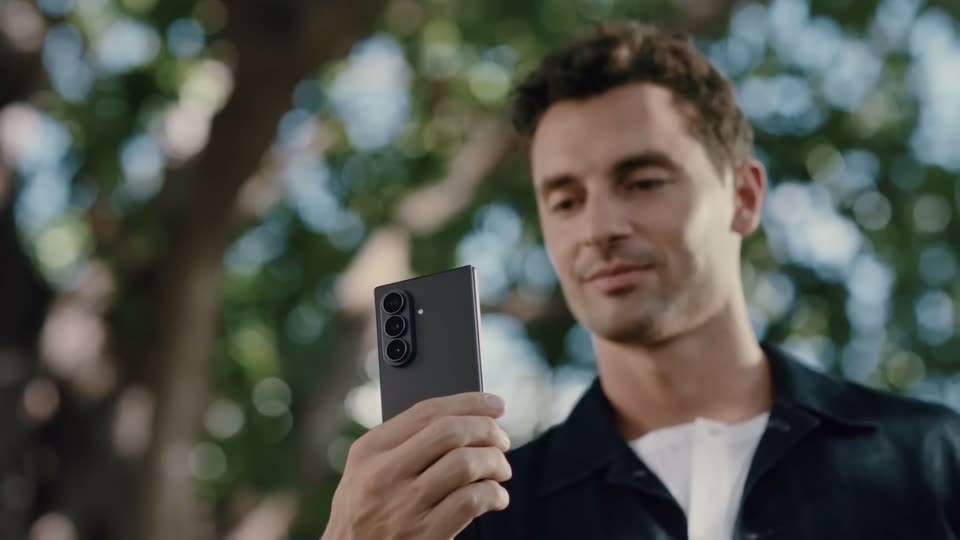
A hand holds a smartphone close to the lens showing its triple camera lenses, then rotates it horizontal to reveal the live camera view of a person walking corgis by a park pond. White headline text settles over the scene at the end.
On-screen text: “Next-Level”, “Pro Cameras”
Camera: Static
A hand holds a phone in landscape, filming a crouching man petting a corgi and a small white dog by a park pond. The phone's viewfinder mirrors the scene. White text reads Next-Level Pro Cameras across the top of the locked-off frame.
On-screen text: “Next-Level”, “Pro Cameras”
Camera: Static
Close-up of a phone held in a hand, its camera viewfinder showing trees and sky. A thumb taps the left menu, and a small square icon with a figure pops into the viewfinder.
Camera: Static
Extreme close-up on a phone's side: a black strip lists UHD 60 and a running-figure icon, the screen showing a green park with the same icon in a rounded box. A finger slides up the edge and the icon flips to yellow, the park view holding steady.
Camera: Static
A tilted close-up of a phone camera interface framing a park river, the in-screen view whips across with motion blur, then a cut reveals a hand holding the device, its triple-lens camera array facing the camera.
Camera: Push in
A hand holds a lavender phone with three rear cameras while walking along an outdoor park path. The low tracking camera follows the phone near the ground, keeping the device in focus while trees and the path move past.
Camera: Static
A hand sweeps a phone low across a park path, then a person in white holds it level to film a running corgi. The phone screen shows the steady frame while large white text reading Super Steady Video sits on the right.
On-screen text: “Super Steady Video”, “Image simulated for illustrative purposes. Results may vary depending on light conditions, subject and moving conditions.”
Camera: Pan
A hand in a lavender sleeve holds a phone horizontally, filming two corgis on leashes along a park path. The phone screen shows the same scene with a level horizon and a counting timer, while the real background tilts. White stacked text reads Super Steady Video on the right.
On-screen text: “Super Steady Video”
Camera: Pan
A hand holds a phone flat in landscape, its camera app recording two leashed corgis trotting across a paved plaza while the red timer counts up. The same dogs run past in the soft-focus background, slightly out of step with the on-screen view.
On-screen text: “Super Steady Video”
Camera: Static
Two people sit on a stone ledge in a sunny park, one holding a phone horizontally as several dogs crowd around them. The camera pulls back from a tight two-shot to a wide frame that opens onto a pond, lawn and trees while the dogs shift and look up.
On-screen text: “ⅢII”
Camera: Pull out
A hand holds a phone upright, its screen showing the camera app's red record button, then the view pulls back to a night backyard party. A person crouches with the phone held sideways, filming a woman who crouches with a corgi while others gather at a fire pit.
Camera: Pull out
A hand holds a phone horizontally at a night backyard party, its screen mirroring a woman crouching with a corgi while three people stand at a table behind. White text Nightography Video scales in, centered over the scene.
On-screen text: “Nightography Video”
Camera: Push in
A hand holds a phone in landscape, its screen showing a camera app recording a man crouching beside a corgi at night. The dark patio glows with string lights and blurred figures. White text reading Nightography Video scales above the phone as the hand tilts the device, blurring the frame.
On-screen text: “Nightography Video”
Techniques: Kinetic type
Camera: Push in
A hand holds a dark smartphone, tilting it to show the rear camera module. White text labels fade in to identify the lenses, reading '50 MP Tele 10x', '200MP Wide', '50 MP Ultra Wide', and '10 MP Tele 3x'. A central label displays 'F1.4' after initially showing 'F1.7'. The shot slowly zooms in.
On-screen text: “Tele 3x is optical zoom. Tele 10x is optical quality zoom.”, “F1.7”, “F1.4”, “10 MP Tele 3x”, “50 MP Tele 10x”, “200MP Wide”, “50 MP Ultra Wide”
Camera: Pan
A near-black frame holds a small purple lens flare that grows into a macro view of a camera lens element, its curved glass catching a bright blue glow on the upper right. White camera spec labels remain fixed at the frame edges.
On-screen text: “F1.4”, “50MP Tele 10x”, “200MP Wide”, “50MP Ultra Wide”, “10MP Tele 3x”
Camera: Push in
A dim backyard at night with two women and a corgi on its hind legs; the footage brightens to reveal string lights and a wooden fence while the white headline holds centered.
On-screen text: “Up to 47 % brighter aperture”
Camera: Pull out
Three friends grill at night under string lights; a man in a cream sweater turns food with tongs while two women watch. A video-player overlay with a pause icon and timecode sits at the bottom, and a headline about a brighter aperture is held over the shot.
On-screen text: “Up to 47 % brighter aperture”, “Ⅱ 00:16 / 00:51”
Camera: Static
Close-up of a night grill: glossy vegetable skewers and corn sit over flickering flames, a hand with tongs blurred behind. A dark player pill with a pause icon and timecode sits at bottom center; a tiny disclaimer line runs along the bottom left.
On-screen text: “Image simulated for illustrative purposes. Results may vary depending on light conditions and/or shooting conditions.”
Camera: Pull out
A man in a cream sweater leans over a gimbal stabilizer at night, adjusting it while blurred guests and warm string lights sit behind him. A dark player pill with a pause icon and a running timecode rests at the bottom center.
On-screen text: “Image simulated for illustrative purposes. Results may vary depending on light conditions and/or shooting conditions.”
Camera: Static
Three people lean over a small charcoal grill in a lit backyard at night, the man in a yellow sweater holding tongs above skewers of vegetables and corn. A rounded video player pill with a pause icon and a running timecode sits at the bottom center of the frame.
Camera: Static
A night outdoor group photo with friends and a corgi opens from a tight center crop as two vertical edge panels slide outward to reveal the full frame. A small timecode sits at the lower left while the shot holds still.
On-screen text: “00:43 / 00:51”
Techniques: Split screen, Masking
Camera: Pull out
A hand holds a phone showing a night group photo of five people and a corgi on a bench. A white vertical line wipes across the screen, revealing a second photo of a corgi on grass in a dim room.
On-screen text: “Image simulated for illustrative purposes. Results may vary depending on light conditions and/or shooting conditions.”
Techniques: Masking
Camera: Pan
A hand holds a smartphone upright, its screen showing a night photo of a corgi sitting on grass in a lit garden. The same photo is blurred and enlarged across the background behind the phone. A small disclaimer line sits at the bottom left.
On-screen text: “Image simulated for illustrative purposes. Results may vary depending on light conditions and/or shooting conditions.”
Camera: Static
A man and a woman sit close outdoors at night, the man holding a phone while the woman leans in to view the screen. White 'Galaxy AI' text sits at the top with a blue sparkle icon that pulses beside it. String lights glow in the background.
On-screen text: “Galaxy AI”
Camera: Push in
A hand holds a phone in a string-lit night backyard, its screen showing a photo-editing view of two corgis then two women. A vertical slider on the right edge is dragged while the on-screen photo updates, demonstrating a built-in edit.
Camera: Static
A hand holds a phone in a dark garden at night. The screen shows an edit panel with blue sparkle icons, then switches to a photo grid as a finger taps, while the white label Photo Assist slides in on the right.
On-screen text: “Photo Assist”
Camera: Push in
A tilted smartphone floats in 3D perspective against a dark backdrop of warm bokeh lights. Its screen shows a photo grid under the title Select image to add from. A finger slides in from the right and taps the corgi thumbnail in the top row.
Techniques: 3D mockup
Camera: Static
A hand holds a phone in 3D perspective, its screen showing a photo of two women at a table. The prompt field types “Add my dog” with a small dog thumbnail, a thumb taps the gradient Generate button, and white sparkles flash over the photo.
Techniques: 3D mockup
Camera: Static
A hand holds a phone showing a photo of two smiling women with a corgi, with a prompt field and a Generate button below. The camera zooms into the screen until the photo fills the frame.
Techniques: 3D mockup, UI zoom
Camera: Push in
Two women crouch outdoors at night with a corgi between them, string lights glowing behind. A frosted pill reading Change to daytime slides in at the bottom. A soft white wash and two sparkle icons sweep over the dog as the photo relights into a bright daytime scene.
On-screen text: “Change to daytime”
Techniques: Morph
Camera: Static
Two smiling young women crouch on either side of a corgi in a sunlit garden, a house and trees behind them. A dark rounded prompt bar reading “Change to daytime” with an image icon sits across the lower third.
Camera: Static
A birthday party photo of two women and a corgi fills the frame above a translucent prompt bar. The typed prompt swaps from “Birthday party in wonderland” to “Add birthday sunglasses on dog,” and cartoon sprinkle sunglasses with a HAPPY BIRTHDAY banner pop onto the dog's face.
Camera: Static
A hand holds a phone showing the Creative Studio app against a blurred night backyard. A blue star sparkle pops in beside the screen, a finger taps the Create sticker card, and the white title Creative Studio fades in on the right.
On-screen text: “Creative Studio”
Camera: Static
A hand holds a phone at an angle against a dark garden with bokeh string lights. A finger swipes across the photo grid on the Select item screen, scrolling the thumbnails up.
Camera: Static
A hand holds a phone; a thumb taps Generate under a dog photo with a Doodle tool. The screen fades to a white card with a star spinner, then resolves into a corgi sticker sheet with a party hat and a grid of variations.
Techniques: Cursor demo
Camera: Static
A hand holds a smartphone against a blurred dusk backyard. The screen shows a corgi sticker set: a large birthday corgi at the top and a grid of twenty corgi stickers below, with a Share sticker set button at the bottom.
Camera: Static
A corgi sits on a night lawn wearing a birthday AR filter; cartoon corgi stickers pop in around it, then a chat screen with a message from Amy Kim dissolves over the photo.
Camera: Static
A hand holds a phone tilted toward the camera, showing a chat with two corgi stickers and a message. A second hand enters to grip the device as the frame pulls back to reveal the full phone and its keyboard against a blurred apartment.
Camera: Pull out
A person seated by a window holds a foldable phone showing a chat thread with a sticker and an open keyboard. Blue sparkles twinkle at the phone's edge, then the white headline Now Nudge fades in on the right.
On-screen text: “Now Nudge”
Techniques: Particles
Camera: Static
A hand holds a phone at an angle, showing a text thread and the on-screen keyboard. A location chip reading Luneyard Café fades and scales into the keyboard's suggestion bar. The frame stays locked off while static captions hold over the shot.
On-screen text: “Now”, “Nudge”
Camera: Static
A hand holds a phone showing a text chat about meeting at Luneyard Café. A location suggestion chip appears above the keyboard, then the screen morphs into a map card with the café's rating and address, the chat sliding to the left edge.
Techniques: Morph
Camera: Pull out
A tight close-up of a phone screen showing a café listing with a map and two photos. The camera pulls back to reveal two hands holding the phone in a sunlit living room with a window, a potted plant and a rug.
Camera: Pull out
A woman sits on a green rug in a bright living room with a floor-to-ceiling city view, holding a tablet. She stands and walks left, still looking at the screen, in a high wide shot.
Camera: Static
Close-up of a hand-held phone showing a chat about a Seoul trip. In the input row, a colorful Nudge icon expands into a “Share photos” pill, then a finger slides in and taps it. The background is a blurred wooden table.
On-screen text: “Image simulated for illustrative purpose. Sequence shortened. Actual UX/UI may differ. Now Nudge feature requires a Samsung Account login. Available functions и”
Camera: Static
A close-up of a tilted smartphone in a hand shows a photo-selection screen with a grid of food and travel images. A finger taps the Done button at the top right as the view reframes toward the date header.
Techniques: 3D mockup
Camera: Push in
A hand holds a folded phone in a bright room, showing a chat with Amy Kim. The message list scrolls up as shared Seoul photos fill the thread, and a second hand gestures at the right edge of the frame.
Camera: Static
A hand holds a foldable phone showing a contact with photos, then flips it to reveal the dark back as the smiling woman lifts it toward the camera in a sunlit room.
Camera: Push in
A woman lies on a bed in a sunlit bedroom, holding a lavender phone. Blue star sparkles scale in beside the screen, then the white title 'Now Brief' appears over the curtained window and holds.
On-screen text: “X”, “Now Brief”
Techniques: Particles
Camera: Pull out
A hand holds a smartphone over a white bed, its purple home screen showing a Now Brief card with a Keep in mind note. The other hand's finger taps the card. The bedroom bookshelf stays softly blurred in the background.
Camera: Static
A person seated on a white bed holds a smartphone in the left hand, screen tilted toward camera, and swipes up with the right index finger, scrolling the Morning brief list to reveal more appointments and a Plogging distance card. The phone tilts gently with the hand motion.
On-screen text: “Image simulated for illustrative purposes. Sequence shortened. Actual UI may differ.”, “Realified requires Samsung Account login. Availability may vary by country, language, device model, or apps. Some features may require a network connection.”, “Realified data is available from Notification, Messages, Clock, and Samsung Wear. Notifications must be switched on for realified data to be enabled.”, “Recalled data provided by Google is left incomplete in the local calendar. All Wearable Data Integration is Gmail read permission.”, “The description of photos provided by memories may not align with the user's intent.”, “Events scheduled in notification in support will not arrive via the left. Active Google Calendar database and available if Samsung Calendar is installed.”, “Notifications for dog walking require SmartTag and Pet Care in SmartThings needs to be activated. SmartTag sold separately.”
Camera: Static
Two hands hold a tilted smartphone in a bright bedroom, the screen showing a calendar list and a memory card with a dog photo. A finger taps and scrolls the interface as the camera holds a steady close-up.
Techniques: Cursor demo
Camera: Static
A hand holds a Galaxy phone in a bright bedroom, the screen showing a daily recap with a running stat and a pet care card for a corgi. The phone tilts upright, then the view zooms into the pet care widget.
Techniques: UI zoom
Camera: Push in
A tilted blue phone mockup sits center stage in 3D, ringed by floating app cards showing hotel deals, a map and a chat, all wrapped in a radial motion-blur ring. The cluster spins fast and the camera punches into a dark clock face that fills the frame, the cards blurring away at the edges.
On-screen text: “A SEOUL-FUL HOTEL”
Techniques: 3D mockup, Speed ramp
Camera: Pull out
A dark metallic 3D tunnel of concentric rings, radial spokes and gear teeth flies toward the camera at high speed, edges blurring into white streaks. A small caption scales in over the motion.
On-screen text: “A SEOUL-FUL HOTEL”, “Image simulated for illustrative purposes.”
Techniques: Parallax
Camera: Pull out
A dark metallic tunnel of concentric rings with radial light streaks; the camera pushes forward through the tunnel while the white Samsung Knox wordmark stays locked at the center.
On-screen text: “Samsung”, “Knox”, “Image simulated for illustrative purposes.”
Techniques: Parallax
Camera: Static
A dark metallic vault corridor with a circular steel door at the far end. The camera pulls back along the tunnel of horizontal panels while the white 'Samsung Knox' wordmark stays fixed in the center.
On-screen text: “Samsung”, “Knox”
Camera: Static
A 3D render of a dark processor chip seated on a motherboard, framed center and locked off. The Knox shield logo ignites in white on the chip's surface while blue particles drift across the board.
Techniques: 3D mockup, Particles
Camera: Pull out
A soft purple gradient resolves from blur and pulls back to reveal a Galaxy phone centered on a dark navy background. The screen displays an abstract S-shaped wallpaper in purple with a peach glow at the center.
Camera: Pull out
A lavender smartphone rotates in 3D on a dark gradient background, turning from its front display to its back. The camera module is framed in close-up as a three-line headline appears at the left edge.
On-screen text: “The new”, “Galaxy S26 Ultra”, “Galaxy AI”
Techniques: 3D mockup
Camera: Push in
A 3D render of the phone's rear camera array turns slowly to reveal the side buttons and the S Pen tip, set on a purple gradient. White text sits on the left.
On-screen text: “The new”, “Galaxy S26 Ultra”, “Galaxy AI”
Techniques: 3D mockup
Camera: Static
The white SAMSUNG wordmark sits centered on a black field, then the frame holds on black for the rest of the clip. A locked-off sign-off with no camera move and no further motion.
On-screen text: “The new”, “Galaxy S26 Ultra”, “Galaxy Al”, “SAMSUNG”
Camera: Static