3:32

Introducing Galaxy S26 Ultra | Galaxy AI | Samsung
Samsung Galaxy S26 Ultra · Mar 2026
Galaxy S26 Ultra · Feb 2026 · 3:31 · AI-annotated
Galaxy S26 Ultra’s 3:31 launch film runs 110 scenes, about 1.9 s each. The product shows up at 0:22 and 11 features are revealed. There is no explicit call to action; a voiceover carries the film. Cinematic 3D product renders in deep blue and black alternate with warm live-action sets, each feature announced by a scaling white headline then proven in a handheld demo. The pacing is steady at about 13 cuts per minute, driven by the recurring four-pointed star bloom, particle bursts, and a lavender phone that links the rendered and filmed worlds.
Is this your launch? to your site or press kit.
Samsung Galaxy S26 Ultra · Mar 2026
Apple · Hardware · Oct 2026
Films whose music sounds like this one, voice left out
Samsung Galaxy S26 Ultra · Cinematic electronic
Adobe · Electronic dance music, house, deep house, and pop-rap crossover.
Samsung Galaxy Z Fold8 · Cinematic electronic pop
A near-black frame holds for under a second. A faint dark rectangular shape with a thin horizontal line sits at center-left, barely distinguishable from the background. A small gray disclaimer line stays fixed at the bottom-left corner.
On-screen text: “Image simulated for illustrative purposes”
Camera: Static
A black device with pill buttons rests on a glossy stage bearing a faint SAMSUNG wordmark. The scene brightens from black to a blue gradient while a small blue glint in the center grows into a four-pointed star surrounded by green and blue particles.
On-screen text: “Image simulated for illustrative purposes.”
Techniques: 3D mockup, Morph, Particles
Camera: Static
A 3D SAMSUNG wordmark rests on a dark, angled surface. A bright blue light beam sweeps from left to right across the letters, illuminating them sequentially. A faint trail of glowing particles follows the light's path. The camera remains locked off.
On-screen text: “SAMSUNG”
Techniques: Light sweep, Particles, 3D mockup
Camera: Static
A phone side rail sits dark in the black as a light streak passes over it; the rail brightens to silver, then the camera pulls back to reveal the small device on a curved purple horizon while the white “Galaxy AI” title slides in.
On-screen text: “SAMSUN”, “Image simulated for illustrative purposes.”, “Galaxy AI”
Techniques: Particles, Light sweep, 3D mockup, Kinetic type
Camera: Static
A white “Galaxy AI” headline hovers over a curved purple 3D surface. A glowing blue star scales up in the center, and the text and surface blur out of focus as the star blooms.
On-screen text: “Galaxy AI”
Techniques: Kinetic type
Camera: Static
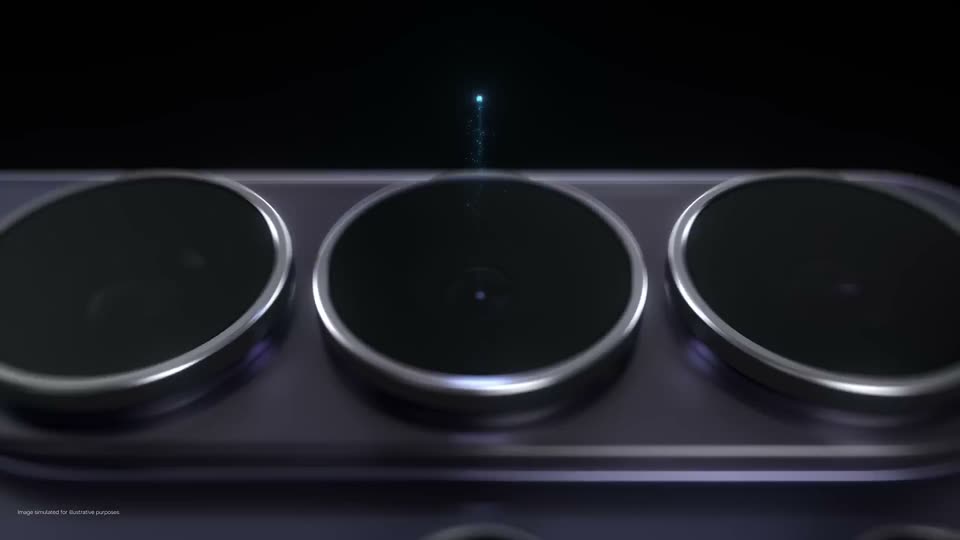
A dark 3D device with three circular lens rings on a base sits on a reflective floor. The camera pulls back from inside the central ring as blue particles rise, then the headline blooms from a soft glow into sharp white above the device.
On-screen text: “Next-Level”, “Pro Cameras”
Techniques: Particles, Kinetic type, 3D mockup
Camera: Pull out
White text “Next-Level” and “Pro Cameras” hold over a dark 3D camera lens module on a reflective surface, with “Pro Cameras” scaling up. The shot cuts to a 3D processor chip as a blue beam of light strikes it from above.
On-screen text: “Next-Level”, “Pro Cameras”
Techniques: Kinetic type, 3D mockup, Light sweep
Camera: Static
A glowing blue 3D processor chip fills the lower frame in low perspective, pulsing with light against a dark backdrop. The white headline scales up over the chip, with on Galaxy held static at the right.
On-screen text: “The Most Powerful”, “Processor”, “on Galaxy”, “Image simulated for illustrative purposes.”
Techniques: Kinetic type, 3D mockup
Camera: Pull out
A glowing blue circuit board fills the lower frame in 3D perspective as white headline text sits centered above it. The text scales up, then the camera tilts and rotates sharply off the chip, dissolving into diagonal motion blur.
On-screen text: “The Most Powerful”, “Processor”, “on Galaxy”
Techniques: 3D mockup, Kinetic type, Speed ramp
Camera: Pull out
Against a black background, the camera tilts down along the curved metallic top edge of a smartphone, revealing a glowing blue screen patterned with a grid of tiles.
On-screen text: “Image simulated for illustrative purposes”
Techniques: 3D mockup
Camera: Static
A 3D smartphone tilts from a steep close-up of its glowing screen to an upright view with a purple wallpaper. Large white italic 'Privacy Display' slides across as 'The World's First' scales in above and 'on mobile' holds below, then the text block shrinks and centers on the screen.
On-screen text: “The World's First”, “Privacy Display”, “on mobile”
Techniques: 3D mockup, Kinetic type
Camera: Static
A black smartphone in 3D perspective turns from a three-quarter view to edge-on against a blue gradient. On its dark screen, the white headline Privacy Display slides and scales while The World's First and on mobile accompany it.
On-screen text: “The World's First”, “Privacy Display”, “on mobile”
Techniques: 3D mockup, Kinetic type
Camera: Pull out
A 3D-rendered dark blue phone starts edge-on in extreme close-up, then rotates and pulls back to reveal its back and camera array. White text 'Introducing the new', 'Galaxy' and 'S26 Ultra' fades in on either side against a gradient blue background.
On-screen text: “Introducing the new”, “Galaxy”, “S26 Ultra”
Techniques: 3D mockup, Speed ramp
Camera: Static
A 3D render of the phone's back, camera module facing out, holds center against a blue gradient while white text locks on either side. The frame then blurs into a fast spin as the device rotates away.
On-screen text: “Introducing the new”, “Galaxy”, “S26 Ultra”
Techniques: 3D mockup
Camera: Pan
A woman in a white top sits on a wooden bench on a subway platform, holding a phone in landscape. The camera slowly pulls back from a close-up to a wide shot of the platform with commuters, as large white text appears over her.
On-screen text: “The Most Powerful”, “Processor”, “on Galaxy”
Techniques: Kinetic type
Camera: Pull out
Two hands hold a Galaxy phone in landscape on a subway platform, Genshin Impact combat glowing purple on the screen. The shot pushes in to a tight close-up of the display as thumbs tap the controls. A Genshin | Hoyoverse logo sits in the lower left.
On-screen text: “Processor”, “on Galaxy”, “The Most Powerful”, “Square”, “Times”, “GENSHIN HOYOVERSE”
Techniques: Kinetic type, UI zoom
Camera: Push in
A dark 3D render of a processor chip lifts off a motherboard socket, then the view settles on its top face, where engraved GPU, CPU and Image Enhancer labels sit beside a rising plume of blue particles.
On-screen text: “GENSHINHHOYOVERSE”
Techniques: 3D mockup, Particles
Camera: Static
A dark processor chip sits in 3D perspective, its surface embossed with GPU, CPU and Image Enhancer. A blue light beam rises from the center, scattering into glowing particles. The shot holds at a low angle with shallow depth of field.
On-screen text: “Image simulated for illustrative purposes.”
Techniques: 3D mockup, Particles
Camera: Static
A 3D close-up of a dark processor chip engraved with NPU, GPU, CPU and Image Enhancer labels. A blue star-shaped glow with drifting particles hovers above it, then the chip flashes bright blue as the labels light up.
Techniques: 3D mockup, Particles, Light sweep
Camera: Pull out
A 3D chip on a dark circuit board glows with blue-lit rows labeled NPU, GPU, CPU and Image Enhancer, while the white heading Customized Processor sits above and three percentage callouts hang at left. The camera slowly pulls back to reveal the chip seated in the full board.
On-screen text: “Customized Processor”, “39 % Faster”, “24 % Faster”, “19 % Faster”
Techniques: 3D mockup
Camera: Pull out
A 3D cutaway of a smartphone rotates from a tilted angle to a flat front view. Its beige internal vapor chamber glows from purple to cyan as streams of light streak across it, illustrating airflow.
On-screen text: “Image simulated for illustrative purposes. Galaxy S24 Ultra compared with previous Galaxy smartphones.”
Techniques: 3D mockup, Particles
Camera: Pull out
A 3D render of a CPU chip on a dark circuit board opens overexposed, then settles into a dark close-up. Glowing text CPU and Image Enhancer sit on the chip surface; Customized fades in above. The camera pulls back with heavy motion blur at the end.
On-screen text: “CPU”, “Image Enhancer”, “Customized”
Techniques: 3D mockup, Speed ramp
Camera: Static
A simulated sunset over still water begins faded, with dark smudges around the sun. A bright vertical line sweeps right to left and the image resolves into a crisp, saturated sunset with a glowing horizon.
On-screen text: “Image simulated for illustrative purposes. Compared to the Galaxy S25 Ultra.”, “Image Enhancer”, “CPU”, “Customized”
Techniques: Light sweep
Camera: Pull out
A long-exposure sunset photograph fills the frame: a glassy sea with a vertical sun reflection, low silhouetted islands on the horizon, and a sky grading from orange to purple. The image holds still while a small disclaimer caption sits at the bottom left.
On-screen text: “Image simulated for illustrative purposes. Compared to the Galaxy S25 Ultra.”
Camera: Pull out
A hand holds a phone upright, its screen filling the frame with a sunset over calm water. The camera pulls back to reveal the fingers and a blurred street behind, and a row of small photo thumbnails slides in along the bottom edge of the screen.
On-screen text: “Image simulated for illustrative purposes. Compared to the Galaxy S25 Ultra.”
Camera: Pull out
A hand holds a phone showing a sunset over water. A white toolbar with heart, pen, sparkle, share and trash icons slides up from the bottom of the screen, while the blurred subway platform stays still behind.
On-screen text: “Image simulated for illustrative purposes. Compared to the Galaxy S25 Ultra.”
Camera: Pull out
A woman in a white tee walks past the camera holding a lavender phone on a tiled subway platform. Focus racks from her to a man in a gray suit waiting with luggage, while a small numeral 0 slides in.
On-screen text: “0”
Camera: Push in
Commuters walk past and board a subway train at a platform as the camera pushes in on the open doors. White text scales up over the center: a small kicker above a large headline and a tiny tagline below.
On-screen text: “The World's First”, “Privacy Display”, “on mobile”
Techniques: Kinetic type
Camera: Push in
Subway train doors slide open to reveal standing passengers, a woman in the center checks her phone. White headline text scales up over the train body.
On-screen text: “The World's First”, “Privacy Display”, “on mobile”
Techniques: Kinetic type
Camera: Push in
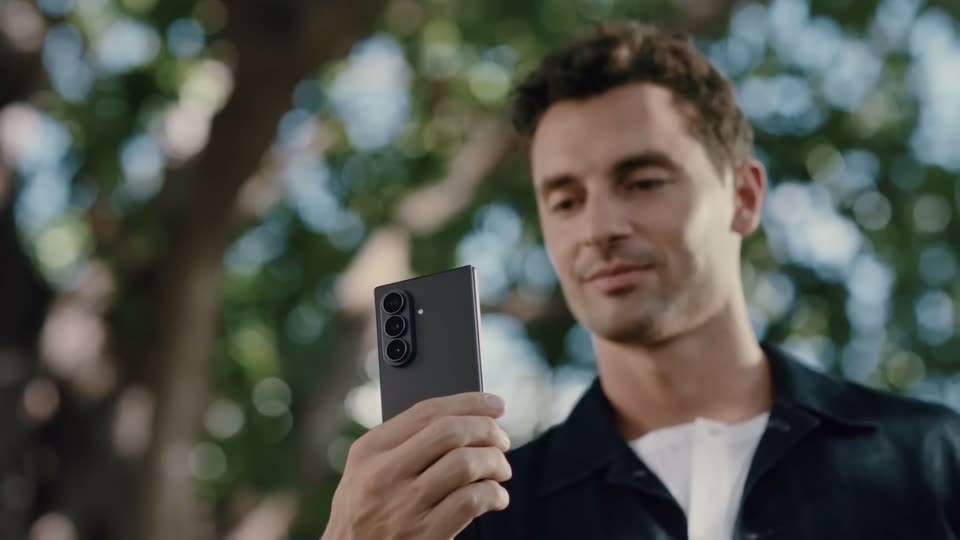
A hand holds a purple Galaxy phone upright in a crowd, its triple-camera back facing the lens while blurred onlookers lean in. The shot brightens with a glint on the cameras as headline text scales in over the phone.
On-screen text: “The World's First”, “Privacy Display”, “on mobile”, “8”
Techniques: Kinetic type, Light sweep
Camera: Pan
A hand holds a violet phone upright in a crowded train car, the triple-lens back facing the camera, passengers blurred behind. The phone tilts as the grip shifts and the camera drifts.
On-screen text: “Image simulated for illustrative purpose. Sequence shortened. Actual UX/UI may differ. Available on Galaxy S26 Ultra only. Privacy Display feature controls the屏”, “screen's viewing angle to limit peripheral vision and can be activated in Settings. Activation for specific apps also available in Settings. Some changes in”, “image quality may occur outside the viewing angle. Some information may not be visible to others depending on the viewing environment, such as angle or”, “brightness. Caution is advised when exposing sensitive information.”
Camera: Push in
A hand holds a phone showing a quick settings panel in a crowded train car; the camera drifts with the moving crowd, then the shot cuts to a dark 3D render of the phone, its screen dimmed so the content is hidden from the side.
Techniques: 3D mockup
Camera: Pan
A dark phone floats at a three-quarter angle on a gray gradient, rotating slowly to expose its side buttons. The black screen brightens into a dim incoming-call interface as the device turns.
On-screen text: “Image simulated for illustrative purposes. Sequence shortened. Actual UX/UI may differ”, “Available on Galaxy S25 Ultra only. Privacy Display feature controls the screen's viewing angle to limit peripheral vision and can be activated in Settings.”, “Activation for specific apps also available in Settings. Some changes in image quality may occur outside the viewing angle. Image quality may not be visible to ”, “Caution is advised when exposing sensitive information.”
Techniques: 3D mockup
Camera: Static
A 3D phone mockup on a dark gradient background rotates from an angle to face the camera, showing a text conversation. A grid of small squares then animates across the display, narrowing the pixels to blur the messages as the device tilts back to a steep angle.
Techniques: 3D mockup
Camera: Static
A close-up of a chat screen with two messages and a purple reply button zooms into the display's pixel grid, where a cross and X of dark lines mark the pixel boundaries.
Techniques: UI zoom
Camera: Pull out
A black field of red, green and blue dots radiates from the center as dark beams fan outward, the dots growing larger and more spaced to mimic display pixels widening.
On-screen text: “Image simulated for illustrative purposes. Sequence shortened. Actual UI may differ. Available on Galaxy S26 Ultra only. Privacy Display feature controls the s”, “creen's viewing angle to limit peripheral vision and can be activated in Settings. Activation of specific apps available in Settings. Some changes in image qual”, “ity may occur while the Privacy Display is active. Do not expose to strong environmental light sources or bright light. Caution is advised when exposing sensit”, “ive information.”
Camera: Pull out
A 3D render of a pixel grid opens blurred, then sharpens as the camera pulls back to reveal two zones: a stacked disc-and-tube cluster on the left and a flat panel of glowing pixel beams on the right. White labels fade in beneath each.
On-screen text: “Narrow pixel”, “Wide pixel”
Techniques: Parallax
Camera: Pull out
A dark 3D grid of circular pixels in green, red and blue glows, each casting a beam of light. The camera pushes in from a wide view where a central four-by-four block is highlighted, to a close-up where the beams fill the frame. Static labels mark the pixel states.
On-screen text: “Narrow pixel”, “Wide pixel”
Techniques: UI zoom
Camera: Static
A dark 3D tunnel of translucent vertical beams rises over a grid of glowing green, red and blue discs. The camera pushes forward through the structure as the beams and dots streak with motion blur.
On-screen text: “Image simulated for illustrative purposes. Sequence shortened. Actual UI/UX may differ. Available on Galaxy S25 Ultra only. Privacy Display feature controls the”, “screen's viewing angle to limit peripheral vision and can be activated in Settings. Activation for specific apps also available in Settings. Some changes in”, “image quality may occur outside the viewing angle. Some information may not be visible to others depending on the viewing environment, such as angle or”, “brightness. Caution is advised when exposing sensitive information.”
Techniques: Parallax
Camera: Push in
A dark 3D fly-through moves forward through a grid of circular pads glowing green, blue and red, with a frosted-glass column at the center. Vertical light streaks hang in the blurred background while shallow depth of field keeps the column in focus.
On-screen text: “Image simulated for illustrative purposes. Sequence shortened. Actual UX/UI may differ.”, “Available on Galaxy S25 Ultra only. Privacy Display feature controls the screen's viewing angle to limit peripheral vision and can be activated in Settings.”, “Activation for specific apps also available in Settings. Some changes in image quality may occur outside the viewing angle. Some information may not be visible,”, “to others depending on the viewing environment, such as angle or brightness.”, “Caution is advised when exposing sensitive information.”
Techniques: Parallax, 3D mockup
Camera: Push in
A smartphone in 3D perspective on a dark gray background, angled to show its side. A notification card sits on the screen, then a black rounded mask slides over it to hide the text as the camera orbits the device.
Techniques: 3D mockup, Masking
Camera: Static
A purple smartphone is shown in 3D perspective against a gray background. The screen displays a dark, blank area over a light purple wallpaper, demonstrating a privacy feature.
On-screen text: “Image simulated for illustrative purposes. Sequence shortened. Actual UX/UI may differ.”, “Available on Galaxy S25 Ultra only. Privacy Display feature controls the screen's viewing angle to limit peripheral vision and can be activated in Settings.”, “Activation for specific apps also available in Settings. Some changes in image quality may occur outside the viewing angle. More information may still be to oth”, “Caution is advised when exposing sensitive information.”
Techniques: 3D mockup
Camera: Static
A woman holds a purple phone at an angle; its screen wakes to a quick settings panel, then switches to a photo of a corgi on grass, while the background stays soft and out of focus.
On-screen text: “Image simulated for illustrative purposes. Sequence shortened. Actual UX/UI may differ. Available on Galaxy S25 Ultra only. Privacy Display feature controls the”, “screen's viewing angle to limit peripheral vision and can be activated in Settings. Activation for specific apps also available in Settings. Some changes to the”, “image quality may occur outside the optimal viewing angle. Some information on the screen may not be visible to others depending on the viewing environment,”, “such as angle or brightness. Caution is advised when exposing sensitive information.”
Camera: Static
People stand inside a metallic elevator. A woman in a white t-shirt holds a purple phone at chest height, smiling as a man with braided hair talks to her. The camera slowly pushes in on the pair, ending on a close view of the phone and her face.
Camera: Push in
A hand holds a phone in a park by a pond. The shot opens on the back camera module close-up, then the phone turns horizontal to show the camera app framing a person with dogs. White text appears over the scene.
On-screen text: “Next-Level”, “Pro Cameras”
Camera: Static
A hand holds a phone in landscape, its screen mirroring a man crouching with three dogs on a park path beside a pond. White text 'Next-Level Pro Cameras' is locked at the top of the frame.
On-screen text: “Next-Level”, “Pro Cameras”
Camera: Static
Close-up of a phone held outdoors, its camera viewfinder showing leafy trees and sky. A finger swipes down the settings column past the yellow HDR tag and UHD 60 label. A static two-line headline reads Next-Level Pro Cameras.
On-screen text: “Next-Level”, “Pro Cameras”
Camera: Static
A locked-off close-up shows a finger pressing the phone's side edge, turning a running-figure icon in the vertical menu from white to yellow, with a matching motion icon lit on the right over a blurred park.
Camera: Static
A phone camera interface shows a park viewfinder with a red record button, a 0.6x zoom pill and mode labels, then the view pulls back to a hand holding the phone filming the same park. The zoom label scales while the hand tilts the device.
Techniques: UI zoom
Camera: Push in
A hand grips a lavender phone low to the ground, camera module facing the lens, as the person moves through a leaf-strewn park. Trees and a railing streak past in motion blur behind the device.
Camera: Static
A runner moves through a leafy park holding a phone horizontally. The view cuts to the phone screen, where a corgi runs across the grass in level footage, and the white headline Super Steady Video sits at the right edge.
On-screen text: “Super Steady Video”
Camera: Pan
First-person view of a hand holding a phone in a park, the screen showing a level camera view of a person walking corgis while the real background tilts and tracks them; white text reads Super Steady Video on the right.
On-screen text: “Super”, “Steady”, “Video”
Camera: Pan
A hand holds a smartphone in landscape, its camera app recording three corgis trotting on leashes across a paved park. The real dogs blur in the background while the phone screen keeps the frame level and steady.
On-screen text: “Super Steady Video”
Camera: Static
Two friends sit on a stone bench in a sunny park, holding a smartphone horizontally to film the dogs around them. A corgi, a collie and a small dog crowd in front while a fluffy white dog licks its nose. A small timecode overlay sits in the frame.
On-screen text: “00:00:07”, “Ⅲ”
Camera: Pull out
Two people sit on a concrete bench in a sunny park, surrounded by four dogs. The woman in an orange cap holds up a phone to film them while the man holds a leash. The camera pulls back to reveal the water and steps behind.
Camera: Static
A hand holds a phone showing the camera app viewfinder of a night backyard party, then the shot pulls back to reveal a person crouching on a bench filming a woman kneeling with a dog, while others grill and sit at lit tables.
Camera: Pull out
A nighttime backyard party under string lights; a person crouches with a corgi while a hand holds a phone, its screen showing the live camera view and a red timer. The camera pushes in on the screen as the title scales in, then an arm sweeps across the lens.
On-screen text: “Nightography Video”
Techniques: Kinetic type, UI zoom
Camera: Push in
A hand holds a dark slate phone against a black background as focus racks onto the triple-lens camera module. White spec labels pop in above and below the lenses, and the center lens reads F1.7, then F1.4.
On-screen text: “F1.7”, “Tele 3x is optical zoom. Tele 10x is optical quality zoom.”, “F1.4”, “50MP Tele 10x”, “200MP Wide”, “10MP Tele 3x”, “50MP Ultra Wide”
Techniques: Kinetic type
Camera: Pull out
A dark camera iris at the center of the frame opens from a pinhole to a wide circle, revealing a blurred warm-orange scene behind it. Small white spec labels sit around the edges.
On-screen text: “F1.4”, “50MP Tele 10x”, “200MP Wide”, “50MP Ultra Wide”, “10MP Tele 3x”
Techniques: Masking
Camera: Push in
In a dim room, two women crouch and pet a golden retriever that turns its head. A gray caption sits centered over the dog while the handheld camera drifts slightly.
On-screen text: “Up to 47 % brighter aperture”
Camera: Static
Two people crouch outdoors in low light, one in a tan hoodie and one in a leopard jacket, playing with a corgi that lifts its head. A white headline holds centered over the action while the dog moves between them.
On-screen text: “Up to 47 % brighter aperture”
Camera: Pull out
A golden retriever leaps up toward two laughing women at a night garden party, string lights glowing in the background. A centered white caption stays fixed while the handheld camera tracks the dog's movement.
On-screen text: “Up to 47 % brighter aperture”, “Image simulated for illustrative purposes. Results may vary depending on light conditions and/or shooting conditions.”
Camera: Push in
Three friends hunch over a small round grill at night, string lights blurred behind them. The man in a cream sweater lifts food with tongs and turns it, the two women lean in watching. A pause icon and running timecode sit in a pill at the bottom center, and a headline holds above the grill.
On-screen text: “Up to 47 % brighter aperture”, “00:43 / 00:51”
Camera: Static
A hand uses tongs to flip colorful vegetable skewers and corn on a glowing grill, flames flickering under the grate in warm low light with shallow depth of field. A pause button and a running timestamp sit at the bottom center.
On-screen text: “00:33 / 00:51”, “00:43 / 00:51”
Camera: Pull out
A man in a cream sweater leans forward at night, gripping a handle and looking down with a faint smile. Blurred figures and warm string lights fill the background. A small video-player pill with a pause icon and timecode sits at the bottom center.
On-screen text: “00:43 / 00:51”
Camera: Static
Three people lean over a glowing charcoal grill at night, one holding tongs, in a warm backyard lit by string lights. A video player pause icon and timecode sit at the bottom center, with a small disclaimer line at the bottom left.
On-screen text: “Image simulated for illustrative purpose. Results may vary depending on light conditions and/or shooting conditions.”
Camera: Static
A split screen shows a dim, grainy crop of a dinner table on the left and a bright, sharp group photo with a corgi on the right. The left panel wipes away, leaving the full group image.
Techniques: Split screen
Camera: Pull out
A hand holds a smartphone in 3D perspective against a blurred night background. The screen shows a group photo of five people and a corgi, then a white line wipes across to isolate the corgi, which fills the frame. Small disclaimer text sits at the bottom left.
On-screen text: “Image simulated for illustrative purposes. Results may vary depending on light conditions and/or shooting conditions.”
Techniques: 3D mockup, Masking
Camera: Pan
A hand holds a smartphone upright against a blurred night-yard backdrop that mirrors the photo on its screen. The screen shows a corgi sitting on grass, lit by warm light, while a fine-print disclaimer sits at the bottom left.
On-screen text: “Image simulated for illustrative purposes. Results may vary depending on light conditions and/or shooting conditions.”
Techniques: 3D mockup
Camera: Static
At night under string lights, a man holds a foldable phone toward a seated woman, who leans in and smiles at the screen. The white Galaxy AI title sits at the top while a cluster of blue star shapes pulses beside it.
On-screen text: “Galaxy AI”
Camera: Push in
A hand holds a phone upright at a string-lit night party, its camera viewfinder filling the frame. The viewfinder content swaps from a corgi on the grass to a woman in a leopard jacket, then to two women at a table, while the background fence and lights stay fixed. The phone's status bar and camera controls remain visible throughout.
On-screen text: “Galaxy AI”
Camera: Push in
A hand holds a phone in a dark garden as its screen cuts between a photo with an edit prompt and a gallery grid. Blue sparkles pop beside the device, a finger taps the screen, and white text reading Photo Assist slides in on the right.
On-screen text: “Photo Assist”
Camera: Push in
A tilted phone in 3D perspective shows a photo grid under the heading Select image to add from, with a Today row of thumbnails. A finger slides in from the right and taps one thumbnail. Soft bokeh lights glow in the dark background.
Techniques: 3D mockup
Camera: Static
A hand holds a phone showing a photo of two women at a table. The prompt “Add my dog” types into the input field with a small dog thumbnail, the thumb taps the Generate button, and white sparkles flash over the photo.
Techniques: 3D mockup, Cursor demo, Particles
Camera: Static
A hand holds a tilted phone showing a photo of two women and a corgi, with a prompt field and a Generate button along the bottom. The view then pushes into the screen until the photo fills the whole frame.
Techniques: 3D mockup, UI zoom
Camera: Push in
Two smiling women and a corgi sit on a wooden bench in a garden at night. A dark command pill reading 'Change to daytime' rises at the bottom, then blue sparkles pop over the dog as the lighting shifts to bright daytime.
Camera: Static
Two women and a corgi pose at an outdoor table; a blue tint clears from the right to reveal the daylight photo. A dark rounded pill caption with an image icon holds the prompt at the bottom center.
On-screen text: “Change to daytime”
Techniques: Masking
Camera: Static
Two women and a corgi smile in a balloon-filled birthday set with a tiered cake and presents. A bottom prompt bar cycles through 'Birthday party in wonderland', 'Add birthday sunglasses on dog', and 'Change to daytime' as the dog gains party sunglasses. Confetti drifts; locked frame.
On-screen text: “Birthday party in wonderland”, “Add birthday sunglasses on dog”, “Change to daytime”
Techniques: Particles
Camera: Static
A hand holds a phone in a night backyard as its screen shows a Creative studio app with illustrated cards. Blue sparkles pop from the right edge while a finger taps the Create sticker button, then the words Creative Studio slide in beside the phone.
On-screen text: “Creative Studio”
Techniques: 3D mockup, Particles
Camera: Static
A hand holds a phone at an angle against a dark outdoor backdrop of warm bokeh lights. The screen shows a photo grid under a Select item header. A finger taps one thumbnail in the grid. The frame stays locked off throughout.
Techniques: 3D mockup
Camera: Static
A hand holds a phone showing a dog photo and a prompt field; a thumb taps Generate, the screen switches to a loading card, then reveals a grid of cartoon corgi stickers and a Share sticker set button.
On-screen text: “Image simulated for illustrative purposes. Sequence shortened. Actual UX/UI may differ. Creative Studio feature requires a network connection and Samsung Acct. ”, “”, “Service availability may vary by country, language or service model. The accuracy and reliability of the generated output is not guaranteed. Sticker sets are ”, “”, “only compatible with Samsung Chat and can only be shared via Quick Share feature with other Galaxy devices that have One UI 6.0 or later installed, and Quick ”, “”, “Share app version 1.8.0 or later.”
Camera: Static
A hand holds a phone against a blurred night garden. The screen displays a corgi sticker set: a birthday corgi with a party hat on top, a grid of twenty corgi stickers, and a Share sticker set button below. The frame is locked.
Camera: Static
A real corgi with a birthday filter sits on grass as cartoon corgi stickers pop in around it. A translucent chat screen with a contact name and message fades in over the photo.
Camera: Static
A hand holds a phone in a sunlit room; the chat screen shows a corgi sticker and a message, then the keyboard slides up as the frame widens to reveal the full device.
Camera: Pull out
A person holds a foldable phone on their lap, its screen showing a chat with a sticker and a keyboard. Blue star shapes drift beside the device, then the white words Now Nudge fade in on the right.
On-screen text: “Now”, “Nudge”
Camera: Static
A hand holds a tilted phone showing a text conversation. Above the keyboard, a location chip reading Loneyard Café with a red pin slides in, then a blue selection ring closes around it.
On-screen text: “Now”, “Nudge”
Camera: Static
A hand holds a phone at an angle, showing a chat thread asking about a meeting spot. A finger hovers over the keyboard as the screen dissolves into a map card for Luneyard Café with ratings, hours and food photos.
Techniques: Morph
Camera: Pull out
A close-up of a phone screen showing a Luneyard Café location card with a map, rating and two photos pulls back to reveal two hands holding the device. The shot settles on the seated person's lap in a sunlit room with a window, plant and rug.
Camera: Pull out
A woman in a pink sweater sits on a teal rug in a high-rise living room, holding a tablet. She rises and walks across the room toward the dining table, still looking at the screen. Wide static shot with a city skyline through floor-to-ceiling windows.
Camera: Static
Close-up of a hand holding a phone showing a chat about a trip to Seoul. A Share photos pill with a colorful asterisk icon expands above the keyboard, then a thumb taps it.
On-screen text: “Image simulated for illustrative purposes. Sequence shortened. Actual UX/UI may differ. Now Nudge feature requires a Samsung Account login. Available functions,”, “features and features may vary by country, region, and language.”, “Text messaging prompts available on certain text-prompt messaging apps including Samsung Messages, Google Messages, Google Chat, WhatsApp, WeChat, KakaoTalk, i”, “LINE, Signal, Telegram (iOS), Telegram (Android), and iMessage.”, “Share photos in Now Nudge works by analyzing available image content. Accuracy of results is not guaranteed.”
Camera: Static
A tilted phone in a hand fills the frame at an angle, its screen showing a photo grid with selection circles and a date header. A finger taps the top of the display while the camera holds a shallow, angled close-up.
On-screen text: “Image simulated for illustrative purposes. Sequence shortened. Actual UX/UI may differ. New feature before release. Samsung AI Account login. Available features”
Techniques: 3D mockup
Camera: Push in
A hand holds a foldable phone displaying a chat with Amy Kim; the message thread scrolls up, revealing more Seoul photos, while a second hand gestures at the screen. The set is a bright room with sheer curtains, kept soft-focus.
Camera: Static
A hand holds a phone showing a photo chat with Amy Kim, then rotates it to reveal the back as a smiling red-haired woman turns into frame. Bright room with sheer white curtains and a green cube shelf.
Camera: Push in
A warm double-exposure close-up of a woman holding a lavender phone cuts to a locked-off wide shot of her on a sunlit bed, propped on her elbows. A teal four-pointed star pops beside the phone, then the white title appears at right.
On-screen text: “Now Brief”
Camera: Pull out
A person reclines on a white bed holding a smartphone in two hands. The right index finger swipes across the home screen, which shows a purple wallpaper and a notification card. Soft daylight fills the room, with a bookshelf and books in the background.
Techniques: Cursor demo
Camera: Static
A person reclines on a white bed holding a tilted smartphone. The free hand opens toward the screen, then a finger swipes up, scrolling the morning briefing list until a weekly recap card with a photo appears.
Camera: Static
In a sunlit bedroom, a person holds a large phone, thumb scrolling the briefing screen upward. The list of appointments gives way to a running distance card and a pet reminder, while the soft bed and bookshelf stay out of focus behind.
Camera: Static
A hand holds a smartphone over a white bed, the screen shows a dashboard with calendar events and a running card. A finger taps and swipes the screen as the camera stays still.
Camera: Static
A person holds a Samsung phone in a sunlit bedroom, thumb swiping up the Galaxy AI home screen. The view scrolls past calendar events into a look-back card with a running stat and a dog photo, then a Pet Care widget. Soft natural light, shallow depth of field.
On-screen text: “Image simulated for illustrative purposes. Sequence shortened. Actual UX/UI may differ. The final product may differ from the current version. Actual UX/UI may.”, “Recalled data is available from Notifications, Messages, One, and the Gallery Wall. Notifications must be switched on for recalled data to be enabled.”, “Recalled data is collected from Google if the user is accurate at the user consents. If Samsung Data Highlight or Gmail had permission.”, “The description of photos provided by memory may not align with the user's intent.”, “Events scheduled in notifications will be displayed with a calendar icon. The Google Account calendar can be used and available if Samsung Calendar is installed”, “Notifications for dog walking require SmartTag, and Pet Care in SmartThings needs to be installed. SmartTag sold separately.”
Camera: Static
A hand holds a smartphone against a soft bedroom set with a bed and bookshelf. The camera pushes in toward the screen, settling on a workout recap card and a pet care card. The motion is a slow, steady zoom.
Techniques: UI zoom
Camera: Push in
A blurred macro shot of blue and black text on a light blue field pulls back and sharpens into a white Galaxy phone, angled in 3D, showing a pet-care notification card with a map pin and a corgi avatar labeled Coco.
Techniques: UI zoom
Camera: Pull out
Phone mockups with app screens float in a dark 3D space. The camera opens tight on one screen, then pulls back to reveal the devices arranged in a circle, while a bright light beam sweeps across the center.
Techniques: UI zoom, 3D mockup, Light sweep
Camera: Pull out
A fast forward dolly flies through a dark cylindrical vault with radial spokes and gears, edges motion-blurred. The shot locks onto concentric metallic rings as the white Samsung Knox wordmark settles in at the center.
On-screen text: “A SEOUL-FUL HOTEL”, “Samsung”, “Knox”, “Image simulated for illustrative purposes”
Techniques: 3D mockup
Camera: Pull out
A dark 3D corridor of metallic slatted walls frames a circular vault door at its center. The camera pushes forward, the door shrinking to a distant glowing ring, while the white Samsung Knox wordmark holds fixed in the middle.
On-screen text: “Samsung”, “Knox”
Techniques: Parallax
Camera: Static
A top-down 3D render of a processor chip seated in a dark motherboard, held on a locked-off frame. A shield-shaped emblem with three stacked chevrons glows from a faint blue outline to a bright white on the chip's surface as small blue sparks drift around it.
On-screen text: “Samsung”, “Knox”
Techniques: Particles
Camera: Pull out
A defocused lavender phone screen snaps into sharp focus, revealing a front-facing Galaxy S26 mockup centered on a dark blue gradient backdrop. The display shows a soft S-shaped purple swirl, and the device holds still once in focus.
Camera: Pull out
A purple phone mockup floats on a dark gradient background and rotates in 3D, turning from a flat front view to a steep side angle that exposes the thin metal frame and the lavender S-swirl wallpaper.
Techniques: 3D mockup
Camera: Static
A lavender Galaxy phone rotates in 3D on a dark gradient, turning from its front screen to the back camera array. The camera lenses grow large as the title block fades in on the left.
On-screen text: “The new”, “Galaxy S26 Ultra”, “Galaxy AI”
Techniques: 3D mockup
Camera: Push in
A violet smartphone back with three camera lenses and a stylus floats in 3D perspective against a soft purple gradient. White title text sits on the left while the device slowly rotates, the camera glinting on the lenses.
On-screen text: “The new”, “Galaxy S26 Ultra”, “Galaxy AI”
Techniques: 3D mockup
Camera: Static
A white SAMSUNG wordmark holds centered on a black field, static, then the screen fades to black and stays dark for the rest of the clip.
On-screen text: “SAMSUNG”
Camera: Static