
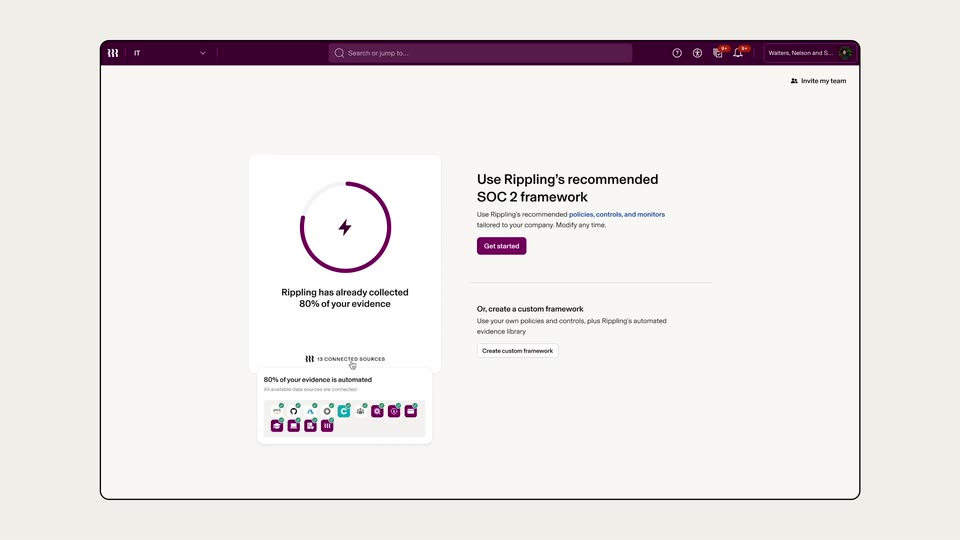
0:37
Explore
00:00:00 / 01:30:03
- Length
- 1:30
- Scenes
- 27 · 3.3 s avg
- Product on screen
- 0:18
- Call to action
- 1:22 · 92%
- Voiceover
- Yes
- Views
- 778 on YouTube
as of November 25, 2026
Rippling’s 1:30 launch film runs 27 scenes, about 3.3 s each. The product shows up at 0:18. The call to action lands at 1:22 (92% in), over a voiceover. The video alternates locked-off live-action testimony against a brick wall with flat line-drawn step illustrations and cursor-driven UI screens framed in a browser window. Signature moves: numbered Step badges with bouncing red arrow callouts in the animation, and pop-in modals, tooltips and toasts in the UI walkthroughs.
Footage neededEstimated needs: 4 capture groups — your screens or recordings · 1 official logo — reused across the film · 10 filmed passages — shoot, supply or replace · 5 graphic passages — draw or supply · 1 3D passage — build or supply
Is this your launch? to your site or press kit.
More like this


Similar soundtrack
Films whose music sounds like this one, voice left out
3:32

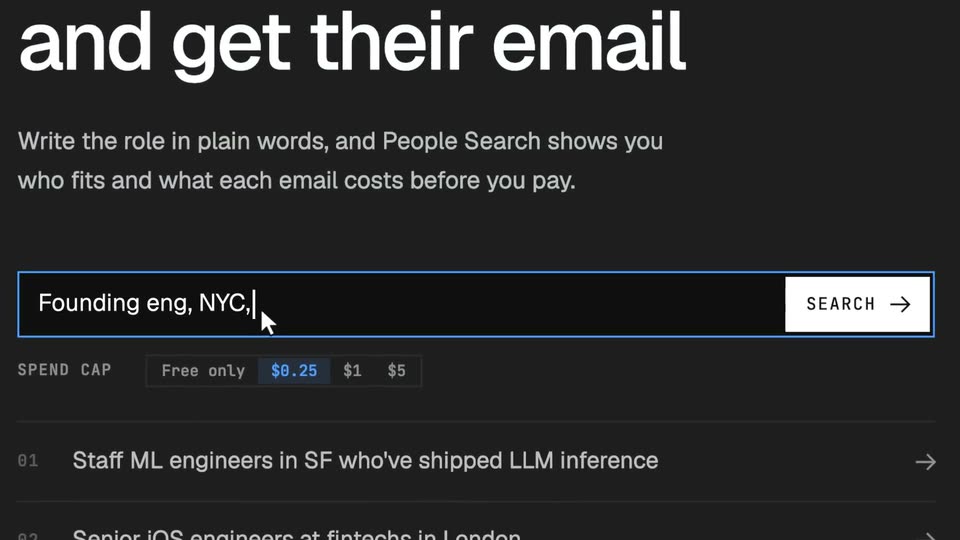
Introducing Instant Apps: create the perfect app for yourself, right when you need it | Tasklet
Tasklet · Modern electronic
1:19

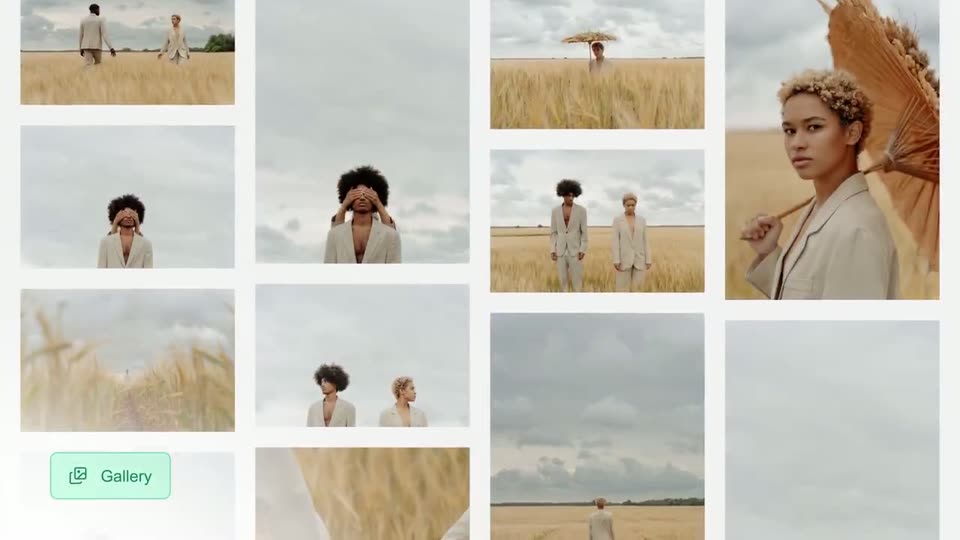
Vapi - We’re announcing Agent Loop. Self-improving voice agents, now in earl
Vapi · Upbeat electronic
1:00

CURA 1 min video subtitles
CURA · Upbeat corporate electronic
Rippling Automated Compliance Official Demo | Product Launch | SOC 2, scene by scene
· 27 scenes as text
01 · Problem · 0:00–0:02
A woman in a white top sits at a wooden desk against a brick wall, speaking to camera. A laptop sits to her left, books, pens and a red alarm clock to her right. A white lower-third with her name and title fades in at the lower left.
On-screen text: “Emma Lawler”, “Product Lead”
Camera: Static
02 · Problem · 0:02–0:05
A blonde woman in a white top sits at a wooden desk behind a laptop, speaking toward the right of frame. A plant and brick wall fill the left background; a cup of colored pencils and books sit on the right. The shot stays locked off.
On-screen text: “Emma Lawler”, “Product Lead”
Camera: Static
03 · Problem · 0:05–0:10
A blonde woman in a white top sits at a wooden desk against a brick wall, speaking to camera. A silver laptop is on her left; books, a red clock and a pencil cup on her right. The locked-off shot holds as small still text reads Step 01.
On-screen text: “Step”, “01”, “B.”
Camera: Static
04 · Problem · 0:10–0:12
A line-drawn man in a yellow hoodie sits at a desk, sweating, and points at his laptop while a magnified bubble shows his dripping face. A red arrow bounces on the keyboard beside labels A and B; the Step 01 badge sits top left.
On-screen text: “Step”, “01”, “C.”, “A.”, “B.”
Camera: Static
05 · Problem · 0:12–0:13
A hand-drawn man in a yellow hoodie sits at a desk, phone to his ear, smartphone in hand, beside a laptop and small devices. A diagonal white band wipes across, switching the red badge from Step 01 to Step 02. A red arrow labeled A. points up at right.
On-screen text: “Step”, “01”, “A.”, “02”
Techniques: Masking
Camera: Static
06 · Problem · 0:13–0:14
A line-drawn man in a yellow hoodie sits at a desk, holding a desk phone to his ear and a smartphone in his other hand, with a laptop and three devices in front of him. Red curved arrows labeled A, B, and C pop in around him one by one. A Step 02 badge sits top left.
On-screen text: “Step”, “02”, “A.”, “B.”, “C.”
Camera: Static
07 · Problem · 0:14–0:16
A vertical scroll moves down a feed of line-drawn step cards. The first, labeled Step 73, shows a man in a yellow jacket holding papers beside a seated woman at a desk, with a warning triangle and a red arrow. The scroll continues to the next card, Step 102.
On-screen text: “Step”, “73”, “Step”, “102”
Camera: Pan
08 · Problem · 0:16–0:18
A flat illustration shows a man in a yellow hoodie crouching at a cluttered desk, a red arrow curving down beside his legs, under a Step 102 badge. The frame cuts to a woman in a white sweater at a laptop against a brick wall.
On-screen text: “Step”, “102”
Camera: Static
09 · Product intro · 0:18–0:20
A woman in a white sweater sits at a wooden desk against a brick wall, speaking to camera and gesturing with her hands. A laptop, pencil cup, red alarm clock and stacked books sit on the desk. The shot is locked off and static.
On-screen text: “Step”, “102”
Camera: Static
10 · Product intro · 0:20–0:24
A blonde woman in a white top sits at a wooden desk behind a silver laptop, talking off-camera to the right. A jar of colored pens and a stack of books rest on the desk; a plant and brick wall fill the soft-focus background. The camera holds still.
Camera: Static
11 · Product intro · 0:24–0:27
A woman in a white top sits at a wooden desk against a brick wall, speaking to camera. A silver laptop sits to her left, a book stack with a red clock and a pen cup to her right. She gestures with her hands as she talks.
On-screen text: “Use Rippling's recommended”, “SOC 2 framework”, “80% of your evidence”
Camera: Static
12 · Demo · 0:27–0:31
A flat Rippling interface sits in a browser frame on a gray backdrop. A hand cursor drifts over the left card, and a popover of small app icons slides up beneath it, listing connected sources. The right column holds a SOC 2 headline and two buttons.
Techniques: Cursor demo
Camera: Static
13 · Demo · 0:31–0:40
A cursor clicks Yes through a scrolling intake survey form while the right sidebar's recommended-controls count ticks up from 69 to 97. The page scrolls down with each selection until the Next button activates.
Techniques: Cursor demo
Camera: Pull out
14 · Demo · 0:40–0:45
A dimmed compliance dashboard sits behind a centered white modal announcing a created SOC 2 framework, listing three iconed items and a purple button. A cursor drifts down the list, hovering each row.
Techniques: Cursor demo
Camera: Static
15 · Demo · 0:45–0:48
A woman in a white top sits at a wooden desk against a brick wall, speaking to the camera. An open silver laptop is to her left; a cup of colored pens and a stack of books with a red clock to her right. Static medium shot.
Camera: Static
16 · Demo · 0:48–0:51
A static dashboard view of the Automated Compliance page. A left sidebar lists modules with Automated Compliance highlighted; the main panel shows a monitors table with code, name, controls and status columns, topped by a red-and-green progress bar.
Camera: Static
17 · Demo · 0:51–0:53
A compliance monitor page shows a device table. A cursor hovers over a red Not encrypted pill, opening a tooltip titled Encryption not enabled with a Review device button. The header and tooltip fade out as the clip ends.
Techniques: Cursor demo
Camera: Static
18 · Demo · 0:53–0:59
A light dashboard screen holds a security training report table. A cursor rests on a red 'Not completed' pill, holding open a detection popover with a purple button. The static screen fades to white at the end.
Techniques: Cursor demo
Camera: Static
19 · Demo · 0:59–1:01
A flat browser window with a maroon header sits on a beige background. A yellow spinner spins in the blank body, then the HR app loads: a left menu and an employee profile with a course row, while the cursor moves to the Remediate button.
Techniques: Cursor demo
Camera: Static
20 · Demo · 1:01–1:04
A centered 'Send a reminder' dialog sits over a dimmed employee profile page. A cursor glides in from the right and clicks the magenta Send reminder button.
Techniques: Cursor demo
Camera: Static
21 · Demo · 1:04–1:06
A tilted 3D view of an HR platform profile page for Joyce Allen, showing a courses table with a Remind button on the compliance course row. A green toast notification reading Reminder email has been sent fades in at the bottom center of the screen.
Techniques: 3D mockup
Camera: Static
22 · Demo · 1:06–1:08
A flat browser window of a compliance dashboard sits on a light gray background. The left sidebar lists menu items and the main panel shows a failing monitor with an evidence section. A cursor drifts right and hovers the orange Automate with Rippling IAM button.
Techniques: Cursor demo
Camera: Static
23 · Demo · 1:08–1:13
A compliance dashboard shows a modal dialog listing three monitors with checkboxes over a monitor detail page. A cursor moves to the purple Automate 3 monitors button and clicks it, then the interface fades into a blurred photo of a woman at a desk.
Techniques: Cursor demo
Camera: Static
24 · Other · 1:13–1:16
A woman in a white long-sleeve top sits at a wooden desk against a brick wall, speaking to camera and gesturing with her hands. A silver laptop sits to her left; a cup of colored pens and a stack of books topped by a red clock sit to her right.
Camera: Static
25 · Other · 1:16–1:18
A blonde woman in a white top sits at a wooden desk, speaking toward the right of frame with a silver laptop open in front of her. The static medium shot keeps her in sharp focus against a soft background of a plant, brick wall, and a cup of colored pencils.
Camera: Static
26 · Other · 1:18–1:22
A woman in a white top sits at a wooden desk against a brick wall, talking to the camera and gesturing. A silver laptop, a cup of colored pencils and a stack of books with a red clock sit on the desk, then the frame cuts to plain cream.
Camera: Static
27 · CTA · 1:22–1:30
On a cream background, the black RIPPLING logo anchors the top. Magenta 'How to:' appears inside a purple oval that draws itself, then black 'SOC 2' enters to its right. A purple button pops in below, and the frame holds.
On-screen text: “How to:”, “SOC 2”, “Learn more at rippling.com/soc2”
Techniques: Kinetic type
Camera: Static