
0:42
Explore
ReJot YC Launch
ReJot · Feb 2025 · 1:19 · Full motion · AI-annotated
- Length
- 1:19
- Scenes
- 9 · 8.9 s avg
- Product on screen
- 0:00
- Call to action
- 1:06 · 83%
- Voiceover
- Yes
- Views
- 326 on YouTube
as of November 24, 2026
00:00:00 / 01:19:46
- Length
- 1:19
- Scenes
- 9 · 8.9 s avg
- Product on screen
- 0:00
- Call to action
- 1:06 · 83%
- Voiceover
- Yes
- Views
- 326 on YouTube
as of November 24, 2026
ReJot’s 1:19 launch film runs 9 scenes, about 8.9 s each. The product is on screen from the first frame. The call to action lands at 1:06 (83% in), over a voiceover. A single unbroken screen recording of the ReJot dashboard with a fixed webcam inset and rolling caption pills; the view zooms and pans across the node graph and tables to follow the hand cursor. Pacing is steady and explanatory, with the cursor, zoom moves and page transitions as the only animation, carrying the story from the catalog overview into a live sync test and a GitHub call to action.
No filming indicatedEstimated needs: 3 capture groups — your screens or recordings
Is this your launch? to your site or press kit.
More like this


Similar soundtrack
Films whose music sounds like this one, voice left out
3:11

A computer for every agent
Cursor · Voice-over narration
1:19

Introducing Canvas
Loom · Product Tutorial
2:31

Autumn: Stripe for AI Startups
Autumn · Speech
ReJot YC Launch, scene by scene
· 9 scenes as text
01 · Product intro · 0:00–0:22
A browser window on a red-to-orange gradient shows the ReJot dashboard with a node graph linking supabase and neon data stores, while a presenter's webcam sits in the corner. A hand cursor points at the nodes as the view zooms in on the graph, then back out, with rolling captions below.
On-screen text: “name is Jan, I'm co-founder of”, “Rejot, and we are building a”, “synchronization engine to help”, “large enterprises share data”, “across engineering teams. We”, “have the goal to replace event”, “streaming with Kafka as the”, “default method of doing back-end”, “enterprise communication. What”, “you're looking at here is our data”
Techniques: UI zoom
Camera: Push in
02 · Demo · 0:22–0:23
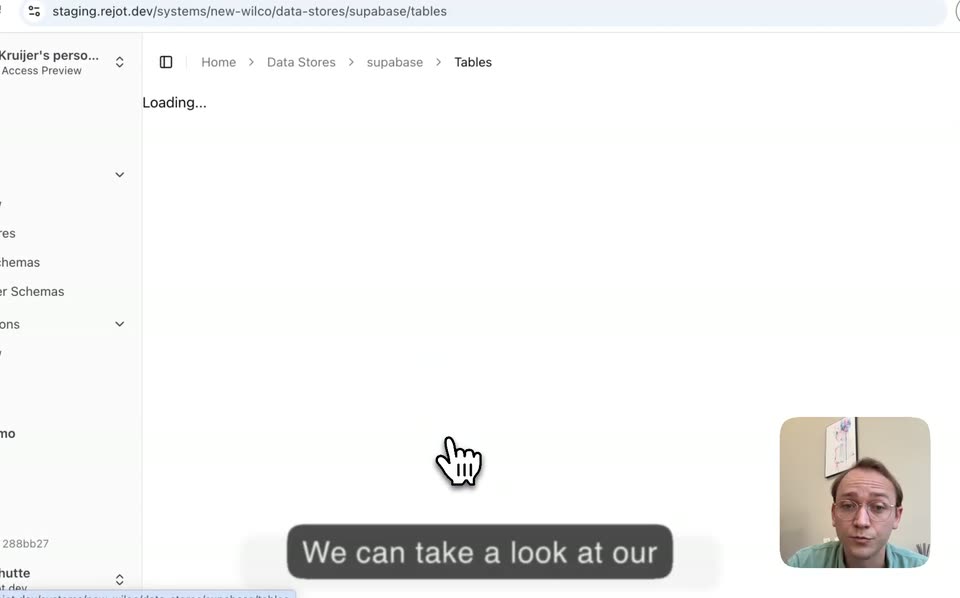
A web dashboard screen recording with a small presenter webcam in the lower right. A hand cursor clicks the supabase Tables tab, the view reloads through a Loading state, then a table of user rows (id, first_name, last_name) fills in. Subtitle captions run along the bottom.
On-screen text: “We can take a look at our”, “Superbase tables and we see we”
Techniques: Cursor demo
Camera: Static
03 · Demo · 0:23–0:41
A screen recording of the ReJot dashboard shows a Supabase table diagram, then pulls back to the browser and opens a Sync Demo node graph. A hand cursor hovers over nodes while the view zooms in on the Expose User's name card, with a presenter's webcam in the corner.
On-screen text: “Supabase tables and we see we”, “have some user information,”, “organizational information. In our”, “system, teams can expose the”, “data from their data store to the”, “rest of the organization through a”, “public schema. In this case we”, “see that the users are exposed.”, “Let's say our Neon team wants to”, “ingest this data, they set up a”
Techniques: Cursor demo, UI zoom
Camera: Pull out
04 · Demo · 0:41–0:42
A browser window shows a dashboard where a hand cursor clicks a tab at the top, crossfading from a node diagram page to a consumer details page. A presenter appears in a small inset at the lower right, and a caption bar reads at the bottom.
On-screen text: “consuming schema and let's take”
Techniques: Cursor demo
Camera: Push in
05 · Demo · 0:42–0:49
A dashboard page in a browser scrolls down and zooms into a SQL transformation code block. A cursor glides across the lines, pointing at the full_name field, while a small presenter webcam sits in the corner and subtitle captions roll along the bottom.
On-screen text: “a look what it looks like. In this”, “case the team is concatenating”, “first, middle and last name and”, “writing it as the full name into our”, “destination table. Let's take a look”
Techniques: UI zoom, Cursor demo
Camera: Static
06 · Demo · 0:49–0:50
A browser window of a developer dashboard is shown. The cursor glides near the top tabs and the view switches from a SQL transformations panel to a table editor listing names, while a small presenter video sits in the bottom-right corner.
On-screen text: “destination table. Let's take a look”
Techniques: Cursor demo
Camera: Static
07 · Demo · 0:50–1:01
Supabase table editor screen recording. A white cursor clicks the green Insert button; a form panel slides in from the right and the cursor types John and Doe. The view zooms into the form, then back to the table as the new row appears. A presenter's webcam sits bottom-right.
On-screen text: “destination table. Let's take a look”, “at the source data set. Here in”, “Supabase I'm adding another row”, “and what our software does in the”, “background is pull changes to this”, “database and syncs them to”, “consumers of this data set. We”
Techniques: Cursor demo, UI zoom
Camera: Push in
08 · Demo · 1:01–1:06
A browser screen capture of the Neon Console table view; the cursor clicks the Upgrade button, hovers over the rows, then switches to the GitHub repository tab. A small webcam feed of the speaker sits bottom right, and dark caption pills roll along the bottom.
On-screen text: “consumers of this data set. We”, “then go to Neon, we'll see that our”, “new row has just been added. We”
Techniques: Cursor demo, UI zoom
Camera: Pull out
09 · CTA · 1:06–1:19
A screen recording of the rejot GitHub repository page fills the frame on a red-orange gradient, with a small webcam inset of a man in glasses at bottom right. A black cursor glides up to the Starred button and rests there while white subtitle lines swap on a dark bar at the bottom.
On-screen text: “recently open sourced our data”, “catalog and we are looking to”, “open source our sync engine very”, “soon as well. If you or your”, “organization has a lot of trouble”, “with dealing with distributed”, “architectures, please reach out to”, “us and we can see how we can”
Techniques: Cursor demo
Camera: Static