0:46
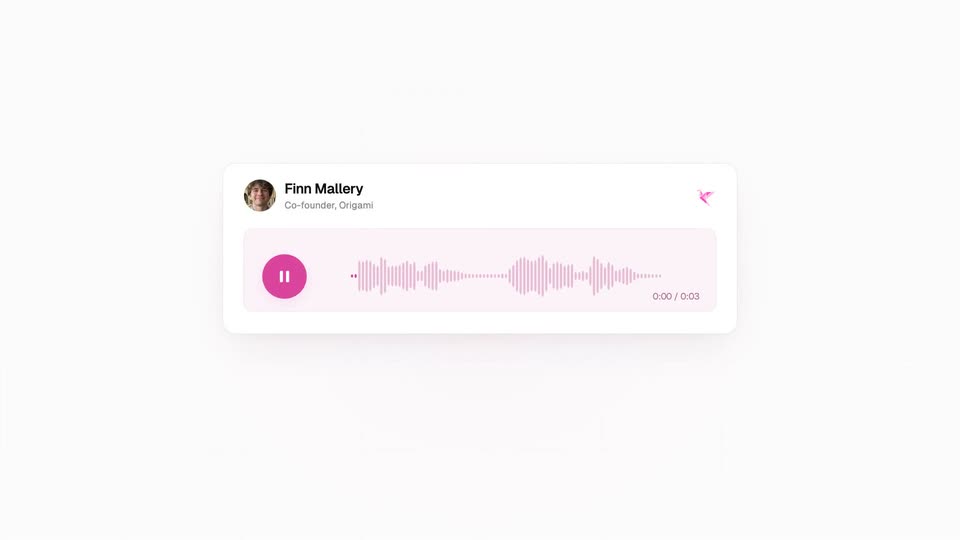
Origami - Introducing voice cloning to Origami. (🔊 Audio: ON to hear the AI-cl
Origami · B2B · Oct 2026
Pulse · Mar 2026 · 0:50 · Full motion · AI-annotated
Pulse’s 0:50 launch film runs 20 scenes, about 2.5 s each. The product is on screen from the first frame and 6 features are revealed. The call to action lands at 0:47 (95% in). The video alternates plain white type-on cards with push-in UI demos, each card naming a benefit and the following scenes proving it on the matching screen. Signature moves: letter-by-letter type-on headlines, slow camera push-ins on dashboards, and bright green accents on charts, buttons and the logo dot.
Is this your launch? to your site or press kit.
Origami · B2B · Oct 2026
Rovo · Apr 2026
On a plain white background, a green dot and the wordmark Meet Pulse scale into the center as Pulse fades from gray to black, then the tagline Intelligent tracking for YouTube funnels appears below in black.
On-screen text: “Meet Pulse”, “Intelligent tracking for YouTube funnels”
Techniques: Kinetic type
Camera: Static
On a plain off-white background, the black headline “Build your funnel.” types in letter by letter at center, each new character fading in, then holds. Above it, “Meet Pulse” scales in with a smaller static subtitle.
On-screen text: “Meet Pulse”, “Intelligent tracking for YouTube funnels”, “Build your funnel.”
Techniques: Kinetic type
Camera: Static
A dotted-grid canvas holds three linked integration nodes, an X, a globe and an Instagram mark, while a search modal lists apps. A cursor glides down the list. The frame stays locked off.
On-screen text: “Build your funnel.”
Techniques: Cursor demo
Camera: Static
A dotted-grid node canvas shows X, YouTube and Instagram source cards linked by curved lines to a globe node. A cursor drags the YouTube card into the left column, then hovers over the bottom toolbar, raising a green Add Node tooltip.
Techniques: Cursor demo
Camera: Static
A light app canvas shows X, YouTube and Instagram nodes joined by curved lines. A centered white picker modal lists integrations; the list scrolls up while the cursor rises to the highlighted search field.
Techniques: Cursor demo
Camera: Static
A white dot-grid canvas shows a node graph: X, YouTube and Instagram nodes feed a globe node linked to a blue C node. A cursor drags the C node, then clicks the YouTube node, opening a setup modal that switches to its settings tab as the view zooms in.
Techniques: Cursor demo, UI zoom
Camera: Push in
A white YouTube Node Setup modal on a dotted gray canvas. A cursor types a domain and CTA text into fields while a live preview updates below. The camera zooms in, then pulls back as the modal switches to the Step 3 video grid beside a blue C node.
Techniques: Cursor demo, UI zoom
Camera: Pull out
A plain off-white background holds a single centered line. The sentence fades in from left to right, each word shifting from light gray to black until the full phrase reads.
On-screen text: “Tracking goes live instantly”
Techniques: Kinetic type
Camera: Static
The analytics dashboard zooms into the visitors trend chart as a cursor hovers across the source tabs, each highlight recoloring the line from green to purple to pink. A static caption reads Tracking goes live instantly.
On-screen text: “Tracking goes live instantly”
Techniques: UI zoom, Cursor demo
Camera: Push in
A dashboard analytics screen opens as a blurry close-up of the visitors trend line, then pulls back to reveal the full interface with the left sidebar, source totals, and a green conversion bar chart, while a cursor hovers over the conversion panel.
Techniques: UI zoom, Cursor demo
Camera: Pull out
A dashboard card titled Conversion Sources with five green horizontal bars, YouTube 38.5% down to TikTok 7.6%, slides up into place beneath a line chart with Feb 15 to Feb 25 dates. A black cursor drifts to the left edge and exits as the card settles.
Camera: Push in
On a plain white background, a single sentence builds from left to right, each word fading in from light gray to black until the line reads in full. The frame stays locked off with no other elements.
On-screen text: “Every lead is captured in your CRM.”
Techniques: Kinetic type
Camera: Static
A flat Contacts dashboard card rests on a blurred green foliage background. At the start a left navigation panel cross-fades out, revealing the full table of ten contacts. A caption slides in over the frame.
On-screen text: “Every lead is captured in your CRM.”
Techniques: Kinetic type
Camera: Static
A black sentence types itself across an off-white field, letters emerging left to right until the full line settles. The frame stays locked and centered.
On-screen text: “Know which videos actually convert”
Techniques: Kinetic type
Camera: Static
A single line of black text on a white background reads in, the final word fading from light gray to full black.
On-screen text: “Know which videos actually convert”
Techniques: Kinetic type
Camera: Static
A YouTube dashboard fills the frame over a blurred outdoor backdrop. A dark stats card settles under the heading, then a cursor opens the chart dropdown and scrolls down to the video table, ending on a tighter crop of the rows.
On-screen text: “Know which videos actually convert”
Techniques: Cursor demo, UI zoom
Camera: Push in
On a plain white background, two lines of black sans-serif text type in letter by letter, the not-yet-typed portion shown in light gray. Once the second line completes, the frame cuts to blank white.
On-screen text: “Pulse tracks every customer.”, “Even if they convert weeks later.”
Techniques: Kinetic type
Camera: Static
On a white field, the headline “Integrate with any app” builds word by word at center. Beneath it, two rows of partner logos (YouTube, X, Calendly, Cal.com, Fillout, Typeform, Webflow, Framer) fade in one at a time with a soft blur, then hold still.
On-screen text: “Integrate with any app”
Techniques: Kinetic type
Camera: Static
On a white background, the black headline reveals at center, then six soft gradient circles in red, purple, orange, green, purple and green pop in one by one, overlapping in a row beneath the text.
On-screen text: “Share workspaces”, “with your clients”
Techniques: Kinetic type
Camera: Static
A white end card holds the lines “Share workspaces with your clients,” then the line “Get started today at www.pulsetracker.app” reveals left to right, light gray words turning solid black as they appear.
On-screen text: “Share workspaces”, “with your clients”, “Get started today at www.pulsetracker.app”
Techniques: Kinetic type
Camera: Static