
0:31
Explore
Proximitty (YC W26) - Launch Video
Proximitty · Feb 2026 · 0:53 · AI-annotated
- Length
- 0:53
- Scenes
- 23 · 2.3 s avg
- Product on screen
- 0:25
- Features shown
- 2
- Voiceover
- Yes
- Views
- 393 on YouTube
as of November 23, 2026
00:00:00 / 00:53:22
- Length
- 0:53
- Scenes
- 23 · 2.3 s avg
- Product on screen
- 0:25
- Features shown
- 2
- Voiceover
- Yes
- Views
- 393 on YouTube
as of November 23, 2026
Proximitty’s 0:53 launch film runs 23 scenes, about 2.3 s each. The product shows up at 0:25 and 2 features are revealed. There is no explicit call to action; a voiceover carries the film. The video is built as a problem-to-product arc: a long, fast-cut problem montage (stock footage, line-drawn charts, a scratched-film hiring card) gives way to a clean white UI walkthrough, then a black logo card. Its signature moves are the left-to-right drawing lines and pop-in icon/gauge reveals, the zoom-into-panel camera moves on the dashboard, and the hard cut from warm desaturated live action to flat light-gray graphics.
Footage neededEstimated needs: 4 capture groups — your screens or recordings · 1 official logo — reused across the film · 7 filmed passages — shoot, supply or replace · 5 graphic passages — draw or supply
Is this your launch? to your site or press kit.
More like this

1:10


Vocci - Today, we're launching Vocci. Your AI is smart. It just missed the c
Vocci Ring · Aug 2026
1:50

Chromie - The AI operating system for government contracting
Capto · B2B · Aug 2026
Similar soundtrack
Films whose music sounds like this one, voice left out
1:10

Meet Custom Agents: Your 24/7 AI Team
Notion · Electronic, Jazz
1:06
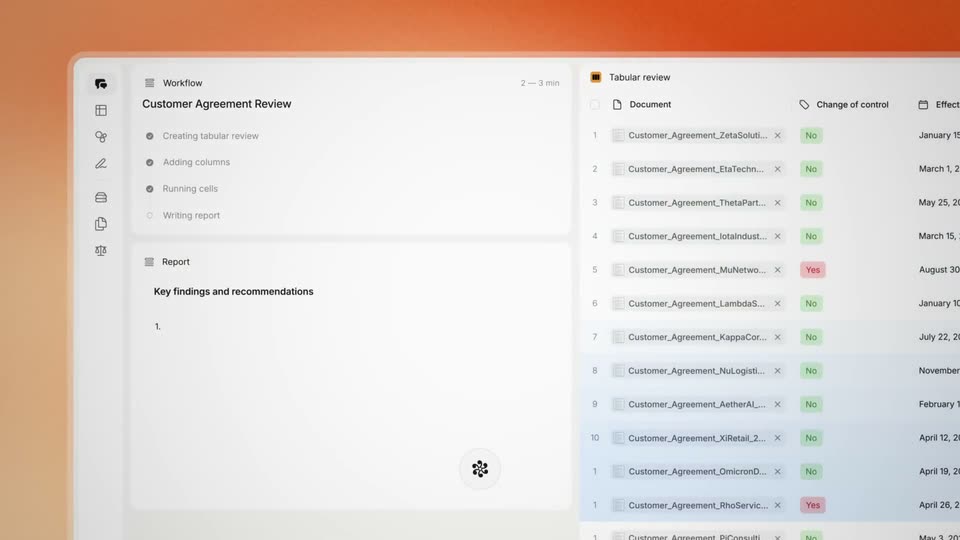
1:01
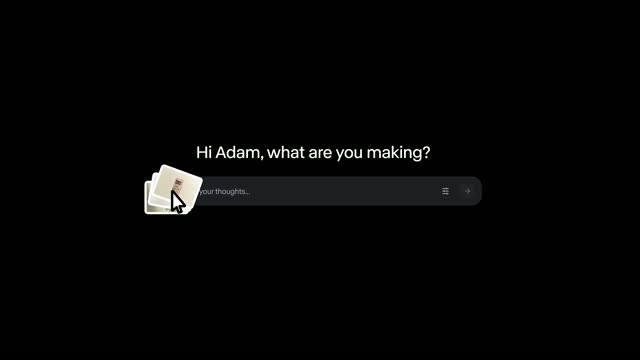

Introducing Runway Agent 2.0 | Runway
Runway · Hip-hop, Jazz fusion
Proximitty (YC W26) - Launch Video, scene by scene
· 23 scenes as text
01 · Hook · 0:00–0:01
A hand holds a tilted phone, its banking app showing a red Payment overdue banner above a credit card row. The camera pushes in, reframing from the full device to a tight close-up of the banner.
Techniques: UI zoom
Camera: Push in
02 · Problem · 0:01–0:03
A black headline sits top center on a light gray field. A thin line draws left to right as five white rounded icons with blue glyphs and small captions pop in one by one: inbox, phone, document, checklist, phone with arrow. A gray cursor trails the line.
On-screen text: “Servicing + collections are still heavily manual”, “INBOX”, “CALL”, “REVIEW”, “CHECKLIST”, “FOLLOW-UP”
Camera: Static
03 · Problem · 0:03–0:05
Overhead shot of a hand on a black mouse next to a stack of paper forms on a warm-lit desk, cutting to a white bar chart with two green columns for 2020 and 2021 under a dark blue headline.
On-screen text: “Cost to service a delinquent loan”, “MBA Servicing Operations Study (US mortgages).”
Camera: Static
04 · Problem · 0:05–0:09
A green line draws across a cost chart from 2020 to 2023, with a $1,226 tag at the start. A green oval callout with $1,857 and +51% vs 2020 pops in at the 2023 point, then a hand places a card on a terminal in blue light.
On-screen text: “Cost to service a delinquent loan”, “MBA Servicing Operations Study (US mortgages).”, “$1,226”, “$1,857”, “+51% vs 2020”
Camera: Static
05 · Problem · 0:09–0:10
A hand presses a key on a cash register terminal under a deep blue light. The shot snaps to a blurred close-up of a hand holding a white card stamped with a dark round logo.
Camera: Static
06 · Problem · 0:10–0:11
A dark, out-of-focus close-up of a printed page with faint lettering sits in deep blue shadow. The camera drifts slowly across its blurred surface, keeping the text illegible.
Camera: Pan
07 · Problem · 0:11–0:13
A static wide shot of a mid-century bank hall, where a long line of suited customers waits between concrete pillars under fluorescent lights. A man at the right counter writes while a wall clock and a digital sign read 10:30 AM.
Camera: Static
08 · Problem · 0:13–0:13
A dark scratched-film background holds a centered rectangular panel. It opens light grey with bold blue and white “WE ARE HIRING!” over a faint wristwatch, then flips to a dark blue variant where “WE ARE” turns hollow and the HIRING word scales up. The bottom line swaps to “Job Vacancy:”.
On-screen text: “WE ARE”, “HIRING!”, “This vacancy is general and open to all ages with no”, “WORKERS”, “Job Vacancy:”
Techniques: Kinetic type
Camera: Static
09 · Problem · 0:13–0:15
A large blue title card reading “WE ARE HIRING” holds over a dim office, then wipes away to reveal a live-action office: a balding man sits at a desk buried in paper stacks, facing a CRT monitor, while colleagues work in the background. The shot stays locked off as he leans into the screen.
On-screen text: “WEARE”, “EHIRING!!”
Techniques: Kinetic type
Camera: Static
10 · Problem · 0:15–0:17
Extreme close-up of a man's eye behind thin black glasses. A small screen glows in the lens reflection, then the eye blinks shut as the gaze drops.
On-screen text: “SZOKAN”, “a”
Camera: Static
11 · Problem · 0:17–0:21
A white ticket card titled “Missed payment” sits at the center of a plain field as five pill labels naming other systems fade in around it. A cursor darts between them while blue action buttons pop into the card one by one.
Techniques: Cursor demo
Camera: Static
12 · Problem · 0:21–0:23
A low-angle shot looks up past an out-of-focus laptop keyboard at a woman in a checkered shirt, with a ceiling fan and round light behind her. She raises both hands in a gesturing motion, blurred by movement, while speaking.
Camera: Static
13 · Problem · 0:23–0:25
On a white background, a gray funnel outline labeled ORIGINATION CAPACITY appears, then a red band marked COST slides down inside it. Below, the caption Higher costs → fewer new loans fades in, and the scene cuts to the product dashboard.
On-screen text: “ORIGINATION CAPACITY”, “COST”, “Higher costs → fewer new loans”
Camera: Static
14 · Product intro · 0:25–0:30
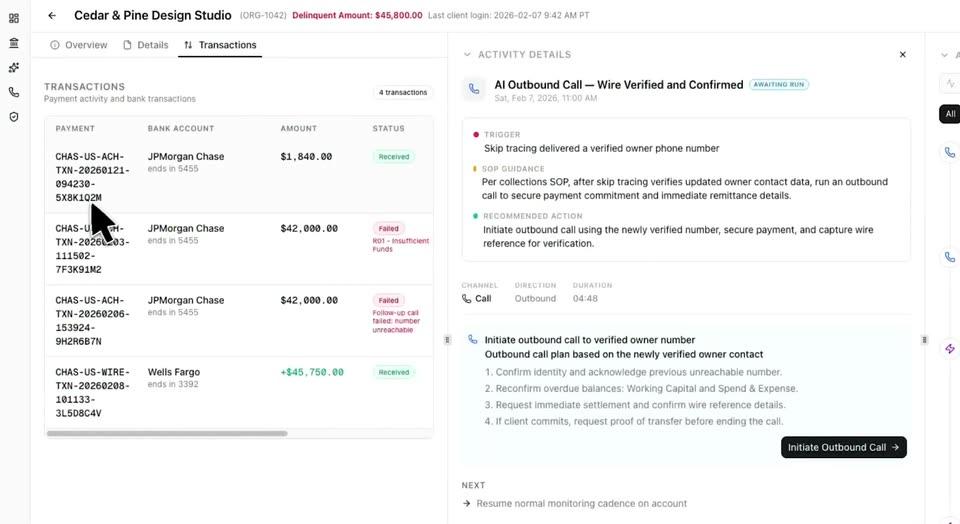
A three-panel collections dashboard fills the screen with gauges, an activity card and a feed. A cursor glides to the Transactions tab and clicks it; the frame zooms in as the left panel swaps from the ability-to-pay gauges to a payments table.
Techniques: Cursor demo, UI zoom
Camera: Push in
15 · Feature reveal · 0:30–0:32
A cursor clicks the Transactions tab of a collections dashboard, then moves down to a payment row. The view cuts to a processing screen showing an account card, a progress bar, and streaming status text.
Techniques: Cursor demo
Camera: Static
16 · Feature reveal · 0:32–0:34
A light interface panel holds a header card for ABC Company with an empty progress bar, above a timeline entry whose sub-task and metadata rows fade in, ending on a streaming status line at the bottom.
Camera: Static
17 · Feature reveal · 0:34–0:36
A tight close-up crops the right edge of a UI activity card with a blue left border, showing a truncated agent log entry and three metadata pills. A status line below reads 'Streaming agent reasoning and findings...'. The frame holds static for the full duration.
Camera: Static
18 · Feature reveal · 0:36–0:38
A close-up of a white email card on a pale blue background. The card shows a Google M icon, a sender line, a subject line, and an attachments label. The frame holds still with no visible motion.
Camera: Static
19 · Feature reveal · 0:38–0:39
A tight close-up of a white interface card, the surrounding UI blurred out of focus. The label “Timeline progress” sits above a bar that fills left to right with a blue-to-purple gradient. The frame stays locked-off throughout.
Camera: Static
20 · Feature reveal · 0:39–0:41
A light dashboard view zooms in on a control row as a cursor glides toward the black Start Call button, beside a Status Idle pill and a grayed End Call button.
Techniques: UI zoom, Cursor demo
Camera: Push in
21 · Feature reveal · 0:41–0:48
A white Live Transcript panel on a pale blue background types out an agent's greeting word by word. Two green check badges pop in beneath it, then a right-aligned Yes. reply and a second agent line type in.
Techniques: Kinetic type
Camera: Static
22 · Outro · 0:48–0:50
White text reads across the center of a black field, holding still. The frame then cuts to the blue Proximitty wordmark beside its diamond icon, centered and motionless on the same black background.
On-screen text: “Autonomous servicing and collection teams”
Camera: Static
23 · Outro · 0:50–0:53
The blue Proximitty wordmark and diamond pin icon sit centered on a black background, held static, then the frame fades to black near the end.
Camera: Static