2:42

Introducing GPT-6 Astra: the most intelligent and aligned model in the world.
OpenAI · AI · Sep 2026
Physical Turing · Jul 2025 · 1:52 · AI-annotated
Physical Turing’s 1:52 launch film runs 27 scenes, about 4.2 s each. The product shows up at 0:11. The call to action lands at 1:49 (97% in), over a voiceover. A meme-driven comedy skit opens the video, then it switches to a facecam-plus-screen-recording walkthrough split into two titled parts (Making the First Beat, More Riffing) and closes on the Riff website as the call to action. The pace is fast with short cuts and word-by-word popping white captions, while the signature look is a dark violet-accented UI, flash transitions and sticker or filter gags.
Is this your launch? to your site or press kit.
OpenAI · AI · Sep 2026
Flowtel · B2B · Feb 2025
Films whose music sounds like this one, voice left out
Discord · Corporate tech launch video with electronic dance music
Resend · Upbeat electronic
Raven · Electronic, chiptune, corporate
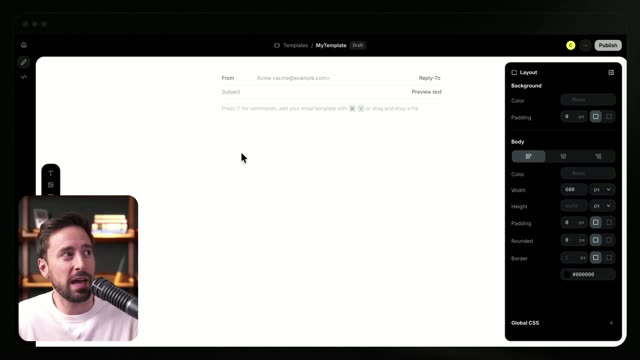
A man in white headphones works at a laptop showing an editing timeline, flanked by two pulsing flame stickers. He turns to camera, takes off the headphones and reaches toward the lens as the handheld camera pushes in, while caption words pop in one by one.
On-screen text: “Yo”, “What's up”, “Check”, “I just made”
Techniques: Kinetic type
Camera: Push in
A man with gold-rimmed glasses holds white over-ear headphones in front of his face, then lifts the band over his head to put them on. He sits before a whiteboard covered in handwritten notes and a small cat sketch.
Camera: Static
A young man with glasses in a black zip-up hoodie adjusts white over-ear headphones with both hands, facing the camera in front of a whiteboard with handwritten notes. The captions “Wow” and “garbage” pop in at the bottom center as he speaks.
On-screen text: “Wow”, “garbage”
Techniques: Kinetic type
Camera: Static
A person in a black shirt holds a large white skull filter over their face and gestures with both hands in front of a whiteboard with handwritten notes. The caption You should try appears at the bottom, then Riff below it as the hands clasp.
On-screen text: “You should try”, “Riff”
Camera: Static
A young man in glasses and a black zip-up holds a pair of light gray headphones, speaking to camera in front of a whiteboard with handwritten notes. The locked-off medium shot stays steady as a white caption scales in at the bottom center.
On-screen text: “It's way simpler”
Camera: Static
A man in a tie-dye tee sits at a wooden desk with a laptop showing an editing timeline and a large black monitor behind it. He turns to the laptop and starts typing. A white caption scales in at the bottom.
On-screen text: “It's way simpler”, “Riff”
Techniques: Kinetic type
Camera: Pan
A man in a blue plaid shirt and glasses types on a laptop at a wooden table, the dark screen showing a Google search page. The camera pushes in toward the screen.
Camera: Push in
A pair of hands types on a laptop on a wooden table, its screen showing a dark product page with a music editor mockup. Colorful bars float at the screen edges while glowing sparkles drift across the frame, then the word Whoa pops in large at the bottom.
On-screen text: “Whoa”
Techniques: Particles
Camera: Push in
A hand types on a laptop keyboard on a wooden table, the screen tilted in perspective. The dark landing page shows the headline, a tagline and an orange button above a tilted DAW window, flanked by colorful audio bars.
Camera: Push in
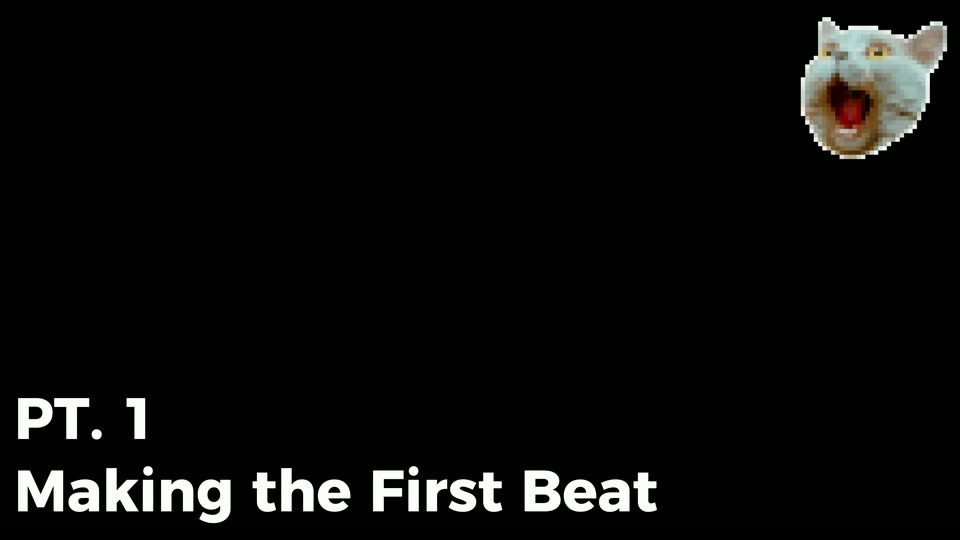
A black title card holds the white bold text in the lower left while a screaming white cat head cutout sits in the upper right corner. The frame stays static and locked off for the whole shot.
On-screen text: “PT. 1”, “Making the First Beat”
Camera: Static
A locked-off screen recording of the Riff app shows a six-track timeline with red, purple, green and blue waveforms and an AI chat panel on the right. A small rounded video inset of a man gesturing sits in the lower left, while subtitle lines fade in over the timeline.
On-screen text: “So I've already”, “gone ahead and”, “beat in Riff”
Techniques: Kinetic type
Camera: Static
A heavily defocused frame of a colored set, with red, green and blue bars, flashes into a bright yellow and pink overexposure. The name Ariff stays locked on screen through the wash.
On-screen text: “Ariff”
Camera: Static
A pink flash fades to a screen recording of the riff DAW: colored waveforms, an AI chat panel, and a small webcam inset of a gesturing man. Large white words pop over the timeline to match the voiceover, then the cursor moves to the chat input.
On-screen text: “Okay”, “so that's pretty chill but it low-key”, “sounds”, “music”, “female”, “vocals on top”, “So let's go ask”, “Chef”
Techniques: Kinetic type, Cursor demo
Camera: Push in
Close-up of a music app chat panel: a hand cursor picks the third sample option and clicks add. The view zooms out to the full timeline with a small webcam of a man in the corner, as bold white captions appear phrase by phrase.
On-screen text: “the AI assistant”, “to give me some”, “options for”, “vocals”, “option is definitely”, “cooking”, “I'm gonna go”, “and turn it into”, “crazy”
Techniques: Kinetic type, Cursor demo, UI zoom
Camera: Pull out
A dark audio editor timeline with colored waveform tracks; the view zooms in slightly as the playhead sweeps right past a row of orange clips, a white cursor hovering beside them. A small rounded thumbnail of a man appears bottom left, then it cuts to a black title card.
On-screen text: “PT. 2”, “More Riffing”
Techniques: UI zoom, Cursor demo
Camera: Push in
A black title card holds bold white text 'PT. 2' and 'More Riffing' in the lower left, static throughout. In the upper right, a white audio waveform of vertical bars pulses in time with the voiceover.
On-screen text: “PT. 2”, “More Riffing”
Camera: Static
Flat front view of the Riff music app: dark track list with colored waveforms on the left, AI chat panel on the right, and a small video inset of a man gesturing in the corner. White caption phrases cycle through the center of the timeline, each fading and scaling in as the voiceover narrates.
On-screen text: “Here's another”, “beat I've been”, “working on”, “heavily inspired”, “by Travis Scott”, “it out”, “PT.2”, “More Riffing”
Techniques: Kinetic type
Camera: Static
A blurred color streak resolves into a dark DAW interface playing a multitrack song; a blue playhead sweeps the timeline and a hand cursor hovers the drum track. A facecam sits bottom-left as white caption phrases roll in line by line below.
On-screen text: “That is so”, “clean”, “Uh except I don't”, “want to”, “into this immediately”, “I wanna go”, “an intro or a buildup”, “So let's go get”
Techniques: Kinetic type, Cursor demo
Camera: Static
Screen capture of a DAW timeline with green, white, red and yellow waveform tracks; a white hand cursor hovers over the playhead while a presenter's face sits in a small bottom-left inset. White captions read across the lower tracks, then swap to a large word.
On-screen text: “an intro or a buildup”, “So let's go get”, “drums”
Techniques: Cursor demo
Camera: Push in
A music app interface shows a waveform timeline left and a Sounds panel right. A hand cursor clicks the search field and types kick as a clip list populates. Large white caption words appear word by word over the timeline; a small presenter video sits bottom-left.
On-screen text: “and let's use”, “search”, “find”, “exactly like”, “In my head”
Techniques: Kinetic type, Cursor demo
Camera: Static
A zoomed-in list of numbered clips scrolls as a hand cursor hovers rows and clicks a plus button. The view pulls back to the full Riff DAW window with tracks and a chat panel, while white captions appear at the bottom and a small presenter video sits bottom left.
On-screen text: “Incredible”, “So now that I have”, “sound”, “I'm gonna go select”
Techniques: Cursor demo, UI zoom
Camera: Pull out
A dark DAW track list with volume sliders and waveforms fills the left of the screen. A white hand cursor glides to the Track 7 row and hovers, highlighting it, as the view reframes onto the list.
Techniques: UI zoom, Cursor demo
Camera: Push in
A DAW track list with a glove cursor on Track 7 pans right to an AI chat panel with suggestion chips. White captions read 'and then ask', 'help', 'me arrange a rhythm' as 'arrange a hip hop kick' types into the message field, then the view blurs to the timeline.
On-screen text: “and then ask”, “help”, “me arrange a rhythm”
Techniques: Kinetic type, Cursor demo, UI zoom
Camera: Pull out
A screen recording of the Riff DAW shows a dark timeline with colored waveforms and a moving playhead, while an AI chat panel on the right confirms an inserted pattern. A webcam overlay of a man sits bottom-left, and a cursor rests over the arrangement grid.
Camera: Pull out
A dark music production interface fills the frame, a track list on the left, a timeline of colored waveforms in the center, an AI chat panel on the right. A white cursor hovers over the timeline. The chat shows a command and a success message. The frame holds still.
Techniques: Cursor demo
Camera: Static
A dark music editor interface on a purple background shows colored waveform tracks and a right-side chat panel. A white cursor hovers over the timeline while a small video tile in the lower left shows a man gesturing. Large white words appear one by one in the center.
On-screen text: “Travis Scott”, “this”, “Travis Scott”, “lit”
Techniques: Kinetic type, Cursor demo
Camera: Static
A tilted browser window of the Riff site floats on a purple gradient, its home page showing four feature cards under “Music production, reimagined.” A cursor hovers on the page. A man gestures in a small webcam inset at the corner as white captions cycle across the bottom.
On-screen text: “Those are some”, “of the things”, “that you can do”, “in Riff”, “Check”, “us out”
Techniques: Kinetic type, 3D mockup, Cursor demo
Camera: Static