0:35
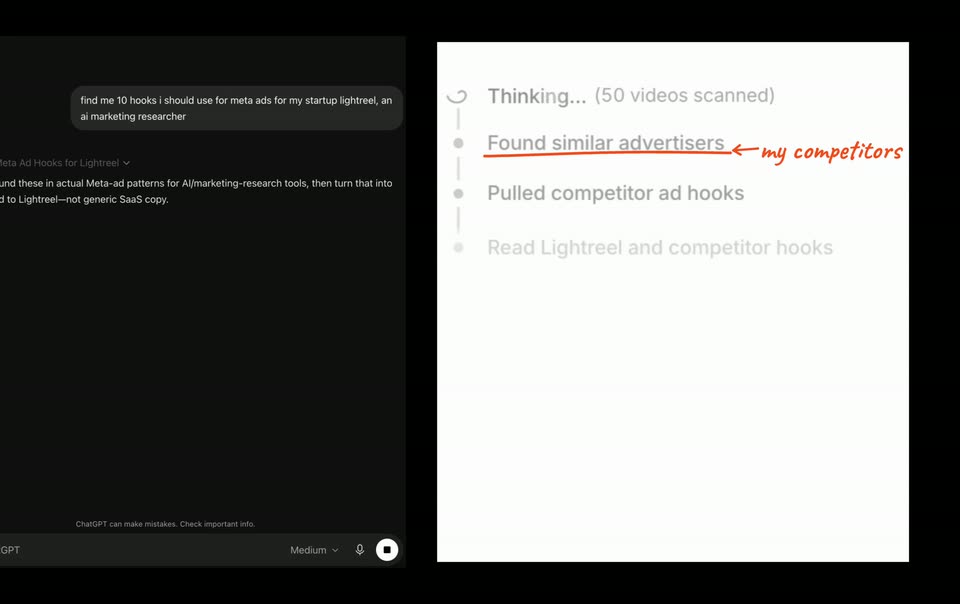

Lightreel AI - Introducing the first ZERO-SLOP AI for Meta Ads Just ask Lightreel w
Lightreel AI · Oct 2026
Parsewise’s 2:18 launch film runs 23 scenes, about 6.0 s each. The product is on screen from the first frame. The call to action lands at 2:10 (95% in), over a voiceover. The video alternates a host-and-agenda framing with long full-bleed screen recordings, keeping a small bottom-left webcam inset over the UI to tie the narration to the demo at a steady mid-tempo. Its signature moves are the cycling headline on the demo site, the orange and red highlights that flag extracted values and contradictions, and the neon-sign host shots that bookend the technical tour.
Is this your launch? to your site or press kit.
Lightreel AI · Oct 2026
GitHub · Developer tools · Nov 2026
Films whose music sounds like this one, voice left out
CellType · Modern electronic
Sintropix · Upbeat electronic
A static dark-blue slide shows the Parsewise logo top left and three translucent agenda cards on the right, over a snowy mountain photo. A man in glasses talks in a small bottom-left video inset while a cursor rests beside the first card.
On-screen text: “1. Who is it for”, “2. How to use”, “3. How it works”
Camera: Static
A locked-off slide titled The Problem displays a flow diagram from Documents to Parse, Classify, LLMs and IDP Tools, then Complex Logic, plus a red Custom Verification App alert. A presenter in a lower-left webcam inset speaks and gestures.
On-screen text: “The Problem”, “Complex workflows, fragmented data, and manual verification”
Techniques: Split screen
Camera: Static
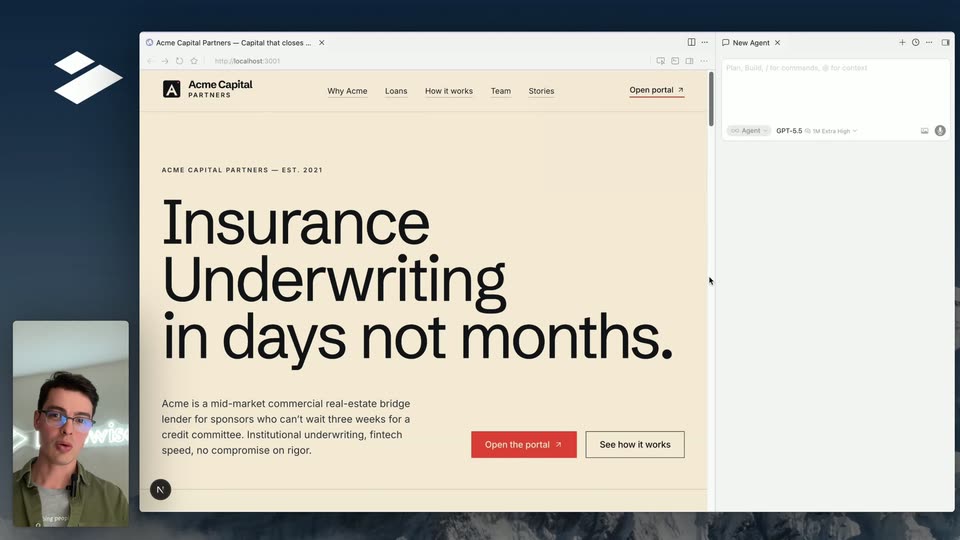
A browser window shows the Acme Capital site, its headline cycling through phrases like Mortgage Lending and Private Credit Deals while the line in days not months stays fixed, each phrase fading in and out. An agent panel sits at right, a small webcam of the presenter at bottom left.
Techniques: Kinetic type
Camera: Static
A locked-off browser window splits the frame: a beige Acme Capital Partners site with a black skyline on the left, a white agent chat panel on the right. A small webcam feed of a bespectacled man and a white logo sit in the left column.
On-screen text: “Private Credit Deals”
Techniques: Split screen
Camera: Static
A screen recording shows a browser with the Acme Capital Partners site beside an agent panel on the right, while a red glowing cursor dot drifts left across the black city skyline illustration. A small webcam of the presenter sits in the lower left corner.
Techniques: Cursor demo
Camera: Static
A browser window opens on the Acme Capital landing page, then the cursor clicks the red portal button and the view switches to an internal dashboard listing active deals. A small webcam feed of a presenter sits in the lower left corner.
Techniques: Cursor demo
Camera: Static
A browser window shows a deals pipeline table with a cursor gliding across the rows, then the view switches to the underwriting worksheet of the selected deal. A small webcam feed of a man in glasses sits in the lower left corner.
Techniques: Cursor demo
Camera: Static
A screen recording of a lending portal fills the frame beside a small talking-head video and a right-hand AI agent panel. The cursor scrolls the deal worksheet, clicks an AI summary button, then types a command into the agent, which refills the form fields.
Techniques: Split screen, Cursor demo
Camera: Static
A screen capture shows an underwriting worksheet in a browser, with a code editor panel on the right and a small webcam of a man with glasses at bottom left. The cursor drifts over a source tag while the layout stays still.
Techniques: Cursor demo
Camera: Static
A screen recording of a document review app. A cursor clicks down the All Sources list on the right, and the central viewer swaps from a financial statement to an LLC agreement to a resume. A small webcam feed of a presenter holds in the lower left corner.
Techniques: Cursor demo
Camera: Static
A presenter's webcam sits in a corner over a dark blue logo backdrop, while a browser window shows an underwriting worksheet with a document list and a code diff panel to the right. A cursor drifts across the worksheet fields.
Techniques: Split screen, Cursor demo
Camera: Static
A man with glasses in an olive jacket speaks to camera inside a rounded video frame on the right, a white Parsewise neon sign behind him. A dark mountain backdrop and the Parsewise logo fill the rest. At the end the frame fades and the app interface scales up to fill the screen.
On-screen text: “Parsewise”
Techniques: UI zoom
Camera: Static
The Parsewise Documents view fills the screen, listing processed PDFs and Excels with green status checks, while a presenter talks in a small video inset at the lower left. A cursor glides down the table and clicks the articles-of-organization row, popping a checkbox into place.
Techniques: Cursor demo
Camera: Static
A document viewer fills the frame, a scanned form on the left and extracted text fields on the right. The page turns from one to two and the right panel refreshes with new lines. A small video call of a man sits in the lower left corner.
Camera: Static
A full-screen view of the Peraiseise Documents table, listing PDF and Excel files with status checkmarks. A small webcam feed of a presenter sits in the lower-left corner while a cursor moves down the rows.
Techniques: Cursor demo
Camera: Static
A browser window shows a document viewer with a rent-roll spreadsheet on the left and a matching data table on the right. A man in a small webcam feed at the lower left corner speaks to camera. The layout stays static throughout the clip.
Camera: Static
A Parsewise Documents table fills the screen, framed by a dark panel with the white logo on the left and a presenter's webcam at lower left. The cursor drifts down the sidebar from Documents to Agents while the table stays still.
Techniques: Cursor demo
Camera: Static
A flat browser window of the Parrowse app sits on a dark blue gradient, with a small webcam feed of a man in a green jacket at lower left. A cursor clicks Results in the sidebar, the table loads with agent values, then opens a cell detail listing source documents.
Techniques: Cursor demo
Camera: Static
A Parsewise results screen scrolls down through a documents table; the cursor then hovers one row, which highlights in orange and pops open a tooltip listing extracted Excel cell values. A talking presenter's webcam occupies the lower-left corner.
Techniques: Cursor demo
Camera: Static
The Parsewise interface fills the screen, listing extracted documents on the left and a spreadsheet preview on the right with one cell highlighted in yellow. A small webcam of a presenter occupies the bottom-left corner, and a cursor rests over the reasoning panel.
Camera: Static
The Parsewise app interface fills the frame over a dark backdrop, with a man on a video call in the lower-left corner. The document list scrolls down as a cursor hovers, expanding a bank statement that flags an inconsistent value in red.
Techniques: Cursor demo
Camera: Static
A browser window shows the Parsewise results view: a document list, a flagged Personal home address field marked Inconsistent Value, and a spreadsheet with a yellow-highlighted cell on the right. A small webcam feed of a presenter sits in the lower-left corner as the cursor hovers over the address field.
Techniques: Cursor demo
Camera: Static
A locked-off split screen. On the left, a dark mountain backdrop holds the white Parsewise logo and the URL parsewise.ai/api. On the right, a framed video shows a man with glasses talking in front of a glowing neon Parsewise sign.
On-screen text: “parsewise.ai/api”
Techniques: Split screen
Camera: Static