0:42
Explore
00:00:00 / 00:33:39
- Length
- 0:33
- Scenes
- 14 · 2.4 s avg
- Product on screen
- 0:02
- Features shown
- 2
- Call to action
- 0:11 · 35%
- Voiceover
- Yes
- Views
- 8.2K on X
as of November 23, 2026
Orior AI’s 0:33 launch film runs 14 scenes, about 2.4 s each. The product shows up at 0:02 and 2 features are revealed. The call to action lands at 0:11 (35% in), over a voiceover. The film is built as a single-feature launch: a bold promise card, then a rapid zoom-and-drag UI demo that turns one Pinterest pin into the user's face and repeats the beat across a whole board, ending on a static brand card. Its style is flat cream space, heavy sans headlines, yellow caption chips, and 3D window pushes that keep the interface feeling alive.
No filming indicatedEstimated needs: 3 capture groups — your screens or recordings · 1 official logo — reused across the film · 3 3D passages — build or supply
Is this your launch? to your site or press kit.
More like this



Orior - Copy any pose, right from Pinterest. Any pin you find, recreated wit, scene by scene
· 14 scenes as text
01 · Hook · 0:00–0:00
A gray “Introducing” scales in on the left of a plain off-white background while a tilted phone mockup appears on the right, playing a vertical video of a woman in a blue tank top and sunglasses, with a white “summer outfit inspo” chip at the bottom of the screen.
On-screen text: “Introducing”
Techniques: 3D mockup, Kinetic type
Camera: Static
02 · Hook · 0:00–0:02
On a light gray background, the headline block on the left builds in: small gray kicker, then the bold black headline and a gray subhead. A rounded Pinterest pin of a woman in a blue top tilts in from the right with a soft shadow and scales up steadily to fill the right side.
On-screen text: “Introducing”, “Copy any pose.”, “From any pin to your character.”
Techniques: Kinetic type, 3D mockup
Camera: Static
03 · Feature reveal · 0:02–0:03
A close-up of a Pinterest-style board with a search bar and photo grid zooms out, revealing the full browser window and a second Create image panel with a photo grid on the right.
Techniques: UI zoom
Camera: Pull out
04 · Feature reveal · 0:03–0:08
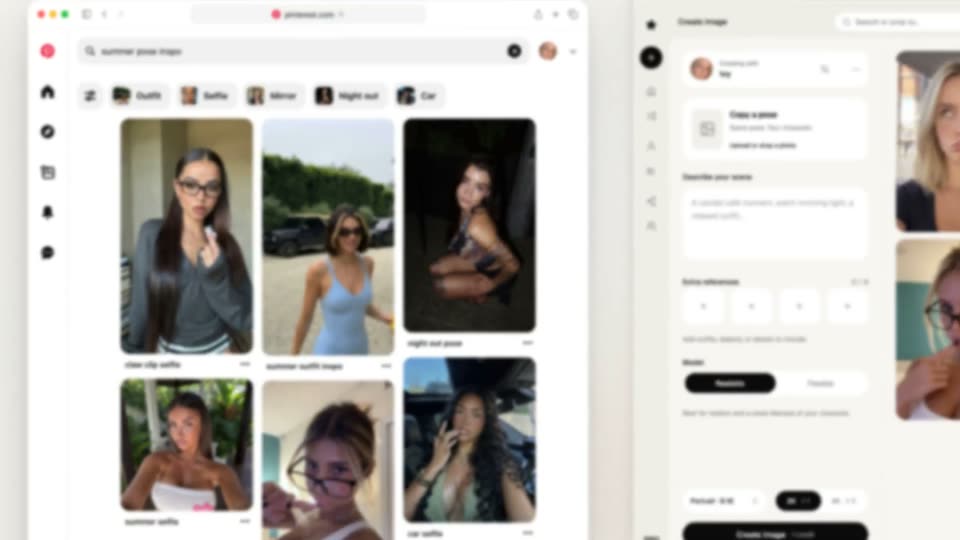
Two browser windows sit side by side: a Pinterest-style pose grid left, the Orior create-image panel right. A cursor lifts a photo, drags it into the reference slot, then clicks Create image as four generated portraits refresh. Yellow captions run along the bottom.
On-screen text: “Find a pose you love.”, “Drag it into Orior.”, “One click.”
Techniques: Split screen, Cursor demo, UI zoom
Camera: Push in
05 · Feature reveal · 0:08–0:11
A browser window shows the Create Image screen: prompt panel left, photo grid right. A blurred 'Creating your image...' placeholder resolves into a photo of a blonde woman by a car. Yellow captions read 'One click.' then '...and it's you.' as the view slowly zooms in.
On-screen text: “One click.”, “...and it's you.”
Techniques: UI zoom
Camera: Push in
06 · CTA · 0:11–0:14
A vertical video card on a light blurred background shows a woman in a blue dress. A white divider line and circular arrow button overlay the video, while bold black text fades in on the left with a small caption.
On-screen text: “Same pose.”, “Your character.”, “Copy a pose, on oriorai.com”
Camera: Static
07 · Feature reveal · 0:14–0:15
Three Pinterest browser windows float in 3D perspective, showing a grid of women's photos. The camera pushes in on the center window as a create-image panel appears on the right, with a gray headline over the left and a yellow caption at the bottom.
On-screen text: “Same pose.”, “Your character.”, “Copy a pose, on oriorai.com”, “Do it with every pin.”
Techniques: 3D mockup, UI zoom
Camera: Push in
08 · Feature reveal · 0:15–0:19
UI screens float in 3D perspective, then settle into a flat browser window with a working cursor. The frame splits into two side-by-side windows, a Pinterest search and the create image panel, while the caption switches from Do it with every pin to Same pose, every time.
On-screen text: “Do it with every pin.”, “Same pose, every time.”
Techniques: 3D mockup, Cursor demo, Split screen
Camera: Static
09 · Feature reveal · 0:19–0:21
A flat image-generator interface fills the frame. The camera pulls back to reveal a column of reference photos on the left and a grid of generated portraits on the right, the create panel between them. A yellow caption reads “Same pose, every time.”
On-screen text: “Same pose, every time.”
Techniques: UI zoom
Camera: Push in
10 · Feature reveal · 0:21–0:23
A browser window shows an image-creation interface with a pose reference panel. The left and center panels blur and recede while the camera zooms onto a grid of generated portraits of a blonde woman. A yellow caption sits fixed at the bottom throughout.
On-screen text: “Same pose, every time.”
Techniques: UI zoom
Camera: Push in
11 · Feature reveal · 0:23–0:25
A browser window showing an image-creation form with a grid of reference photos dissolves into a Pinterest-style masonry board of pose photos. A yellow caption at the bottom reads “Same pose, every time.” then “Every pin is a pose.”
On-screen text: “Same pose, every time.”, “Every pin is a pose.”
Camera: Static
12 · Feature reveal · 0:25–0:28
A Pinterest search bar reads “summer pose inspo” above a masonry grid of photos of a blonde woman in various summer poses. The grid scrolls slowly downward while a yellow caption with a black outline sits at the bottom center.
On-screen text: “Every pin is a pose.”, “Your board, but it's you.”
Camera: Static
13 · Feature reveal · 0:28–0:29
A locked-off Pinterest board fills the frame as a masonry grid of the same blonde woman in dozens of poses, beneath a top search bar. A yellow outlined caption sits at the bottom center, held still.
On-screen text: “Your board, but it's you.”
Camera: Static
14 · Outro · 0:29–0:33
A small black five-petal asterisk logo fades in at the center of a cream background. The bold headline 'Copy any pose.' then appears beneath it, with the gray URL 'oriorai.com' below. The composition holds static.
On-screen text: “Copy any pose.”, “oriorai.com”
Camera: Static