1:30

TesterArmy: Test your app with natural language
e2e · B2B · May 2026
Orchid’s 1:38 launch film runs 48 scenes, about 2.1 s each. The product shows up at 0:20 and 3 features are revealed, with social proof. The call to action lands at 1:34 (96% in), over a voiceover. The video alternates short black text cards with angled 3D UI mockups, using quick cuts and chromatic glitches to build urgency. Signature moves include scale-in headlines, strip text reveals, and purple star or dot accents over dark gradients.
Is this your launch? to your site or press kit.
Films whose music sounds like this one, voice left out
Pika · Electronic Dance Music / Pop
Synthesia · Electronic dance, synth-pop
TwelveLabs · Funk, disco, and electronic funk
A retro computer monitor displays a terminal where the text 'It started simple. Then everything broke.' is typed out character by character. A digital glitch effect then distorts the screen with blue and yellow artifacts.
On-screen text: “It started simple. Then everything broke.”
Techniques: Kinetic type, 3D mockup
Camera: Static
A man in a red polo shirt and conference badge stands center stage against a dark backdrop, gesticulating with both hands as he speaks. Colored glitch blocks clear in the first second while a white caption holds in the lower left.
On-screen text: “Paul Graham, 2012.”, “Then everything”
Camera: Pull out
A shallow-focus desk shot with a blurred white monitor and a phone on the right showing the Gmail logo. White text builds word by word in the center, reading “Email is outdated.”, while a small attribution caption sits below.
On-screen text: “Email is outdated.”, “Paul Graham, 2012.”
Techniques: Kinetic type
Camera: Static
Extreme close-up of a screen with shallow focus; a hand cursor hovers over a black button, the button then disappears and a Not starred tooltip pops in beside a blurred list of names.
On-screen text: “Email is outdated.”
Techniques: Cursor demo
Camera: Pull out
On a black background, a centered line of white text starts out of focus with red and blue fringing, then snaps into sharp focus reading 'Lots of spam.' The frame stays locked off throughout the short clip.
On-screen text: “Lots of spam.”
Camera: Static
A white email list panel floats at a 3D angle, blurred at the right edge. Blue Inbox and red Spam rows with envelope icons sit under a gray toolbar; their counters tick up from 56 to 58 and 100 to 102 as the panel drifts slowly.
Techniques: 3D mockup
Camera: Pull out
On a black field, 'Secure?' scales in beside an open padlock that closes over a purple disc as italic 'not real' fades in. The line cuts to 'Not-so-smart AI.' held over a soft blurred blue-purple orb.
On-screen text: “Secure?”, “not real”, “Not-so-smart AI.”
Techniques: Kinetic type
Camera: Static
A centered white headline sits over a soft blue-to-purple gradient blob on a black field. The text flickers with a red-cyan chromatic fringe on entry before settling, while the blurred blob drifts gently behind it.
On-screen text: “Not-so-smart Al.”
Camera: Static
A pale blue-white radial gradient fills the locked-off frame. The centered dark gray line 'We're fixing that.' scales in word by word and settles at mid size, following the caption 'Not-so-smart Al.'
On-screen text: “Not-so-smart Al.”, “We're fixing that.”
Techniques: Kinetic type
Camera: Static
A tight crop on the pixelated G and E pulls back to reveal the centered lockup, purple Meet above white G.EMAIL on black. The lockup holds, then the letters slice into vertical strips that drift apart and fade to black.
On-screen text: “Meet”, “G.EMAIL”
Techniques: Kinetic type
Camera: Pull out
A white title card where the tagline slides in from the left with a brief motion-blur trail, then eases to a centered, locked-off position and holds. The first half is set in dark navy, the last word in purple.
On-screen text: “The future of email, re-imagined.”
Camera: Static
On a dark purple field of concentric rings, a small white line slides in, then the bold headline 'Open Source.' scales up at the center. The frame stays locked off throughout.
On-screen text: “The future of email, re-imagined.”, “Open Source.”
Techniques: Kinetic type
Camera: Static
Three purple four-pointed stars drift and pulse on a pale lavender gradient. The large star sits at center while two smaller ones orbit to the right and below, all easing in place as the tagline scales in behind them.
On-screen text: “Open Source.”, “X”
Techniques: Kinetic type
Camera: Static
A glowing purple pill on a black background holds a white sparkle icon, then widens to type out the line with a blinking caret before scaling back down. The frame stays locked off throughout.
On-screen text: “Powered by AI.”
Techniques: Kinetic type
Camera: Static
The phrase “Powered by Al.” sits centered on a black background, scaling gently in place. A soft light-to-dark gradient runs across the white letters, holding the frame locked off.
On-screen text: “Powered by Al.”
Techniques: Kinetic type
Camera: Static
A white bold headline reading “Powered by AI.” is centered on a dark purple gradient. The letters scatter and the background flashes bright purple before the text realigns.
On-screen text: “Powered by AI.”
Techniques: Kinetic type
Camera: Static
Loose letters drift in from scattered positions and snap together into a centered sentence, the word email highlighted in violet. The background then cuts to a dark purple gradient as a single white S fades in at center.
On-screen text: “The client that manages your email,”, “S”
Techniques: Kinetic type
Camera: Static
On a black background, the line “The client that manages your email,” holds still while the line “So you don't have to.” slides in centered, building word by word. The letter “u” in “you” flashes purple as the line assembles.
On-screen text: “The client that manages your email,”, “So you don't have to.”
Techniques: Kinetic type
Camera: Static
A white headline slides over a black frame above a dimmed email inbox. The headline exits and the inbox brightens, tilted in 3D perspective, as the view eases right to reveal the message list.
On-screen text: “So you don't have to.”
Techniques: Kinetic type, 3D mockup
Camera: Pan
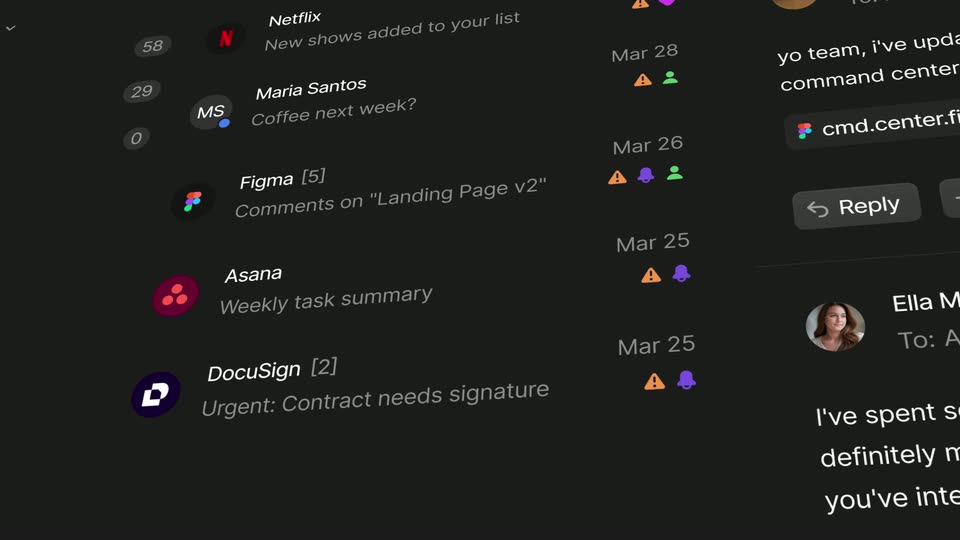
A dark email inbox mockup is set in 3D perspective, angled so the left sidebar reads larger than the right panel. The message list scrolls down, bringing the GitHub, Stripe, Netflix and Maria Santos rows into view below the pinned items.
Techniques: 3D mockup
Camera: Push in
Concentric purple rings pulse outward on a dark background as the white text rotates from a diagonal tilt to horizontal and scales up in the center.
On-screen text: “Save hours”
Techniques: Kinetic type
Camera: Push in
On a pale blue gradient field, the headline Eliminate clutter. sits centered, Eliminate in dark gray and clutter. in purple. The two words slide apart horizontally, Eliminate drifting left and clutter. right, as the type scales down slightly.
On-screen text: “Eliminate clutter.”, “Save hours”
Techniques: Kinetic type
Camera: Static
The phrase “Eliminate clutter.” is centered on a dark purple-to-black gradient. It scales down from an oversized state to a smaller locked-off size, settling into place.
On-screen text: “Eliminate clutter.”
Techniques: Kinetic type
Camera: Static
The phrase sits centered on a black field. The bold white sans-serif line scales up from the middle while a soft highlight brightens the center letters, the edges staying dim gray.
On-screen text: “Eliminate clutter.”
Techniques: Kinetic type
Camera: Static
On a black background, the white phrase “Eliminate clutter.” sits centered and scales up. A soft gradient brightens the middle letters while the line grows slightly larger.
On-screen text: “Eliminate clutter.”
Techniques: Kinetic type
Camera: Static
A dark email client fills the frame as a cursor clicks the Important tab, swapping the inbox list for priority senders like Stripe and Netflix. The view zooms into the list while the headline Eliminate clutter. scales in.
On-screen text: “Eliminate clutter.”
Techniques: Cursor demo, UI zoom, Kinetic type
Camera: Push in
A tilted dark inbox list, with app rows and a reply pane, slides left and dims while a large purple headline stacks in on the right, each line reading Write better.
On-screen text: “Write better”
Techniques: 3D mockup, Kinetic type
Camera: Pan
On a black background, the phrase 'Write better emails' stacks in repeated vertical lines. The center line is bright white while the copies above and below fade to dark purple. The white line scales and the surrounding lines slide, forming a depth echo effect.
On-screen text: “Write better emails”
Techniques: Kinetic type
Camera: Static
On a dark purple radial gradient, the white bold line “with AI.” scales up at center while small purple four-point stars twinkle and drift to its right and below.
On-screen text: “Write better emails”, “with AI.”
Techniques: Kinetic type, Particles
Camera: Static
A dark email composer card fades in from black on a near-black background. Recipient chips for Ali and Nick sit in the header, and the body field types out a short note about keyboard navigation while the Generate email and tone buttons hold still.
Techniques: Kinetic type
Camera: Static
A dark email compose card floats centered on a purple field that fades to black. The message body types out, then a cursor glides to the Generate email button while a purple sparkle pulses above it, and the typed lines dim.
Techniques: Particles, Cursor demo
Camera: Static
A dark email compose window fades in on a black background while the body text types itself out line by line. The camera then pushes in on the lower half of the card as a cursor glides in toward the Send email button.
Techniques: UI zoom, Cursor demo
Camera: Push in
A dark navy sans-serif headline, “Chat with your inbox.”, sits centered on a pale background framed by soft purple circles. The text scales gently in place while the frame stays locked.
On-screen text: “Chat with your inbox.”
Techniques: Kinetic type
Camera: Static
Centered black bold sans headline reads Chat with your inbox. on a pale lavender field, scaling gently as two soft purple arc shapes drift in opposite corners.
On-screen text: “Chat with your inbox.”
Techniques: Kinetic type
Camera: Static
Two large purple gradient circles drift and rotate around the center of a light gray background. The centered dark headline scales down steadily over the clip.
On-screen text: “Chat with your inbox.”
Techniques: Kinetic type
Camera: Static
A dark rounded input bar floats on a soft purple gradient. A mouse pointer hovers at its left edge, then the placeholder “Ask me anything ...” is replaced by the question “What meetings do I have this week?” typed word by word with a blinking caret.
Techniques: Cursor demo, Kinetic type
Camera: Static
A dark rounded search bar with a white circular return-key button sits on a purple background. A small folded 3D paper shape with teal edges slides right and sinks behind the button, then the bar holds still.
Camera: Static
A dark chat screen with a blurred sidebar on the left. A message card with a purple glow types out a reply about the week's meetings, then a lease.pdf attachment chip pops in beneath it. The question sits in the bottom input bar while the camera drifts right to reveal a purple gradient.
Techniques: Kinetic type, Light sweep
Camera: Pull out
A purple gradient field with a vertical light beam on the left. The white headline “Autonomous Assistant.” slides in from the left and settles centered on a locked-off frame.
On-screen text: “Autonomous Assistant.”
Techniques: Kinetic type, Light sweep
Camera: Static
The phrase Autonomous Assistant. in white bold sans-serif slides horizontally across a dark purple gradient while a thin vertical purple beam of light sweeps across the frame.
On-screen text: “Autonomous Assistant.”
Techniques: Kinetic type, Light sweep
Camera: Static
The tilted dark email client sits in 3D space as the camera pushes in on the voice input card; a cursor hovers over the mic while a white caption pill states the command. The waveform ripples, then the reply types in word by word and a Confirm button appears.
On-screen text: “Pay the last invoice received from Baked Design and email Nick that it's done.”
Techniques: UI zoom, Cursor demo, Kinetic type
Camera: Push in
A black screen holds the centered line '+5,000 Github Stars.' in a purple-to-white gradient fill. The type brightens gently from a dim state to full contrast over the clip, with no movement or reframe.
On-screen text: “+5,000 Github Stars.”
Camera: Static
Three text lines fade in and out on black: “+5,000 Github Stars.”, then “+15000 Early access users.” with a white-to-purple gradient, then “Work Effortlessly.” in white, with a small white and purple circle in the upper left.
On-screen text: “+5,000 Github Stars.”, “+15000 Early access users.”, “Work”, “Effortlessly.”
Techniques: Kinetic type
Camera: Static
On a black background, white and purple dots of varying sizes drift across the frame and grow larger, passing in front of the centered static headline. The text stays locked while the dots swell and gradually obscure it.
On-screen text: “Work”, “Effortlessly.”
Techniques: Particles
Camera: Static
Purple and white circles drift apart and shrink on a black background, clearing the frame. The headline “Achieve More.” scales up from the center, “Achieve” in gray and “More.” in white, as a purple pill slides in behind the second line.
On-screen text: “Achieve”, “More.”
Techniques: Kinetic type
Camera: Pull out
A purple rounded blob sits on black behind three stacked white words: Try, 0.EMAIL, Today.
On-screen text: “Try”, “0.EMAIL”, “Today”
Camera: Static
Three purple circles with white icons stack vertically on black. The middle circle stretches into a wide pill revealing 0.email, while the outer arrows rotate to point inward. The words Try and Today then lock in around the pill.
On-screen text: “Try”, “0.email”, “Today”
Techniques: Morph
Camera: Static
A purple rounded logo badge with white text 0.email sits centered on a black background, with a faint purple glow near the bottom. The frame remains locked and static.
On-screen text: “0.email”
Camera: Static