
0:33
Explore
00:00:00 / 00:19:11
- Length
- 0:19
- Scenes
- 15 · 1.3 s avg
- Product on screen
- 0:08
- Features shown
- 1
- Call to action
- 0:17 · 89%
- Voiceover
- No
- Views
- 3.7M on X
as of November 15, 2026
OpenArt’s 0:19 launch film runs 15 scenes, about 1.3 s each. The product shows up at 0:08 and 1 feature is revealed. The call to action lands at 0:17 (89% in). The video opens with a high-speed flythrough of a 3D photo grid, punctuated by a tumbling purple play button, then cuts to a calm light-gray UI demo of the Projects & Folders feature. Its signature moves are heavy motion blur, 3D-tumbling cards and tiles, and sharp logo or text holds against a rushing blurred background.
Footage neededEstimated needs: 1 capture group — your screens or recordings · 2 filmed passages — shoot, supply or replace · 3 graphic passages — draw or supply · 4 3D passages — build or supply
Is this your launch? to your site or press kit.
More like this



OpenArt - The more you create, the harder it gets to stay organized. We heard y, scene by scene
· 15 scenes as text
01 · Hook · 0:00–0:00
A white grid of lifestyle photos, centered on toast with a brown tube, spins and blurs as a purple 3D play button pops in on the left.
Techniques: Speed ramp
Camera: Pan
02 · Hook · 0:00–0:01
A purple triangular logo sits centered over a mosaic of photos of people holding iced coffee cups. The photo grid zooms and blurs while the logo remains sharp and in focus.
Camera: Pan
03 · Hook · 0:01–0:02
A wall of blurred photo thumbnails scrolls horizontally while a 3D magenta play button rotates and travels right, its extruded purple edge visible as it spins. Motion blur streaks the whole frame.
Techniques: 3D mockup
Camera: Pan
04 · Hook · 0:02–0:03
A tilted wall of photo thumbnails in 3D perspective rushes toward the camera on a white field with heavy motion blur, a small magenta cube hovering in the mid-ground.
Techniques: 3D mockup, Parallax
Camera: Pan
05 · Hook · 0:03–0:03
A wall of blurred photo thumbnails on white rushes past in a fast zoom, heavy motion blur streaking every frame. A small purple 3D triangular shape floats steady in the right center, holding still against the rushing grid.
Techniques: Parallax
Camera: Pan
06 · Hook · 0:03–0:04
A white field holds several photo cards floating in 3D perspective, softly blurred, drifting slowly. A small purple 3D shape hovers at the right edge. The cards show varied images, a man in white, a sleeping cat, a street dog.
Techniques: 3D mockup
Camera: Pan
07 · Hook · 0:04–0:07
A white collage of tilted image planes assembles from a fast blur, mixing 3D renders of the Open can with paint splashes and photos of people drinking it. The foreground can rotates while the tiles settle into a scattered grid.
Techniques: Speed ramp
Camera: Push in
08 · Hook · 0:07–0:08
A collage of overlapping photos of people holding the Open can drifts and tilts on a white background. The frames shift at different speeds, including a sunset, a paint-splatter room, and a sleeping cat.
Techniques: Parallax
Camera: Push in
09 · Feature reveal · 0:08–0:09
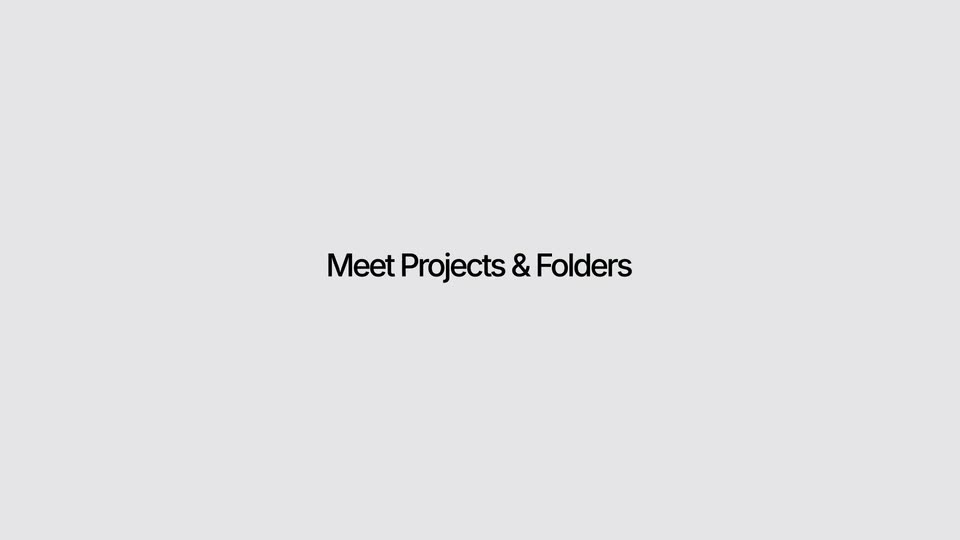
A plain light gray background holds a centered black headline. The title appears with a brief ghosted overlap of duplicate letters, then settles into a clean locked-off line.
On-screen text: “Meet Projects & Folders”
Camera: Static
10 · Feature reveal · 0:09–0:11
A pale gray dialog card titled New Project scales into the center of a light background. Text is typed into the input field letter by letter, reading Mother's Day, while the character count ticks up to 11/100.
On-screen text: “Meet Projects & Folders”
Camera: Static
11 · Feature reveal · 0:11–0:12
A light gray canvas holds a New Project dialog with an input field, a counter and a Cancel button. The dialog clears and several photo and chart cards tumble in 3D perspective across the frame.
Techniques: 3D mockup
Camera: Static
12 · Feature reveal · 0:12–0:14
Rounded image cards tumble and drift across a plain light gray background, each tile holding a different photo or illustration. The tiles rotate, scale and reposition with soft motion blur, forming a loose collage that keeps shifting.
Camera: Pull out
13 · Feature reveal · 0:14–0:14
A gray folder icon labeled “YouTube assets, 15 assets” sits centered on a light gray field. Blurred images, photos and a tablet showing a children's book page, fly in from the edges into the folder, which then scales down toward the center.
Camera: Static
14 · Feature reveal · 0:14–0:17
A light product interface with a left navigation sidebar and a grid of labeled folder cards settles into place, then the camera pushes in, reframing onto the folder grid as the panel warps with perspective.
Techniques: UI zoom
Camera: Static
15 · CTA · 0:17–0:19
A single line of dark sans-serif text on a pale background scales down from a blurred, oversized state to a sharp, centered lock-up, then holds for the rest of the clip.
On-screen text: “Projects and folders are now live now on OpenArt”
Techniques: Kinetic type
Camera: Static