0:33
Explore
Playground - Welcome to the new Playground Use AI to design logos, t-shirts, soci
Playground · Sep 2024 · 0:48 · AI-annotated
- Length
- 0:48
- Scenes
- 26 · 1.9 s avg
- Product on screen
- 0:03
- Features shown
- 5
- Call to action
- 0:42 · 87%
- Voiceover
- No
00:00:00 / 00:48:22
Playground’s 0:48 launch film runs 26 scenes, about 1.9 s each. The product shows up at 0:03 and 5 features are revealed. The call to action lands at 0:42 (87% in). The video opens with a Design like a Pro promise, tours the template library, then runs four quick AI edit demos (text swap, object swap, meme, image swap) on a dotted grid, and closes with the logo and store badges. Signature moves: a dark prompt bar with a blue Create button, a purple cursor click, and a pink sparkle badge that morphs the card, plus gradient accent words in bold rounded type.
No filming indicatedEstimated needs: 4 capture groups — your screens or recordings · 1 official logo — reused across the film · 11 graphic passages — draw or supply · 2 3D passages — build or supply
Is this your launch? to your site or press kit.
More like this
0:33
Best SaaS Product Launch Ad Video | LangEase
LangEase · Jun 2025
1:14

Google - We’re introducing major updates to Gemini in @GoogleChrome for MacOS,
Google · AI · Jan 2026
Playground - Welcome to the new Playground Use AI to design logos, t-shirts, soci, scene by scene
· 26 scenes as text
01 · Hook · 0:00–0:02
On a dotted off-white background, a green zombie head with a yellow cap sits centered, then gives way to the gradient heading “Design”. Beneath it, a body slot cycles through a coffee-cup card, a heart-eyed avocado, and the gray words “Like a”.
On-screen text: “Design”, “Like a”
Techniques: Kinetic type
Camera: Static
02 · Hook · 0:02–0:03
A meditating cartoon avocado with a halo and an arched 'INNER PEACE' caption sits centered on a dotted off-white grid. The gradient word 'Design' slides gently above it while 'Like a Pro' holds still below.
On-screen text: “Design”, “Like a Pro”
Techniques: Kinetic type
Camera: Static
03 · Feature reveal · 0:03–0:08
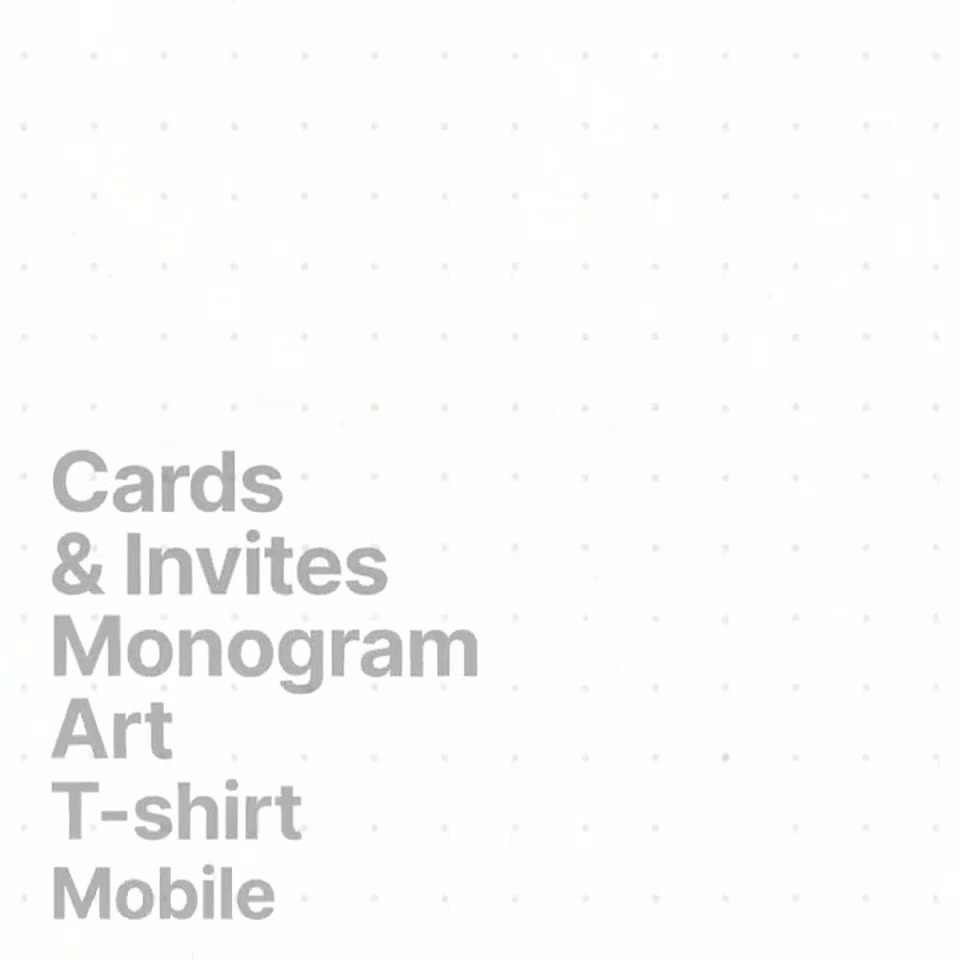
On a white dotted grid, the headline “With thousands of templates” sits centered as sample template cards rotate and drift around it. The cards blur away, then a left-aligned category list builds line by line, “Monogram” in black, with a sample card on the right.
On-screen text: “With thousands of templates”, “Cards & Invites Monogram Art T-shirt Mobile Wallpapers Patterns Social”
Techniques: Kinetic type
Camera: Push in
04 · Feature reveal · 0:08–0:08
A vertical list of design categories sits on the left over a dotted grid, the active word in bold black and the rest in light gray. The bold word shifts from Mobile to Wallpapers as the list scrolls, while a tilted image card on the right swaps from a vintage poster to a bird on a branch.
On-screen text: “Cards & Invites”, “Monogram”, “Art”, “T-shirt”, “Mobile”, “Wallpapers”, “Seamless Patterns”, “Social Media Posts”, “Memes”
Techniques: Kinetic type
Camera: Static
05 · Feature reveal · 0:08–0:09
On a white dotted background, a vertical list of category names scrolls upward on the left while one line turns solid black, and on the right a 3D-tilted mockup card flips to reveal a floral invitation, then a portrait photo over a colored backing card.
On-screen text: “Monogram Art”, “T-shirt”, “Mobile Wallpapers”, “Seamless Patterns”, “Social Media Posts”, “Memes”, “Logo”, “EBook Cover”, “Mockups”
Techniques: Kinetic type, 3D mockup
Camera: Static
06 · Feature reveal · 0:09–0:10
A bold category list scrolls upward on the left, a black highlight tracking the active word, while a tilted card mockup on the right switches from a dark wedding invitation to a yellow New York postcard.
On-screen text: “Wallpapers”, “Seamless”, “Patterns”, “Social”, “Media Posts”, “Memes”, “Logo”, “EBook Cover”, “Mockups”, “Posters”
Techniques: Kinetic type
Camera: Static
07 · Feature reveal · 0:10–0:12
A light dotted grid fills the frame as the headline builds in. The word Customize reveals with a purple-to-pink gradient, then to and your needs follow in solid black, settling into two centered lines.
On-screen text: “Customize to”, “your needs”
Techniques: Kinetic type
Camera: Static
08 · Feature reveal · 0:12–0:14
A grid of social media posts scrolls upward, displaying images and animated text overlays like “SLAY QUEEN” and “BEST DAD EVER”.
Techniques: Kinetic type
Camera: Static
09 · Feature reveal · 0:14–0:15
A white card with a brown bear illustration and the headline BEST DAD EVER sits centered on a dotted background, then scales down as a dark rounded device shape grows in front, revealing a purple M and a purple bar at its right edge.
On-screen text: “BEST DAD EVER”, “Happy Father's Day!”
Camera: Static
10 · Feature reveal · 0:15–0:19
A dark prompt bar types “Make it about Mother's Day” beside a blue Create button on a dotted white background. A purple cursor clicks the button; a sparkle badge pulses over a faded bear card, then the card fades in with its caption switched to “Happy Mother's Day!”.
Techniques: Kinetic type, Cursor demo
Camera: Static
11 · Feature reveal · 0:19–0:20
A rounded card with a watercolor brown bear face and pink cheeks sits centered on a white dotted background. Arched text reads above the bear and a white greeting sits below. The card scales up gently over the shot.
On-screen text: “WORLD'S BEST MOM”, “Happy Mother's Day!”
Camera: Static
12 · Feature reveal · 0:20–0:21
On a pale dot-grid background, “Perfect for” sits in black bold sans, then “your feed” fades in below in a purple-to-red gradient. The headline gives way to a rounded post card that pops in, flashing “Happy Mother’s Day!” before a “Good Morning” post with a woman in a teacup.
On-screen text: “Perfect for”, “your feed”, “Happy Mother's Day!”, “Good Morning”
Techniques: Kinetic type
Camera: Static
13 · Feature reveal · 0:21–0:22
A rounded card on a dotted white field shows a 3D character lounging in a coffee cup beneath green Good Morning text. A blurred block covers the cup as a dark prompt pill and a blue button slide in from the left and right edges.
On-screen text: “Good Morning”, “It's a glorious day!”
Techniques: Masking
Camera: Static
14 · Feature reveal · 0:22–0:25
A dark prompt bar reading Change from coffee to bread, with a blue Create button, slides over a green Good Morning card. A purple cursor arrow clicks Create, the bar exits, and a dark rounded icon with pink sparkles pops in over the cup.
Techniques: Cursor demo
Camera: Static
15 · Feature reveal · 0:25–0:27
A rounded card with a 3D-rendered figure hugging a loaf of bread scales up from blur to sharp, haloed by a green glow on a white dot grid. The yellow serif title 'Rise and Shine' and a small caption sit at the top.
On-screen text: “Rise and Shine”, “A fresh start awaits!”, “Good Morning”
Camera: Static
16 · Feature reveal · 0:27–0:28
On a near-white dotted grid, the centered line “Turn it into a” holds in bold black type as the word “meme!” fades in beneath it with a purple-to-pink gradient. Faint blurred photos drift at the corners.
On-screen text: “Rise and Shine”, “Turn it into”, “a meme!”
Techniques: Kinetic type
Camera: Static
17 · Feature reveal · 0:28–0:30
A green rounded card reading brat sits on a white dotted field as the frame zooms in. A dark green image block and a blue Create button scale into the card center. A static headline above reads Turn it into a meme!
On-screen text: “Turn it into”, “a meme!”
Techniques: UI zoom
Camera: Static
18 · Feature reveal · 0:30–0:32
A dark prompt bar over a green panel shows the typed text “Make it say “LFG”” beside a blue Create button on a dotted grid. A purple cursor moves up and clicks Create, then the panel shrinks into a small dark rounded square.
Techniques: Cursor demo, Morph
Camera: Static
19 · Feature reveal · 0:32–0:33
A green rounded app icon with pink sparkles sits on a white dotted grid. A purple gradient cursor hovers at its right edge and clicks, then the icon shrinks and the card lightens into a pale button labeled brat.
Techniques: Cursor demo, Morph
Camera: Static
20 · Feature reveal · 0:33–0:34
A green rounded card with stacked black letters L F G sits centered on a white dotted grid, haloed by a soft green glow. The card and text scale up slightly over the shot.
On-screen text: “LFG”
Techniques: Kinetic type
Camera: Static
21 · Feature reveal · 0:34–0:36
A light gray background with a faint grid pattern. The text “Turn old designs” is centered in black. Below it, the words “into new creations” appear in a purple-to-pink gradient.
On-screen text: “Turn old designs”, “into new creations”
Techniques: Kinetic type
Camera: Static
22 · Feature reveal · 0:36–0:38
A gray placeholder card with a hand icon sits on a dotted white canvas. A dashed purple border appears, then a winter illustration of a red house is dragged in and snaps into the card, filling it.
Techniques: Cursor demo
Camera: Pull out
23 · Feature reveal · 0:38–0:40
A winter card with a red house and pines sits on a dotted background, its center under a dark square. A prompt bar reading “Change to Easter Card” with a blue Create button slides in. A purple cursor clicks Create; the bar exits and the square blurs into “Easter” text.
Techniques: Cursor demo
Camera: Static
24 · Feature reveal · 0:40–0:42
A rounded card on a dotted background holds a winter house illustration with a “Season's Greetings” script line. A dark square of pink sparkles pulses at the center, then the card dissolves into a spring version with a pink house and “Hoppy Easter”.
On-screen text: “Season's Greetings”, “Hoppy Easter”
Techniques: Morph
Camera: Static
25 · CTA · 0:42–0:45
On a white dotted-grid background, the black word Design sits above a purple-to-pink gradient anything that fades in, then both lines swap to Make it over your own as a blue circular badge with a black pill and two leaf shapes rises behind the text.
On-screen text: “Design”, “anything”, “Make it”, “your own”
Techniques: Kinetic type
Camera: Static
26 · CTA · 0:45–0:48
A holographic disc with a dark navy monogram sits centered on a pale grid. The App Store badge fades in below, then a Playground.com badge; the grid shifts from dashes to dots and a Make it your own tagline appears at the end.
On-screen text: “Download on the App Store”, “Start designing at Playground.com”, “Make it your own”
Camera: Static