
0:26
Explore
00:00:00 / 02:14:16
- Length
- 2:14
- Scenes
- 29 · 4.6 s avg
- Product on screen
- 0:03
- Features shown
- 5
- Call to action
- 2:05 · 93%
- Voiceover
- Yes
- Views
- 320K on YouTube
as of November 22, 2026
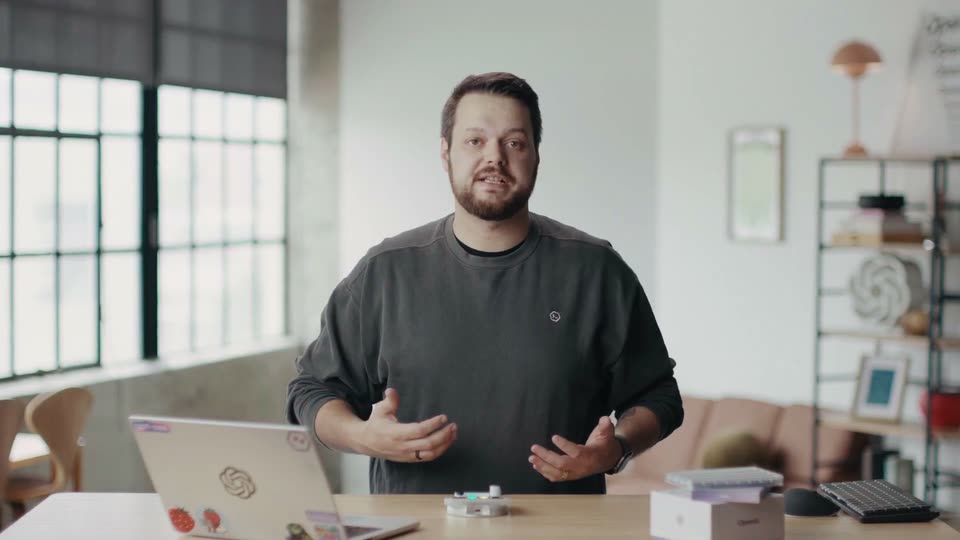
OpenAI’s 2:14 launch film runs 29 scenes, about 4.6 s each. The product shows up at 0:03 and 5 features are revealed. The call to action lands at 2:05 (93% in), over a voiceover. The video alternates between the presenter talking to camera and split-screen demos that pair the glowing device on the left with the Codex interface on the right, with flat UI windows floating over a starfield for the app-only beats. Each control gets its own short announcement-plus-demo block, the device's RGB edge glow shifts color with every action, and the pace stays steady at about eleven cuts a minute.
Footage neededEstimated needs: 4 capture groups — your screens or recordings · 1 official logo — reused across the film · 23 filmed passages — shoot, supply or replace
Is this your launch? to your site or press kit.
More like this


Similar soundtrack
Films whose music sounds like this one, voice left out
1:55

Introducing Ramp for Construction
Ramp · Upbeat electronic
1:19
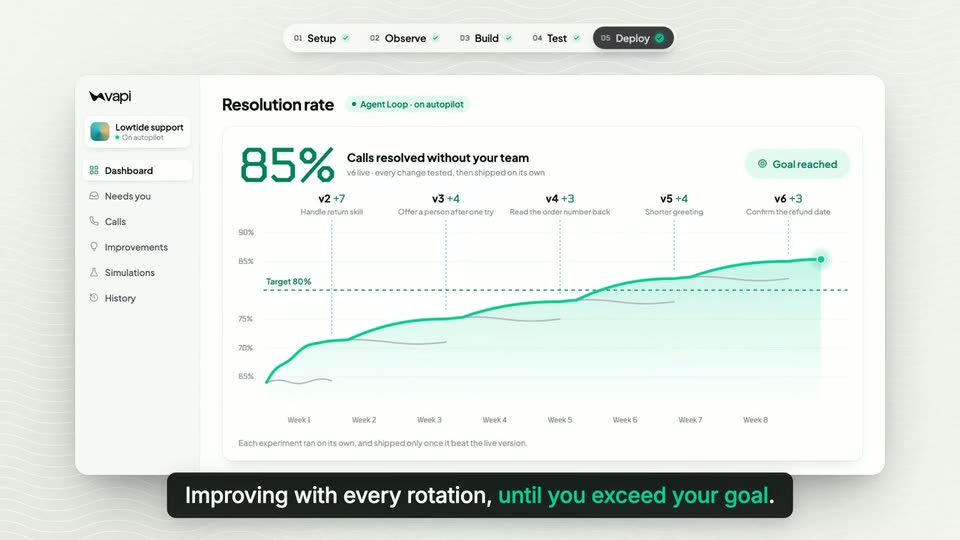

Vapi - We’re announcing Agent Loop. Self-improving voice agents, now in earl
Vapi · Upbeat electronic
0:43

Say hello to Recipes
Granola · Upbeat electronic
Introducing the Codex Micro, scene by scene
· 29 scenes as text
01 · Hook · 0:00–0:00
A person's hands rest on a black keyboard and mouse at a wooden desk, a silver laptop open behind them. The hands move out of frame, leaving the laptop and empty desk in focus under soft light.
Camera: Static
02 · Hook · 0:00–0:03
A silver laptop with a pale screen sits on a light wood desk, softly out of focus. A dark arm sweeps out of frame to the right, revealing the empty tabletop; a red book lies at the top edge. The camera holds still with shallow depth of field.
Camera: Static
03 · Product intro · 0:03–0:05
A hand sets a small white keyboard device with a teal glowing screen and black knob onto a light wooden desk in front of an open laptop, then withdraws. The device rests on a round base as the frame holds on it.
Camera: Static
04 · Product intro · 0:05–0:13
A bearded man in a gray sweatshirt stands behind a wooden desk in a bright loft, speaking to camera while gesturing. A sticker-covered laptop, a small white gadget, and a boxed keyboard sit on the desk in front of him.
Camera: Static
05 · Product intro · 0:13–0:16
A bearded man in a gray crew-neck shirt sits in a sunlit office, large blurred windows behind him. He speaks to an off-camera interviewer, his expression softening into a small smile. Locked-off medium close-up with shallow depth of field.
Camera: Static
06 · Feature reveal · 0:16–0:28
A bearded man in a gray sweatshirt stands behind a desk, talking to the camera and gesturing with both hands. A sticker-covered laptop, a small white circular keypad, and a boxed keyboard sit on the table. He glances down at the keypad near the end.
Camera: Static
07 · Feature reveal · 0:28–0:31
A finger presses a key on a small white backlit keyboard on a wooden desk, a laptop blurred behind it. A white panel slides in from the right, listing short prompts in a clean sans.
On-screen text: “What s”, “Explore and understand code”, “Build a new feature, app, or tool”, “Choose project”, “Do anything”
Camera: Static
08 · Feature reveal · 0:31–0:36
A static split view: a hand holds a key down on a backlit white macro pad on a desk, laptop blurred behind. On the right, a white app panel shows a 'What should we build?' prompt, four option cards, and a voice field with a counting timer.
Techniques: Split screen
Camera: Pull out
09 · Feature reveal · 0:36–0:41
A man in a gray sweatshirt sits at a wooden table in a bright room, gesturing with his hands as he speaks. A sticker-covered laptop sits to his left, a small white circular input device and a product box on the table. The camera holds a static medium shot.
On-screen text: “What should we build?”, “Build a new feature,”, “0:07”
Camera: Static
10 · Feature reveal · 0:41–0:44
A flat Codex window floats over a starfield with Earth's horizon at right. The One Letter Off game prompt fills the input field, then the view scrolls so it becomes a sent message at top while the agent's reply streams in and a task appears in the sidebar.
Camera: Static
11 · Feature reveal · 0:44–0:49
A man in a gray sweatshirt stands behind a wooden table, speaking to the camera with open-hand gestures. He reaches down to turn a knob on a small white controller device. A sticker-covered laptop and a product box sit on the table in front of him.
Camera: Static
12 · Feature reveal · 0:49–0:53
Split screen. Left, a hand presses a key then swipes the analog stick on a white tactile device with glowing blue edges, a laptop blurred on the desk. Right, a chat panel shows a working timer and a small 'Toggle plan mode / Triggered' tooltip popping in at the top.
Techniques: Split screen
Camera: Static
13 · Feature reveal · 0:53–0:55
A bearded man in a gray sweatshirt stands at a wooden table, turning a small round dial with a white knob while a sticker-covered laptop sits open in front of him. The bright loft room with windows and shelves stays static behind him.
Camera: Static
14 · Feature reveal · 0:55–0:57
A hand rotates the dial on a small white key-grid device on a wooden desk, its edge lighting shifting from teal to pink. A floating UI card above shows a slider and a dropdown that flips from Terra Light to Sol Extra High. A laptop sits blurred behind.
Camera: Static
15 · Feature reveal · 0:57–0:59
A bearded man in a gray sweatshirt stands behind a desk with a small white dial device, a sticker-covered laptop and a box. He gestures while speaking. The bright room has a grid window left and a lamp-topped shelf right. The frame is locked off.
On-screen text: “Advanced>”, “Do anything”
Camera: Static
16 · Feature reveal · 0:59–1:00
A bearded man in a gray t-shirt talks in a medium close-up, framed right of center against a blurred windowed office. The locked-off shot holds on his face as he speaks, with a small caption numeral scaling in beside him.
On-screen text: “1”
Camera: Static
17 · Feature reveal · 1:00–1:08
A bearded man in a gray sweatshirt stands at a desk, speaking to the camera and gesturing. He glances down and taps a small white four-button device on the desk, then looks back up. A sticker-covered laptop, a product box and a keyboard sit in front of him.
Camera: Static
18 · Feature reveal · 1:08–1:11
A hand presses keys on a small white, blue-lit desktop device at left, a blurred laptop behind it; at right, a Codex interface panel switches from the 'Build One Letter Off game' task to the 'Docs revamp' task.
Techniques: Split screen
Camera: Static
19 · Feature reveal · 1:11–1:20
A small white mechanical keyboard with glowing backlit keys sits on a light wooden desk. A hand reaches in from the right and presses a key, then withdraws; the keys pulse with teal and white light.
On-screen text: “that creates in the getting started section of administration a “ChatGPT Work””, “Dev blog”, “The task will migrate the linked Google Doc, omit its table of contents, add the page under Administration”, “5.6 Sol Extra High”
Camera: Static
20 · Feature reveal · 1:20–1:22
A flat Codex app window sits centered over a starry space backdrop with Earth's horizon at right. The interface content switches between a long pinned task list and a single game task view as the narration plays.
Camera: Static
21 · Feature reveal · 1:22–1:29
Split screen. Left, a hand taps a white backlit keyboard on a wooden desk, its keys glowing white then blue. Right, the Codex chat panel updates: the top prompt swaps from a game brief to a goblins-in-space note, and permission lines appear.
Techniques: Split screen
Camera: Static
22 · Feature reveal · 1:29–1:41
Split screen: left, a close-up of a white tactile keyboard device on a wooden desk, a finger presses glowing keys that shift from blue to teal; right, the wider Codex interface shows a sidebar and a chat that updates as the agent works, with a new user message sliding in near the end.
Techniques: Split screen
Camera: Static
23 · Demo · 1:41–1:44
A bearded man in a gray sweatshirt stands behind a desk with a laptop and a small white device, gesturing as he speaks. The shot then cuts to a close-up of a white keyboard with a pale purple edge, a hand hovering above it.
Camera: Static
24 · Demo · 1:44–1:49
A hand presses the glowing keys and nudges the joystick of a small backlit keyboard on a wooden desk. The translucent case glows purple, the keys light white and teal. The camera stays locked off on the device.
Camera: Static
25 · Demo · 1:49–1:53
A locked-off desktop split into two flat windows over a space backdrop: the Codex chat on the left logs the build task, while the browser on the right plays the One Letter Off game, the timer ticking down as letters fill the input tiles.
Techniques: Split screen
Camera: Static
26 · Feature reveal · 1:53–1:55
A bearded man in a gray sweatshirt stands behind a wooden desk in a bright loft, gesturing while speaking to the camera. A sticker-covered laptop, a small white mini keyboard and a product box sit on the desk. Static medium shot with shallow depth of field.
Camera: Static
27 · Feature reveal · 1:55–2:05
A Codex Micro settings window floats over an Earth-from-space backdrop, showing a small key layout. A cursor opens an Edit keycap modal, selects the NEW key from a grid, then expands a shortcuts dropdown.
Techniques: Cursor demo
Camera: Static
28 · CTA · 2:05–2:10
A bearded man in a gray sweatshirt stands behind a desk in a bright loft, talking to camera and gesturing with his hands. A sticker-covered laptop, a small white device with a blue light, and an OpenAI box sit on the desk in front of him.
Camera: Static
29 · Outro · 2:10–2:14
On a cream background, the black OpenAI wordmark unfolds from a compressed stack of letters to full width, holds, then folds back and morphs into the OpenAI knot symbol, which holds centered.
On-screen text: “OpenAI”
Techniques: Kinetic type, Morph
Camera: Static