1:37

RamAIn (YC W26) Launch Video
RamAIn · B2B · Feb 2026
oh-my-hermes · Nov 2026 · 0:41 · Full motion · AI-annotated
oh-my-hermes’s 0:41 launch film runs 21 scenes, about 2.0 s each. The product shows up at 0:02 and 3 features are revealed. The call to action lands at 0:39 (94% in), over a voiceover. The video is built as a mascot-led hook, a single error card, a product name card, then alternating full-UI vignettes and white title cards, closing on a character lineup and a URL card. Signature moves are squash-and-stretch blob bounces, UI cards that zoom into node graphs, and gradient wordmark accents on a pale off-white field.
Is this your launch? to your site or press kit.
Films whose music sounds like this one, voice left out
Microsoft · Electronic dance music with a disco and funk influence
FLORA · Funk, disco, and electronic dance music
A glossy magenta blob character with two black oval eyes sits on a pale lavender ground. The camera pulls back from a tight close-up of the face to a full wide shot, revealing the rounded dome shape and its soft shadow.
Camera: Pull out
A glossy pink 3D blob with two dark eyes sits centered on a pale lavender field. A white rounded search bar scales in behind it as the blob shrinks and slides left to nestle at the bar's left edge.
Techniques: 3D mockup
Camera: Static
A white rounded notification card with a purple 3D blob avatar sits centered on a pale lavender gradient background. The card's text lines fade in over the first half, then hold on a locked-off frame.
Camera: Static
On a plain off-white field, the black word Introducing slides in, then the gradient omher pops beside it and a gray beta pill scales up. The badge swaps to a black 1.0 pill as eight 3D blob characters with faces bounce in around the edges.
On-screen text: “Introducing omher”, “beta”, “1.0”
Techniques: Kinetic type
Camera: Static
A centered omher chat window on white. In the Blob thread a typing dot becomes a long reply that splits the task into three sub-threads, and the left sidebar's task list fills in to match. At the start a second copy of the interface sits offset on the left edge before the view settles.
Camera: Pan
A white node graph assembles on a light gray field: a top Blob pill branches into three task cards, then a fourth fades in below. The view zooms into the center card, which gains a pink ring while the others blur and a spinner turns green.
Techniques: UI zoom
Camera: Push in
A white chat card sits on a light gray field. A pink instruction bubble drops in at the top right, then three monospace action lines fade in one after another down the left, ending with a gray reply bubble and small avatar at the bottom.
Camera: Static
A single chat card titled “Patch the proxy” scales down and slides left into a node of a branching flowchart. A parent “Blob” node and two sibling cards appear, curved connector lines draw between them, and green checkmarks pop in.
Techniques: Morph
Camera: Pull out
A white task graph shows a top Blob node linked by purple lines to three completed cards and a bottom Review card, whose loading ring fills and turns into a green checkmark.
Camera: Static
A chat window with a left channel list and a thread of messages from an assistant named Blob. Pink user bubbles sit on the right. A rounded detail card for the #support channel scales open in the center over a dimmed backdrop, showing Mina's 502 message.
Techniques: UI zoom
Camera: Static
A white chat thread card floats on a plain background. The app user's second message types out letter by letter behind a pink text cursor, ending on the words all checks green.
Techniques: Kinetic type
Camera: Static
A small yellow 3D pudding character with closed eyes rests on the left of a plain white background. The large black time 7:00 scales in to its right, with a small gray monospace caption below it.
On-screen text: “7:00”, “Next morning · Pudding's routine”
Techniques: Kinetic type
Camera: Static
The chat interface zooms in on a shell-command approval card; the cursor clicks Allow once, the command is marked allowed and a confirmation message posts. The view pulls back, an ADD A BOT popover opens, then a 7:00 clock scales in with the caption Next morning · Pudding's routine.
On-screen text: “7:00”, “Next morning · Pudding's routine”
Techniques: UI zoom, Cursor demo
Camera: Push in
A chat app interface with a left sidebar of tasks and terminals; a center modal dialog sits over a message thread, then expands downward to reveal a code block and connection details while a cursor moves across the form.
Techniques: Cursor demo
Camera: Static
A static chat interface shows a conversation in a white main pane. A pink bubble on the right asks about the nightly build, and a green triangle avatar's reply confirms all 412 tests passed. The left sidebar lists tasks and terminals. The frame is locked off with no motion.
Camera: Static
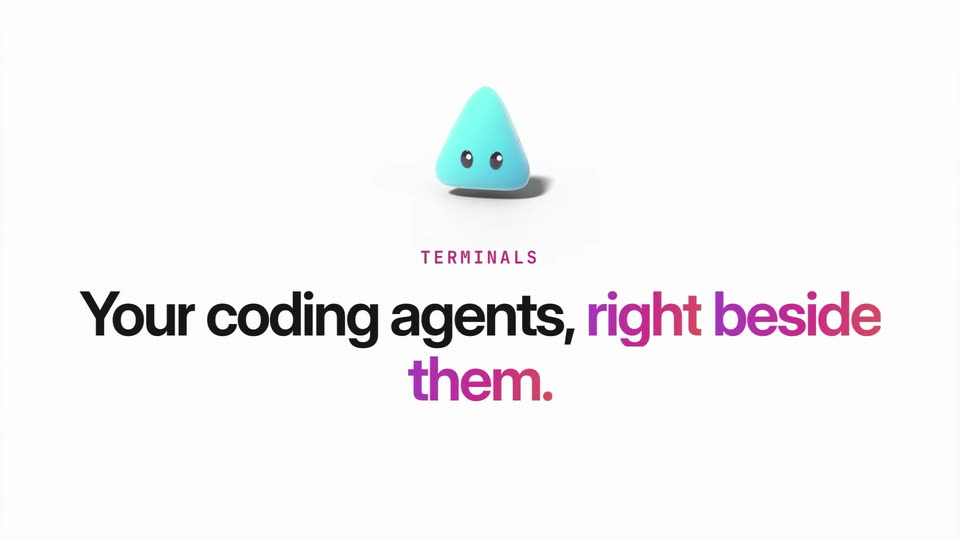
A teal 3D blob mascot with eyes bobs gently above a centered headline on a plain white background. The line reads 'Your coding agents,' in black and 'right beside them.' in a pink-purple gradient, with a small pink 'TERMINALS' wordmark above.
On-screen text: “TERMINALS”, “Your coding agents, right beside”, “them.”
Camera: Static
A terminal-style product UI fills the frame, its left sidebar listing agents and terminal sessions. A large two-line headline overlays the main pane, then the pane swaps through different agent outputs and settles on a blank view with a cursor.
On-screen text: “Your coding agents, right beside them.”
Camera: Pan
A desktop app fills the frame with a task sidebar, a terminal chat, and a code panel running a Claude Code session. The screen dissolves to a white card where a black headline reads 'Any CLI, one sidebar.' next to a small Shell icon.
On-screen text: “Any CLI, one sidebar.”, “Shell”
Camera: Static
A bold black headline reads “Any CLI, one sidebar.” above a 3x4 grid of white rounded cards, each with a colored CLI icon and label, that fades in. The grid exits and a lighter second headline, “Say hi to your bots.” with “bots.” in a pink-to-green gradient, takes its place.
On-screen text: “Any CLI, one sidebar.”, “Say hi to your bots.”
Techniques: Kinetic type
Camera: Static
Small colorful 3D blobs with faces, including a heart, star, ghost and cross, pop into a row and bounce under the headline. The scene cuts to one pink blob hovering above the gradient omher wordmark and a 1.0 badge.
On-screen text: “Say hi to your bots.”, “omher”, “1.0”
Camera: Static
A pink 3D blob with two eyes bounces with squash and stretch above a gradient omher wordmark and a black 1.0 badge. The gray monospace URL omher.app fades in below on a plain off-white background.
On-screen text: “omher”, “1.0”, “omher.app”
Camera: Static