1:56
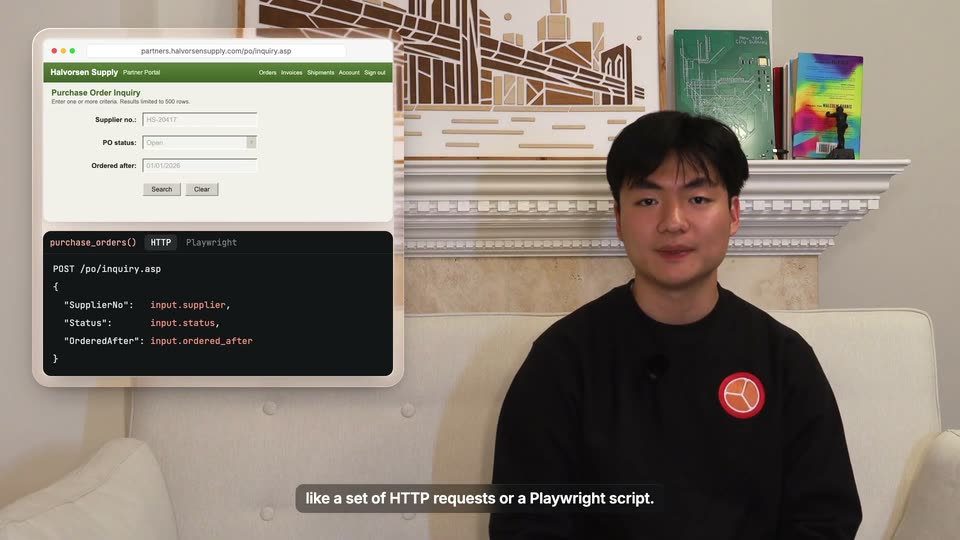
Pomerado (YC F26) - faster, cheaper, more reliable browser use
Pomerado · B2B · Oct 2026
Novoflow · May 2025 · 1:16 · Full motion · AI-annotated
Novoflow’s 1:16 launch film runs 25 scenes, about 3.1 s each. The product shows up at 0:35 and 1 feature is revealed, with social proof. The call to action lands at 1:11 (93% in), over a voiceover. A problem-to-solution arc built from flat 2D mockups on a faint crosshatch field: a fumbling call and stat cards establish the pain, a split-screen transcript demos the AI booking a patient, and the video ends on a demo button click. Beats run two to four seconds at a steady ~100 bpm, with slide and zoom transitions, typewriter text, and orange accent words as the signature moves.
Is this your launch? to your site or press kit.
Pomerado · B2B · Oct 2026
Billow AI Labs · B2B
Films whose music sounds like this one, voice left out
Boost Robotics · Funk-rock and pop-rock
Playad · Upbeat, high-energy funk-rock instrumental with Latin and punk influences.
A flat front-view phone mockup slides up from the bottom edge into the lower center of a plain off-white field patterned with faint gray x marks. Its screen shows a teal circular avatar above the word Patient and two small icons labeled Remind Me and Message.
Camera: Static
A front-facing phone mockup shows an in-call screen with a teal avatar, the name Patient, and call controls. The camera zooms into the Remind Me and Message buttons, then the phone slides left while a copy of the avatar and name slides in from the right over the patterned background.
Techniques: UI zoom
Camera: Push in
A vertical divider splits the frame; a teal circle labeled Patient and a dark circle labeled Receptionist sit above. Gray audio waveforms pulse beneath each label while rounded white bubbles type out the spoken lines one by one.
On-screen text: “Patient”, “Receptionist”, “Hey! I'd like to book an appointment”, “Sounds good, let's get set up”
Techniques: Split screen, Kinetic type
Camera: Pan
A flat phone mockup rises from the bottom on a white cross-pattern background, its screen showing a teal circle and the Patient label with an audio waveform. The frame then widens to reveal a second phone below with a dark circle and Receptionist, while an orange Incoming Call badge with a bell icon appears at right.
On-screen text: “Incoming Call”
Camera: Static
Flat interface: a dark circular avatar labeled Receptionist above an animated waveform; a rounded field types “So can I get your....Ummm....” character by character. The view pans up to reveal a phone screen showing a teal avatar labeled Patient with its own waveform.
Techniques: UI zoom
Camera: Static
A flat front-view phone mockup sits centered on a white plus-pattern background, its screen showing a teal avatar circle, the word Patient, and an audio waveform that scrolls upward. Orange Incoming Call notification pills with bell icons pop in and drift outward around the device.
Camera: Pan
Two tilted browser mockups of a call logs dashboard overlap diagonally on a dotted background, then settle into one flat window that shrinks and drops to the bottom as the headline and an orange 37% appear above it.
On-screen text: “Your clinical stats before”, “37%”
Techniques: 3D mockup, UI zoom, Kinetic type
Camera: Pull out
A black headline and two bold stat lines fade in above a call-logs screen, then the view zooms into the table rows and tabs.
On-screen text: “Your clinical stats before”, “37% Abandoned”, “12% Patients on hold”
Techniques: UI zoom
Camera: Push in
A white background with a faint cross pattern. The text 'Busy phones = Lost patients' is centered, with 'Lost patients' in orange. Large text at the top edge moves out of view.
On-screen text: “Busy phones = Lost patients”
Camera: Static
Four rounded chat bubbles in Spanish, English, Chinese and Arabic fade in at the corners of a crosshatch background. The headline Language Barriers fades in at center, the word Barriers turning orange, then the whole frame blurs and slides out.
On-screen text: “Busy phones = Lost patients”, “Language Barriers”
Techniques: Kinetic type
Camera: Pan
A tilted hourglass with orange sand drains from its top bulb on a white crosshatch background. The label “Manual scheduling” fades in to the right, the word Manual in orange and scheduling in dark.
On-screen text: “Manual scheduling”
Camera: Pull out
On a white grid background, the “Manual scheduling” label with an hourglass icon slides out to the left. An orange zigzag line draws across the top while gold dollar coins tumble in from the right, some blurred for depth.
On-screen text: “Manual scheduling”
Camera: Static
On a white field with a faint gray X grid, an orange zigzag line with downward arrowheads draws itself left to right across the top, while five gold dollar coins tumble and fall at different sizes and speeds.
Camera: Static
A white cross-pattern field holds the line 'No shows cost $250K/ Month', the amount in orange. The line slides up and out as the Novoflow logo, an orange-to-purple gradient mark beside a dark rounded wordmark, appears centered.
On-screen text: “No shows cost $250K/ Month”
Techniques: Kinetic type
Camera: Static
The Novoflow logo slides in on a white background, then the tagline “Fixes the call” appears below. The logo shrinks and rises as the headline “Universal EHR connector = Go live in days” appears, vendor logo pills slide in from the edges, and a green plug icon draws in.
On-screen text: “Novoflow”, “Fixes the call”, “Universal EHR connector = Go live in days”
Techniques: Kinetic type
Camera: Static
A centered teal avatar dot sits above the bold label Patient, with a thin audio waveform and a rounded chat input below. The input fills with the placeholder Hi, on a white field textured with a faint grid of x marks.
Camera: Static
A centered patient card sits on a white cross-patterned background. The teal avatar and bold Patient label stay still while the gray waveform pulses and a rounded text field types out a phrase behind a blinking caret.
Techniques: Kinetic type
Camera: Static
A teal circle avatar labeled Patient sits above a gray waveform that pulses in time with the voiceover, on a white field of small gray x marks. Below, a rounded text pill fills in with the sentence Hi, I have a wrist injury as the words scale into place.
Camera: Pull out
A white split-screen shows a teal Patient circle left and the gradient Novoflow AI logo right. Gray waveforms pulse under each side as rounded chat bubbles fill with the call transcript, alternating between the two speakers.
On-screen text: “Hi, I have a wrist injury”, “Sorry to hear that...when would you like to come in?”, “Tuesday or wednesday, anything available?”, “Earliest slot is Tuesday at 2 PM. Can I get your name and date of birth to confirm?”, “John Doe, 1995/08/8”, “Thank you for calling Novoflow. Your appointment is confirmed. See you soon.”
Techniques: Split screen, Kinetic type
Camera: Static
On a white background with a faint X grid, an orange pill badge with a check icon and the word Booked sits centered, then pops up as a purple pill badge with a chat icon and Text Sent slides in below it.
Techniques: Kinetic type
Camera: Static
On a white background with a faint X pattern, an orange Booked chip and a purple Text Sent chip animate in at left. An orange gauge arc then draws with tick marks, its gray needle sweeping right as a black headline types out above it, the dollar figure in teal.
On-screen text: “+12 pt return on KPls, $150,000”
Techniques: Kinetic type
Camera: Static
On a white field with a faint X grid, an orange shield with a padlock scales up to the right, trailing a peach offset. A two-line headline appears at left with orange accents. The scene cuts to a large light-gray zero that grows in the center.
On-screen text: “Fully HIPAA compliant.”, “Trusted by modern clinics”, “0”
Camera: Push in
A white field with a faint cross grid. The line 'Clear your phone lines this week with' types in, 'phone lines' in orange. The Novoflow logo and wordmark then appear centered below it.
On-screen text: “Clear your phone lines this week with”, “Novoflow”
Techniques: Kinetic type
Camera: Static
On a white field with a faint cross pattern, the Novoflow logo and a top headline cut away, then the centered line “Book a 5-min live demo” scales up, the “5” in orange, as an orange-outlined “Book a demo” button fades in below.
On-screen text: “Book a 5-min live demo”, “Book a demo”
Techniques: Kinetic type
Camera: Static
On a white background with a faint X pattern, the headline scales in with '5-min' in orange. An orange cursor glides in from the bottom right, hovers the outlined 'Book a demo' button, which fills light orange, then the cursor drops away.
On-screen text: “Book a 5-min live demo”, “Book a demo”
Techniques: Kinetic type, Cursor demo
Camera: Static