0:39
Ashley Hunter - 🚀 Introducing Angular Native The stunning developer experience and e
Angular Native · Sep 2026
Naïve’s 0:43 launch film runs 16 scenes, about 2.7 s each. The product shows up at 0:05 and 1 feature is revealed. The call to action lands at 0:40 (93% in), over a voiceover. The film alternates low-contrast text cards on black with a slow 3D UI montage in which prompt bars, agent cards and dashboards drift past the camera under soft zooms and white light sweeps. Pacing is deliberate at roughly 1.4 cuts per minute, with green progress accents marking completion and a single off-white card breaking the black before the static URL end card.
Is this your launch? to your site or press kit.
Angular Native · Sep 2026
Arvist · Sep 2026
Films whose music sounds like this one, voice left out
e2e · Upbeat electronic
Sitefire · Modern electronic
On a black background, thin dark gray text fades in word by word at center-left, reading “You want to build a company.” The frame stays locked and the type remains low contrast throughout the short beat.
On-screen text: “You want to build a company.”
Techniques: Kinetic type
Camera: Static
Two centered white lines fade in and out on a black background in sequence. After the second line appears, a soft gray glow rises from the bottom corners.
On-screen text: “You want to build a company.”, “Not someday. Now.”
Camera: Static
A dark rounded panel sits on a light gray field, filled with a slow-drifting white smoke wave. The word Now. glows white on the right and fades to near black as the smoke settles and the panel sharpens.
On-screen text: “Not someday. Now.”
Camera: Static
A rounded search bar is drawn on a black background as white text types out letter by letter: Build an ai voice agent saas for car dealerships in SF, with a circular arrow button at the right.
Techniques: Kinetic type
Camera: Static
On a black background, a glowing rounded prompt bar holds the typed request with an arrow button. A task card fades in below it, a bright light sweep glides across the card as the list items settle.
Techniques: Light sweep
Camera: Static
A dark interface: a prompt bar reads 'Build an ai voice agent saas for car dealerships in SF.' A Naive agent card shows 4/4 completed with a green check, task rows check off, then the view scrolls to a Brand Vision paragraph.
Camera: Pan
A dark card on black shows team rows (Market Analyst, DealerVoice AI Platform, Brand Strategist) stacking up, then a light sweep crosses as it transitions to the app's chat view: the sidebar lists the team and a chat window shows the Market Analyst's message with a typing indicator.
Techniques: Light sweep
Camera: Pull out
A tilted 3D view of the Naive chat interface. The left panel shows AI agents replying while the right panel builds a business plan, scrolling from the executive summary through strategy and roadmap sections.
Techniques: 3D mockup
Camera: Pull out
A dark interface view shows a glowing pill labeled My Team whose right side widens as agent tags BSG, SDR, MRA slide in. Below, a panel pans left to expose an ARR figure of $3.7M next to the Naïve Live badge and a cloud icon.
Camera: Pan
Three rounded UI panels on black: a code editor left fills with Python lines, a center card adds status lines one by one, a right dashboard shows the Naïve Live logo over an ARR chart. An AI Engineer pill with a robot icon drifts upward.
Techniques: Split screen
Camera: Pan
On a black field, three translucent rounded cards hold white text: a tagline block top-center, a product description block below it, and a small pill with a robot icon and BSG at left. The description line types out while the cards drift downward.
On-screen text: “Tagline:”, “Never miss a dealership call again..”, “Product description.”, “AI voice agent that answers customer calls, qualifies leads, and”, “BSG”
Techniques: Kinetic type
Camera: Static
A dark dashboard of floating cards centers on a Naive panel with a rising ARR line and metric counters that tick upward. The camera slowly zooms in as the numbers grow, while side cards list training conversations, campaign results, and a tagline.
On-screen text: “Tagline: “Never miss a dealership call again.””, “Product description: AI voice agent that answers customer calls, qualifies leads, and books test drives automatically.”
Techniques: UI zoom
Camera: Push in
A pixel grid fills left to right with green squares as a counter climbs from 21% to 100%, hovering above a 'My Team' pill with agent tags. A dark dashboard panel sits in 3D perspective below.
Techniques: 3D mockup
Camera: Push in
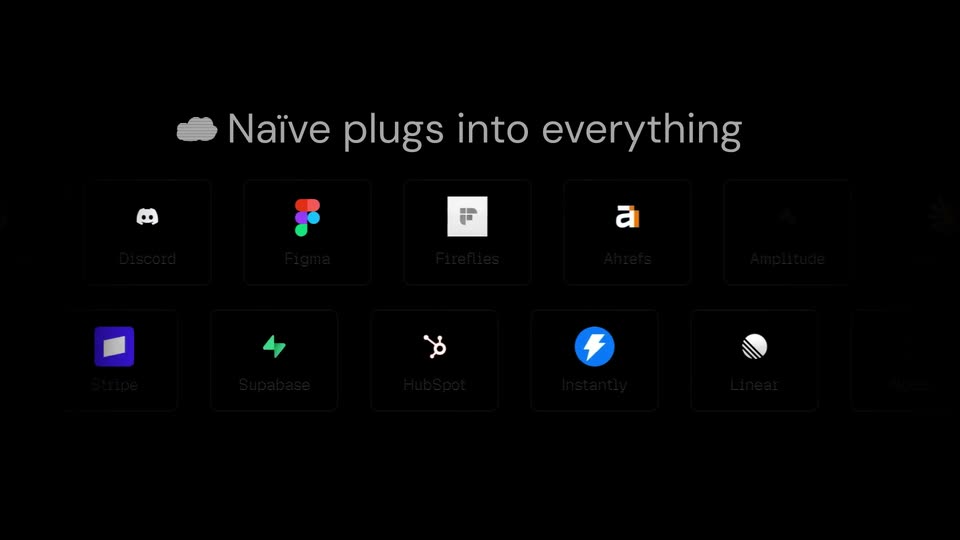
A cloud icon and the headline sit at the top while two rows of integration logo tiles scroll left across a black field. A white fog rises from the bottom and a second line of text fades in over the dimmed logos.
On-screen text: “Naïve plugs into everything”, “You didn't need to know how.”
Camera: Pull out
On a plain off-white field, a centered line of dark text wipes in from left to right, then is replaced by a second line holding a small cloud-shaped icon before the brand name, revealed the same way. The frame stays static throughout.
On-screen text: “You didn't need to know how.”, “You just need to be Naïve”
Techniques: Masking
Camera: Static
A black end card holds the white tagline You just need to be Naïve and the URL usenaive.ai, both static and centered on the plain black field for the full duration.
On-screen text: “You just need to be Naïve”, “usenaive.ai”
Camera: Static