1:06

Gruz - Introducing Openside open source and self hostable alternative to ri
Openside · Nov 2026
Multifactor · Oct 2025 · 0:59 · Full motion · AI-annotated
Multifactor’s 0:59 launch film runs 32 scenes, about 1.9 s each. The product shows up at 0:02 and 5 features are revealed. The call to action lands at 0:53 (90% in), over a voiceover. The video opens on a corrupted-data warning, names the product, then walks through five features in rapid flat-UI demos over warm gradients, ending on a logo card. Its signature moves are split-screen panels that wipe and zoom, a recurring pixel robot mascot, and red warning triangles that punctuate every security claim at a fast cut rate.
Is this your launch? to your site or press kit.
Openside · Nov 2026
Simular AI · Nov 2026
Insta360 · Jan 2025
Films whose music sounds like this one, voice left out
Insta360 · Upbeat electronic dance music with a four-on-the-floor beat, bright arpeggiated synth melodies, and
Discord · Upbeat modern electronic
Concourse · Modern electronic
On a dark navy field, skull icons in corner brackets, red warning triangles and red garbled code strings drift slowly while a central white line of scrambled characters reshuffles like corrupted text. The frame then flashes pale gray, leaving a blurred garbled string under a red triangle.
Techniques: Kinetic type
Camera: Push in
A small white app window centered on a plain background scales up to fill the frame as the backdrop turns a red-to-yellow gradient with a faint chevron pattern. The interface shows a logo top left, a text list on the left, a button top right, and a dark blue folded shape at right.
Techniques: UI zoom
Camera: Static
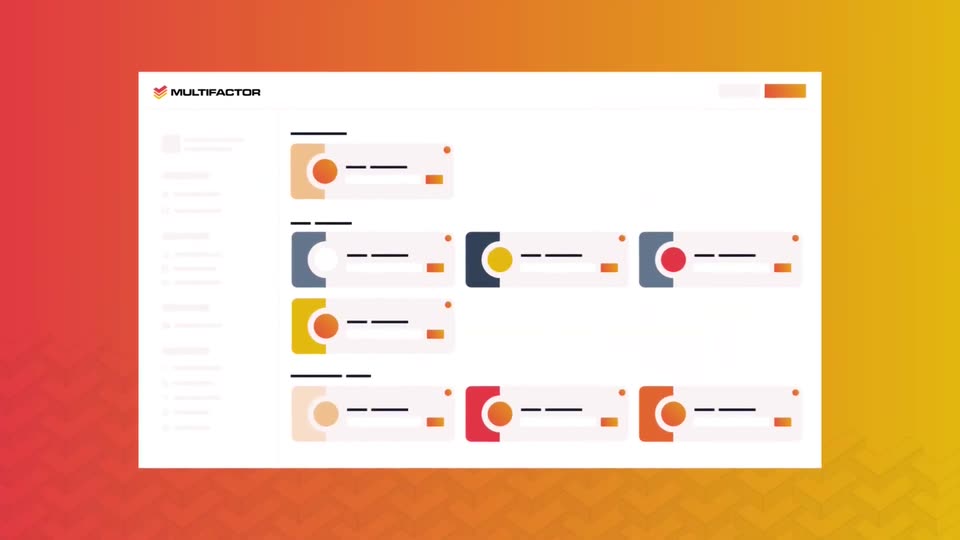
A flat white dashboard panel sits on an orange gradient background. Placeholder sidebar lines and a grid of colored user cards with circular avatars fade in row by row until every tile is fully visible.
Camera: Static
A white dashboard mockup with colored account cards slides left across an orange gradient background, and a white panel carrying a gray phone and a floating account card wipes in from the right.
Techniques: Masking
Camera: Pan
A split frame: an orange gradient panel on the left holds a white card with abstract account rows, while a 3D smartphone on the right shows a lock screen with two notification cards. The card and phone drift gently toward the center.
Techniques: 3D mockup, Split screen
Camera: Static
Split screen: left, a Share Account dialog on an orange panel opens a dropdown of access levels, and a red Remove Access button bursts with red confetti. Right, a flat phone mockup of a profile dashboard wipes with a gray diagonal beam, revealing large white 10:14 digits over the bar chart.
Techniques: Split screen, Masking, Particles
Camera: Static
A split screen holds a white Share Account panel with an open access dropdown on an orange gradient left, and a 3D phone mockup showing a 10:14 lock screen on a pale right. The left panel and dropdown fade and blur out as the clip ends.
Techniques: Split screen, 3D mockup
Camera: Static
Three panels on pink, blue and slate backgrounds fade in side by side: a video player card, a profile dashboard card, and an orange wallet card, with binary columns scrolling behind. Captions Friends, Colleagues, AI Agents fade in in sequence, then a dark panel wipes up over the screen.
On-screen text: “Friends”, “Colleagues”, “AI Agents”
Techniques: Split screen, Kinetic type, Masking
Camera: Static
Three white icons animate on a dark blue-grey background. A pixelated robot scales up on the left. A small dot in the center expands into a four-pointed star. On the right, a dot morphs into a starburst shape.
Techniques: Morph
Camera: Static
Five white icons sit in a horizontal row on a flat slate blue field: a robot head, a looped knot, a four point star, a circular arrow with a bolt, and a radial asterisk. The robot head and the circular arrow shift and morph their shapes as the clip plays.
Techniques: Morph
Camera: Static
A white dashboard card with the Multifactor logo and colored avatar rows rises into the center of an orange gradient, a pixel robot appears at its center, then the frame pulls back to reveal a second card and a vertical stream of binary digits between them.
Techniques: UI zoom
Camera: Pull out
Split screen. Left, an orange panel holds a flat white card showing the Multifactor interface, a column of colored account nodes linked by lines. Right, on pale gray, vertical columns of binary digits run beside a red pixel robot that hops up as a small Multifactor card slides into an orange block.
Techniques: Split screen
Camera: Static
Split screen shows two flat product mockups: a dashboard with donut and bar charts under a pixel robot on a light panel, and a chat thread on an orange panel. Vertical binary code fills the background. The panels reorganize mid-scene.
Techniques: Split screen
Camera: Static
A flat white dashboard on a pale pink background reorganizes into an orange-framed chat window. A pixel-art robot head in red, orange and yellow drops into the center of the message area as the sidebar list, donut chart and input field settle into place.
Camera: Static
A flat front-on mockup of a Multifactor chat dashboard sits on a pale pink field, its orange-bordered panel holding a thread list, dashed placeholder lines and a donut chart. The frame then reframes to the right, dropping the left menu sidebar and revealing a Security Settings panel on the left and a Framework panel on the right.
Techniques: UI zoom
Camera: Static
A split screen shows an orange panel with a Settings card on the left and an email interface on the right. The Read emails checkbox ticks on, then the right side zooms to the Send button as a red no-symbol and warning triangle appear over it.
On-screen text: “Email account”
Techniques: Split screen, UI zoom
Camera: Static
An orange panel holds the Bank account title and a Settings card where View Transactions is checked and Make Transactions stays off. The phone mockup on the right brightens, the camera zooms to the Transfer button, and a red prohibition circle draws over it while warning triangles flank the balance.
On-screen text: “Bank account”
Techniques: UI zoom
Camera: Static
A white access-log card settles toward the center of a pale pink background as two red warning triangles with exclamation marks slide to opposite corners. Inside the card, a blue user icon and the action line fade in beneath the Account Access heading.
Camera: Static
A white activity-history card on a pale pink background, flanked by two floating red warning triangles. The list of 'Account Access' entries scrolls as new rows slide in from the bottom, and the card drifts upward until its top edge leaves the frame.
Techniques: UI zoom
Camera: Static
A white access-history card sits on a pale pink field, flanked by two red warning triangles. The camera dives into the card, tilting it into 3D as the list scrolls to a red blocked transfer row.
Techniques: UI zoom, 3D mockup
Camera: Static
A white dashboard window with the Multifacto r logo and an orange button holds center on a soft peach background as curved blur streaks swirl in around its edges. The frame stays locked off while the swirl builds.
Camera: Static
A white dashboard panel resolves from a radial blur on a peach background. Colored status cards fly in from scattered angles and settle into an aligned grid of rows, each card showing a colored square, a circle, and placeholder lines.
Techniques: UI zoom
Camera: Static
A flat Multifactor dashboard with a sidebar and rows of account cards pulls back to reveal a 3D perspective wall of laptops, monitors, tablets and phones, every screen showing the layered chevron logo on a warm peach background.
Techniques: 3D mockup
Camera: Static
A tiled grid of flat white device mockups, monitors, laptops and phones, fills the frame on a red-to-yellow orange gradient. Every screen shows the same stacked red and yellow chevron logo. The pattern scrolls slowly to the right.
Camera: Static
A tiled wall of flat device icons, monitors, laptops, phones and tablets, each carrying the red and yellow chevron logo, fills an orange gradient. The grid drifts and fades to pale cream as one white card with the logo and a thin text line stands out on the left.
On-screen text: “《”
Camera: Static
Three white cards with gray icons and orange Run Now buttons pop in from left to right over a gradient background tiled with laptop icons. A black cursor slides in and hovers over the middle button.
Techniques: Cursor demo
Camera: Static
A flat illustration on an orange grid of laptop icons. A blue document block with text lines sits center, a white skull framed by corner brackets at top. A pixel robot slides down left edge as a white alert card with a red warning triangle pops in on the right.
Camera: Static
Left orange panel: a flat illustration of a document, a skull in scan brackets and a red warning triangle, then a robot with a green check over a card grid. Right: the Multifactor logo above a progress bar that fills.
On-screen text: “MULTIFACTOR”
Techniques: Split screen
Camera: Static
Split layout: an orange field of faint laptop icons holds a pixel robot and a green check card, while a white panel carries the MULTIFACTOR wordmark. The white panel slides off to the right, the orange fills the frame, and a Rotate Passwords card fades in at the lower left.
On-screen text: “MULTIFACTOR”
Techniques: Masking
Camera: Static
A white pixel robot icon sits centered over a red-to-yellow gradient tiled with laptop logos. Three white cards with green checkmarks and orange Run Now buttons pop in below, then scale up so the side cards slide off frame.
Camera: Static
A white product dashboard card zooms in as the background shifts from pink to an orange hex pattern. An orange gradient panel shrinks and fades while rows of colored cards and a left sidebar slide into place, then hold on the full interface.
Techniques: UI zoom
Camera: Static
A white MULTIFACTOR wordmark with a stacked chevron mark scales up from small to full size at the center of an orange-to-yellow gradient, then holds still.
Techniques: Kinetic type
Camera: Static