0:46
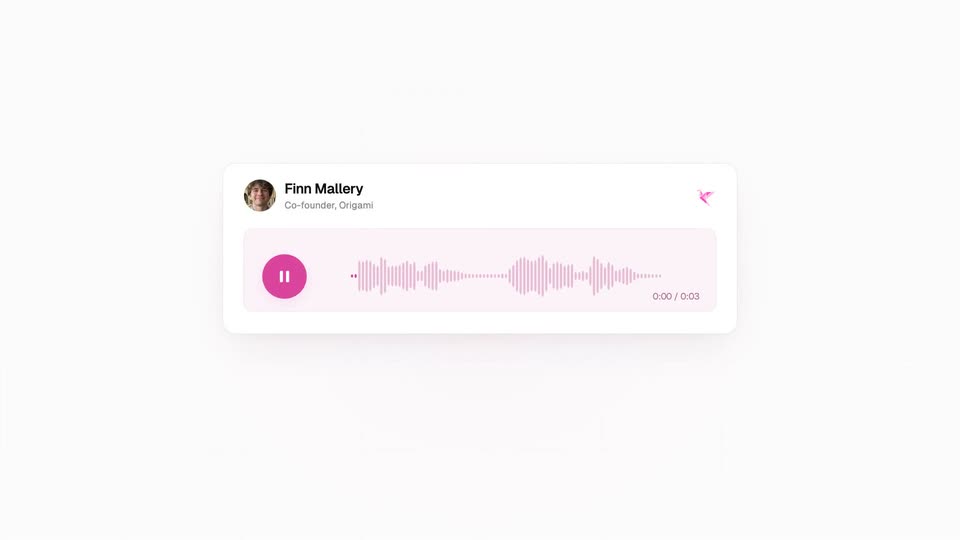

Origami - Introducing voice cloning to Origami. (🔊 Audio: ON to hear the AI-cl
Origami · B2B · Oct 2026
MouseCat · Mar 2026 · 1:02 · Full motion · AI-annotated
MouseCat’s 1:02 launch film runs 12 scenes, about 5.2 s each. The product is on screen from the first frame and 7 features are revealed. The call to action lands at 0:58 (94% in), over a voiceover. Bookended by the cat logo card, the video runs as a locked-off UI walkthrough where each capability is one screen that streams in data, flips status chips, and crossfades to the next. The motion vocabulary stays small: crossfades between screens, line-by-line text streaming, and in-place state changes at an even pace.
Is this your launch? to your site or press kit.
Origami · B2B · Oct 2026
A cat silhouette with pointed ears and a bow on top, above the MouseCat wordmark, fades in from faint gray to solid black at center on white over the first second, then holds. A small black caption line stays fixed at the bottom.
On-screen text: “MouseCat uses AI agents to perform human-quality fraud investigation at scale.”
Camera: Static
A black cat silhouette logo with the bold wordmark MouseCat sits centered on a plain white background. A single line of tagline text is locked at the bottom. The frame holds still with no motion for the full duration.
On-screen text: “MouseCat uses AI agents to perform human-quality fraud investigation at scale.”
Camera: Static
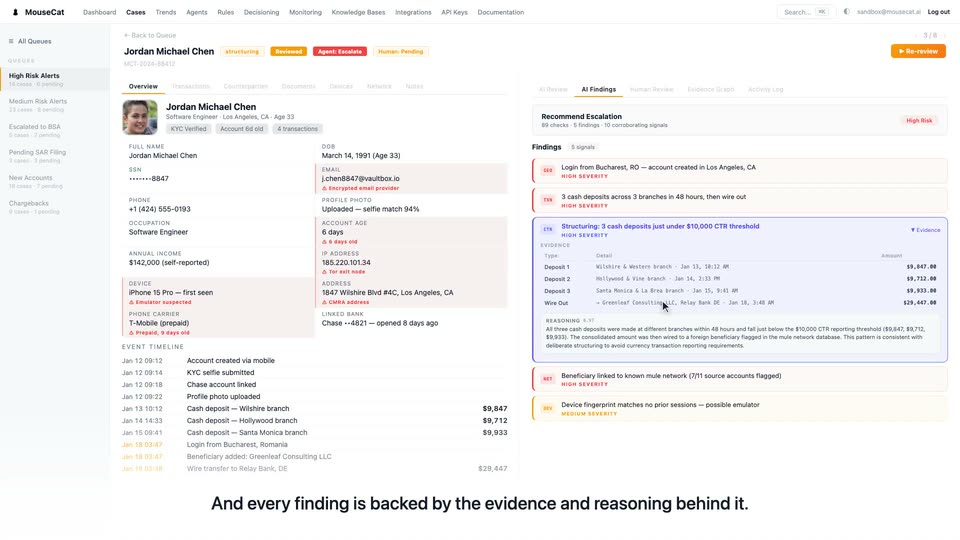
A fraud case file sits on the left with red flags popping in under its fields, while the right panel streams a checklist of AI checks, then switches to a findings list where one row expands into an evidence table. The screen crossfades to a second, low-risk case.
On-screen text: “Each investigation pulls your data, checks external sources, and cross-references prior cases.”, “And every finding is backed by the evidence and reasoning behind it.”
Techniques: Cursor demo
Camera: Static
A fraud case dashboard for Sarah Mitchell holds in a locked frame. In the right panel a re-investigation spins up, the verdict flips from Approve, Low Risk, to Decline, High Risk, and four red findings appear. A bottom caption changes once.
On-screen text: “It doesn't stop at the initial decision, when new signals arrive, it re-investigates automatically.”, “And every finding is backed by the evidence and reasoning behind it.”
Techniques: Cursor demo
Camera: Static
A flat dashboard view of the MouseCat interface. The High Risk Alerts page streams a line-by-line analysis log, its status flips from running to completed, then the Trends tab opens to reveal a verified pattern and a suggested rule card. A caption sits at the bottom.
On-screen text: “It doesn't just do point-in-time review, it's always on, discovering patterns across cases and automatically mitigating fraud with new rules and model features.”
Camera: Static
A fraud-analysis dashboard holds on the High Risk Alerts report, then cross-dissolves into the High Risk Analyst agent page with the Versions tab. A bottom caption fades out as the second caption fades in over the new view.
On-screen text: “It doesn't just do point-in-time review, it's always on — discovering patterns across cases and automatically mitigating fraud with new rules and model features”, “MouseCat gives you complete control over how it investigates. Just edit the steps.”
Techniques: Morph
Camera: Static
A locked-off view of the MouseCat agent page. A cursor moves to the purple New Version button and clicks it, and the version list crossfades into a draft editor showing a numbered list of investigation steps beside a Tools panel and an Output Schema block. A caption sits at the bottom.
On-screen text: “MouseCat gives you complete control over how it investigates — just edit the steps.”
Techniques: Cursor demo
Camera: Static
A MouseCat agent editor shows a numbered list of investigation steps. A cursor types into a step, each finished line turns teal and the list grows from fourteen to sixteen rows. The view then dissolves into a backtest panel while a caption sits at the bottom.
On-screen text: “MouseCat gives you complete control over how it investigates — just edit the steps.”, “Then test your changes on hundreds of real cases before anything goes live.”
Techniques: Cursor demo
Camera: Static
A dashboard runs an evaluation, filling a two-row results table while the cursor clicks a deploy control. It cuts to a case review where a feedback form submits and a learning log populates with a SOP diff card, then fades to white.
On-screen text: “Then test your changes on hundreds of real cases before anything goes live.”, “And every time an analyst corrects a mistake, MouseCat updates its own playbook.”
Techniques: Cursor demo
Camera: Static
A white slide fades in from light gray to black: the heading “Built for production.” sits above a 2x4 grid of feature cards, each with a bold title and a short gray line, and a bold caption anchors the bottom. The frame then holds static.
On-screen text: “Built for production.”, “All of this runs in production — monitoring, evaluation, failure handling — the hard parts are handled.”
Camera: Static
The feature grid and headline fade out on a white background as the gray MouseCat cat-and-mouse logo fades in at center. The bold MouseCat wordmark, a scaling tagline, and a small Y Combinator badge settle below it.
On-screen text: “Built for production.”, “All of this runs in production, monitoring, evaluation, failure handling, the hard parts are handled.”, “MouseCat”, “Human-quality fraud investigation at scale.”, “Backed by Y Combinator”
Camera: Static
A black cat silhouette logo with the MouseCat wordmark sits centered on an off-white field. The tagline scales and crossfades into the URL mousecat.ai, above a small orange Y Combinator badge.
On-screen text: “MouseCat”, “Human-quality fraud investigation at scale.”, “Backed by Y Combinator”, “mousecat.ai”
Techniques: Kinetic type, Morph
Camera: Static