0:50
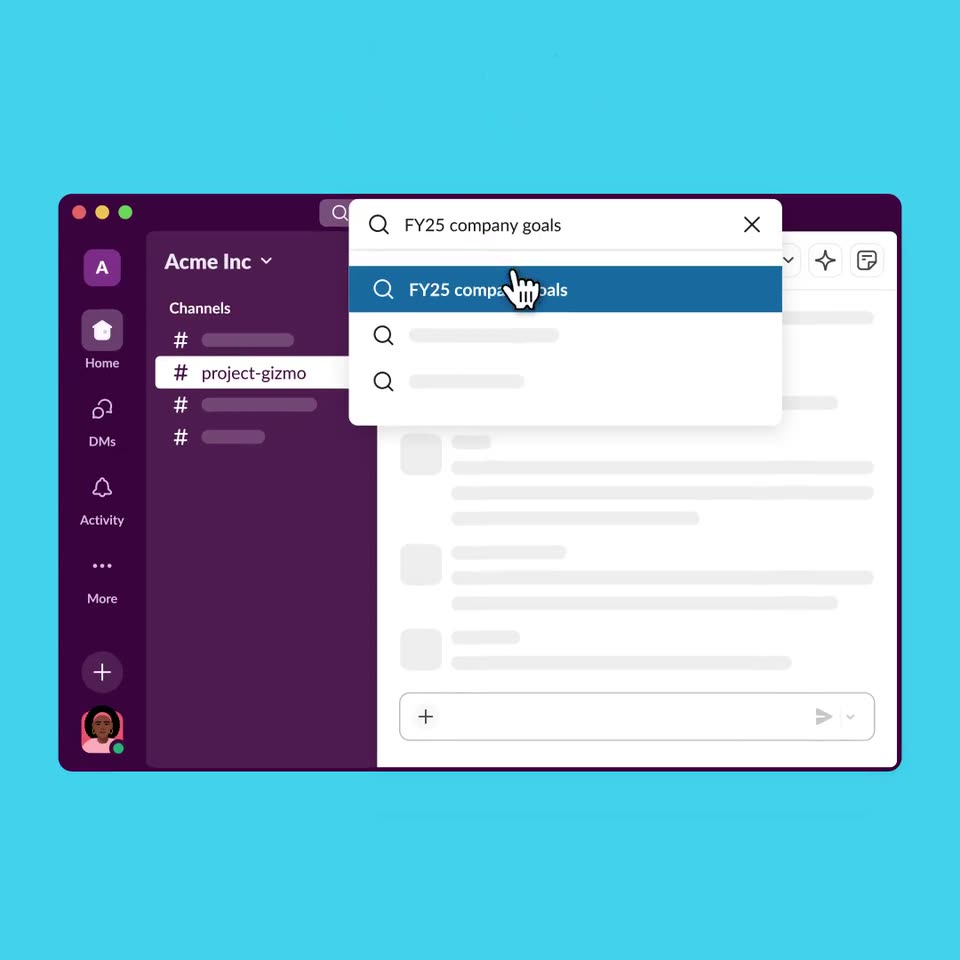

Slack - Time is valuable. Slack AI gives you more of it. 🙌✨ And starting tod
Slack · Productivity · Apr 2024
Clementine · Sep 2026 · 0:48 · AI-annotated
Clementine’s 0:48 launch film runs 31 scenes, about 1.6 s each. The product is on screen from the first frame and 3 features are revealed. There is no explicit call to action. Flat vector motion on a cream, forest-green and orange palette, built as a logo sting, a 'say hello to' title, three feature vignettes each opened by a serif title card and closed by a playful payoff, then a brand lockup. Pacing is snappy at about 118 bpm with locked-off title cards, a recurring line-drawn hand driving every tap, and 3D phone mockups that scale and tilt to keep the UI demos feeling alive.
Is this your launch? to your site or press kit.
Slack · Productivity · Apr 2024
Krea Ad Studio · Oct 2026
On a cream background, the Instacart logo reveals from left to right: the green arrow and orange base icon fill with color while the dark green wordmark wipes in, then holds static.
Techniques: Masking
Camera: Static
A white serif headline, “Say hello to”, holds centered on a flat dark green field, fully static and locked off for the duration of the shot.
On-screen text: “Say hello to”, “instacart”
Camera: Static
A flat green frame shows the corner of a device holding two round icons, an add-person button and a white button with an orange slice. A white illustrated hand enters from the right and taps the orange button while the plus mark in the other icon scales.
Camera: Static
A green line-drawn hand reaches in from the right and pushes an orange citrus wedge leftward, then exits the frame. As the hand leaves, a green plus sign scales in beside the wedge on a cream background.
On-screen text: “+”
Techniques: Kinetic type
Camera: Static
A green serif wordmark reading Clementine sits beside an orange clementine wedge icon on a cream background. The letters ease into place over the first half second, then hold still on a locked-off frame.
On-screen text: “Clementine”
Camera: Static
A flat forest-green background holds the white serif line “More than a search” centered in frame. A thin vertical cursor blinks at the end of the line. The frame is locked off with no camera movement.
On-screen text: “More than a search”
Camera: Static
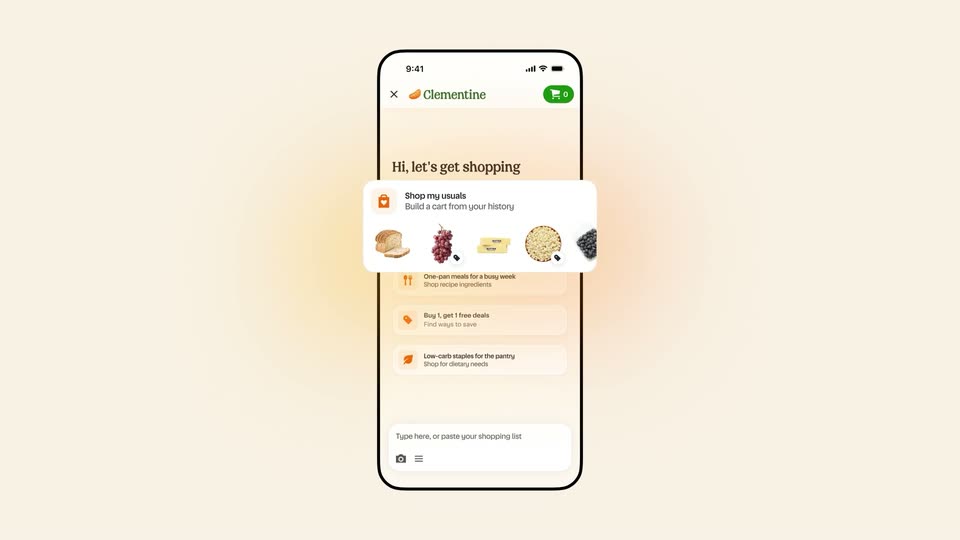
A flat phone mockup on a cream background shows a grocery app home screen with a list of suggestion cards. The top card, Shop my usuals, scales up to fill the frame, revealing a row of food photos and the subtitle Build a cart from your history.
Techniques: UI zoom
Camera: Static
A white rounded feature card on an orange gradient shows an orange shopping-bag icon, a headline and subhead, and a row of grocery photos: bread, grapes, butter, grains, blueberries. The title and subtitle scale into place while the product row settles, two small tag buttons hovering over it.
On-screen text: “Shop my usuals”, “Build a cart from your history”, “×Clementine”
Techniques: Kinetic type
Camera: Push in
A beige background holds an orange flower logo and green serif text that types out. A 3D phone mockup pops in on the right, showing a chat interface with a shopping summary.
On-screen text: “On it....l”
Techniques: Kinetic type, 3D mockup
Camera: Static
A phone chat screen for the Clementine app scales up from a small centered mockup to a near full-frame view, then a green line-drawn hand with an extended index finger slides in from the lower right, pointing at the conversation.
Techniques: UI zoom
Camera: Push in
A mobile app chat view shows a Shop my usuals card with a green line-drawn hand pointing at its arrow. A peach gradient blur wipes across the screen, revealing a list of two product cards with images, prices and quantity steppers.
Techniques: Masking
Camera: Static
A grocery shopping list on an orange gradient background scrolls upward, revealing product cards with food photos, names, prices and green quantity steppers.
Camera: Pan
On an orange background, a vertical list of white grocery cards scrolls upward, revealing new items, while an illustrated hand rises from the lower right and taps the green add-to-cart button.
Camera: Pull out
A solid orange field holds a tight cluster of white popcorn pieces at center. The cluster pops outward into a loose ring, the pieces drifting apart and tumbling. A small green-and-white shape slides in from the bottom right corner.
Techniques: Particles
Camera: Push in
White popcorn pieces fall across an orange background. Two flat, white hands with green outlines rise from the bottom edge.
Techniques: Particles
Camera: Static
Two white illustrated hands with green outlines and knitted cuffs toss real popcorn kernels into the air. The kernels arc upward and drift down between the open palms against a solid orange background.
Camera: Pull out
On a flat forest-green background, the cream serif word “What's” holds centered, then “for dinner?” slides in beside it to complete the line. The frame stays locked off with no camera move.
On-screen text: “What's for dinner?”
Techniques: Kinetic type
Camera: Static
A front-facing phone on a cream background. Text types into the input field, the screen switches to a chat showing a recipe card, then scrolls down as a longer prompt types into a new input box above a keyboard.
On-screen text: “What's for dinner?”
Camera: Pull out
A black phone mockup sits centered on a cream background, showing the Clementine recipe feed with two chili cards. The mockup gently scales up over the second frame.
Camera: Pull out
Two recipe cards float in 3D perspective on an orange background. A cream hand with a green outline reaches in from the right and taps the bookmark icon on the Beef Chili card.
Techniques: 3D mockup, Cursor demo
Camera: Static
A phone mockup, tilted in 3D on a cream background, shows a recipe app. The screen scrolls from a Beef Chili recipe page to a grocery list with prices, ending on a green Add 12 items to cart button that a line-art hand points at.
Techniques: 3D mockup
Camera: Pan
Close-up of a grocery app screen listing produce cards with yellow price highlights. A hand drawn in green line art enters from the right and taps the green Add 12 items to cart button, which squashes slightly on press.
Techniques: Cursor demo
Camera: Static
Hand-painted vegetables, a red onion, a tomato and a red pepper, tumble and rotate down a cream background. A painted bowl of salad slides up from the bottom edge as thin green strands arc above it.
Camera: Pan
A red chili pepper drops from above into a hand-drawn bowl of red soup topped with cream, cheese, and green onions. A line-drawn hand rises to cradle the bowl while wavy steam lines curl upward on a cream background.
Camera: Static
A cream chat input box on an orange background. The prompt types out letter by letter, then a green-outlined hand enters and taps the orange circular send button.
Techniques: Kinetic type
Camera: Static
A photo of a handwritten party supply list on paper zooms in as an illustrated hand taps a camera button. The paper gives way to a cream background where a white card appears with pretzel and cake thumbnails, titled Kids birthday shopping list, 28 items.
On-screen text: “Help me plan my kids birthday party,”, “here's my list”
Techniques: Cursor demo
Camera: Pull out
A white rounded list card with pretzel and cake thumbnails and the title Kids birthday shopping list, 28 items rests on a cream background. A green line-drawn hand with an extended index finger slides in from the lower right and points at the card.
Camera: Push in
A phone screen displays a grocery shopping list titled Kids Birthday Shopping List with product cards for cake, pretzels, and strawberries. The list scrolls down to reveal a Cleaning supplies row of napkins, spray, and paper towels, each card carrying a green plus button.
Camera: Pan
On a cream background, a green pill button with white text sits at center. A green line-art hand slides in from the bottom right, its index finger reaching out to tap the button's right edge.
Camera: Static
A green pill button reads Add 28 items to cart beside a line-art hand poised to tap it. The frame cuts to a flat logo reveal: an orange fruit half on the left and the green wordmark Clem drawn in stroke by stroke on a cream background.
Camera: Static
On a cream background, the green Clementine wordmark with an orange clementine slice icon wipes in from left to right, then cuts to the green serif caption Shop on, then cuts to the dark green Instacart logo with a carrot icon, which holds.
On-screen text: “Shop on”
Techniques: Masking
Camera: Static