1:10
Explore
Slack - Time is valuable. Slack AI gives you more of it. 🙌✨ And starting tod
Slack · Apr 2024 · 0:50 · AI-annotated
- Length
- 0:50
- Scenes
- 16 · 3.2 s avg
- Product on screen
- 0:00
- Features shown
- 3
- Voiceover
- No
00:00:00 / 00:50:18
Slack’s 0:50 launch film runs 16 scenes, about 3.2 s each. The product is on screen from the first frame and 3 features are revealed. There is no explicit call to action. The video opens on the product name card, then walks through three features in turn, each on its own flat color field with a bold headline and a hand cursor driving a flat UI mockup. Transitions rely on sliding panels, expanding color wipes and a confetti payoff, closing on the assembled Slack logo.
No filming indicatedEstimated needs: 3 capture groups — your screens or recordings · 1 official logo — reused across the film · 2 graphic passages — draw or supply
Is this your launch? to your site or press kit.
More like this

0:20

Shopify - manage your store inside ChatGPT or Claude get insights, add product
Shopify · Business software · May 2026
0:33

ClickUp Artifacts Feature Launch Video
ClickUp · Productivity · Oct 2026
Slack - Time is valuable. Slack AI gives you more of it. 🙌✨ And starting tod, scene by scene
· 16 scenes as text
01 · Product intro · 0:00–0:02
A white rounded banner slides in from the right over a purple field of rounded shapes, carrying the dark purple headline “Slack AI is here” with a three-star sparkle icon. Blue, green and pink shapes sit behind it.
On-screen text: “Slack AI is here”
Techniques: Kinetic type
Camera: Pan
02 · Product intro · 0:02–0:03
A purple field of overlapping rounded shapes holds a white pill that slides left, carrying the headline Slack AI is here beside a three-color sparkle. The pill exits and a dimmed Slack-style window fades in over a solid purple background.
On-screen text: “Slack AI is here”
Techniques: Kinetic type
Camera: Static
03 · Feature reveal · 0:03–0:07
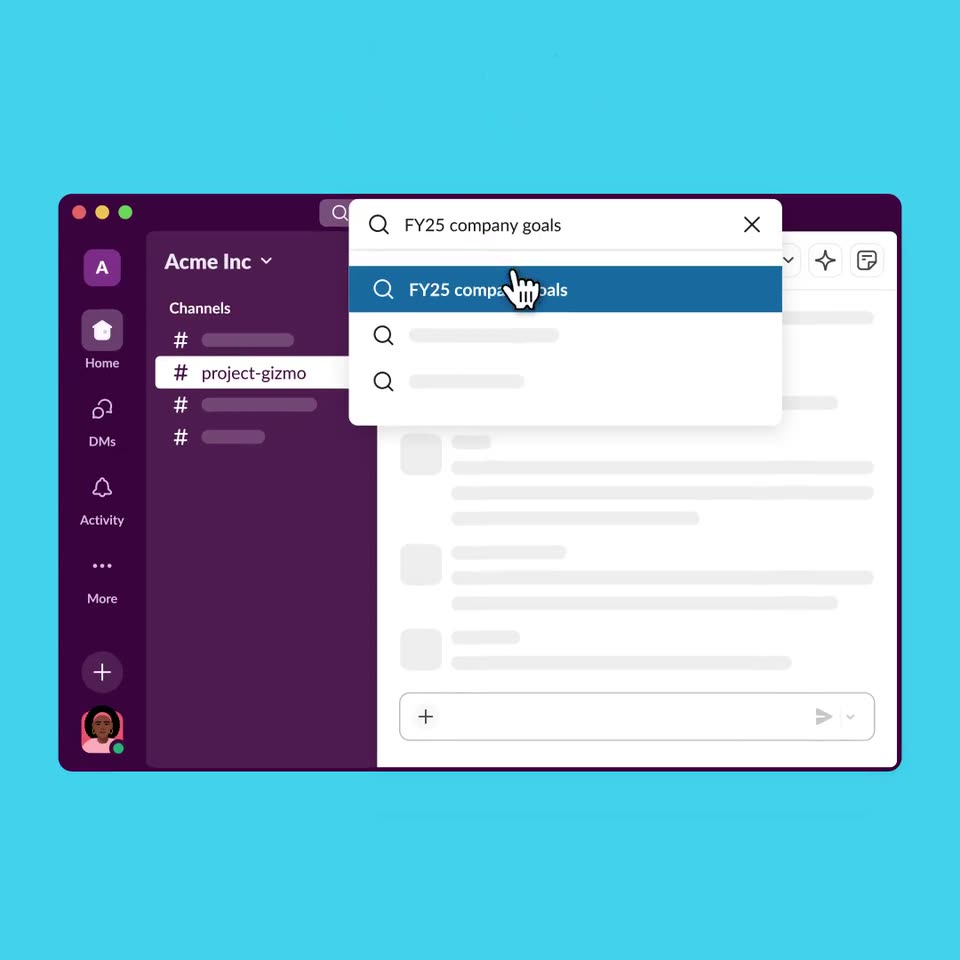
A flat Slack-style app mockup sits on a cyan field beneath the tagline. A cursor clicks the top search bar, a dropdown opens, the cursor types a query and hovers the top result while the tagline fades out.
On-screen text: “AI that works where you do”
Techniques: Cursor demo
Camera: Static
04 · Feature reveal · 0:07–0:13
A flat Slack window on cyan: an AI result card fills in with an answer plus two follow-up rows, then a cursor opens the search overlay, types a question and highlights the suggestion. A bold headline fades in above the window, then out as the window slides down.
On-screen text: “You ask the questions, Slack AI finds the answers”
Techniques: Cursor demo
Camera: Static
05 · Feature reveal · 0:13–0:17
A flat Slack AI window on a cyan field opens a search dropdown with a query highlighted under a hand cursor. The dropdown closes, the answer expands and two related questions fade in, then a 3D channel window slides in from the left as the first fades.
Techniques: Cursor demo, 3D mockup
Camera: Push in
06 · Feature reveal · 0:17–0:23
Close-up on a chat app toolbar over a yellow background. A hand cursor clicks the sparkle icon, opens a menu, and picks 'Unreads'. The frame zooms out to the full window, then an AI side panel slides in with a loading spinner.
Techniques: Cursor demo, UI zoom
Camera: Pull out
07 · Feature reveal · 0:23–0:26
On a mustard-yellow background, a Slack chat window with an AI summary panel slides up into place beneath a two-line dark-brown headline. A magenta circle then expands from the center, wiping the scene away over a tinted sidebar view.
On-screen text: “Summarize conversations instantly”
Techniques: Kinetic type, Masking
Camera: Static
08 · Feature reveal · 0:26–0:26
A magenta background holds a white headline above a flat chat app mockup showing a channel list and skeleton message lines. A pink color wash over the whole frame fades out, revealing the interface at full opacity.
On-screen text: “Customized recaps,”
Camera: Static
09 · Feature reveal · 0:26–0:28
A magenta background holds a white two-line headline above a chat app window with a dark sidebar and gray message placeholders. The second line fades in, then the window scales up to fill the frame, cropping the headline out of view.
On-screen text: “Customized recaps, delivered daily”
Techniques: UI zoom
Camera: Push in
10 · Feature reveal · 0:28–0:35
A flat chat app interface sits on a pink background. A white hand cursor clicks the Recap item, opening a modal titled Choose what's included in your recap. The cursor checks three channel boxes, the list scrolls, and the green button updates its count.
Techniques: Cursor demo
Camera: Push in
11 · Feature reveal · 0:35–0:35
A white modal with a channel checklist and a green Add 3 Channels button closes, revealing the recap view with a Let's dive in heading and a dolphin emoji. A hand cursor hovers over the button, then rests in the empty panel.
Techniques: Cursor demo
Camera: Push in
12 · Feature reveal · 0:35–0:37
A Slack-style app shows a dark purple Recap dropdown listing channels from announcements to web-design, with a four-pointed sparkle traveling down the list. A white recap panel sits to the right while the whole view drifts upward.
Techniques: Cursor demo
Camera: Pull out
13 · Feature reveal · 0:37–0:45
A white Recap panel scrolls upward through summarized channel cards on a purple gradient. A hand cursor taps expand chevrons and marks each card read while a top progress bar fills with green checkmarks.
Techniques: Cursor demo
Camera: Pan
14 · Feature reveal · 0:45–0:46
A dark-purple-framed white summary panel on a magenta backdrop scrolls up a few lines as a hand cursor lifts off the Marked Read row, settling on the Rejoice! savings card.
Techniques: Cursor demo
Camera: Pan
15 · Feature reveal · 0:46–0:47
A white card interface on a magenta field shows a Rejoice! headline and a time-saved summary, with a second card above listing 22 summarized messages and a Marked Read tag. Multicolored confetti squares, triangles and ribbons fall and spin across the frame.
Techniques: Particles
Camera: Static
16 · Outro · 0:47–0:50
Four colored dots on a dark purple field assemble into the Slack logo mark, then the white slack wordmark and from Salesforce tagline appear beside it, holding on a locked-off frame.
On-screen text: “slack”, “from Salesforce”
Techniques: Morph
Camera: Static