0:33

ClickUp Artifacts Feature Launch Video
ClickUp · Productivity · Oct 2026
Shopify · May 2026 · 0:20 · AI-annotated
Shopify’s 0:20 launch film runs 8 scenes, about 2.5 s each. The product is on screen from the first frame and 1 feature is revealed. There is no explicit call to action. A single-feature launch video built as one continuous morph chain: the logo tile splits into a message pill, the pill becomes a chat input, the typed prompt shrinks into a 3D phone, and the phone fades into the live store page before the logo returns. Pacing is steady at about 118 BPM with three cuts a minute, relying on scaling photo cards, sliding white pills and soft 3D phone tilts against a clean off-white and blue-sky palette rather than hard cuts.
Is this your launch? to your site or press kit.
ClickUp · Productivity · Oct 2026
Slack · Productivity · Apr 2024
A rounded photo of a shirt on a clothesline sits on a white background. A white Shopify logo tile centered on it splits open: the logo slides left while a white pill labeled Manage your store slides in from the right.
On-screen text: “Manage your store”
Techniques: Morph
Camera: Static
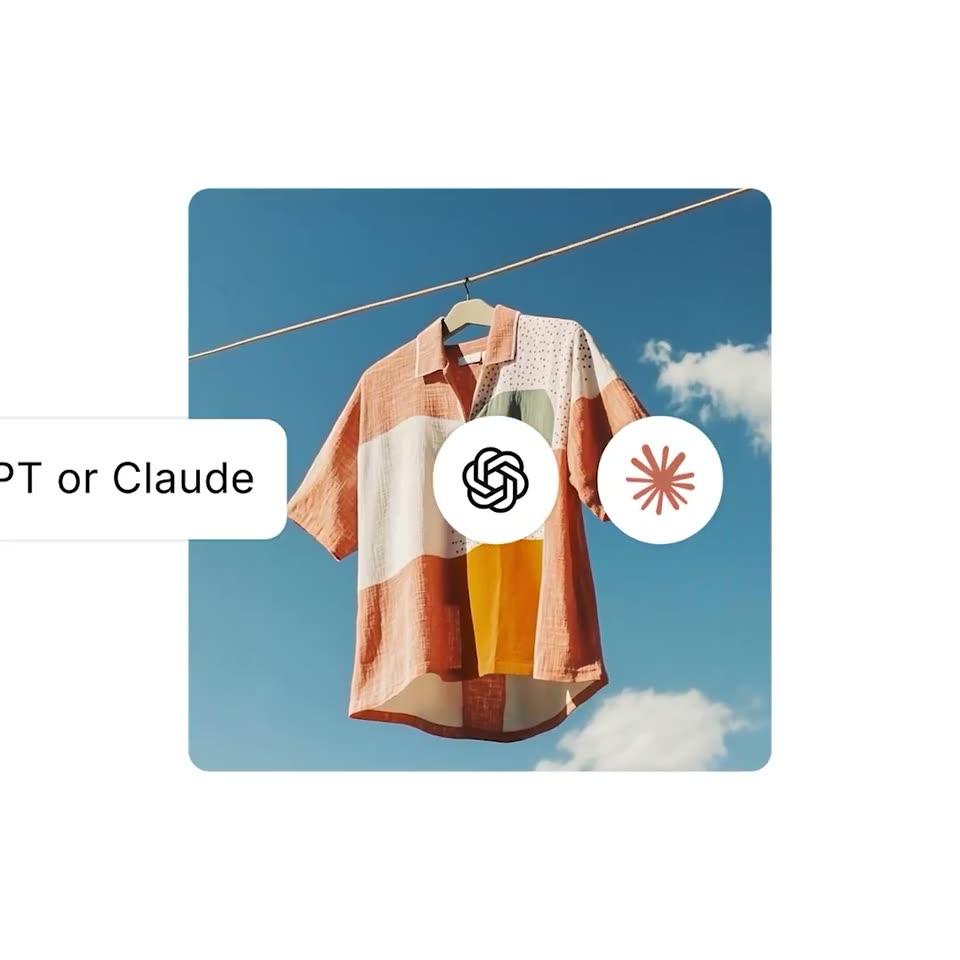
A shirt on a clothesline in a rounded photo card sits on white. A white pill with the line 'Manage your store inside ChatGPT or Claude' slides left off frame as the Claude and ChatGPT logos pass. The photo scales up, and the pill settles into a chat input with a plus, @ and blinking cursor beside a brown send button.
On-screen text: “Manage your store inside ChatGPT or Claude”
Techniques: Kinetic type, UI zoom
Camera: Push in
A shirt hangs on a clothesline against a blue sky while a white command bar sits across the center, typing out a prompt. The left icon swaps from the Shopify asterisk to a knot logo, the send button shifts from red to black, and a mouse arrow appears at the lower right.
On-screen text: “@shopify add this product to my store”
Techniques: Kinetic type, Cursor demo
Camera: Static
A patterned shirt hangs on a clothesline against a blue sky. A white command pill with a plus icon and a black send button is overlaid, a cursor rests on the button. The whole frame scales down into a rounded card.
On-screen text: “@shopify add this product to my store”
Techniques: Cursor demo
Camera: Pull out
A black smartphone mockup floats in 3D against a soft blue sky, its screen showing a ChatGPT chat. A typed prompt with a shirt photo is replaced by a Shopify product card that fades in with the shirt image, name, and price, while the phone tilts slightly.
Techniques: 3D mockup
Camera: Pan
Two angled phone mockups in 3D perspective show a chat and a Shopify product card on a blue gradient. The frame reframes to one centered phone, then fades into the live store page displaying a white shirt.
Techniques: 3D mockup, UI zoom
Camera: Pan
A flat phone mockup on a blurred blue sky shows a shop app page. The frame starts on the hero image of a striped shirt on a clothesline, then slides down the device to the purchase panel with price, color and size chips and a purple Buy with shop button.
Techniques: UI zoom
Camera: Pan
The green Shopify bag logo scales up from a small mark into a white rounded tile at the center of a white field. A photo of a striped shirt on a clothesline against blue sky then fills the tile behind the logo through the rounded mask.
Techniques: Masking
Camera: Static