1:34
Explore
00:00:00 / 01:37:38
- Length
- 1:37
- Scenes
- 34 · 2.9 s avg
- Product on screen
- 0:34
- Features shown
- 5
- Call to action
- 1:30 · 92%
- Voiceover
- Yes
- Views
- 335 on YouTube
as of November 23, 2026
Moda’s 1:37 launch film runs 34 scenes, about 2.9 s each. The product shows up at 0:34 and 5 features are revealed, with social proof. The call to action lands at 1:30 (92% in), over a voiceover. The video opens with a deadpan office skit and a stack of social posts to frame the problem, then settles into a cream field where centered question cards announce each feature and a cursor-driven zoom demos the dashboard. Pacing is brisk at about ten cuts per minute over a disco track, and the signature move is the push-in from a full dashboard to a single quote or error.
Footage neededEstimated needs: 7 capture groups — your screens or recordings · 1 official logo — reused across the film · 4 filmed passages — shoot, supply or replace
Is this your launch? to your site or press kit.
More like this




Similar soundtrack
Films whose music sounds like this one, voice left out
2:09
Y Combinator - A1Zap from @a1baseapi is the social network layer for AI apps. Starti
A1Zap · Upbeat electronic
0:42

arthaud - We raised $2.2M to build Mio, your best hire yet Last week, Mio gave
Mio · Modern electronic and pop-rock
1:12

CentralComs Launch
CentralComs · Upbeat funk and pop
Moda Launch YC, scene by scene
· 34 scenes as text
01 · Problem · 0:00–0:04
A person in a gray hooded top leans over a cluttered desk toward a seated colleague typing at a monitor, against a green and white mural wall. Yellow serif captions appear at the bottom, carrying the question line by line.
On-screen text: “Why did your OpenClaw agent”, “just promise our users full”, “refunds?”
Camera: Static
02 · Problem · 0:04–0:10
A bearded man with long hair and glasses sits at a desk with two monitors showing code editors. He looks off camera, talks, and gestures with his hands while yellow subtitles appear at the bottom of the frame.
On-screen text: “Refunds too?”, “Are you kidding me?”, “I'll get on that next.”
Camera: Push in
03 · Problem · 0:10–0:13
A man in a grey hooded robe stands in a medium close-up against a white wall streaked with green paint, looking off-camera with a puzzled expression. The frame is locked-off. Gold serif captions fade in at the bottom, matching his lines.
On-screen text: “What do you mean too?”, “What's going on?”
Camera: Push in
04 · Problem · 0:13–0:23
A bearded man with glasses sits at a desk in front of two monitors showing code and log screens, speaking and gesturing toward the displays. Yellow subtitle captions appear at the bottom of the frame as he talks.
On-screen text: “You wanted more AI, so”, “I added it.”, “But there, I can't go”, “through a million logs.”, “There's no easy way to”, “get alerts when it messes”
Camera: Push in
05 · Problem · 0:23–0:24
A static dark social post shows a profile name and handle above a paragraph of white text, with a low-poly gray robot face and red eyes set in a white card below, edged by a jagged red shape on the left.
Camera: Static
06 · Problem · 0:24–0:25
A dark Bluesky post from ahen fills the frame, then a hard cut swaps it for a second post from Merth. The second post's white lines fade in over the black background as the clip ends.
Camera: Static
07 · Problem · 0:25–0:26
A static screenshot of a social post fills the frame on a black background. The header shows a round avatar, the name Merth with a blue check, and the handle @0xMerth, with a small symbol and three dots at the top right. The body paragraphs stay fixed with no motion or camera move.
Camera: Static
08 · Problem · 0:26–0:28
A dark social media post sits static on a black background, showing a circular profile avatar, the handle nyunpar, a date stamp, and a paragraph of white body text that ends with three hashtags above a row of outline icons.
Camera: Static
09 · Problem · 0:28–0:29
A static news article header holds on a white background. A large black serif headline fills the frame, with a small gray kicker above and a byline, circular avatar and date line below.
On-screen text: “AI agents that do your work while you sleep sound great. The reality is far messier—‘it’s like a toddler that needs to be overseen’”
Camera: Static
10 · Problem · 0:29–0:31
A centered two-line headline sits on a plain off-white background. The text starts in pale gray and deepens to charcoal over the clip, holding still throughout.
On-screen text: “Making agents reliable has never been harder”
Camera: Static
11 · Problem · 0:31–0:34
A centered headline slides up into place as a list of monospaced conversation rows fades in from top to bottom beneath it on a plain off-white background.
On-screen text: “Instead of looking through thousands of conversations”
Techniques: Kinetic type
Camera: Static
12 · Product intro · 0:34–0:36
On a plain cream background, a centered headline reads “Moda finds out what's going on in each conversation” as a list of customer messages fades in row by row below it, each paired with a small colored sentiment tag on the right.
On-screen text: “Moda finds out what's going on in each conversation”
Techniques: Kinetic type
Camera: Static
13 · Product intro · 0:36–0:37
A dark gray headline holds above a faint list of customer complaint lines, each row tagged with a colored sentiment label on the right. The rows fade out as the labels detach and drift apart as floating pill badges.
On-screen text: “Moda finds out what's going on in each conversation”
Techniques: Kinetic type
Camera: Static
14 · Feature reveal · 0:37–0:40
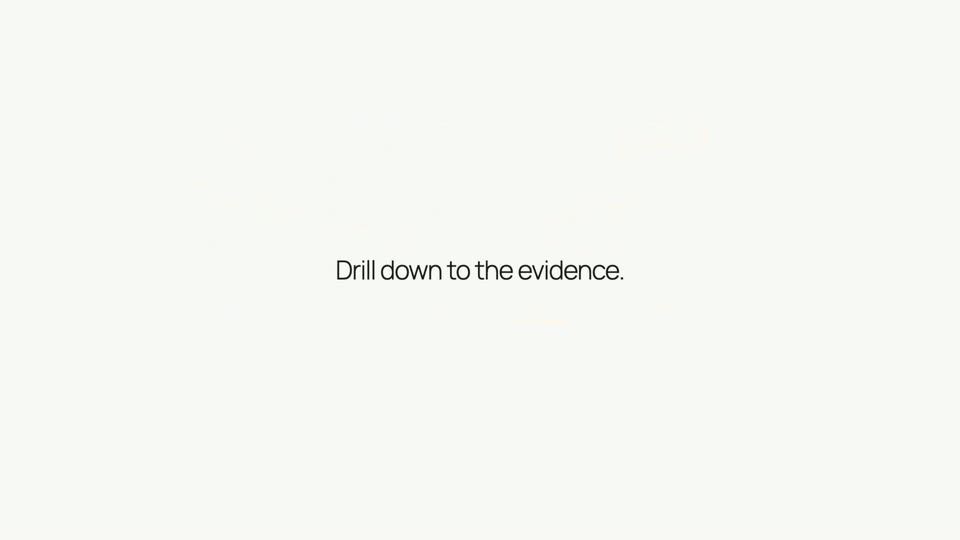
Colored signal tags pulse in and out across a cream field, then fade to the centered headline “Detect every signal.”, replaced by “Drill down to the evidence.” At the end a tilted 3D frustration dashboard with charts and a conversation table settles in.
On-screen text: “Detect every signal.”, “Drill down to the evidence.”
Techniques: 3D mockup
Camera: Static
15 · Feature reveal · 0:40–0:42
A white analytics dashboard titled User Frustration fills the frame, showing stat cards, two charts and a conversation table. The view then zooms into the table rows as a black cursor hovers over the colored signal tags.
Techniques: Cursor demo, UI zoom
Camera: Push in
16 · Feature reveal · 0:42–0:45
A close-up of a frustration detail panel zooms out to reveal a full analytics dashboard with a bar chart and conversation table, then zooms back in as a hand cursor highlights an angry user quote.
Techniques: UI zoom, Cursor demo
Camera: Pan
17 · Feature reveal · 0:45–0:47
A dimmed product interface listing user quotes and sentiment labels sits in the background. Large white text reads across the center while two hand-cursor icons slide rightward beneath the words.
On-screen text: “Diagnose each issue”
Camera: Pan
18 · Feature reveal · 0:47–0:51
A full app window shows a chat thread with a failed search_inventory tool call. The view zooms in on the pink block, revealing the JSON input and a 503 error, above a yellow-bordered user message.
Techniques: UI zoom
Camera: Push in
19 · Feature reveal · 0:51–0:53
A dimmed AI interface shows a failed search_inventory tool with a 503 timeout error and a highlighted user complaint box. A white two-line caption sits centered over the darkened screen. The frame holds static with a cursor parked at the top right.
On-screen text: “Tool Failed.”, “and left a user frustrated”
Camera: Static
20 · Feature reveal · 0:53–0:54
A plain off-white background holds one centered line of black text posing a question. The frame stays locked and still for the full duration, with no motion, no camera move and no other elements.
On-screen text: “Does this tool fail often?”
Camera: Static
21 · Feature reveal · 0:54–0:56
A light analytics dashboard titled Tool Failures fills the frame with metric cards, a bar chart, a line chart and a tool table. A cursor glides to the red failures badge on the first row and clicks it, and a detail panel for search_inventory slides in from the right edge.
Techniques: Cursor demo
Camera: Push in
22 · Feature reveal · 0:56–0:59
A dashboard shows a Tool Failures chart on the left and a search_inventory detail panel on the right. A hand cursor hovers over the subtype rows, then clicks one, and the panel swaps to a service_unavailable view listing conversations.
Techniques: Cursor demo
Camera: Static
23 · Feature reveal · 0:59–1:01
A faint light-gray grid fills an off-white background. The centered line “Is this a pattern?” holds still in dark gray sans-serif, with no motion across the locked-off frame.
On-screen text: “Is this a pattern?”
Camera: Static
24 · Feature reveal · 1:01–1:04
A white New Signal form on a gray backdrop fills in step by step: name, condition code, threshold and time window, then notify chips. The Create Signal button is clicked and turns into a green Done state.
Camera: Static
25 · Feature reveal · 1:04–1:07
A centered headline reads above a Slack alert card that fades in from low opacity. The card, in the #moda-alerts channel, shows a Pattern Detected message with a High badge, a process_refund failure line, and rows for first occurrence, affected conversations, and root cause.
On-screen text: “Get alerted on Slack”
Camera: Static
26 · Feature reveal · 1:07–1:15
A dark terminal window sits on a pale background. The prompt “moda is meant to be used by agents and humans” is typed out, then the assistant’s reply and a JSON result appear, and the view zooms into the terminal before cutting to a blank frame.
Techniques: UI zoom
Camera: Push in
27 · Feature reveal · 1:15–1:18
On a plain off-white field, the heading “Fix the prompt.” fades in above a file card. The card shows a diff view: a red minus line, then two green plus lines appear one after the other.
On-screen text: “Fix the prompt.”
Camera: Static
28 · Feature reveal · 1:18–1:20
On a pale gray field, a black headline sits above a white panel holding a tan play button. A cursor glides onto the button and a thin progress bar fills left to right under the label.
On-screen text: “Replay against real conversations.”
Techniques: Cursor demo
Camera: Static
29 · Feature reveal · 1:20–1:22
A white panel fades in beneath the headline Replay against real conversations. Its progress bar fills left to right as conversation rows with green dots and PASS labels appear one by one, reaching 13/13 Complete. The panel clears, leaving the centered line Stop guessing if your fixes work.
On-screen text: “Replay against real conversations.”, “Stop guessing if your fixes work.”
Camera: Static
30 · Feature reveal · 1:22–1:24
On a pale gray background, a black headline sits above a white response card with body copy and a green code line. A small green checkmark icon pops in at the start of the code line. The frame stays locked.
On-screen text: “Stop guessing if your fixes work.”
Camera: Static
31 · Feature reveal · 1:24–1:25
A white UI card sits centered on a cream background beneath a dark headline. The card holds a corrected response line and a green checkmark row, with a footer bar showing pass and fail counts beside a tan Ship it button. The frame is locked off and static.
On-screen text: “Stop guessing if your fixes work.”
Camera: Static
32 · Social proof · 1:25–1:30
A dark number counter rolls up on a cream background from a low figure to 25,000,000+, then the caption agent runs processed fades in below. The figures fade out and the black Moda mark and wordmark draw in at center.
On-screen text: “25,000,000+”, “agent runs processed”, “Moda”
Techniques: Kinetic type
Camera: Static
33 · CTA · 1:30–1:33
A cream end card holds the black Moda mark and wordmark centered, with the tagline and underlined URL below. The lockup stays locked off; the tagline and URL settle from a soft blur into sharp focus in the first half-second, then hold.
On-screen text: “Moda”, “Think your agents are perfect? Prove it.”, “usemoda.ai”
Camera: Static
34 · Outro · 1:33–1:37
A black end card holds the Moda wordmark centered, with the tagline and the URL usemoda.ai set below it. The frame stays locked and static for the full duration of the sign-off.
On-screen text: “Moda”, “Think your agents are perfect? Prove it.”, “usemoda.ai”
Camera: Static