1:09
Introducing DRAMA | The AI Emotion Expression Editor
SyncMonster.AI · Apr 2026
Mistral AI · Jul 2026 · 1:58 · AI-annotated
Mistral AI’s 1:58 launch film runs 29 scenes, about 4.1 s each. The product is on screen from the first frame and 4 features are revealed. There is no explicit call to action; a voiceover carries the film. The video is structured as four captioned task demos, each opening on a blurred title card that resolves into tracked live footage carrying a left instructions panel and a corner POV inset. Its signature moves are the blur-to-focus reveals, the typed instruction text, and the pixel-grid logo assembly on navy.
Is this your launch? to your site or press kit.
SyncMonster.AI · Apr 2026
Ember Robotics · Industrials · Aug 2024
Leonardo AI · Dec 2023
Films whose music sounds like this one, voice left out
CentralComs · Upbeat funk and pop
Blify · Modern electronic
DeepReach Inc. · Upbeat commercial electronic
A silver humanoid robot on a wheeled base stands in an office hallway with wooden pillars and glass doors. Small white labels fade in, a large white title slides up from the bottom, then a caption box with a pixel icon types out. The frame blurs to close.
On-screen text: “MISTRAL PRESENTS”, “AUTONOMOUS”, “NAVIGATION”, “Robostral”, “Navigate”, “SOTA VISION MODEL FOR COMPLEX NAVIGATION”
Techniques: Kinetic type
Camera: Static
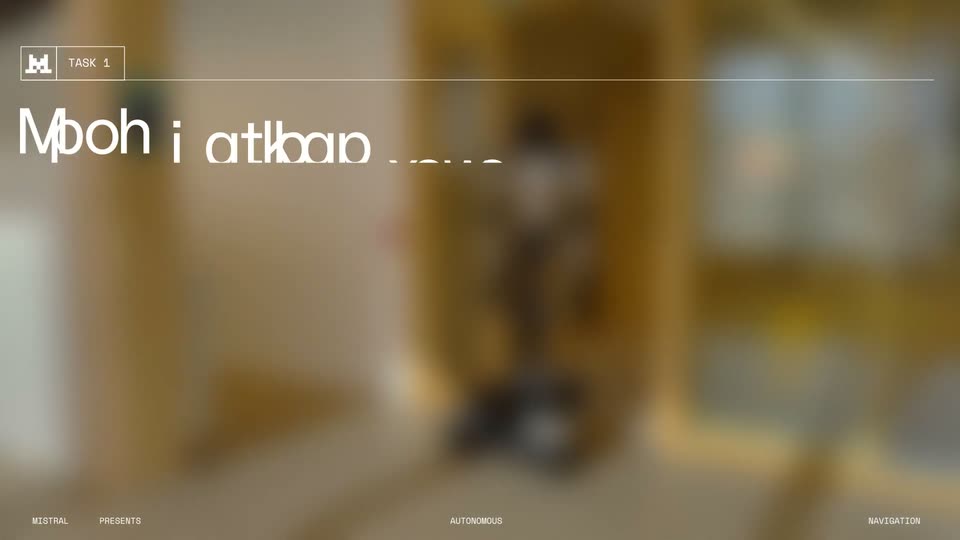
A blurred shot of a robot in a room fills the frame while a TASK 1 tag slides up and the headline Long horizon task fades in over a thin rule. Tiny labels read MISTRAL PRESENTS, AUTONOMOUS, NAVIGATION along the bottom edge.
On-screen text: “TASK 1”, “MISTRAL PRESENTS”, “AUTONOMOUS”, “NAVIGATION”, “Long horizon task”
Techniques: Kinetic type
Camera: Static
A blurred warm-toned kitchen interior sits behind a white title card. The headline 'Long horizon task' and a 'TASK 1' tag lock off at top left, while the instruction line types out character by character with a blinking caret. A thin rule and a footer with MISTRAL PRESENTS, AUTONOMOUS and NAVIGATION frame the edges.
On-screen text: “TASK 1”, “Long horizon task”, “Move toward the water dispenser then turn right to go through the kitchen and enter the working area. Turn right again just before the lockers, then turn left a”, “MISTRAL PRESENTS”, “AUTONOMOUS”, “NAVIGATION”
Techniques: Kinetic type
Camera: Static
A blurred live shot of a small wheeled robot in a bright office kitchen sits behind a white text overlay. A small maze icon and a TASK 1 tag sit top left, the headline holds, and the instruction paragraph types out character by character while footer labels stay fixed.
On-screen text: “TASK 1”, “Long horizon task”, “Move toward the water dispenser then turn right to go through the kitchen and enter the working area. Turn right again just before the lockers, then turn left, ”, “MISTRAL PRESENTS”, “AUTONOMOUS”, “NAVIGATION”
Techniques: Kinetic type
Camera: Static
A silver-and-black humanoid robot on a wheeled base stands in a sunlit office corridor. A white headline and a TASK 1 tag sit top left over an instructions paragraph; the headline fades, a dark box appears behind the text, then the panel fades, leaving the robot alone.
On-screen text: “TASK 1”, “Long horizon task”, “Move toward the water dispenser then turn right to go through the kitchen and enter the working area. Turn right again just before the lockers, then turn left, ”, “MISTRAL PRESENTS AUTONOMOUS NAVIGATION”
Camera: Static
A silver humanoid robot on a wheeled base walks away from the camera down an office corridor past tables and yellow chairs. A gray instructions panel holds on the left and a small POV inset with a 2x speed badge sits on the right.
On-screen text: “INSTRUCTIONS”, “Move toward the water dispenser then turn right to go through the kitchen and enter the working area.”, “Turn right again just before the lockers, then turn left and go straight to the orange couch.”, “Turn right and walk through the long corridor to reach the glass door. Finally, go through the doorway and stop to face the elevator door.”, “POV”, “SPEED”, “2x”, “MISTRAL PRESENTS”, “AUTONOMOUS”, “NAVIGATION”
Techniques: Split screen
Camera: Push in
A silver humanoid robot on a wheeled base walks away from the camera through a bright office, past orange chairs and recycling bins, into a corridor of white lockers. A POV inset on the right mirrors its path while an instructions panel on the left highlights the active step.
On-screen text: “INSTRUCTIONS”, “Move toward the water dispenser then turn right to go through the kitchen and enter the working area.”, “Turn right again just before the lockers, then turn left and go straight to the orange couch.”, “Turn right and walk through the long corridor to reach the glass door. Finally, go through the doorway and stop to face the elevator door.”, “POV”, “SPEED”, “2x”, “MISTRAL PRESENTS”, “AUTONOMOUS”, “NAVIGATION”
Techniques: Split screen
Camera: Push in
A silver humanoid robot on a wheeled base walks away from the camera through an office, past lockers and desks toward an orange beanbag. The camera tracks from behind. A left panel highlights the next instruction, and a right inset mirrors the robot's point of view at 2x speed.
On-screen text: “INSTRUCTIONS”, “Move toward the water dispenser then turn right to go through the kitchen and enter the working area.”, “Turn right again just before the lockers, then turn left and go straight to the orange couch.”, “Turn right and walk through the long corridor to reach the glass door. Finally, go through the doorway and stop to face the elevator door.”, “POV”, “SPEED”, “2x”, “NAVIGATION”, “MISTRAL”, “PRESENTS”
Techniques: Split screen
Camera: Push in
A silver humanoid robot on a wheeled base walks away from the camera through an open office, past desks and wooden pillars. A static instructions panel holds the left edge; a small POV feed and a 2x speed badge sit on the right as the camera tracks the robot.
On-screen text: “MISTRAL”, “PRESENTS”, “AUTONOMOUS”, “NAVIGATION”, “INSTRUCTIONS”, “Move toward the water dispenser then turn right to go through the kitchen and enter the working area.”, “Turn right again just before the lockers, then turn left and go straight to the orange couch.”, “Turn right and walk through the long corridor to reach the glass door. Finally, go through the doorway and stop to face the elevator door.”, “POV”, “SPEED 2x”
Techniques: Split screen
Camera: Push in
A humanoid robot stands in a wooden doorway, viewed from behind, with a gray instructions panel left and a small POV camera inset right. The frame blurs as the robot walks forward through the door, the overlays fade, and a TASK 2 label appears in the bottom bar.
On-screen text: “INSTRUCTIONS”, “Move toward the water dispenser then turn right to go through the kitchen and enter the working area.”, “Turn right again just before the lockers, then turn left and go straight to the orange couch.”, “Turn right and walk through the long corridor to reach the glass door. Finally, go through the doorway and stop to face the elevator door.”, “POV”, “SPEED”, “2x”, “MISTRAL”, “PRESENTS”, “AUTONOMOUS NAVIGATION”
Techniques: Split screen
Camera: Static
A blurred interior resolves into focus, revealing a small wheeled robot with a tall mast rolling toward the camera. The white title Cross-embodiment wipes in at top left under a TASK 2 tag, with MISTRAL PRESENTS, AUTONOMOUS, NAVIGATION pinned along the bottom.
On-screen text: “TASK 2”, “Cross-embodiment”, “MISTRAL PRESENTS”, “AUTONOMOUS”, “NAVIGATION”
Techniques: Masking
Camera: Static
A small wheeled robot with a tall black sensor mast drives toward the camera across a tiled cafeteria floor, tables and chairs at left, a person standing in the background. The low camera tracks it as a second, boxy service robot enters at the left edge. Static title text holds over the shot.
On-screen text: “TASK 2”, “Cross-embodiment”, “MISTRAL PRESENTS”, “AUTONOMOUS”, “NAVIGATION”
Camera: Push in
A split-screen shot of a bright office canteen. Left, a silver humanoid robot rolls forward past a white partition wall; right, a small green wheeled robot with a black vertical mast advances down the corridor. Both move at a steady pace toward the camera.
On-screen text: “MISTRAL”, “PRESENTS”, “AUTONOMOUS”, “NAVIGATION”
Techniques: Split screen
Camera: Push in
A small wheeled robot with a vertical camera mast drives toward the camera through an office hallway, its first-person view in a lower-right inset. The clip opens on a dissolve from a humanoid robot; the speed tag jumps from 1x to 4x as the robot accelerates past desks and a glass booth.
On-screen text: “MISTRAL PRESENTS”, “AUTONOMOUS”, “NAVIGATION”, “POV”, “SPEED”, “1x”, “4x”, “TASK 3”, “Pctubdtn exaf orea”
Techniques: Split screen, Speed ramp
Camera: Push in
A blurred, out-of-focus shot of a robot moving through an indoor space fills the frame. A white headline “Obstacle avoidance” and a small “TASK 3” tag sit locked at the upper left, with tiny branding labels along the bottom edge.
On-screen text: “TASK 3”, “Obstacle avoidance”, “MISTRAL”, “PRESENTS”, “AUTONOMOUS”, “NAVIGATION”
Camera: Static
A dark gray humanoid robot stands in a bright room, holding a gold cup, and steps around a blue box on a white cabinet. A white headline and a small TASK 3 tag sit in the top left over the locked-off shot.
On-screen text: “TASK 3”, “Obstacle avoidance”, “MISTRAL PRESENTS”, “AUTONOMOUS”, “NAVIGATION”
Camera: Static
A silver humanoid robot holds a paper cup before a white wall of pixel posters. A dark instruction card expands on the left, a man in a red shirt walks across the frame, and a small POV inset with a 2x tag appears at the bottom right.
On-screen text: “INSTRUCTIONS”, “Move forward into the next room and turn right between the two phone booths”, “MISTRAL PRESENTS”, “AUTONOMOUS”, “NAVIGATION”, “POV”, “2x”
Camera: Pull out
A silver and black humanoid robot on a wheeled base stands beside a man in a coral T-shirt. It turns and rolls down an office hallway, the camera tracking behind. A picture-in-picture window on the right shows the robot's point of view; an instructions card sits on the left.
On-screen text: “INSTRUCTIONS”, “Move forward into the next room and turn right between the two phone booths. Stop in front of the desk.”, “POV”, “SPEED”, “2x”, “MISTRAL PRESENTS”, “AUTONOMOUS”, “NAVIGATION”
Techniques: Split screen
Camera: Push in
A blurred live-action shot of a robot in a room fills the frame while a white headline types out word by word across the left, with a small TASK 4 tag in the top left and a thin lower-third bar reading MISTRAL PRESENTS, AUTONOMOUS, NAVIGATION.
On-screen text: “TASK 4”, “Great at everyday tasks”, “MISTRAL PRESENTS”, “AUTONOMOUS”, “NAVIGATION”
Techniques: Kinetic type
Camera: Static
A defocused shot of a person walking fills the frame. A white headline reads upper-left beneath a thin rule, a small TASK 4 tag slides in above it, and small footer labels line the bottom edge.
On-screen text: “TASK 4”, “Great at everyday tasks”, “MISTRAL PRESENTS”, “AUTONOMOUS”, “NAVIGATION”
Camera: Static
A white headline holds at the top over a blurred live shot of a robot arm in a hallway. A horizontal mask line slides up, revealing the in-focus footage of the gripper and a yellow cup on a counter.
On-screen text: “TASK 4”, “Great at everyday tasks”, “MISTRAL PRESENTS”, “AUTONOMOUS”, “NAVIGATION”
Techniques: Masking
Camera: Pull out
A robot's first-person view moves forward down a bright corridor, its two silver arms hanging at the sides, the right gripper holding a yellow paper cup. A translucent gray box on the left types out an instruction line. The robot approaches a white kitchen counter with a faucet and utensils.
On-screen text: “MISTRAL PRESENTS”, “AUTONOMOUS”, “NAVIGATION”, “INSTRUCTIONS”, “Enter the working area and turn right between the two phone”
Techniques: Kinetic type
Camera: Pull out
A silver humanoid robot walks down a white corridor past pixel-art posters, carrying a paper cup in its gripper. A gray instruction box sits on the left and a first-person POV inset runs in the corner while the camera tracks the robot from the side.
On-screen text: “INSTRUCTIONS”, “Enter the working area and turn right between the two phone booths. Stop next to the man sitting with a pink shirt.”, “POV”, “SPEED”, “2x”, “NAVIGATION”, “MISTRAL PRESENTS”, “AUTONOMOUS”
Techniques: Split screen
Camera: Static
A silver humanoid robot walks from the camera down an office corridor, past glass phone booths, and turns right to stop beside a man in a pink shirt. A dark instructions panel sits left, a POV inset mirrors the robot's view, and the speed readout eases from 2x to 1x.
On-screen text: “INSTRUCTIONS”, “Enter the working area and turn right between the two phone booths. Stop next to the man sitting with a pink shirt.”, “POV”, “SPEED”, “2x”, “MISTRAL PRESENTS”, “AUTONOMOUS”, “NAVIGATION”, “1x”
Techniques: Split screen, Speed ramp
Camera: Push in
A man in a pink polo sits in a white office chair while a white robot arm extends a coffee cup toward him and he reaches out to take it. The camera arcs around them across the open office. A dark instruction panel and a speed readout overlay the frame.
Camera: Push in
Close-up of a silver robot torso with a D logo in a bright office. Focus racks off the robot, blurring it, while white title text slides from the bottom edges into the center. The robot then moves out of frame, leaving the blurred office.
On-screen text: “MISTRAL PRESENTS”, “AUTONOMOUS NAVIGATION”
Techniques: Kinetic type
Camera: Pull out
On a dark navy canvas with faint grid lines and crosshairs, red, orange and yellow squares snap together into a blocky shape, marked by white selection handles, while a faint headline scales in across the background.
On-screen text: “MISTRAL PRESENTS”, “AUTONOMOUS NAVIGATION”
Camera: Static
On a dark navy grid canvas, a loose cluster of orange, red and yellow squares with white corner handles rotates and slides into place, a faint arc tracing the turn, until they snap into a blocky letter form with two columns and a wide base.
Camera: Static
On a dark navy field, a pixelated red-and-orange M mark holds center as the white wordmark Mistral types in letter by letter to its right, then the lockup holds still.
On-screen text: “Mistral”
Techniques: Kinetic type
Camera: Static