1:39
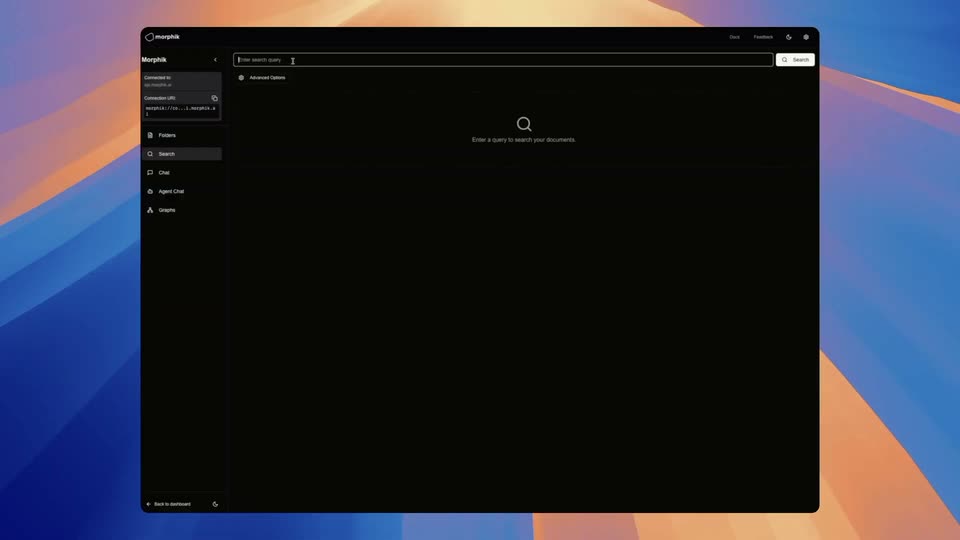
Morphik Launch Demo
Morphik · B2B · May 2025
Microsoft · Sep 2025 · 1:42 · Full motion · AI-annotated
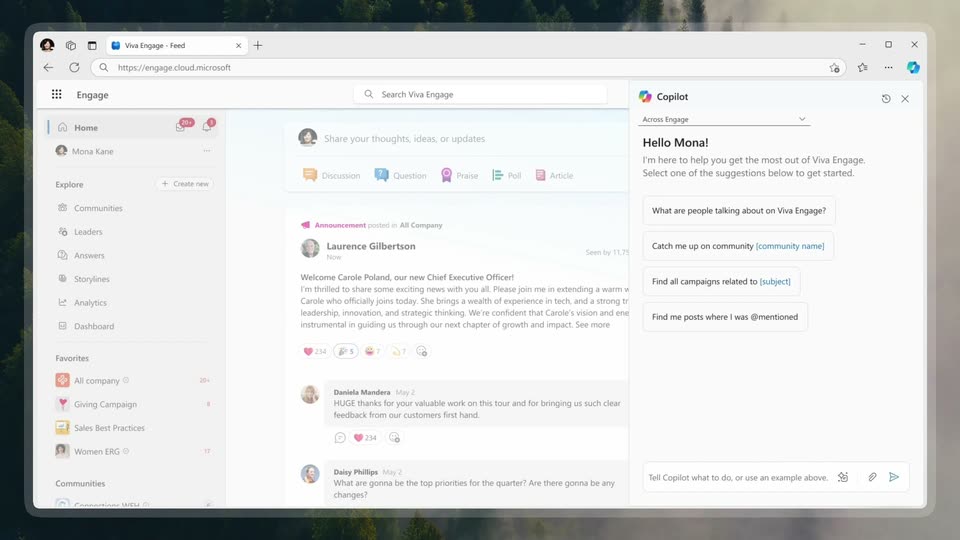
Microsoft’s 1:42 launch film runs 27 scenes, about 3.8 s each. The product is on screen from the first frame and 4 features are revealed. The call to action lands at 1:33 (92% in), over a voiceover. The video is built as a chain of feature beats: a still gradient title card announces each capability, then a 3D-tilted screen capture demos the Copilot panel inside the Viva Engage feed. Pacing is slow and even, driven by soft zooms, panel slide-ins, and a recurring diagonal light sweep over a blurred forest backdrop.
Is this your launch? to your site or press kit.
Morphik · B2B · May 2025
Spline · Design · Oct 2026
Constellation Space · B2B · Oct 2026
Films whose music sounds like this one, voice left out
Cedalio · Upbeat corporate instrumental
Shippeo · Corporate electronic
Duolingo · Upbeat pop and electronic
A rounded blue-to-coral gradient card floats over a blurred forest. The Viva Engage mark and wordmark crossfade into Microsoft 365 Copilot, then back, as a diagonal light band sweeps the card. The logo then shrinks aside while a faint app layout fades in.
On-screen text: “Viva Engage”, “Microsoft 365 Copilot”, “Viva Engage”
Techniques: Light sweep
Camera: Static
A light-themed Viva Engage feed fills the frame, showing a CEO announcement post and a right rail with campaigns and a code-of-conduct card. A Copilot side panel slides in from the right edge, greeting the user with suggestion cards while the feed stays put.
Camera: Static
The view starts tight on the Viva Engage feed and the Copilot suggestion panel, then zooms out to show the entire browser window with its left navigation sidebar and top tabs.
Techniques: UI zoom
Camera: Pull out
A tilted 3D browser window of the Viva Engage feed and Copilot panel sits over a blurred green backdrop. It settles from a glitchy overlap into a clean view, then the headline Context awareness fades in at the center and dissolves out.
On-screen text: “Context awareness”
Techniques: 3D mockup, Kinetic type
Camera: Static
A frosted white card with the static title 'Context awareness' sits over a misty aerial forest. The frame then zooms into a browser window showing a Copilot sidebar with a greeting and campaign suggestion buttons, while a small caption card in the corner labels the post a trending campaign.
On-screen text: “Context awareness”, “A trending campaign #GIVE2025”
Techniques: UI zoom
Camera: Push in
A 3D window of the Copilot panel floats over a pale pink backdrop with a blurred lake landscape. As the panel's context cycles, the right-side label and icon swap from a trending campaign to the user's storyline, then to a favorite community, the suggestion text updating each time.
On-screen text: “A trending campaign #GIVE2025”, “Your storyline”, “Your favorite community Pets at Contoso”
Techniques: 3D mockup
Camera: Static
A full-screen Viva Engage browser window fades in over a blurred forest backdrop. In the right Copilot panel, a cursor hovers the suggestion chips, clicks 'Catch me up on this community', a spinner runs, then a bulleted digest of recent posts fills the chat.
On-screen text: “Your favorite community, Pets at Contoso”
Techniques: Cursor demo
Camera: Pull out
On a soft blue-to-pink gradient, a Copilot notification bar with a Catch me up button sits under a centered headline. A purple 3D cursor slides to the button and clicks, then the view reframes into the full Viva Engage feed.
On-screen text: “Stay on top of updates by catching up with Copilot”
Techniques: Cursor demo, UI zoom
Camera: Push in
A browser window of the Viva Engage feed settles into 3D perspective over a dark forest backdrop. A highlighted banner with a Catch me up button slides into the top of the feed.
Techniques: 3D mockup
Camera: Pull out
A tilted 3D browser window shows the Viva Engage feed with a Copilot side panel. Suggestion chips pop in, the panel fills with a bulleted community summary, then a blue prompt chip for trending themes appears. The camera zooms into the panel as a new summary slides in.
Techniques: 3D mockup, UI zoom
Camera: Push in
A close-up of the Viva Engage feed and the Copilot side panel, where trending-topic bullets scroll downward. The frame then pulls back to the full browser window, revealing the left navigation sidebar and address bar.
Techniques: UI zoom
Camera: Pull out
A Viva Engage feed with a Copilot summary panel fills a rounded window over a blurred forest; the interface fades to a plain white card while the centered two-line headline holds in place.
On-screen text: “Need to find something fast?”, “Copilot searches smarter and simpler”
Camera: Static
A white rounded card with a faint blue-to-pink gradient sits over a misty forest backdrop. Centered black type shows a regular question above a bold statement. The frame stays locked off and static, with no motion on the text.
On-screen text: “Need to find something fast?”, “Copilot searches smarter and simpler”
Camera: Static
A browser window showing the Viva Engage feed starts wide, then zooms in toward the post list and the right-hand campaign sidebar. A static headline, “Need to find something fast?”, holds over the interface.
On-screen text: “Need to find something fast?”
Techniques: UI zoom
Camera: Push in
A Copilot panel slides in over the Viva Engage feed. A query is typed into the input field, a results list for Amanda Brady pops up, then the frame pulls back to reveal the full browser window in 3D perspective over a blurred desktop.
Techniques: 3D mockup, UI zoom
Camera: Pull out
A translucent browser window fades in over a blurred green backdrop, resolving into a Viva Engage feed beside an open Copilot panel. The panel holds a user query bubble and a bulleted answer summarizing a post, both appearing with the fade.
Camera: Static
A white rounded panel overlays a blurred Teams window. Centered black text holds still while the backdrop dissolves, the app view fading into soft pastel Copilot shapes and a faint Word glyph.
On-screen text: “Time to create a post?”, “Copilot provides improved writing assistance”
Camera: Static
A white rounded card centers two lines of black text over a misty aerial forest backdrop. Faint pastel letter shapes blur behind the card. The frame stays locked and still throughout.
On-screen text: “Time to create a post?”, “Copilot provides improved writing assistance”
Camera: Static
A white rounded panel holding two centered lines of text sits over a faded grid of app icons. The panel fades out to reveal the Viva Engage feed interface behind it, while the text stays locked in the center.
On-screen text: “Time to create a post?”, “Copilot provides improved writing assistance”
Camera: Static
A browser window of the Viva Engage feed sits on a dark background, then the view zooms and pans across the interface as a Copilot panel slides in on the right with a greeting and post suggestions.
Techniques: UI zoom
Camera: Push in
Front-facing screen capture of a Teams post composer beside a Copilot side panel. A hover ring clicks a suggestion, a prompt types into the input, a file list pops up, the send button is pressed, and a generated post draft fills the panel.
Techniques: Cursor demo
Camera: Pull out
A full-screen Teams Engage window sits on a blurred outdoor background. A post composer on the left and a Copilot side panel on the right both show text being generated, the left heading updating to a launch recap. The view is static.
Camera: Static
A tilted 3D mockup of a desktop app window floats over a blurred green background. The central post composer panel dissolves to a ghosted state, exposing the multi-post feed behind it, while the right-hand Copilot panel remains solid.
Techniques: 3D mockup
Camera: Static
A desktop browser window frames the Viva Engage feed. A left navigation panel lists communities and favorites, the center shows a post titled AI assistant launch prep recap with bulleted updates, and a right column holds a logo card, active campaigns, and a people list. The view holds steady.
Camera: Static
A rounded card with a soft blue-to-peach gradient fills the frame over a blurred aerial forest. The colorful Copilot ribbon logo sits centered above the gray text Microsoft 365 Copilot. The frame stays locked off with no motion.
On-screen text: “Microsoft 365 Copilot”
Camera: Static
A rounded card with a blue-to-peach gradient hovers over a misty forest aerial. The Viva Engage icon and name hold centered as a soft diagonal light band drifts slowly across the gradient.
On-screen text: “Viva Engage”
Techniques: Light sweep
Camera: Static
A plain off-white background holds the centered Microsoft lockup. The four-square mark scales up from a small faded square into full color, then the gray wordmark settles in beside it and the frame holds still.
On-screen text: “Viva Engage”
Camera: Static