1:06
Introducing Windows 365
Microsoft · AI · Jul 2021
Microsoft · Jun 2021 · 2:42 · AI-annotated
Microsoft’s 2:42 launch film runs 94 scenes, about 1.7 s each. The product is on screen from the first frame and 10 features are revealed. There is no explicit call to action. A Windows 11 launch film built from a dark cinematic logo reveal into a bright blue interface tour, then a rapid feature reel where word-by-word title cards (Create, Connect, Play) hand off to short UI and live-action demos of each capability. The style is defined by frosted glass panels, a recurring folded blue ribbon, rack-focus 3D iconography, and a fast ~144 bpm cut that swaps abstract type cards with crisp product shots.
Is this your launch? to your site or press kit.
Microsoft · AI · Jul 2021
Lovio · Jul 2026
A black frame holds, then a dark 3D rectangular form fades up at the center, its thin edges just readable against the black, slowly gaining a little contrast over the clip.
Camera: Static
A four-pane logo tilted in 3D perspective sits centered on a black field. The left panels glow faint blue while the right stay dark, and the whole mark slowly emerges from shadow over the short clip.
Camera: Static
A blue four-pane Windows logo floats in 3D perspective on a dark, smoky background. It brightens, then a white electric crack runs along its top-right edge as the panes fade to thin outlines.
On-screen text: “1”
Techniques: Particles
Camera: Static
A transparent glass slab with glowing blue circuit traces inside sits in a dark void. Water droplets burst off its top edge while the camera tracks slowly along the beveled corner, revealing the refraction and depth of the panel.
Techniques: 3D mockup, Particles, Parallax
Camera: Pull out
A transparent glass panel fills the right of a black frame, its surface dusted with glowing blue pixel-like particles. A bright white beam traces the top edge, then the particles dissolve and the panel settles into a smooth dark blue rounded corner.
Techniques: Particles, Light sweep
Camera: Pull out
The Windows logo, four blue squares in a grid, sits centered on a near-black field. A soft blue glow drifts across the tiles, brightening the top-left square, while a faint gradient glows at the right edge of the frame.
Techniques: Light sweep
Camera: Static
A blue Windows logo stays sharp and centered on a light blue field while blurred app icons drift slowly around it in 3D depth, the nearer icons moving faster than the distant ones.
Techniques: Parallax
Camera: Push in
3D app icons, a black magnifying glass, a blue and a gray calculator, an orange folder, and a black-and-white window tile, float in a light blue space. They drift and rotate as the camera pans, with shallow depth of field softening the edges.
Techniques: 3D mockup, Parallax
Camera: Static
A light blue gradient fills the frame as 3D metallic status-bar icons, a battery, a speaker, a Wi-Fi symbol and a chevron, float and rotate in depth. A clock reading 11:11 AM 6/24/2021 drifts from mirrored to readable as the elements turn.
Techniques: 3D mockup
Camera: Push in
A thin status bar floats in 3D perspective on a blue gradient, right edge glowing cyan. It shows airplane, wifi, volume and battery icons plus 11:11 AM and 6/24/2021. A rack focus sharpens from the right edge to the left icons as the camera drifts.
Techniques: 3D mockup
Camera: Static
A heavily defocused close-up of a desktop taskbar tilted at a slight angle, showing a yellow folder icon and a blue-green swirl logo. The image gradually sharpens as the focus pulls in across the clip.
Camera: Pan
A 3D dock bar with app icons, a purple circle, a video chat icon, a yellow folder and a blue-green wave logo, floats over a reflective blue surface. The camera pans right with shallow depth of field, shifting focus from the left icons to the folder and wave logo while blurred dots drift in the background.
Techniques: 3D mockup, Parallax
Camera: Static
A translucent glass taskbar bearing the blue Windows logo and a row of app icons floats on a light blue background, rotating from a steep side angle to a flat horizontal view. A small white caption fades in at the bottom.
On-screen text: “Coming soon.”, “Pre-release product shown, subject to change.”
Techniques: 3D mockup
Camera: Pull out
A light blue Windows desktop with a centered taskbar. A frosted Start menu panel rises from the bar, tilts into 3D perspective, and the camera pushes in on the pinned app grid. The caption at the bottom stays fixed throughout.
On-screen text: “Coming soon.”, “Pre-release product shown, subject to change.”
Techniques: 3D mockup, UI zoom
Camera: Push in
A blurred Windows app grid with Microsoft Store, Photos, Edge and Word icons fills the background as a blue folded ribbon climbs from the lower left, the focus pulling from the icons to the ribbon.
Techniques: 3D mockup
Camera: Pan
A glossy deep-blue 3D form, like rippling silk, sits against a pale blue gradient. It drifts and deforms slowly, its folds and peaks shifting with soft motion blur, with no text or product present.
Camera: Push in
A vivid blue folded form, its planes stacked like flower petals, spins open on a pale blue-gray gradient, edges blurring with the turn as the layers fan out.
Camera: Push in
Layered blue ribbon-like 3D shapes fill the frame against a near-black background, their curved surfaces catching soft light. The camera drifts slowly across the forms, revealing more of the right side as the clip runs.
Camera: Static
Out of focus, a pale blue field sharpens into a flowing 3D blue ribbon; the camera then pulls back to reveal the ribbon as a wallpaper on a thin-bezel monitor against a light gray background.
Techniques: UI zoom, 3D mockup
Camera: Pull out
A close-up of a laptop screen showing the Windows 11 wallpaper pulls back to a full 3D laptop on a white surface, the blue headline scaling in above it. The Start menu opens on the display, then a fast blurred zoom dives into the screen through a white frame.
On-screen text: “Introducing Windows 11”
Techniques: Kinetic type, 3D mockup, UI zoom
Camera: Pull out
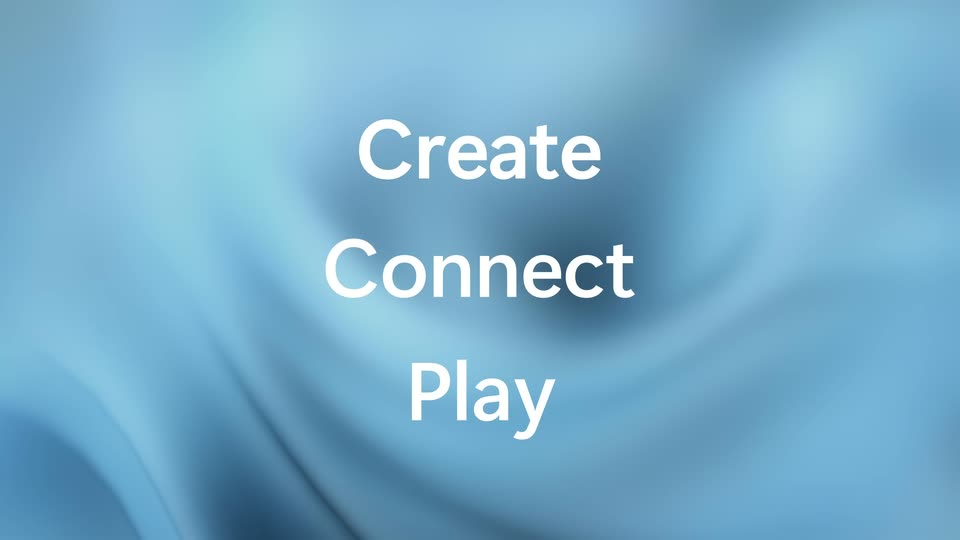
On a soft, out-of-focus blue field, the words Create, Connect and Play stack vertically in white. Each word sharpens into place, Play scaling up as it lands, then the whole stack blurs and fades.
On-screen text: “Create”, “Connect”, “Play”
Techniques: Kinetic type
Camera: Static
A translucent Start tile with a four-pane logo sits centered on a soft blue gradient. A cursor hovers over the lower pane, then the whole tile scales down while the Start label stays fixed below.
Techniques: Cursor demo
Camera: Static
A Windows 11 Start menu panel floats in slight 3D perspective over a blurred blue wallpaper, scaling up gently as it settles. The panel shows a search bar, a grid of pinned app icons and a recommended files list, with a user profile at the bottom.
Techniques: 3D mockup
Camera: Push in
A frosted glass Search icon with a magnifying glass and cursor sits centered on a soft blue desktop wallpaper. The icon expands into the full Windows Search window, revealing a search bar, app tabs, top apps and recent files, while the Search label below scales in step.
Techniques: Morph
Camera: Static
A Windows search panel floats over a soft blue backdrop. The view zooms in on the search field as the word settings is typed, and a Settings result appears under Best match while the app tiles slide out of frame.
Techniques: UI zoom
Camera: Push in
A close-up of a search window over a blurred blue background. The word settings sits in the search field with a cursor, a Best match result for the Settings app is highlighted, and a preview card with a gear icon enters from the right.
Camera: Static
A frosted rounded-square Settings icon with a dark gear sits on a soft blue blurred background, a white cursor resting on the gear's lower edge. The icon and its white label scale up together over the shot.
Camera: Static
A tilted Windows Settings window floats in 3D perspective over a soft blue gradient. The System page shows a background preview and six thumbnails, with a menu list on the left. The window drifts gently in place.
Techniques: 3D mockup
Camera: Static
A soft blue gradient fills the frame as centered text swaps word by word: All in white, then new in white, then themes in dark indigo. Each word holds briefly before the next takes its place.
On-screen text: “All”, “new”, “themes”
Techniques: Kinetic type
Camera: Static
A translucent frosted-glass panel floats over a blurred blue abstract swirl. Inside, the heading 'Select a theme to apply' sits above a two-by-three grid of wallpaper thumbnails, each with a small color-coded square in its corner. The first thumbnail carries a blue outline.
Camera: Pull out
A frosted-glass settings panel floats over a blurred lake and dune backdrop. The heading sits above a two-by-three grid of wallpaper thumbnails, the top-center tile outlined in blue. A faint vertical light band glides across the glass.
Techniques: Light sweep
Camera: Static
A dark theme-picker panel with a glassy top bar sits centered over a glowing pink-and-orange ring. Six wallpaper thumbnails fill a two-by-three grid. A blue selection outline pulses around the top-right purple thumbnail.
Camera: Static
A frosted dark panel titled Select a theme to apply floats over the blue Windows 11 bloom wallpaper, showing six wallpaper thumbnails in a grid; the bottom-right tile carries a blue selection border, and the panel eases in with a slight scale-up.
Techniques: UI zoom
Camera: Static
A full-frame blue theme preview of soft flowing waves fills the screen while the white headline 'Stay productive' holds center. A mouse cursor drifts from the upper right toward the lower right, implying a theme is being selected.
On-screen text: “Stay productive”
Techniques: Cursor demo
Camera: Static
Two frosted window panels on a blue gradient slide together and merge into one divided panel. Below, a grid of pale tiles sits under a moving cursor that highlights each tile in turn as it glides left to right.
On-screen text: “Stay productive”
Techniques: Cursor demo, Morph
Camera: Static
A translucent blue window reflows from three vertical panes into a two-by-two grid and back, each pane carrying minimize, maximize and close glyphs. A white arrow cursor moves across a translucent keyboard below, on a blue gradient background.
Techniques: Morph, Cursor demo
Camera: Static
On a blue gradient, two translucent window panels with title bars sit above a keyboard key grid. The right panel shrinks while the left grows taller, and a white cursor arrow rests on the lower-left key.
Techniques: Cursor demo, Morph
Camera: Push in
A laptop rests on a wooden table in a softly blurred room. Its screen shows a Word document with the headline Experiences built for focus above a two-person video call window. The camera pushes in as the document scrolls and a photo fades in.
Camera: Push in
A silver laptop sits on a wooden desk against a blurred office. On its screen a floating window expands to fill the right half, pairing a video call over a desktop. White text holds at the right as the camera pushes in on the display.
On-screen text: “Snap your apps”
Techniques: 3D mockup
Camera: Push in
A hand moves a small black USB-C dongle toward the side port of an open laptop showing a green-chart dashboard, against a blurred daylight office. The headline holds still while a smaller line slides in over the shot.
On-screen text: “Experiences built for focus”, “Snap your apps”
Camera: Push in
A woman works at a desk with two monitors showing design files and a video call, a laptop with green charts in front. A white headline fades in above the screens, then a purple card with a yellow wordmark fills the frame.
On-screen text: “Pick up where you left off”, “Connect”
Techniques: Kinetic type
Camera: Pull out
Over a blurred violet gradient, the words Connect, with, one and touch fade in one after another. A 3D Teams icon then floats to the center in front of a defocused contact card.
On-screen text: “Connect”, “with”, “one”, “touch”
Techniques: Kinetic type, 3D mockup
Camera: Static
A flat Teams contact card, showing a profile, Meet and Chat buttons and a recent list, floats on a soft purple gradient. It scales up to center frame as the list settles and the right-hand timestamps slide in.
Camera: Static
A woman with curly hair in a mustard sweater sits at a white desk by a window, her hand touching the laptop screen as its display changes from a blue wallpaper window to a grid of video thumbnails.
Camera: Push in
Over-the-shoulder shot of a curly-haired woman in a mustard top at a white desk. She waves at a laptop showing a grid video call, then rests a hand on the trackpad. A clock, books, lamp and headphones fill the desk; autumn leaves blur past the window.
Camera: Push in
A gray-haired man in a gray shirt sits at a white kitchen counter, smiling at a laptop that shows a video call grid. He reaches toward a plate holding a sandwich. Glasses of water and a kettle sit nearby against a white tile wall.
Camera: Pull out
A woman in a cream hoodie sits cross-legged on a bed, holding a paper floor plan beside an open laptop. A huge letter N slides across the frame, then the word Personalized scales in over her.
On-screen text: “N”, “Personalized”
Techniques: Kinetic type
Camera: Pull out
A translucent rounded panel floats over a soft blue fluid backdrop. White words scale in at the center one after another, reading Personalized, feed, with, widgets, each replacing the last at a steady pace.
On-screen text: “Personalized”, “feed”, “with”, “widgets”
Techniques: Kinetic type
Camera: Push in
A Windows widgets board on a tablet, angled in 3D against a plain blue backdrop, comes into focus as the camera slowly pushes in. News, weather, photos, calendar and watchlist cards sit in a two-column grid.
On-screen text: “widgets”
Techniques: 3D mockup, UI zoom
Camera: Push in
A feed of article cards sits on a curved white ribbon in 3D perspective against a light blue backdrop. The camera pulls back from a close-up of two columns of cards to a wide view, revealing the full feed receding into the distance.
Techniques: 3D mockup
Camera: Push in
A hand holds a tablet at a tilted angle, its screen showing a feed of image cards beside a blue Windows wallpaper. A finger swipes across the display, scrolling the list of posts upward.
Camera: Pan
A hand holds a tablet at an angle on a couch. A finger taps the screen, and a photo gallery strip on the left slides away, revealing the full blue flower Windows wallpaper.
Camera: Static
A close-up of a laptop screen showing the blue Windows wallpaper. The view zooms in on the taskbar row of icons while the white caption 'Automatically adapts' fades in across the lower third.
On-screen text: “Automatically adapts”
Techniques: UI zoom
Camera: Push in
A soft blue silk backdrop holds the word “Input” in light gray serif. “the way” and “you want” fade in below it in larger white serif, then a small “Automatically adapts” line is revealed to complete the headline.
On-screen text: “Input”, “the way”, “you want”, “Automatically adapts”
Techniques: Kinetic type
Camera: Static
On a soft blue gradient, the white serif word “Type” with an underline and cursor bar sits above a dark virtual keyboard. A red letter “h” is appended to the word while the keyboard slides down and to the left, its highlighted keys shifting.
On-screen text: “you want”
Techniques: Kinetic type
Camera: Static
A row of five phone mockups in color themes sits on a soft blue gradient while a large white headline swaps from Touch to Voice, then the word gives way to a circular voice button crossed by a thin waveform line.
On-screen text: “Touch”, “Voice”
Techniques: Kinetic type
Camera: Static
On a soft blue silk backdrop, the word Voice sits above a blue circular microphone button, then Click above a cursor arrow, then a handwritten write on a dark plate that gives way to a white write that scales up.
On-screen text: “Voice”, “Click”, “write”
Techniques: Kinetic type
Camera: Static
A hand holds a dark stylus and draws the green word write across a map on a tablet, which shows colored zone outlines and small labels. The locked-off close-up sits at an angle on a gray desk.
Camera: Static
A hand types on a tablet keyboard in a bright desk setting, the screen holding an incident report map and a small floating app window. The shot stays locked off while a stylus rests on the desk and a black horse figurine blurs in the background.
Camera: Push in
A desktop view pairs a hand-annotated whiteboard on the left with a dark chat window on the right. A finger taps the screen, and a thumbnail of the map drops into the chat as new messages appear.
Camera: Push in
White words assemble from motion blur over a soft blue gradient, then swap to pink and light blue as the background shifts to purple. The frame cuts to a two-panel interface where the light blue headline continues over the Office and web panels.
On-screen text: “Sort”, “switch”, “between”, “your”
Techniques: Kinetic type
Camera: Static
On a pink gradient, two translucent outlined panels labeled Office and Browsing web sit side by side, each holding a large white lowercase word, between and your. The whole composition drifts a few pixels upward.
On-screen text: “Office”, “Browsing web”, “between”, “your”
Camera: Static
A row of translucent purple task panels sits on a purple gradient, each carrying one word of the phrase between your tasks under small dark category labels. The composition then slides right in a fast motion blur, a new panel with a small image entering from the right edge.
On-screen text: “between”, “your”, “tasks”
Camera: Pan
A horizontal strip of interface panels scrolls left across a dark blue field, its top and bottom edges blurred by shallow depth of field. The Design panel shows tasks in large white type; the Work panel shows a desktop with video call windows, sliding out of frame.
Camera: Push in
A light blue desktop holds three floating windows: a PowerPoint slide reading Show., a Teams grid of six video call participants, and an Excel sheet with green charts. Below, a row of theme thumbnails and the taskbar sit on the wallpaper. The frame stays locked off.
Camera: Static
A static, head-on view of the Windows 11 desktop. Seven open app windows sit in two rows above a strip of five labeled desktop thumbnails, the Design one outlined in white. The taskbar with its centered icons runs along the bottom edge.
Camera: Static
A magenta desktop displays four app windows, Clock, Spotify, Edge and Photos, in a horizontal row above a strip of labeled desktop thumbnails. The Chill thumbnail carries a white selection bar. The taskbar with app icons sits at the bottom. The frame is locked off and static.
Camera: Static
A Windows desktop holds two open windows, Flight Simulator with a red biplane and Settings, over a blue gradient. A theme strip along the bottom lists Work, Design, Chill, Gaming and New desktop, with Gaming outlined in blue. The frame is static.
Camera: Static
A bright white core flares at the center of a black frame, ringed by orange flame that blooms into drifting red smoke. The white headline sits in the middle and scales up as the smoke spreads outward.
On-screen text: “Unrivaled gaming experience”
Techniques: Kinetic type
Camera: Push in
Swirling red and pink smoke fills a dark frame around a bright yellow glow at the center. The white headline “Unrivaled gaming experience” sits centered over the pulsing light and scales up as the smoke churns.
On-screen text: “Unrivaled gaming experience”
Techniques: Kinetic type
Camera: Static
A blurred pink-and-blue burst with a yellow core resolves into a swirling blue smoke cloud around a glowing pink center. The white headline scales in at the center, then changes to a second line.
On-screen text: “Unrivaled gaming experience”, “DirectX 12 Ultimate”
Techniques: Kinetic type
Camera: Static
White feature text scales in at the center over a swirling blue nebula. The words swap from DirectX 12 Ultimate to Auto HDR to Xbox Game Pass, the last with a small Sold separately line beneath.
On-screen text: “DirectX 12 Ultimate”, “Auto HDR”, “Xbox Game Pass”, “Sold separately.”
Techniques: Kinetic type
Camera: Static
Green and blue smoke billows and swirls at the center of a dark frame. The white title “Xbox Game Pass” scales up over the smaller caption “Sold separately.” The camera is locked off as the smoke drifts outward.
On-screen text: “Xbox Game Pass”, “Sold separately.”
Techniques: Kinetic type
Camera: Static
A 3D soldier in a white helmet and dark armor with orange trim advances through a tight gap framed by two dark angled panels, hands raised. The figure moves closer to the camera against a blurred, brightly lit background with an orange shape.
Camera: Push in
A low-angle 3D shot frames a white and gold armored robot rising between two dark brown foreground shapes, like a narrow tunnel. The figure moves fast toward the camera with motion blur, against a bright, out-of-focus warm background and a strong lens flare at the top.
Camera: Static
A dark spaceship with glowing orange engines banks from left to right over a misty valley of pine trees and a winding river. A translucent spire monument dissolves into the cloudy sky as the ship recedes into the distance on the right.
Camera: Pan
A red-haired gamer in headphones sits at a desk, hands on a green-backlit keyboard, facing a monitor that plays a third-person shooter. Purple room light, an RGB PC tower glows to the right, and a boom mic crosses the foreground. The over-the-shoulder framing stays fixed as the on-screen character runs.
Camera: Push in
Over-the-shoulder shot of a red-haired gamer wearing a headset, hands resting on a backlit keyboard, playing a first-person shooter on a large monitor. The room is dim, lit by purple ambient light, with a glowing RGB PC tower to the right and a microphone arm at left.
Camera: Push in
A centered white headline reads 'All new' over a blurred purple shape. The headline swaps to 'Microsoft Store' as the blurred backdrop turns blue, both locked off and static.
On-screen text: “All new”, “Microsoft Store”
Camera: Static
A device home screen with app tiles fills the frame, then the view pushes into the Android apps section, revealing a row of frosted app cards. The white headline with Android apps fades in above the cards while a cursor hovers over one tile.
On-screen text: “with Android apps”, “Microsoft Store”
Techniques: UI zoom, Cursor demo
Camera: Push in
A locked-off shot of a Windows desktop shows a centered TikTok app window with a blue and pink glow, playing a vertical video of a dancer in an orange suit on a blue backdrop. The app's like, comment and share counts and bottom navigation stay fixed while the video plays.
Camera: Static
The word “Designed” scales up over a blue gradient inside thin white type-grid lines, then the frame cuts to “for” as a ring of small white 3D cubes spins around it.
On-screen text: “Following”, “Designed”, “for”
Techniques: Kinetic type, Particles
Camera: Static
A ring of white device-icon tiles spins steadily around the center on a blue gradient as the centered headline swaps from “for” to “any” to “device”, then “All your favorite brands” fades in below.
On-screen text: “for”, “any”, “device”, “All your favorite brands”
Techniques: Kinetic type
Camera: Pan
Seven white brand tiles (Acer, ASUS, Dell, HP, Lenovo, Microsoft Surface, Samsung) spread out from a blurred cluster on a blue gradient, above the white headline. At the end it cuts to a gamer at a desk, headphones on, holding a controller in front of a monitor showing a red plane.
On-screen text: “All your favorite brands”
Techniques: Light sweep
Camera: Static
A player in headphones grips a controller at a desk, facing a monitor that fills the frame. On screen, a red and white striped biplane banks steeply over a rocky ridge. The camera pushes in slowly toward the monitor.
Camera: Push in
A laptop on a wooden desk shows a bright illustrated desktop with a dock of icons. A hand on the right holds a pen over a sheet of paper, sketching. The frame slowly tightens toward the screen.
Camera: Push in
A black laptop sits on a wooden desk in a softly blurred home office, its screen showing a Google Photos page with a large kitchen photo and a grid of thumbnails. The camera slowly pushes in toward the screen.
Camera: Push in
A laptop on a glass table in a softly lit room. Its screen shifts from a dark desktop window to a three-person video call, then a cursor with a blue click burst hovers over one participant.
Techniques: Cursor demo
Camera: Push in
A laptop sits on a desk before a softly blurred room. The screen holds an image editor with a portrait and yellow triangles, then the content switches to a document page reading Experiences built for focus, with a small floating panel at the lower right.
Techniques: 3D mockup
Camera: Static
A monitor in a blurred room shows a blue welcome screen. The camera pushes in on the display as a circular spinner morphs into a smiley face above the text “Welcome home!.”
Techniques: UI zoom, Morph
Camera: Push in
A small blue four-pane Windows icon sits centered on a light gray background, then scales up as the Windows 11 wordmark fades in beside it, settling into a locked-off logo lockup.
On-screen text: “Welcome home!”, “Windows 11”
Camera: Static
The Microsoft logo, four colored squares beside a gray wordmark, sits centered on a plain light gray field. It fades in from dim to full color, holds, then fades out to an empty background.
Camera: Static
A flat light gray field fills the frame, then the color deepens to a medium gray across the clip. No text, logo, or interface element appears.
Camera: Static
A solid black screen fills the frame for the entire clip. No elements, text, or motion appear; the shot holds still as a blank transition.
Camera: Static