
2:14
Explore
00:00:00 / 01:58:04
- Length
- 1:58
- Scenes
- 33 · 3.6 s avg
- Product on screen
- 0:00
- Voiceover
- Yes
- Views
- 1.2K on YouTube
as of November 24, 2026
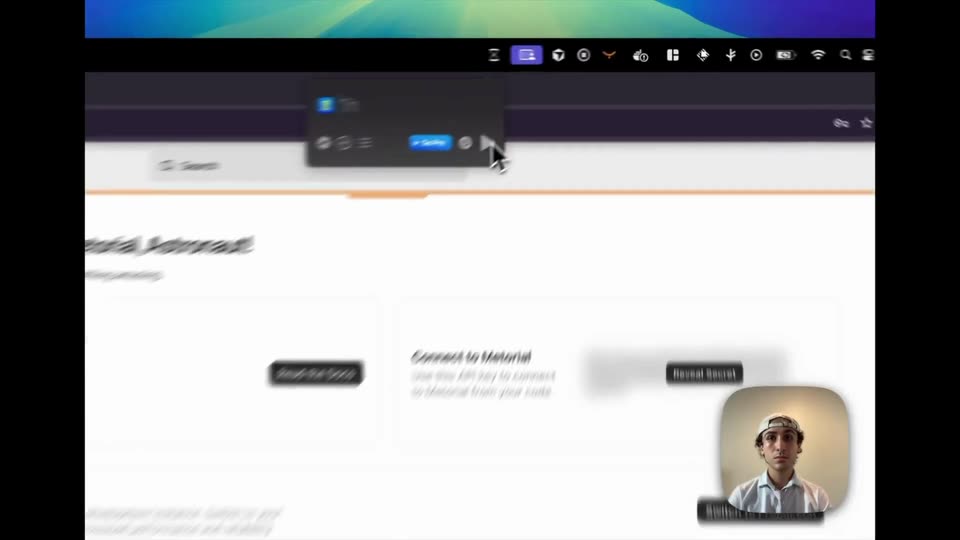
Metorial’s 1:58 launch film runs 33 scenes, about 3.6 s each. The product is on screen from the first frame, with social proof. There is no explicit call to action; a voiceover carries the film. The video cuts between a single-take brick-wall founder pitch and a sped-up screen-recording build, with lavender caption cards marking timer checkpoints and stacked white label cards popping in beside the speaker. Signature moves include zoom-in and zoom-out on UI panels, 3D-tilted dashboard shots over a purple gradient, and a fast blurred wipe to hand off from the pitch to the demo.
Footage neededEstimated needs: 1 capture group — your screens or recordings · 1 official logo — reused across the film · 2 filmed passages — shoot, supply or replace · 2 3D passages — build or supply
Is this your launch? to your site or press kit.
More like this
1:58
MagiCode: Your Proactive Pair Programmer
MagiCode · B2B · Sep 2024
1:07

Introducing Stack | AI built for accountants | by Ramp
Ramp · Finance · Jun 2026
Similar soundtrack
Films whose music sounds like this one, voice left out
1:53

Introducing Claude Fable 5
Anthropic · Modern electronic, corporate tech launch
1:43

Introducing the new Google News
Google · Electronic
1:54

Introducing Praxis-1 | Runway
Runway · Modern electronic
Introducing Metorial - YC F25, scene by scene
· 33 scenes as text
01 · Product intro · 0:00–0:22
A man in a beige cap and white shirt speaks to camera against a red brick wall, the frame pulling back from close-up to medium shot. Airbnb and Facebook logos pop in beside him, then a white name card and a bottom banner slide in.
On-screen text: “Karim (Wen) Rahme”, “CEO, Metorial (YC F25)”, “3 Weeks”, “1 Day”
Techniques: Masking
Camera: Pull out
02 · Demo · 0:22–0:23
A white card shows 3 Weeks with an arrow to 1 Day, then a fast blurred wipe cuts to a screen recording of a developer dashboard, with a small video-call window of a man in a cap at the lower right.
On-screen text: “3 Weeks → 1 Day”
Techniques: Masking
Camera: Push in
03 · Demo · 0:23–0:25
A soft, zoomed close-up of the Metorial dashboard pulls back and sharpens into the full interface, showing the sidebar, welcome heading and featured server cards. A lavender Start Timer button sits bottom left and a small webcam tile with a man's face bottom right.
On-screen text: “Start Timer”
Techniques: UI zoom
Camera: Pull out
04 · Demo · 0:25–0:26
A browser window on the Slack server overview page zooms out to reveal the full interface, with a purple Start Timer banner at the lower left and a circular webcam feed of a man in a cap at the lower right.
On-screen text: “Start Timer”
Techniques: UI zoom
Camera: Pull out
05 · Demo · 0:26–0:28
A Mac desktop screen recording shows a Notes window with OAuth credentials over a blurred dashboard; the window then dims to reveal the dashboard, while a purple Start Timer label sits at lower left and a webcam feed of a man in a cap stays at lower right.
On-screen text: “Start Timer”
Camera: Static
06 · Demo · 0:28–0:28
A browser window on a colorful desktop shows a blurred dashboard with a centered OAuth dialog. The view zooms in to sharpen the dialog, revealing its form fields and a Submit button, while a small webcam self-view of a man in a cap sits in the corner before disappearing.
Techniques: UI zoom
Camera: Pan
07 · Demo · 0:28–0:29
A screen recording opens on a macOS Notes window listing OAuth client IDs, then transitions to a browser modal asking for a client secret. A cursor hovers the form while a small rounded webcam self-view of a man in a cap sits in the bottom right corner.
Techniques: Cursor demo
Camera: Pan
08 · Demo · 0:29–0:30
A browser window shows a dashboard with a centered modal that switches from an OAuth form to a Create Deployment table, a cursor hovering over the action button. A small webcam inset of a man in a backwards cap sits in the lower right.
Techniques: Cursor demo
Camera: Static
09 · Demo · 0:30–0:31
A browser window shows the Material dashboard; the Slack deployment overview dissolves into a welcome page listing integrated server cards, while a rounded webcam feed of a man in a cap stays fixed in the bottom right corner.
Camera: Push in
10 · Demo · 0:31–0:32
A 3D-tilted Metorial dashboard floats over a purple gradient. The interface content swaps from a welcome page with server cards to an Exa detail page showing code snippets, while a rounded webcam tile of a man stays in the lower right.
Techniques: 3D mockup, Cursor demo
Camera: Push in
11 · Demo · 0:32–0:32
A browser window showing the Material server page sits at a slight 3D angle over a teal and purple gradient. A small rounded webcam of a man in a headband overlays the bottom right corner. The window tilts gently as the scene opens.
Techniques: 3D mockup
Camera: Pull out
12 · Demo · 0:32–0:33
Two browser windows sit side by side on a colorful desktop. A cursor clicks through the left window, which opens a deployment dialog, while the right window shows an API docs page. A small webcam feed of a man in a cap stays pinned to the bottom right corner.
Techniques: Cursor demo, Split screen
Camera: Pan
13 · Demo · 0:33–0:34
A browser window fills the frame on the Exa dashboard, with a rounded presenter cam in the corner. The view then cuts to a desktop showing a Create Deployment modal on the left and the dashboard on the right, the cursor resting on the Select field.
Techniques: Cursor demo
Camera: Pan
14 · Demo · 0:34–0:36
A browser window on a colorful abstract desktop shows the Metorial dashboard. A cursor clicks Continue on a Create Deployment dialog, then the view cuts to a welcome page where the heading slides in. A circular webcam feed of a man in a cap sits in the lower right corner.
Techniques: Cursor demo
Camera: Push in
15 · Demo · 0:36–0:37
A browser dashboard zooms in on the welcome panel, the left sidebar fading to a blur. The heading Welcome to Metorial, Astronaut! slides into place above a grid of server cards, while a small video inset of a cap-wearing presenter sits in the lower right corner.
Techniques: UI zoom
Camera: Push in
16 · Demo · 0:37–0:37
A browser window displays the Google Calendar server documentation page, with a cursor hovering over the Deploy Server button. A small webcam feed of a man in a cap sits in the lower right corner.
Techniques: Cursor demo
Camera: Static
17 · Demo · 0:37–0:38
The view eases out from a tight crop of a Create Deployment dialog to the full browser window, where it switches to an OAuth form as a hand cursor clicks. A rounded webcam video of a presenter sits bottom right over a colorful gradient.
Techniques: UI zoom, Cursor demo
Camera: Pull out
18 · Demo · 0:38–0:39
A dark macOS Notes window on a gradient desktop displays a note titled OAuth Client IDs/Secrets, its lines filling in as if typed. A small rounded webcam tile of a man in a cap remains in the lower right corner.
Techniques: Cursor demo
Camera: Pan
19 · Demo · 0:39–0:40
A browser window shows the Meteor dashboard with a centered OAuth configuration modal over a blurred page. A small rounded video of a man in a cap sits in the lower right corner. The cursor moves to and clicks the Submit button.
Techniques: Cursor demo
Camera: Static
20 · Demo · 0:40–0:41
A screen recording shows a dark Notes window on a blue desktop, with a small facecam in the lower right. The window shifts from a single note with an open dropdown to a split view containing a light note and an empty dark note.
Camera: Static
21 · Demo · 0:41–0:46
A screen recording of the Material dashboard: the OAuth modal closes, then the cursor jumps to the macOS menu bar and clicks the screen-recording icon as the view zooms in. A lavender caption card slides in at the lower left. A presenter webcam bubble sits bottom right.
On-screen text: “Checkpoint 1 - 0:53”, “Configure MCP Servers”
Techniques: UI zoom, Cursor demo
Camera: Push in
22 · Demo · 0:46–1:09
A Cursor editor window fills the frame on a colorful macOS desktop, TypeScript code typing out line by line with a visible cursor, a terminal panel docked below. A small rounded webcam feed of the presenter sits in the bottom right corner. Pink caption cards appear at the lower left.
On-screen text: “Checkpoint 1 - 0:53 Configure MCP Servers”, “Checkpoint 2 - 1:18 Code Agent”
Techniques: Cursor demo, UI zoom
Camera: Static
23 · Demo · 1:09–1:12
Slack's #sales channel shows a message about a call with Tobias, with a video tile of a man in a cap in the corner. The cursor moves over the message box, then the frame zooms out to reveal the desktop and a browser window behind the app.
Techniques: Cursor demo, UI zoom
Camera: Static
24 · Demo · 1:12–1:13
A macOS desktop shows several open windows over a forest wallpaper, with a small webcam self-view in the corner. The view zooms into the Cursor code editor, where a cursor hovers over a block of code.
Techniques: UI zoom, Cursor demo
Camera: Push in
25 · Demo · 1:13–1:17
A code editor fills the screen as the terminal below prints an OAuth authentication URL. The view cuts to a browser window loading a blank dark page, and a small face-cam video of the presenter stays in the lower right corner.
Techniques: Cursor demo
Camera: Static
26 · Demo · 1:17–1:19
A dark browser window fills the frame over a colorful abstract desktop. A Google sign-in card reads Choose an account. A cursor glides up and hovers the Use another account row. A small rounded webcam feed of a man in a cap sits in the lower right corner.
Techniques: Cursor demo
Camera: Static
27 · Demo · 1:19–1:21
A locked-off screen capture of a code editor: a Google authentication window on the right closes to reveal the file tree and a terminal printing OAuth links. A small webcam feed of the presenter sits in the lower right corner.
Techniques: Cursor demo
Camera: Pan
28 · Demo · 1:21–1:25
A locked-off browser on a blue desktop shows a Slack permission page for the Metorial app, with a small webcam self-view of a man in the corner. The cursor moves to the Allow button and clicks it, the button turns green, and the address bar updates.
Techniques: Cursor demo
Camera: Static
29 · Demo · 1:25–1:26
A desktop screen recording on a colorful gradient wallpaper shows a browser window with a blue lambda mark and an Authentication Complete message, then cuts to a code editor pane beside that page. A small webcam box of a man in a cap sits in the bottom-right corner, and a mouse cursor rests on the page.
Techniques: Cursor demo, Split screen
Camera: Pan
30 · Demo · 1:26–1:34
A screen recording of the Cursor IDE shows a TypeScript file and a terminal typing out OAuth and meeting-scheduling output. The view zooms into the terminal to read the scheduled details, then cuts to a Google Calendar tab. A small webcam of the presenter stays in the corner.
Techniques: Cursor demo, UI zoom
Camera: Static
31 · Demo · 1:34–1:39
A Google Calendar week view sits on a colorful desktop, an event card open at center. A cursor glides across the grid, then the frame zooms in to a macOS menu bar with a Go Pro dropdown. A vertical wipe splits the screen, revealing a pink panel on the right.
Techniques: Cursor demo, UI zoom, Masking, Split screen
Camera: Static
32 · Social proof · 1:39–1:55
A man in a cream cap, white shirt, and striped tie talks to camera, centered against a red brick wall. Three white label boxes with black text stack up on the left one by one, hold, then fade out.
On-screen text: “600 MCP Servers”, “Enterprise-ready”, “No infrastructure”
Camera: Static
33 · Outro · 1:55–1:58
The Metorial arrow mark and wordmark fade from dim to bright white, centered on a grainy orange-to-purple gradient. Below, the caption YC F25 fades in in smaller type. The frame stays locked off.
On-screen text: “YC F25”
Camera: Static