1:47
Yijie - Today I’m excited to announce the public release of Scend Over the l
Scend Ai · Aug 2026
Anything · Dec 2025 · 2:14 · AI-annotated
Anything’s 2:14 launch film runs 51 scenes, about 2.6 s each. The product is on screen from the first frame and 2 features are revealed, with social proof. The call to action lands at 1:41 (75% in), over a voiceover. Two founders pitch Anything Max from a brick loft while white panels wipe across the live action to reveal clean UI screens, 3D phone mockups and count-up revenue charts. The story runs product intro, 100-coder test results, a dating app build, two feature reveals, customer revenue proof, then a hackathon call to action ending on the wordmark.
Is this your launch? to your site or press kit.
Scend Ai · Aug 2026
Origami · B2B · Apr 2026
AnyAlpha · Fintech · Oct 2026
Two men sit at a distressed wooden table in a brick loft, one talking to camera. Translucent white pills with Anything MAX, Lovable and bolt slide in from the left and drift across the frame, while subtitle captions appear at the bottom.
On-screen text: “Introducing Anything Max”, “Anything MAX”, “Lovable”, “the vibe coding app that beats Lovable and Bolt.”, “bolt”
Techniques: Kinetic type
Camera: Static
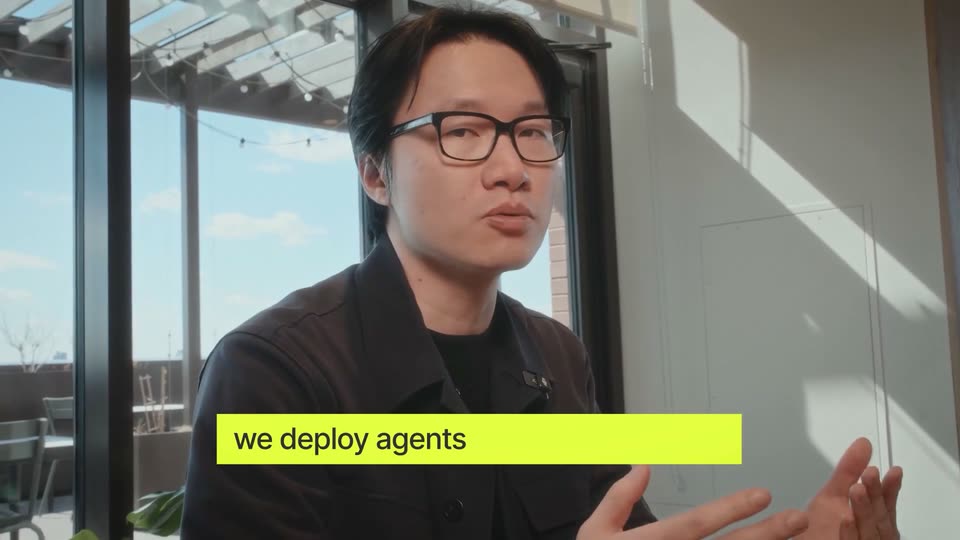
A man in a black t-shirt sits at a table in a plant-filled loft, hands clasped, speaking to camera in a locked-off frame. A white lower-third slides in with his name and role as subtitle captions track his speech.
On-screen text: “the vibe coding app that beats Lovable and Bolt.”, “AnythingMAX”, “I know you probably won't believe me,”, “Marcus Lowe”, “Co-Founder”, “so we contacted 100 vibe coders to build side by side”
Camera: Static
A 5 by 5 grid of video call participants fills the frame, each tile a person talking in their own room, over a blurred backdrop. It cuts to two men seated at a wooden table in a brick loft with tall windows, hands clasped, as a caption runs along the bottom.
On-screen text: “so we contacted 100 vibe coders to build side by side”, “on Anything Max,”, “Marcus Lowe”, “Co-Founder”
Camera: Static
Two men sit at a weathered wooden table in a brick loft with tall windows and plants. The man on the left, in a black tee, speaks and gestures with clasped hands; the man on the right, in a leather jacket, listens with hands folded. Subtitles appear at the bottom of the frame.
On-screen text: “on Anything Max,”, “Lovable, and Bolt.”
Camera: Static
A locked-off medium shot of a man in a black t-shirt seated at a table, hands clasped, speaking in a dim room with plants and a teal sofa. White subtitles with a black outline appear at the bottom.
On-screen text: “Lovable, and Bolt.”, “Results showed that the majority chose Anything”
Camera: Static
A horizontal bar chart on a dark background shows three labeled groups (Anything MAX, Lovable, bolt); their blue, teal and purple bars extend rightward past a dashed 40% line while a white caption states the result.
On-screen text: “Results showed that the majority chose Anything”, “for design quality,”
Camera: Static
A dark horizontal bar chart comparing Anything MAX, Lovable and bolt zooms in, cropping out the product labels and tightening on the colored bars, as the Accuracy, Design and Overall legend scales in at the top.
On-screen text: “code accuracy, for design quality.”, “code accuracy, and overall for building their apps.”
Techniques: UI zoom
Camera: Push in
Two men sit at a worn wooden table in a brick loft, a lower-third name tag and a caption held still. A white panel wipes across the frame, revealing a 3D mockup of a dating app on the left.
On-screen text: “Dhruv Amin”, “Co-Founder”, “Let me show you Anything in action.”
Techniques: 3D mockup, Masking
Camera: Static
A white panel wipes left to right over a live-action desk shot, revealing a centered phone that rises into frame. The screen shows the MIMY interface with a profile photo and a Like button. A lower-third name and a bottom subtitle overlay the opening frame.
On-screen text: “Dhruv Amin”, “Co-Founder”, “Let me show you Anything in action.”, “Let's say we're building a dating app,”
Techniques: Masking
Camera: Static
A white stage holds a smartphone mockup in 3D perspective, angled slightly, showing a dating app profile card of a woman with two action buttons. The phone eases upward into frame. A dark caption bar carries the line at the bottom.
On-screen text: “Let's say we're building a dating app,”
Techniques: 3D mockup
Camera: Push in
A 3D phone mockup, centered on a pale background, displays a dating app whose profile cards swipe past a woman's photo. A large serif word 'May' fades in at left while a dark caption bar runs along the bottom.
On-screen text: “we'll call it May I Meet You.”, “May”
Techniques: 3D mockup
Camera: Static
A centered iPhone mockup shows a dating app profile card with a woman's photo and two buttons, framed by large black serif words: May and Meet on the left, I and You on the right. A caption bar at the bottom reads we'll call it May I Meet You.
On-screen text: “May”, “I”, “Meet”, “You”, “we'll call it May I Meet You.”
Camera: Static
Split screen: a man in a leather jacket talks at a laptop on the right; on the left a white prompt box types a dating-app request, then zooms into the words before pulling back to reveal the full text and a send button. A cursor appears.
On-screen text: “I prompt Max “build a dating app with swipe matching,””, “and user profiles connected to my database.””
Techniques: Split screen, UI zoom, Cursor demo
Camera: Push in
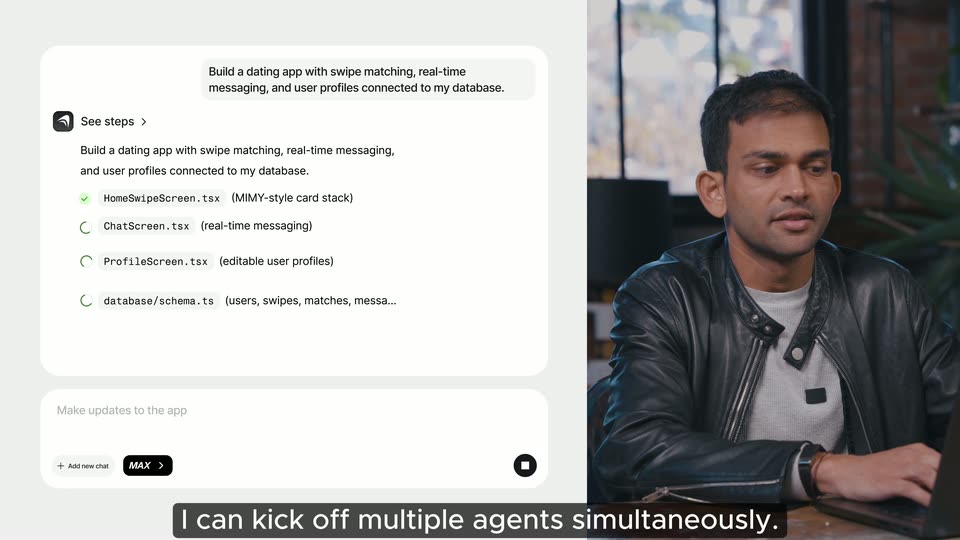
Split screen: a man in a black leather jacket speaks at a laptop on the right while a chat UI on the left sends a prompt, then a steps list fills with green checkmarks and a second chat box slides in below.
On-screen text: “Now here's what makes Max different,”, “while this agent is working,”, “I can kick off multiple agents simultaneously.”, “I open another chat, “add an onboarding flow”
Techniques: Split screen, Cursor demo
Camera: Static
Split screen: a white product chat UI on the left types a new prompt and zooms out to reveal stacked task cards, while on the right a man in a black leather jacket works a laptop at a wooden desk. Subtitles sit in a dark bar at the bottom.
On-screen text: “I open another chat, “add an onboarding flow”, “for first time users to fill out their profile””
Techniques: Split screen, UI zoom
Camera: Static
A split screen pairs a man in a black leather jacket, gesturing while speaking at a laptop, on the right with a chat interface on the left. The interface types out a prompt about QAing the app, while checklist cards and tag labels sit above it.
On-screen text: “and another, “QA the app and fix any bugs you find.””
Techniques: Split screen
Camera: Static
Split screen pairs a product chat UI on the left, where a QA task expands to reveal live testing and spec files, with a man in a black leather jacket gesturing at a laptop on the right.
On-screen text: “Like a real engineer,”, “it uses its own browser to try your app out for you”
Techniques: Split screen, UI zoom
Camera: Pull out
A white UI card slides into place over a blurred gray background, revealing a phone mockup of a social app and two test file rows with green checkmarks. A dark subtitle bar at the bottom carries the caption.
On-screen text: “it uses its own browser to try your app out for you”
Camera: Static
A white UI card hovers over a blurred chat window, showing a live QA panel with a phone mockup of a dating app and two green-checked test files. A dark caption bar at the bottom holds the subtitle.
On-screen text: “so it can click through every flow,”
Camera: Static
A centered phone mockup shows the MIMY app, a woman's profile photo above two action buttons, over a blurred desktop background. A purple tap marker rests on the buttons; a black cursor with a MAX badge points from the right. A dark caption bar carries the subtitle at the bottom.
On-screen text: “so it can click through every flow,”, “Live QA Testing”
Techniques: 3D mockup
Camera: Static
A white chat card sits left of a tilted 3D phone mockup showing a dating app profile. A cursor labeled MAX taps the phone's bottom bar as the caption “test all the buttons,” appears below.
On-screen text: “test all the buttons,”
Techniques: 3D mockup, Cursor demo, Split screen
Camera: Static
Side by side, a left QA panel lists test files while a phone mockup quickly fills its chat list; a cursor taps the Chat tab. A bottom caption reads test all the buttons.
On-screen text: “test all the buttons,”
Techniques: Split screen, Cursor demo
Camera: Static
A flat phone mockup of a dating app Account screen sits beside a QA steps panel. A cursor moves to the Edit profile button and clicks it, popping a red 'isn't working' tooltip, while green checkmarks fill the test list on the left.
On-screen text: “make sure everything is working exactly as you expect.”
Techniques: Cursor demo
Camera: Static
A split screen shows a flat phone mockup with a red 'Editing profile isn't working' bug tag beside a man in a leather jacket gesturing at a desk. The panels swap, and the phone is replaced by a Lovable logo over a pale blue geometric shape.
On-screen text: “Oh look, one of our QA agents found a bug.”, “The thing is, Lovable wouldn't be able to find this bug”, “because they don't actually execute”, “Lovable”
Techniques: Split screen
Camera: Pan
A man in a black leather jacket talks at a table on the left; the right half is a light blue panel with a low-poly white and blue figure under a Lovable pill. A MAX pill and labels UI, Databases, Backend, APIs fade in at right while subtitles roll below.
On-screen text: “Lovable”, “because they don't actually execute”, “end to end user flows.”, “MAX”, “UI”, “Databases”, “Backend”, “APIs”, “Max runs the actual app across the UI, database,”, “backend, and API calls.”
Techniques: Split screen
Camera: Static
Split screen: a phone Account screen on the left with a cursor over Edit profile and a blue 'Fixing the issue' bubble, a 'Live QA Testing' badge above. On the right, a man in a black leather jacket talks and gestures. The phone scales up slightly; a caption bar sits at the bottom.
On-screen text: “Watch how it detected that editing profiles wasn't working.”
Techniques: Split screen, Cursor demo, UI zoom
Camera: Static
Split screen: a white product card and phone mockup fill the left, a man in a leather jacket talks on the right. A blue cursor tagged “Fixing the issue” slides from the phone across the card’s checklist as the left panel pans.
On-screen text: “Watch how it detected that editing profiles wasn't working.”, “It tested the backend call directly,”
Techniques: Split screen, Cursor demo
Camera: Static
Split screen: a white task panel on the left zooms in as a checklist fills with green checks (Test Backend, Frontend Bug, Fix Applied, Test, Verified) and a blue chat bubble flips from a spinner to a check. On the right, a man in a leather jacket talks at a desk, a phone profile mockup at the seam.
On-screen text: “It tested the backend call directly,”, “realized that the issue was actually in”, “how the frontend was passing”, “data to the backend, applied that fix,”, “wrote its own test, and then confirmed it's fixed”, “end to end.”
Techniques: Split screen, UI zoom
Camera: Static
A man in a black t-shirt sits at a wooden table with hands clasped, talking to camera in a plant-filled loft with a teal couch behind him. A white caption line is locked at the bottom of the frame.
On-screen text: “People are already starting real businesses on Anything”
Camera: Static
A man in a black t-shirt sits at a table with hands clasped, then the frame cuts to a plain light background holding a small circular portrait of a man outdoors. A caption runs along the bottom.
On-screen text: “People are already starting real businesses on Anything”
Techniques: Masking
Camera: Static
A circular photo of a man outdoors sits centered on a light gray background. The name Blake fades in to its right in large serif type as the bottom caption bar switches from a first line to a second.
On-screen text: “People are already starting real businesses on Anything”, “Blake”, “Blake has made a gut biome app”
Camera: Static
A light gray stage holds a circular portrait and the serif name Blake. A tilted iPhone mockup slides up showing the Digest app page. An MRR card pops in at right, its line graph draws up and the figure counts from $2,422 to $9,348 while $10,000 per fades in. Subtitles caption the line.
On-screen text: “Blake”, “Blake has made a gut biome app”, “MRR $2,422/mo 8.8%”, “and he's already doing $10K a month”, “$10,000 per”, “MRR $9,348/mo 38.4%”
Techniques: 3D mockup
Camera: Static
A light gray layout shows an iPhone with the Digest app's App Store page beside a white revenue chart card. The phone and headline blur and rise as the card changes from MRR to Revenue, with a dark caption bar at the bottom.
On-screen text: “Blake”, “$10,000 per month”, “and he's already doing $10K a month”
Camera: Static
On a pale gray field, the name Anthony sits above a flat mockup of a referral webpage, while a revenue card on the right draws its line graph and counts its total upward. A dark caption bar with white text slides up along the bottom edge.
On-screen text: “Anthony”, “$20,000 total revenue”, “Anthony has made a referral tool for marketers”
Camera: Static
A flat browser screenshot of a link-in-bio referral tool sits left under the serif name Anthony, beside a white revenue card with an upward line chart. The serif headline $20,000 total revenue floats above while a dark caption bar updates at the bottom, then the layout reframes smaller.
On-screen text: “Anthony”, “$20,000 total revenue”, “Anthony has made a referral tool for marketers”, “and he's already doing $20K”
Camera: Pan
On a light gray field, a vertical stack of interface cards scrolls up on the left, revealing a website mockup and a financial-analysis browser window. On the right, a revenue counter climbs to $40,000 as a line chart draws, under a serif total.
On-screen text: “Yurie”, “$40,000 total revenue”, “Revenue”, “$40,000”, “and Yuri's made $40K with his suite of AI tools.”
Techniques: Parallax
Camera: Pan
A vertical stack of website screenshots scrolls upward on the left. On the right, a serif headline reads $40,000 total revenue above a white revenue chart card showing a rising blue line and a green 25.3% badge. A caption bar sits at the bottom.
On-screen text: “$40,000 total revenue”, “and Yuri's made $40K with his suite of AI tools.”
Camera: Pan
A flat product dashboard with stacked feature cards and a rising revenue line graph dissolves through a white wash into a medium shot of a smiling man in a black t-shirt at a table. A subtitle caption remains locked at the bottom.
On-screen text: “To show off the power of Anything Max,”
Camera: Static
A man in a black t-shirt sits at a table with hands clasped, talking in a plant-filled room with a teal sofa behind. Subtitles run along the bottom, and a large white $100,000 slides in over the frame near the end.
On-screen text: “To show off the power of Anything Max,”, “we're launching our biggest hackathon yet”, “with $100,000 in prizes, and to help you”, “$100,000”
Techniques: Kinetic type
Camera: Static
A man in a black t-shirt sits at a table in a plant-filled room with a brick wall and teal couch, speaking to camera. A large faint white number overlays his chest at the start, and white subtitle captions run along the bottom edge.
On-screen text: “with $100,000 in prizes, and to help you”, “we're gonna give you”, “every growth tactic we've ever used”
Camera: Static
Two men sit at a paint-splattered wooden table in a brick loft, hands clasped, speaking to camera. A large white 1 Million wordmark scales in behind them with a stacked echo while a caption line holds at the bottom.
On-screen text: “to grow Anything to over 1 million users:”, “1 Million”
Techniques: Kinetic type
Camera: Static
A man in a black T-shirt sits at a table in a plant-filled studio, talking and gesturing with his hands, framed in a locked-off medium shot; a white subtitle line sits along the bottom edge.
On-screen text: “access to our guide on Mastering Vibe Coding,”
Camera: Static
A guide document scrolls vertically through its sections, from the table of contents down to paid ads and Product Hunt, while a white caption on a dark bar at the bottom states the guide titles.
On-screen text: “access to our guide on Mastering Vibe Coding,”, “how to get your first 100 customers,”
Camera: Pan
A man in a black T-shirt sits at a table in a plant-filled room, hands clasped and gesturing as he speaks. A teal sofa and brick wall fill the background. A white subtitle line sits at the bottom of the locked-off medium shot.
On-screen text: “and how to rank in the top five on Product Hunt.”
Camera: Static
A man in a black T-shirt sits at a table talking to camera. A white document page wipes in from the right to cover half the frame, its heading scaling in above blurred body text, leaving the speaker on the left.
On-screen text: “and how to rank in the top five on Product Hunt.”, “We also have 50 app ideas that are easy for you to take”, “50 App Ideas for your first $10K”
Techniques: Masking, Split screen
Camera: Static
A man in a black t-shirt sits at a table on the left, talking to camera, while a document headed 50 App Ideas for your first $10K scrolls down on the right. The document then clears, leaving the man centered full frame.
On-screen text: “We also have 50 app ideas that are easy for you to take”, “to make your first $10K.”
Techniques: Split screen
Camera: Pan
A man in a black t-shirt sits at a wooden table, smiling and speaking to the camera. A static medium shot frames him against a window, brick wall and green sofa, with a leather-jacketed arm at the right edge.
On-screen text: “to make your first $10K.”
Camera: Static
A close-up of a Twitter post by @Anything scrolls down to the reply section. A cursor moves onto the retweet button and clicks it, turning it green, while “LFG!!!” is typed into the reply box.
On-screen text: “to make your first $10K.”, “Retweet and comment”, “and we'll give you a $100 discount code”
Techniques: Cursor demo
Camera: Push in
A black cursor moves to the retweet icon on a social post and clicks it, the icon flashing green. The post blurs out as a white credit card slides in from the right, reading $100 You've got in credits above a photo of a hand holding a phone.
On-screen text: “and we'll give you a $100 discount code”
Techniques: Cursor demo
Camera: Push in
Three white email cards fan out on a light gray background, the center one in front. Each reads “You’ve got $100 in credits!” with a photo of a hand holding a phone against pink clouds. A dark caption bar at the bottom reads “and a link to participate.”
On-screen text: “and a link to participate.”
Camera: Pan
The brand wordmark 'Anything' sits centered on a flat light gray field, held static for the full clip as a closing title.
On-screen text: “Anything”
Camera: Static