
2:05
Explore
00:00:00 / 01:32:07
- Length
- 1:32
- Scenes
- 27 · 3.4 s avg
- Product on screen
- 0:05
- Features shown
- 1
- Voiceover
- Yes
- Views
- 13K on YouTube
as of November 28, 2026
Lovable’s 1:32 launch film runs 27 scenes, about 3.4 s each. The product shows up at 0:05 and 1 feature is revealed, with social proof. There is no explicit call to action; a voiceover carries the film. The video alternates warm live-action talking-head shots on a blue couch with crisp dark UI demos and bright white graphic cards, cut at a steady ~8.5 cuts per minute to a 120 BPM pulse. Its signature moves are large gradient type that scales and slides, a recurring blue-to-pink-to-orange gradient on the heart logo and bar charts, and a vertical task-graph that animates step by step to show the agent thinking.
Footage neededEstimated needs: 3 capture groups — your screens or recordings · 1 official logo — reused across the film · 7 filmed passages — shoot, supply or replace · 2 graphic passages — draw or supply · 1 3D passage — build or supply
Is this your launch? to your site or press kit.
More like this



Similar soundtrack
Films whose music sounds like this one, voice left out
2:24
1:47
James Clift - Introducing Durable. The first AI business builder that replaces you
Durable · Modern electronic
0:54

Whop Payments
Whop · Modern electronic
We just crossed $100M ARR in 8 months, scene by scene
· 27 scenes as text
01 · Hook · 0:00–0:05
A man in a beige t-shirt sits on a blue couch, gesturing as he speaks to camera. Large gradient dollar figures slide and scale in on both sides, with small white captions above each.
On-screen text: “We have raised”, “$200M”, “$1.8B”, “at a valuation of”
Techniques: Kinetic type
Camera: Push in
02 · Product intro · 0:05–0:08
A blue-to-orange gradient fills the frame as the word Introducing scales down and rises to the top, while a white heart mark and the word Agent settle in the center.
On-screen text: “Introducing”, “Agent”
Techniques: Kinetic type
Camera: Static
03 · Product intro · 0:08–0:10
A man in a beige t-shirt talks to camera while seated on a blue sofa, a glowing pink-blue logo blurred on the wall behind him. The word “Introducing” scales in over the shot, then “Agent” appears large and holds still.
On-screen text: “Introducing”, “Agent”
Techniques: Kinetic type
Camera: Static
04 · Product intro · 0:10–0:13
A man in a beige T-shirt sits on a blue sofa, speaking to the camera and gesturing with both hands. A small screen on the shelf behind him shows a colorful heart logo, and a white lower-third caption names him at the lower left.
On-screen text: “Anton Osika”, “Co-founder & CEO”, “Lovable”
Camera: Static
05 · Problem · 0:13–0:15
The docusign logo scales up on a pale background, its quadrants shifting color, then the frame splits: a browser window of the docusign.com homepage slides in on the left while the logo and a gray caption sit on the right.
On-screen text: “$15B company”
Techniques: Split screen
Camera: Static
06 · Problem · 0:15–0:17
A flat browser mockup of the DocuSign homepage settles into frame from an offset stacked position, then a purple rounded border draws around it. Static dark gray text on the right reads the company size while the page stays still.
On-screen text: “$15B company”, “6,700 employees”
Techniques: Parallax
Camera: Static
07 · Problem · 0:17–0:18
A man in a cream t-shirt sits centered on a blue couch, talking to the camera and gesturing with both hands. The warm room shows a potted plant on the left and a small glowing screen on the right.
Camera: Push in
08 · Feature reveal · 0:18–0:21
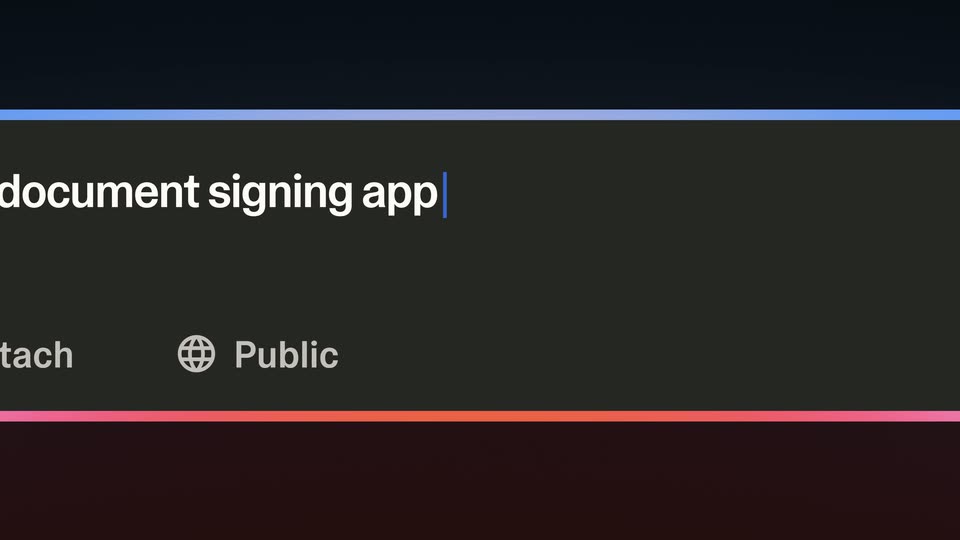
A dark rounded input field on a blue-to-pink gradient zooms in. The prompt 'Build me a document signing app like DocuSign' types out left to right, then the field clears and a pink circular send button fades in at the right edge.
Techniques: UI zoom, Kinetic type
Camera: Push in
09 · Feature reveal · 0:21–0:23
On black, a pink-to-blue gradient circle with a black arrow sits right of center, then a white circle with an up arrow and a thin red ring takes the center. The circle morphs into a white rounded pill holding the caption with a cursor bar.
On-screen text: “ent signing app like Docu|”
Techniques: Morph
Camera: Static
10 · Feature reveal · 0:23–0:24
A pink-to-blue gradient pill holding the prompt 'Build me a document signing app like DocuSign' sits centered on black. The view pulls back to a Lovable chat window, where the agent's reply text fades in beneath the app header.
Techniques: UI zoom
Camera: Static
11 · Feature reveal · 0:24–0:30
A dark chat UI types a reply and a Plan button, then a Creating panel opens on the right with a gradient header and a numbered step list. The view reframes onto that panel as it enlarges and centers, a prompt bubble overlaid on top.
Techniques: UI zoom
Camera: Pull out
12 · Feature reveal · 0:30–0:35
A dark plan diagram assembles on a screen: a top prompt node links to three task pills whose yellow spinners tick to green checks, then a Create Core components box lights up blue and two more pills fade in below. The frame holds steady.
Camera: Pull out
13 · Feature reveal · 0:35–0:43
A dark task-graph window scrolls upward through a vertical flowchart of labeled nodes. The active node holds a blue outline while small status circles on side pills switch from yellow to green as each step completes, revealing new rows at the bottom.
Camera: Pull out
14 · Feature reveal · 0:43–0:44
A dark flowchart of task nodes sits centered, the top node outlined in blue. The view pans right and settles on a single pill showing a Stripe docs URL, the rest of the diagram sliding off the left edge.
Techniques: UI zoom
Camera: Pan
15 · Feature reveal · 0:44–0:54
A dark agent-plan window shows a flowchart with an Email Implementation node and two child steps, beside a floating Stripe docs URL pill that highlights. The view centers on the chart, the Integrate Stripe Billing node highlights, an Error detected node spins, then the frame scrolls down to a Build Error code panel that turns green and reads Fixed.
Techniques: UI zoom
Camera: Pan
16 · Feature reveal · 0:54–0:54
A dark code editor window with a thin rounded border sits on a near-black field. A small status label at its top-left cycles from Creating to Error detected to Finished while green-highlighted JSX code stays static in the lower panel. The window then slides right, revealing a left sidebar with icons and a bottom bar.
Camera: Static
17 · Feature reveal · 0:54–0:57
A split screen shows the Lovable builder chat on the left with the build plan, and the dark Sign Documents preview on the right. A cursor glides to the Start Signing Documents button and hovers.
Techniques: Split screen, Cursor demo
Camera: Pull out
18 · Feature reveal · 0:57–0:59
A split view pairs a Lovable chat panel on the left with a generated Sign Documents web app on the right. The app page dissolves between its hero, upload and feature sections while a cursor hovers over the Browse Files button.
Techniques: Split screen, Cursor demo
Camera: Static
19 · Social proof · 0:59–1:05
On a plain white background, a Twitter post types out its text line by line, then scrolls down to reveal an embedded cease-and-desist email from DocuSign's legal team.
Techniques: Kinetic type
Camera: Pull out
20 · Social proof · 1:05–1:06
A light social-media post is shown as a screenshot beneath two caption lines. It displays a DocuSign intellectual-property complaint letter and engagement counts below. The frame holds with a subtle downward drift.
On-screen text: “Unless we love the product.”, “DocuSign - maybe next time it's better to listen to your customers rather than sending cease and desists?”
Camera: Static
21 · Social proof · 1:06–1:09
A man in a beige t-shirt sits on a blue couch, speaking to an off-camera interviewer in a medium close-up. Shallow depth of field blurs the dark paneled wall and a glowing blue-purple shape on a shelf behind him. He blinks and his expression shifts as he talks.
Camera: Static
22 · Social proof · 1:09–1:13
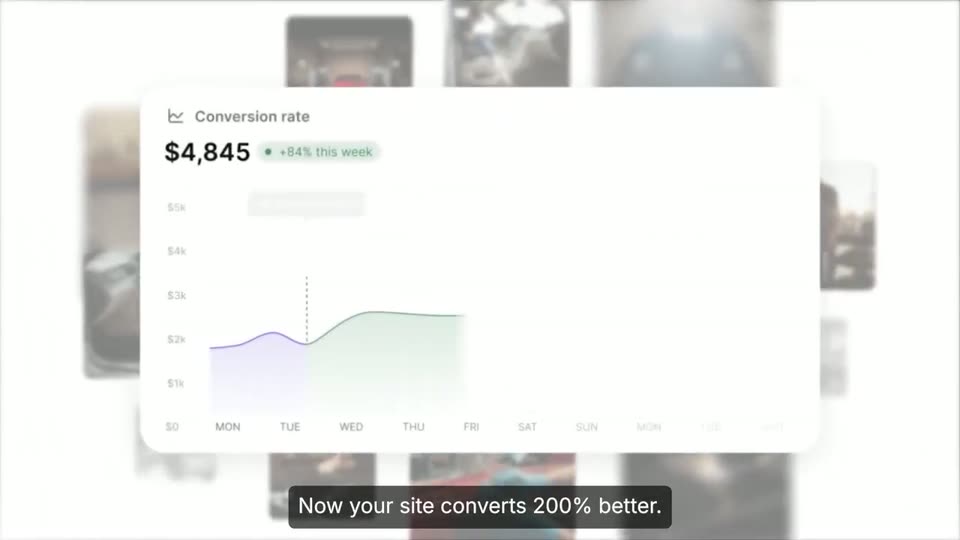
A tilted browser mockup of the QuickTables site rotates to face the camera as a phone mockup floats in front of it. A photo of two men is pinned top right, and an ARR chart counts from $16,623 to $90,000 as its line rises. The camera slowly pushes in.
Techniques: 3D mockup
Camera: Pan
23 · Social proof · 1:13–1:16
A flat browser mockup of the ProUniversitário site slides into the center over a plain gray field, a second window stacked beneath it at the start, then the frame drifts right to expose the tail of a large dark word on the left edge.
On-screen text: “Lovable”
Techniques: Kinetic type
Camera: Pan
24 · Social proof · 1:16–1:18
On a white background, the Lovable wordmark scales down and slides right to lock beside a small gradient heart icon on the left. A browser window mockup of the ProUniversitário site eases into the right half, showing its orange header and Disciplinas cards.
On-screen text: “Lovable”
Techniques: Kinetic type
Camera: Pan
25 · Social proof · 1:18–1:23
A man in a beige t-shirt sits on a blue sofa, gesturing with both hands while talking to the camera. Small Portuguese captions slide in over the shot, and a heart logo glows on a small screen in the background.
On-screen text: “Quer estudar?”, “O ProUniversitário te ajuda!”, “Administração”, “Lovable”, “Disciplinas”
Techniques: Kinetic type
Camera: Static
26 · Social proof · 1:23–1:29
A bar chart on white compares two versions. Under the gradient title Common Errors, a long beige Old Lovable bar sits above a short orange New Lovable bar. A Capability section slides in below, its New Lovable bar extending left to right into a long orange-to-blue gradient.
On-screen text: “Common Errors”, “Old Lovable”, “New Lovable”, “Capability”, “Old Lovable”, “New Lovable”
Camera: Static
27 · Other · 1:29–1:32
A man in a beige t-shirt sits on a blue sofa, speaking to an off-camera interviewer. A small blurred colorful display glows on the dark paneled wall behind him. The locked-off frame holds while two small captions slide in.
On-screen text: “Common Errors”, “Old Lovable”
Camera: Push in