0:29

New Glass effect updates
Figma · Design · Jan 2026
Lovable · Feb 2025 · 0:26 · Full motion · AI-annotated
Lovable’s 0:26 launch film runs 12 scenes, about 2.2 s each. The product shows up at 0:04 and 1 feature is revealed. There is no explicit call to action; a voiceover carries the film. The video runs as a problem-to-proof arc: a typed-out question, a fast interface demo of the editor, a pull-back desk shot, and an animated brand reveal. Its signature moves are the letter-by-letter type-on captions, the gradient-bordered dark panels, and the push-in camera moves that flip between flat UI and 3D mockups.
Is this your launch? to your site or press kit.
Figma · Design · Jan 2026
Vercel · Developer tools · Mar 2023
Teamble · Jan 2026
Films whose music sounds like this one, voice left out
Runway · Electronic
Nettle · Cinematic electronic
Microsoft · Modern cinematic trailer music
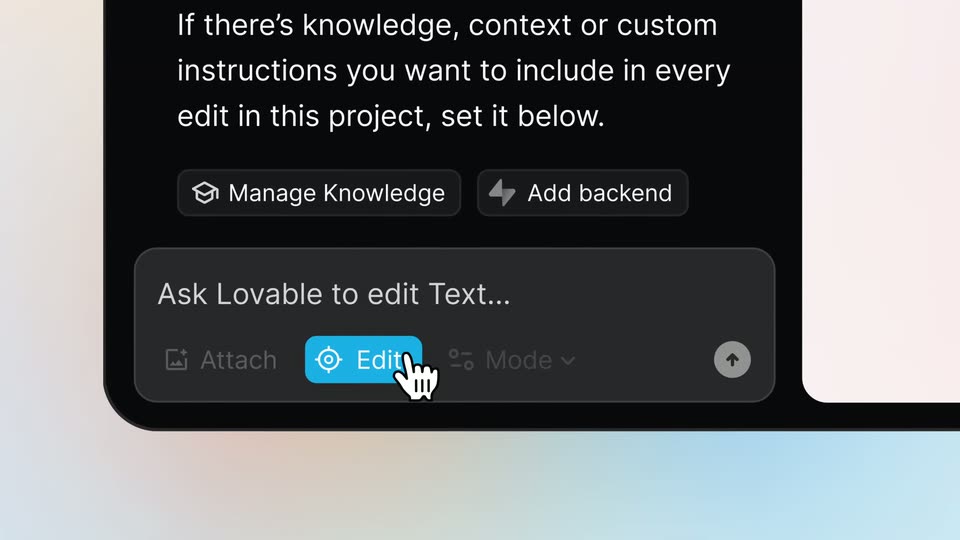
A dark rounded panel with a gradient orange-to-green border sits on a near-black background. The headline types out word by word behind a blinking caret while the Attach and Edit controls settle in at the bottom. Locked-off frame.
On-screen text: “Tired of choosing between AI speed and”
Techniques: Kinetic type
Camera: Static
A dark chat input box with a thin gradient border sits centered on black. A prompt is typed letter by letter with a blinking cursor, then the view pushes in close on the box as the text changes to “We fixed that.”
On-screen text: “Tired of choosing between AI speed and creative control?”, “We fixed that.”
Techniques: Kinetic type, UI zoom
Camera: Static
A tilted 3D tablet mockup of the app blurs into focus on a soft gradient, then the view zooms into the dark chat panel as a cursor hovers the blue Edit button. A large caption 'We fixed that.' appears.
On-screen text: “We fixed that.”
Techniques: 3D mockup, UI zoom, Cursor demo
Camera: Push in
A design tool screen after a crossfade: the hero heading types out 'Build with AI. Keep complete control.' live as the Edit Text panel updates. A hand cursor opens the Text Size dropdown, selects XL, and the heading scales up.
Techniques: Cursor demo
Camera: Pull out
The product interface zooms into its color picker panel on the right. A cursor moves across the violet swatches and selects one, popping a 'Violet 709' tooltip.
Techniques: UI zoom, Cursor demo
Camera: Push in
A light gradient product interface shows a headline and two buttons; a cursor moves down, clicks the purple button, and a dashed selection box with a Button label appears as the view scrolls to reveal an edit input bar at the bottom.
Techniques: Cursor demo
Camera: Pan
A design tool canvas shows a dark Edit Button panel beside two pill buttons, with blue layer tags and a hand cursor. The view zooms into the panel as the padding value ticks from 32 to 34 and a four-arrow move cursor appears.
Techniques: UI zoom
Camera: Push in
A close-up of the selected purple button pulls back to reveal the editor: a dark color palette on the left, a prompt bar below. A hand cursor clicks the Slate 950 swatch and the button turns near-black.
Techniques: UI zoom, Cursor demo
Camera: Pull out
Close-up of a dark settings panel with Padding, Fill and Radius fields and a blue Save button. A white hand cursor moves onto the Save button and taps it as the panel shifts up slightly. Below, an input bar with an Edit toggle sits at the bottom.
Techniques: Cursor demo
Camera: Pull out
The Lovable landing page, with its centered headline and scattered circular portraits, fills the frame flat. The camera pulls back to reveal the same page displayed on a MacBook Pro mockup on a desk, beside a pencil cup and stacked books.
Techniques: 3D mockup
Camera: Pull out
A silver MacBook Pro sits open on a cream desk between stacked white books and a cup of black pencils, its screen showing the Edits homepage with the headline Build with AI. Keep complete control. and circular avatars. The camera slowly pulls back to widen the frame.
Techniques: 3D mockup
Camera: Pull out
Dark background with orange and blue glows. “AI + Visual Editing.” scales down as a gradient heart outline draws in, then swaps to “Do things the new way.” The outline heart becomes a small multicolor icon; the “lovable” wordmark reveals through a mask as “Visual Edits” writes in script.
On-screen text: “AI + Visual Editing.”, “Do things the new way.”, “lovable”, “Visual Edits”
Techniques: Kinetic type, Morph, Masking
Camera: Pull out