
1:04
Explore
New Glass effect updates
Figma · Jan 2026 · 0:29 · Full motion · AI-annotated
- Length
- 0:29
- Scenes
- 18 · 1.6 s avg
- Product on screen
- 0:03
- Features shown
- 1
- Voiceover
- No
- Views
- 8.2K on YouTube
as of November 27, 2026
00:00:00 / 00:29:16
- Length
- 0:29
- Scenes
- 18 · 1.6 s avg
- Product on screen
- 0:03
- Features shown
- 1
- Voiceover
- No
- Views
- 8.2K on YouTube
as of November 27, 2026
Figma’s 0:29 launch film runs 18 scenes, about 1.6 s each. The product shows up at 0:03 and 1 feature is revealed. There is no explicit call to action. The video is built as a fast interface tour: abstract glow shapes open, a cursor then walks through the Glass panels (sliders, variables, splay) in quick cuts, and tagline cards plus the pill logo close it. Signature moves are the zoom-ins on refracting type, the blue selection box with a dimension readout, and the word-swap caption cards.
No filming indicatedEstimated needs: 3 capture groups — your screens or recordings · 1 official logo — reused across the film · 3 graphic passages — draw or supply · 1 3D passage — build or supply
Is this your launch? to your site or press kit.
More like this
1:02
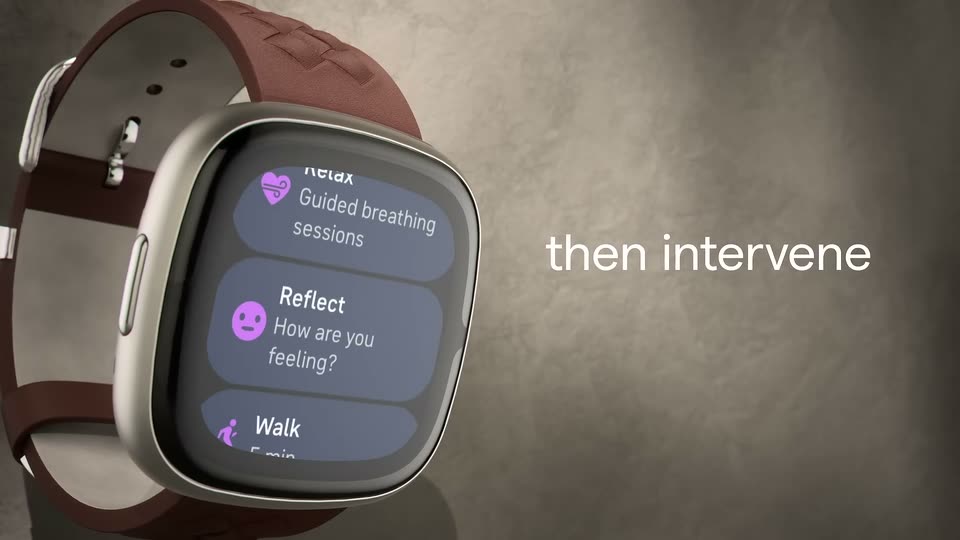

Tackle stress & sleep better with Fitbit Sense 2
Fitbit · Aug 2022
0:24
Mercury - Mercury Command is live. AI built directly into your Mercury accoun
Mercury · Finance · Jun 2026
Similar soundtrack
Films whose music sounds like this one, voice left out
1:08
Essential - Create apps shaped exactly around your specific needs and context. T
Essential · Electronic
0:32

Retell AI - New year. New look. The Retell Platform.
Retell AI · Electronic, Cinematic
1:42
Logical | The Proactive Desktop Copilot
Logical · Cinematic trailer music and high-energy electronic dance music.
New Glass effect updates, scene by scene
· 18 scenes as text
01 · Hook · 0:00–0:01
A soft orange field grows from the right into a rounded D shape over a dark indigo background, its blurred edge shifting as a small white-outlined cursor drifts across the center. The motion is slow and smooth.
Techniques: Morph
Camera: Static
02 · Hook · 0:01–0:02
A giant rounded panel filled with a soft orange glow slides across a dark purple field, its curved right edge carrying a dark shadow. A small white-outlined cursor drifts downward near the center as the panel shifts right.
Camera: Static
03 · Hook · 0:02–0:03
A white cursor glides across a dark field of blurred magenta, blue and green glows. A bright vertical line sweeps right while a red crescent arc draws in along the left edge.
Techniques: Masking
Camera: Static
04 · Hook · 0:03–0:03
A dark field of rounded color tiles, orange, magenta and a glowing blue circle, reframes tighter on the blue disc as a white arrow cursor glides from the lower right onto its center.
Techniques: UI zoom, Cursor demo
Camera: Static
05 · Demo · 0:03–0:05
A dark canvas holds a green rounded square beneath a magenta shape. The frame pulls back to reveal a right-side properties panel with a corner radius field set to 88, the green shape's top-left corner rounding to match.
Techniques: UI zoom
Camera: Pull out
06 · Demo · 0:05–0:05
Close-up of a phone lock screen at 9:41 beside a dark settings panel. A dropdown lists effect options as a cursor moves down, and the blue selection highlight shifts from Background blur to Texture.
Techniques: Cursor demo
Camera: Pull out
07 · Demo · 0:05–0:08
A dark effects panel overlays a phone lock screen showing 9:41. The cursor picks Glass from a dropdown, the frame zooms in, and dragging the Splay slider to 89 makes the clock digits refract.
Techniques: Cursor demo, UI zoom
Camera: Push in
08 · Demo · 0:08–0:08
A dark Glass settings panel overlays a purple gradient and a glass icon grid. A cursor hovers the hexagon icon in the Light row, popping an Apply variable tooltip. Sliders for Refraction, Depth, Dispersion and Frost sit below.
Techniques: Cursor demo
Camera: Pull out
09 · Demo · 0:08–0:09
A dark glass control panel and an icon search list float over a purple gradient of glassy app icons. A cursor slides from the light-angle field down the list and hovers on the first entry.
Techniques: Cursor demo
Camera: Static
10 · Demo · 0:09–0:09
A dark control panel with a Glass dropdown and sliders for Refraction, Depth, Dispersion, Frost and Splay sits over a purple grid of app icons. A cursor moves down and drags the Light intensity field while one icon stays selected with a blue bounding box.
Techniques: Cursor demo
Camera: Static
11 · Demo · 0:09–0:12
A dark variable editor lists glass icon parameters on the left while four glassmorphic app icons sit on a blue-to-purple gradient at right. A cursor taps the value field for icon-light-angle and types 333 as the panel settles in over a fading duplicate.
Techniques: Cursor demo
Camera: Push in
12 · Demo · 0:12–0:14
On a purple gradient, a black dotted pill holds a horizontal band of rainbow refraction arcs. A blue selection frame with a size readout surrounds the band, then a cursor drags its edge outward, stretching the arcs into rounded lobes. A dark Glass panel with blue sliders sits at the right.
Techniques: Cursor demo
Camera: Pull out
13 · Feature reveal · 0:14–0:16
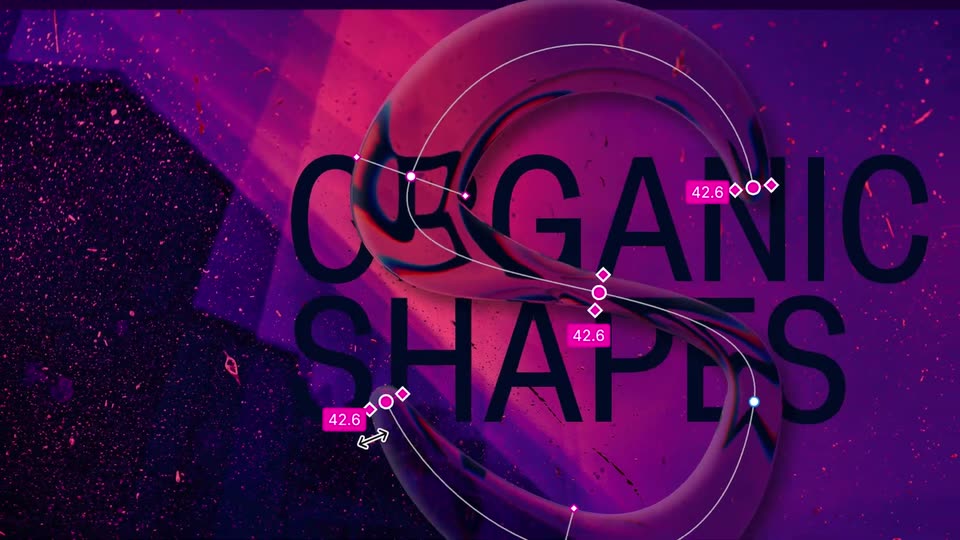
A glossy magenta-purple liquid blob fills the frame behind a large black serif headline “ORGANIC SHAPES”. Pink measurement lines with node points and changing numeric labels trace across the type. The camera pulls back, revealing a dark speckled particle field along the left edge.
On-screen text: “ORGANIC SHAPES”
Techniques: Particles
Camera: Pull out
14 · Feature reveal · 0:16–0:19
A translucent circle holding a rainbow liquid blob floats over a gradient app icon on a striped purple backdrop. A cursor drags its edge to resize it, a blue selection box and dimension readout flash, then the view zooms in tight on the icon.
Techniques: Cursor demo, UI zoom
Camera: Push in
15 · Outro · 0:19–0:22
On a near-black background, three phrases appear one after another in the top left: 'Add it to any shape, text, or object.', 'Round each corner.', and 'Apply variables.' Each phrase enters with some words in blue that brighten to white.
On-screen text: “Add it to any shape, text, or object.”, “Round each corner.”, “Apply variables.”
Techniques: Kinetic type
Camera: Static
16 · Outro · 0:22–0:23
Two lines of text sit on a plain dark background, the word with highlighted in blue. The phrase swaps from Bend edges with to Do more with mid clip.
On-screen text: “Bend edges”, “with Splay.”, “Do more with Glass.”
Techniques: Kinetic type
Camera: Static
17 · Outro · 0:23–0:24
A plain near-black background fills the frame while the headline sits top-left in large white sans, completely static for the clip.
On-screen text: “Do more with Glass.”
Camera: Static
18 · Outro · 0:24–0:29
On a near-black field, a glossy logo built from orange, magenta, blue and green pills snaps into the center inside a blue selection box with a dimension readout. The box and cursor vanish, and the logo eases down to a small centered mark.
Camera: Static