1:53
Best AI SaaS Product Video | Apollo
Apollo · Sep 2026
Reception (by ElevenLabs) · Sep 2026 · 0:32 · AI-annotated
Reception (by ElevenLabs)’s 0:32 launch film runs 22 scenes, about 1.5 s each. The product shows up at 0:14 and 1 feature is revealed. There is no explicit call to action; a voiceover carries the film. A launch video for Reception.ai that opens on a cream grid collage of scattered 3D office props, cuts to 3D phones and phones on a blue halftone field, then pivots to a dark UI sequence showing the AI receptionist chat and agent cards before a wordmark close.
Is this your launch? to your site or press kit.
Apollo · Sep 2026
Invertix · Industrials · Sep 2026
RightNow · B2B · Oct 2026
On a pale cream background with a faint grid, the phrase “Someone's calling” assembles in the center. The word builds up letter by letter, with trailing syllables like “ing” appearing in light gray and slightly offset before settling into place.
On-screen text: “Someone's calling”
Techniques: Kinetic type
Camera: Static
On a cream grid canvas, the words make, to, an, appointment. slide in from scattered edges around a black phone icon, while flat beauty icons (hairdryer, cream tube, pump bottles, brush) and a dotted line drift into place.
On-screen text: “Someone's calling”, “make”, “to”, “an”, “appointment.”
Techniques: Kinetic type
Camera: Pan
A black office phone floats in 3D perspective on a blue halftone dot field, casting a soft shadow below. A translucent pill beside the handset opens and fills with the words INCOMING CALL. The phone holds still through the short clip.
On-screen text: “INCOMING CALL”
Techniques: 3D mockup
Camera: Pan
A black office phone rests in 3D perspective on a blue halftone background. A translucent pill labeled INCOMING CALL floats beside the handset as the dotted pattern glitches with white blocks sliding in at the right edge.
On-screen text: “INCOMING CALL”
Techniques: 3D mockup
Camera: Static
On a light gray grid, scattered words slide around among 3D construction props (orange hard hat, traffic cone, gray concrete block, yellow tape measure, crane) and small icons (phone, pointing hand on a blue button). The collage drifts and repositions across the frame.
On-screen text: “To”, “book”, “a”, “job.”
Techniques: Kinetic type, Parallax
Camera: Pull out
A black smartphone floats in 3D over a blue dotted grid, slowly tilting to show its thin edge. A translucent pill reading INCOMING CALL hovers across its dark screen, and two small white squares slide in at the right edge.
On-screen text: “INCOMING CALL”
Techniques: 3D mockup
Camera: Static
A pale grid field holds flat icons (laptop, phone, mug, keyboard, pencils) drifting into place while the words schedule, a, To and meeting. assemble across the frame. A dark Meeting notification card slides in from the left and exits.
On-screen text: “schedule”, “a”, “To”, “meeting.”
Techniques: Kinetic type
Camera: Pan
3D office props (laptop, mug, keyboard, pencil, calendar, notebook, phone) sit on a cream grid beside the dark words schedule and meeting. The view then reframes onto a large green-to-teal dotted letter with an office chair and a phone handset.
On-screen text: “schedule”, “meeting.”
Techniques: 3D mockup
Camera: Pan
A black Yealink desk phone with a color touchscreen rotates slowly in 3D against a blue halftone dot backdrop, and a translucent gray pill reading INCOMING CALL slides in beside the display.
On-screen text: “INCOMING CALL”
Techniques: 3D mockup
Camera: Static
A 3D desk phone sits on a halftone blue field with an INCOMING CALL pill beside its screen. The phone shrinks and shifts left as the words But and nobody's pop in on white, with small floating icons, a blue bottle, a yellow smiley and a gray cube, drifting around.
On-screen text: “INCOMING CALL”, “But”, “nobody's”
Techniques: 3D mockup, Kinetic type
Camera: Pull out
A light gray grid fills the frame as 3D office objects, a shelf, bottle, mug, hard hat, tape measure, phone and calendar, pop in and drift. The words But, nobody's, around and to fade in one by one at scattered positions, matching the voiceover.
On-screen text: “But”, “nobody's”, “around”, “to”
Techniques: Kinetic type
Camera: Static
A pale grid plane holds scattered 3D objects on gray tiles, including a black mug, keyboard, orange hard hat, calendar and traffic cone. The words sit at staggered heights across the center, held static.
On-screen text: “But nobody's around to pickup.”
Camera: Static
On a cream grid, scattered 3D objects (mug, keyboard, hard hat, cone, calendar) frame the black sentence 'But nobody's around to pickup.' The background warms to orange, the objects flatten to monochrome, a white 'Un' drops into the line, and a dotted pixel row builds along the bottom.
On-screen text: “But nobody's around to pickup.”, “Un”
Techniques: Kinetic type
Camera: Pull out
A red-orange gradient disc with a fine halftone dot pattern shrinks to reveal black around its edges, while the centered white text builds from 'Until' to 'Until now.'
On-screen text: “Until now.”
Techniques: Kinetic type
Camera: Static
A glowing gradient orb pulses at the center of a black field, ringed by thin concentric circles, its color shifting from yellow-orange to pink. It then shrinks onto a larger green-to-yellow gradient disc as a faint rounded outline fades in at the left.
On-screen text: “Until now.”
Camera: Push in
Over a blurred green, teal and orange gradient, a glassy chat bubble types out a greeting from Reception beside a glowing orange orb; the circular viewport opens to full frame as an empty input field appears at the lower right.
Techniques: Masking, UI zoom
Camera: Static
On a blurred green and blue gradient, a glass chat interface plays a booking conversation: a Reception bubble greets, the user bubble types out a request to book an appointment, and a second Reception bubble replies. The scene fades to black as the word Stop appears centered.
On-screen text: “Stop”
Techniques: Kinetic type
Camera: Static
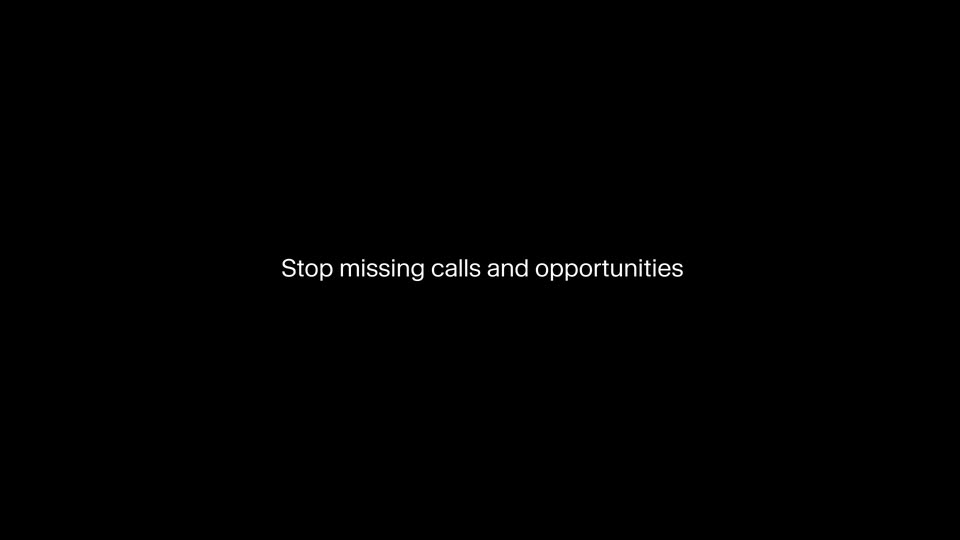
On a black background, the bold word Skip appears centered, then the line Stop missing calls and opportunities builds word by word while a thin white rounded-rectangle outline draws itself around the frame. The line holds as the outline closes.
On-screen text: “Skip”, “Stop missing calls and opportunities”, “Hi there. How can I help you today?”, “Hey, I'm looking to book an”, “appointment for next week, please?”
Techniques: Kinetic type
Camera: Static
A black screen holds a thin white rounded-rectangle outline. A centered white headline reads “Stop missing calls and opportunities” with the middle word blurred. A second inner rounded card with a soft green glow scales in at the center while the outer frame drifts, layering the depth.
On-screen text: “Stop missing calls and opportunities”
Techniques: Parallax
Camera: Static
Three rounded green-glow cards slide quickly into a centered row on black, each with a white line icon (headphones, calendar, grid) and a two-line white label naming an agent.
Camera: Static
Three rounded gradient cards sit on black, each with a line icon, a title and a one-line caption. The cards then stretch horizontally and merge into a single full-width bar as the icons and text fade out.
On-screen text: “Informational agent”, “Answer questions, no booking needed”, “Receptionist agent”, “Full appointment booking system”, “Reservation agent”, “Bookings for spaces and equipment”
Techniques: Morph
Camera: Static
Black screen: a thin bright horizontal line with a few green and yellow dots, then the white wordmark Reception.ai scales up at center with smaller 11Eleven Agents below; it holds and fades out.
On-screen text: “Reception.ai”, “11Eleven Agents”
Techniques: Kinetic type
Camera: Static