1:23

Pika - Attention, all you geniuses with products, but no marketing skills.
Pika · AI · May 2026
Cardboard · Sep 2026 · 1:21 · AI-annotated
Cardboard’s 1:21 launch film runs 50 scenes, about 1.6 s each. The product shows up at 0:14 and 3 features are revealed. There is no explicit call to action; a voiceover carries the film. The video intercuts a live-action office story with dark, grid-ruled kinetic typography and 3D-tilted interface mockups, moving from a deadline problem through a prompt-to-video demo into feature cards. Its signature moves are text set inside editor selection handles, panels that rotate into perspective, and a recurring slat-ring logo that spins between beats.
Is this your launch? to your site or press kit.
Pika · AI · May 2026
Playdate · Hardware · Jun 2021
A man in a blue shirt sits in an office chair, tapping a phone in his hands. A dark figure enters the left foreground, and he looks up toward them with a focused expression. A desk with a monitor and keyboard sits behind him.
Camera: Static
A man with glasses and a mustache sits with arms crossed in a stairwell, puckering his lips toward the camera as the lens racks from soft blur to sharp focus on his face.
Camera: Pan
A man with black glasses and a brown zip jacket sits in a dim office, talking to camera at a low angle. A woman with glasses leans in smiling behind his left shoulder. The locked-off shot holds on him as subtitles caption his lines at the bottom of the frame.
On-screen text: “Hi.”, “We're launching our desktop app”, “tomorrow.”, “We need a launch video.”
Camera: Static
A young man in a blue t-shirt sits in a home office, holding a phone, facing a person whose dark shoulder fills the left foreground. He speaks while white subtitles appear at the bottom of the locked-off frame.
On-screen text: “We need a launch video.”, “Okay.”, “Sure.”
Camera: Static
A locked-off office shot with a wooden door and black smart lock filling the right edge. A man in a brown jacket walks past a reflective partition, then a woman in a green patterned blouse enters with a blue notebook, stopping to face the door.
On-screen text: “Alright.”
Camera: Pull out
A young man in a blue shirt sits in an office chair, head turned to the side with a wide-eyed, open-mouthed expression of surprise. The camera holds a static medium shot in a home office, a desk, monitor and dining area blurred behind him. A white caption reads at the bottom.
On-screen text: “Tomorrow?”
Camera: Static
A woman with glasses and a patterned blouse holds a blue folder in a doorway, peeks from behind a wooden door fitted with a black smart lock, speaks, then ducks back behind the door. The shot is locked off.
On-screen text: “But ask cardboard.”
Camera: Push in
A young man in a blue shirt sits in an office chair, raises his hand to his mouth, then turns his back to face a desk monitor.
Camera: Static
A young man in a blue T-shirt looks down, then thrusts his open hand toward the camera. The shot starts soft on his face and racks focus to his outstretched hand and silver wristwatch.
Camera: Static
A young man with dark hair and an earring sits behind a laptop, his eyes fixed on the screen. The shot frames him over the top edge of the monitor in a softly lit room with an orange chair and a plant in the background.
Camera: Static
Close-up of the lower edge of a dark Mac screen. The macOS dock with colorful app icons slides left, and a white cursor settles under a dark striped icon, all against a blurred warm-toned desk background.
On-screen text: “DOOAOC”
Techniques: 3D mockup, Cursor demo
Camera: Static
A dark prompt screen fades in dim, then brightens and reframes onto the input field as a large serif headline scales up. The placeholder fades while a prompt is typed into the box, first reading make me a video, then replaced by a longer greeting prompt.
On-screen text: “Uh, make me a little”, “no”
Techniques: UI zoom
Camera: Pan
A dark prompt screen reframes from offset to centered as a prompt types out; a cursor clicks a wand icon to expand the prompt into a paragraph, then a hand cursor sends it and the box clears.
Techniques: Cursor demo, UI zoom
Camera: Pull out
A dark video editor interface fades in tilted in 3D, then rotates to face the camera flat. A white kinetic headline, “What are we editing today, Ada”, scales in over the empty timeline preview while the cursor rests at the right edge.
On-screen text: “What are we editing today, Ada”
Techniques: 3D mockup, Kinetic type
Camera: Pull out
A static screen of a video editor. The center canvas holds the handwritten words “Your agent” and “knous” around a small red asterisk on white, while a library of audio clips sits on the left and a prompt panel on the right.
On-screen text: “Your agent”, “knous”
Camera: Static
A young man with dark curly hair looks down at a monitor, his face half-hidden behind the blue top edge of the screen. The background stays softly blurred in warm office tones. He lifts his eyes toward the screen as a white caption fades in at the bottom.
On-screen text: “Oh, that was fast.”
Camera: Static
A dark video editor fills the frame: a library of image assets, a preview box reading “Your agent knows”, and a chat panel. The view zooms in on the timeline and play controls as a white cursor hovers over the play button. A caption reads “Oh, that was fast.”
On-screen text: “Oh, that was fast.”
Techniques: UI zoom, Cursor demo
Camera: Push in
On a pale gray field, the black sans-serif line 'Your agent knows' scales up in place as the small icon between the words morphs from an orange spiky burst into a black outlined flower.
On-screen text: “Your agent knows”
Techniques: Kinetic type, Morph
Camera: Static
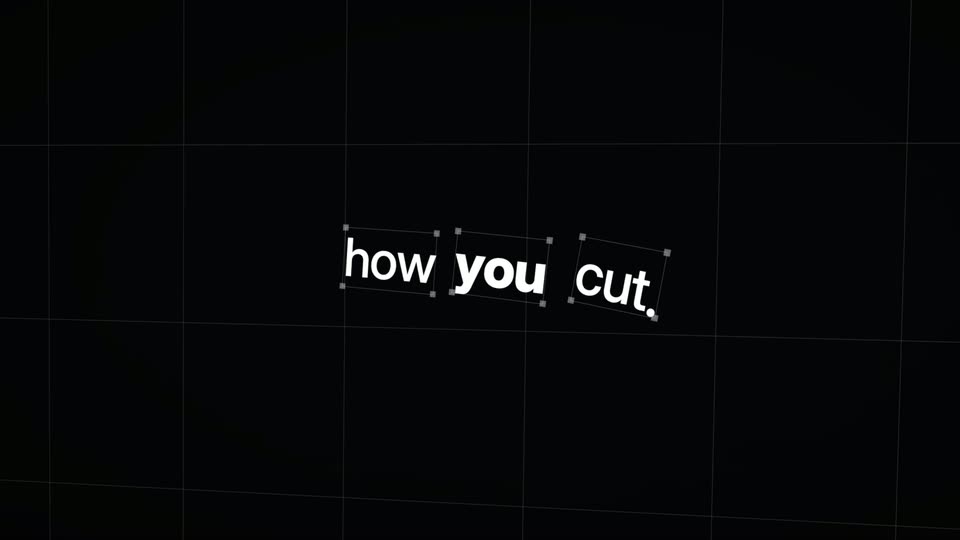
On a black background with a faint grid, the white phrase how you cut. sits inside selection boxes; the words rotate from a slight tilt into a straight line as a thin white line draws in from the left.
On-screen text: “how you cut.”
Techniques: Kinetic type
Camera: Static
On a black grid, the white bold lowercase line “how you cut.” sits inside editor selection handles, ghosted by a duplicate copy above. The card then tilts into 3D perspective, the grid receding as the text rotates.
On-screen text: “how you cut.”
Techniques: Kinetic type
Camera: Static
On an off-white field, the headline 'How you phrase things.' begins as scattered, tilted script words and settles into a clean horizontal sans-serif line. Small pill labels of editing tips sit around it; 'cut to the rhythm' inverts to black and 'kill your darlings' fades in at the left.
On-screen text: “How you phrase things.”, “hold the beat”, “cut on action”, “let it breathe”, “trim the fat”, “land the moment”, “cut to the rhythm”, “the edit is the final rewrite”, “kill your darlings”
Techniques: Kinetic type, Morph
Camera: Static
A dark grid holds a fast horizontal pan of graphic stamps: a clapperboard, a mirrored parental-advisory box, a ring of cow icons and an iridescent disc. The line What I've made before. and the word Improve. pass through with the star logo. The composition scrolls left at a quick pace.
On-screen text: “What I've made before.”, “Improve.”
Techniques: Kinetic type
Camera: Static
The view pans across a dark grid canvas of tilted collage assets, a stamp, a pixel-art pair, a blue letter pattern and a clapperboard, while the white headline scales in the center with selection handles.
On-screen text: “What you've made before.”
Techniques: Kinetic type
Camera: Pan
On a black field, a ring of white rectangular panels turns in 3D perspective, pulling back from a wide close-up to a small centered circle. Faint wireframe outlines of larger rectangles drift in the background at a different depth.
Techniques: Parallax
Camera: Static
A black field carries a thin vector grid of lines and small square handles. The word craft sits centered in heavy white lowercase, the frame opening tight on the first letter and pulling back to reveal the full word.
On-screen text: “craft”
Camera: Static
A dark prompt panel reading “Describe the edit...” sits centered over a slowly drifting collage of photos, code snippets and stickers. A mouse cursor hovers by the text field as a film-reel spinner and an “Opus” send button appear at the panel's corner.
Techniques: Cursor demo, Parallax
Camera: Pull out
A dark prompt box on black types out a request while a cursor hovers over it. A model picker dropdown opens, the selection switches from Opus to Fable, and the frame reframes closer on the input box.
On-screen text: “Together, they make something”, “neither could alone.”
Techniques: Cursor demo, UI zoom
Camera: Push in
Two men sit at desks in a warm office, both looking down at a laptop. The man in glasses and a brown shirt speaks; the man in blue stays focused. A white subtitle reads “This is interesting.” at the bottom. Static medium shot, shallow depth of field.
On-screen text: “This is interesting.”
Camera: Static
Two men sit in office chairs in a lounge with orange seating. The man in the blue shirt looks down, then turns his head toward his companion and smiles. The man in the brown shirt, wearing glasses and arms crossed, watches him. The frame is locked off.
On-screen text: “I know.”, “Oh.”
Camera: Static
Translucent editing panels (color wheel, timeline, effects graphs) float around a central preview of five men at a screen. The cluster tilts into 3D perspective, then most panels fade to wireframes, leaving a player and a chat window.
On-screen text: “This is what video”, “looked like.”, “Controls between you and the idea,”
Techniques: 3D mockup, Parallax
Camera: Pull out
A tilted 3D mockup of a video editor floats over a dark grid: a grayscale preview of people, a timeline bar below, and a chat panel on the right. The mockup rotates slowly while a white caption appears at the bottom edge.
On-screen text: “Controls between you and the idea,”, “and this”
Techniques: 3D mockup
Camera: Static
A 3D-tilted video editor interface over a dark grid rotates from a steep angle to a near-frontal view. The player shows people around a laptop; an AI chat panel sits right, a white playhead marks the timeline. Captions read 'and this' then 'is the idea.'
On-screen text: “and this”, “is the idea.”
Techniques: 3D mockup
Camera: Push in
Two men sit side by side at desks in a warm office lounge. The man on the right, in a dark shirt and glasses, raises an open hand then points as he speaks, while the man in the blue tee turns to look at him. The locked-off shot holds as white subtitles appear at the bottom.
On-screen text: “is the idea.”, “Let me show you something.”
Camera: Static
A dark chat panel fills the frame over a blurred timeline of colored clips. A prompt types out letter by letter in the input box, then a hand cursor taps the send arrow, flashing a Send message tooltip. A white caption sits at the bottom.
On-screen text: “Let me show you something.”
Techniques: Cursor demo
Camera: Static
On a black background, a ring of small gray rectangles spins in 3D from a low angle. The tilted panels rotate and settle into a continuous band of vertical slats.
Camera: Static
On a white field, a centered black serif line reads “So take it further”. It gives way to a small centered clip of a person in a white shirt holding a rainbow box over their face, with a gray caption below.
On-screen text: “So take it further”, “A version that opens differently.”
Camera: Static
A man in a purple shirt holds a gradient card, then the shot reframes so he becomes a small inset over a crowded street lined with blue person-detection boxes, and the inset swaps to a tulip field with a red-green heatmap. The caption holds at the bottom.
On-screen text: “A version that opens differently.”
Camera: Static
A fanned stack of desert frames sits in 3D perspective on a black background. A white-outlined cutout of a hiker pops in on the right, then the stack spreads apart as the bottom caption changes.
On-screen text: “A version that opens differently.”, “I'm on the top of a different.”
Techniques: 3D mockup
Camera: Static
A stack of white cutout silhouettes sits centered over orange roses, fanning and shifting in depth. Yellow detection boxes labeled Flower with percentages float across the frame while a wall of tiny multicolored code text fills the lower half.
On-screen text: “The same story in words”
Camera: Static
A dark foot rests in a clear glass insole on a pale green field, marked with white wireframe boxes and coordinate tags. White X-ray panels with numbers fade in across the sole while the caption holds.
On-screen text: “a shape”, “The same story in another”
Techniques: 3D mockup, Masking
Camera: Static
A locked-off collage overlays red and green foliage with code and yellow flower bounding boxes. A central black-and-white frame shows white silhouettes, a small inset photo, and drawn marks. Red text reads let the tape, and blue text reads language.
On-screen text: “Flower 78%”, “let the tape”, “language.”
Camera: Static
A rapid collage of grainy film stills, including a color portrait of a man in a ruff collar marked with a red line, swaps layouts over a wall of small monospace code. Hand-drawn stars and a red X sit beside scattered lowercase captions.
On-screen text: “Flower 78%”, “let the tape”, “er”, “language.”, “than it should”, “cut”
Camera: Static
A dark, grainy collage of black-and-white photos swaps frames behind a central portrait and a white silhouette figure. The white serif text 'a cut' holds center while purple italic 'than it should' sits at the top and a red 'longer' pops in at the lower left.
On-screen text: “than it should”, “a cut”, “longer”
Camera: Static
A mosaic of short film clips, a man in a cap, pale underwater figures, a man with a camera and a man in an empty theater, rearranges across the frame. A large white serif line, no one's seen yet., scales at the center over the collage.
On-screen text: “than it should”, “a cut”, “no one's seen yet.”
Techniques: Kinetic type, Split screen
Camera: Pull out
A grainy maroon duotone shot of a man in a cluttered room, a hand reaching toward him, dissolves into heavy pixelation. White serif text “no one's seen yet.” holds at center, then the words fall away leaving only “yet.” as the glitch intensifies.
On-screen text: “no one's seen yet.”, “yet.”
Techniques: Kinetic type
Camera: Static
A young man in a maroon t-shirt stands before a whiteboard covered in handwritten notes, his bare arm stretched toward the lens. His open hand blurs across the foreground, then draws back as he holds a fixed stare at the camera.
On-screen text: “yet.”
Camera: Static
Two men sit at office desks facing a monitor, the man in a blue shirt shifts from a smile to a pensive look with his hand on his chin, while the man in a brown shirt rests his chin on his hand. The back of a monitor sits in the foreground.
Camera: Static
A woman with glasses and a green floral blouse holds a blue folder at her chest in a locked-off medium shot, a dark grid partition and ceiling lights behind her. She speaks, then breaks into a smile.
On-screen text: “Good job.”
Camera: Static
Two men sit at a desk in a bright office, the man with glasses in a dark zip shirt turning to speak to the man in a blue sweatshirt, who glances back. A video editing timeline plays on the monitor behind them. Locked-off medium two-shot.
Camera: Static
A white Cardboard logo lockup sits centered on a black field, holding on a locked-off frame. It then cuts to a single centered line of white serif text that reads Available on your nearest Mac.
On-screen text: “Available on your nearest Mac”
Camera: Static