1:23

Liveblocks - #LiveblocksLaunchWeek – Day 1 Introducing Liveblocks 1.0: the comple
Liveblocks · Feb 2023
LightSprint · May 2026 · 1:06 · Full motion · AI-annotated
LightSprint’s 1:06 launch film runs 34 scenes, about 1.9 s each. The product shows up at 0:09 and 7 features are revealed. The call to action lands at 0:53 (81% in), over a voiceover. The film opens on a near-black grid with serif type and colored name chips, names the product with a glowing logo, then walks one referral feature through the app in a steady beat of headline, demo, and 3D tilt. It closes on a warm orange gradient with a single button and a white end card that rebuilds the pixel logo, so the signature moves are the word-by-word serif reveals, the focus rack and 3D panel tilts, and the recurring orange accent that ties the dark intro to the bright UI.
Is this your launch? to your site or press kit.
Films whose music sounds like this one, voice left out
Hook · Modern electronic music
Oasis · Modern electronic
With Coverage · Corporate Electronic
The word “Software” opens large and out of focus on a near-black background, then scales down and sharpens to a centered position as a faint grid fades in behind it.
On-screen text: “Software”
Techniques: Kinetic type
Camera: Static
On a dark grid backdrop, the serif headline scales up word by word, with teams in orange. Three photo name chips, pink, teal and blue, each with a colored cursor arrow, slide in from the edges and settle around the line.
On-screen text: “Software is built by teams”, “James (Engineer)”, “Sarah (PM)”, “Ben (Frontend)”
Techniques: Kinetic type
Camera: Pull out
Three flat interface mockups, a git terminal, a chat window, and a second terminal, appear side by side on a dark grid. Cyan, pink, and blue name tags with avatars and arrow pointers scale down and slide to rest below each panel.
On-screen text: “James (Engineer)”, “Working on auth-service”, “Sarah (PM)”, “Working on chat app”, “Ben (Frontend)”, “Working on frontend”
Techniques: Split screen, Kinetic type
Camera: Static
Three flat interface windows (terminal, chat, terminal) sit in a row on a dark grid, each tagged below by a glowing name pill with an upward arrow. The pills slide and scale into place, then the whole row defocuses into a soft blur.
On-screen text: “James (Engineer)”, “Sarah (PM)”, “Ben (Frontend)”
Camera: Push in
On a dark brown grid, the sentence builds word by word in white serif type, the final word in orange, then a larger serif word scales in at the end.
On-screen text: “The team is out of sync”, “With”
Techniques: Kinetic type
Camera: Static
On a dark brown grid background, the white serif word With scales in at center, then the orange Lightsprint wordmark slides in beside it to complete the phrase. The frame stays locked off.
On-screen text: “With”, “Lightsprint”
Techniques: Kinetic type
Camera: Static
On a dark brown grid, the serif headline With Lightsprint glows as a warm light sweep crosses it. The words then slide apart and fade, and the Lightsprint logo of six cream and orange rounded squares settles in the center.
On-screen text: “With Lightsprint”
Techniques: Kinetic type, Light sweep
Camera: Static
The LightSprint lockup, an orange stepped pixel mark beside a white serif wordmark, sits centered on a dark brown grid background with a soft white glow behind the letters. The frame is locked off and the logo holds still.
Camera: Static
A held logo lockup sits centered on a dark brown grid background. An orange pixelated square mark sits left of the white serif wordmark, both glowing softly while the frame stays locked off.
Camera: Static
On a dark brown grid, three task cards with colored assignee tags drift and swap places around the center while the serif headline changes from “Agentic development” to “is now collaborative.”
On-screen text: “Agentic development”, “is now collaborative”
Techniques: Kinetic type, Parallax
Camera: Pull out
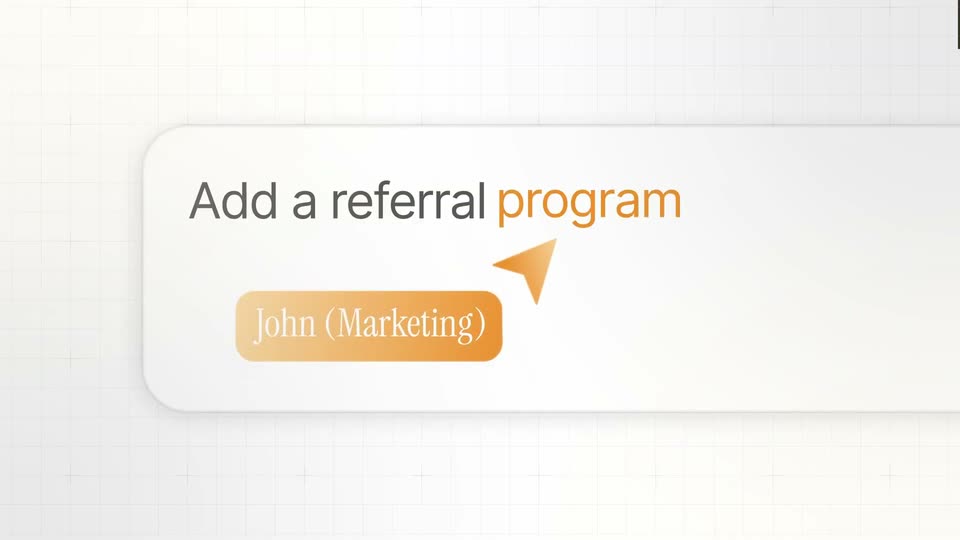
A white rounded card sits on a faint grid canvas, locked off. The prompt text types and slides in, 'Add a referral program', the last word in orange, while an orange cursor arrow hovers beside it and an orange pill tag 'John (Marketing)' slides up from below.
Techniques: Kinetic type
Camera: Static
A serif question and a typed referral-program prompt sit on a white card over a faint grid. The card shrinks to an orange send button, a cursor clicks it, and the frame tips into a 3D app window with a loading state.
On-screen text: “What would you like to plan?”, “Add a referral program — let users share a link and earn rewards.”
Techniques: Kinetic type, Morph, Cursor demo, 3D mockup
Camera: Static
A tilted 3D view of the LightSprint app shows a loading list under the title Referral program, then the panel switches to a wireframe of two side-by-side referral dashboard options labeled Minimalist and Reward earnings focus.
Techniques: 3D mockup
Camera: Static
A light grid background holds a bold headline and a gray caption above three side-by-side referral dashboard mockups, the right one tinted orange with a green recommended tag. The full layout fades in from low opacity; a rounded input bar sits at the bottom.
On-screen text: “Referrals dashboard layout”, “The page at '/referrals' is where the user copies their link, sees who they've referred, and tracks earned credits. Three layouts:”
Camera: Static
A referrals dashboard of three option cards blurs into focus, then the view switches to a plans screen with a clarification prompt as a large serif 'We'll guide' headline scales in at center.
On-screen text: “We'll guide”
Techniques: Kinetic type
Camera: Pull out
A large serif headline builds the sentence over a grid backdrop, the final word in italic gold. Below, a flat LightSprint UI shows a referral question as a cursor moves and option A highlights green.
On-screen text: “We'll guide you”, “through key product decisions”
Techniques: Kinetic type, Cursor demo
Camera: Pull out
A flat product window on a grid background shows the LightSprint plan page. Large serif headlines above it swap from “through key product decisions” to “and let you align in a team” while the page fills in from skeleton bars to a referral card. A caption below reads “Refining new decision.”
On-screen text: “through key product decisions”, “Refining new decision”, “Working on your project to prepare the new direction.”, “and let you align in a team”
Techniques: Kinetic type
Camera: Pull out
A LightSprint window with a referral dashboard sits on a grid backdrop beneath a serif headline. A cursor slides in and presses the orange Launch Cloud Agent button at the top right of the panel.
On-screen text: “...and let you align in a team”
Techniques: Cursor demo
Camera: Static
A white task panel sits on a gray grid background, its Cloud Agents tab open. Four agent icons line the lower half above an orange Launch Agent button. A black cursor glides in from below and presses the button as it brightens.
Techniques: Cursor demo
Camera: Static
A task board interface tilts into a 3D perspective and rotates, a green-highlighted task card slides from the middle column to the Done column, then the view flattens and a dark toast slides in at the bottom right.
Techniques: 3D mockup
Camera: Static
A black cursor clicks a glowing orange Preview button on a faint grid, then the view cuts to a tilted 3D referral dashboard that rotates into place, showing an invite card and four stat tiles.
Techniques: Cursor demo, 3D mockup
Camera: Static
The Acme Studio Rewards screen appears tilted in 3D over a light grid, with two layered copies overlapping, then rotates flat as a cursor moves and the referral history table fills in. Stat cards and an invite card sit on the right.
Techniques: 3D mockup, Cursor demo
Camera: Static
A flat rewards dashboard for Acme Studio fills the frame, with a left sidebar, a blue invite card, four stat tiles and a referral history table. The view scrolls slowly downward to reveal three numbered step cards at the bottom.
Camera: Static
A flat Kanban board with four task columns fills the frame. A Delivery shipping card slides in from the left and a Share Pro referral panel from the right, overlapping the board. The orange AI Agent pill glides up along the right edge.
Camera: Static
A flat collage of UI cards, a kanban board and an event ticket blurs and dims as a green checkmark badge and the words E2E tests passed fade in across the center.
On-screen text: “E2E tests passed”
Techniques: Kinetic type
Camera: Static
A three-row test checklist floats on a white field. The list slides up while focus racks down the rows, each gaining a green checkmark and a green italic passed as it becomes sharp.
Techniques: Kinetic type
Camera: Static
On a pale grid background, a green pill button with a git-merge icon and the word Merge sits center frame. A black serif word hit scales in at its left edge and holds, while the label Type check slides through the frame.
On-screen text: “Type check”, “hit”
Camera: Static
On an off-white grid of faint plus marks, the serif headline “Work on multiple features” slides in from the left, soft and small, then sharpens and settles at center, the word “multiple” set in orange italic.
On-screen text: “Work on multiple features”
Techniques: Kinetic type
Camera: Static
A flat Kanban board with four task columns sits on a light grid. A serif headline 'Work on multiple features' slides up and fades, then four colored role pills with arrows pop in pointing to different columns, with sparkles and an orange bar below.
On-screen text: “Work on multiple features”, “Engineer”, “Marketer”, “Project Manager”, “Designer”
Techniques: Kinetic type, Particles
Camera: Pan
A kanban board with four columns sits under the serif headline “Work in parallel, as a team”. Several orange “AI Agent” pills float around it, each with an arrow pointing to a task card.
On-screen text: “Work in parallel, as a team”, “AI Agent”
Camera: Static
A warm orange gradient fills the frame as one line of white serif text travels from right to left, the phrase reading across the screen, the final three words set in italic.
On-screen text: “Multiply your team with cloud agents”
Techniques: Kinetic type
Camera: Static
On an orange gradient, white serif italic text reading “with cloud agents” sits center-left. It then gives way to a soft white rounded rectangle that appears at the center of the frame.
On-screen text: “with cloud agents”
Camera: Static
A white pill button with orange text “Try now, free” sits centered on a warm orange gradient. The button scales up, then a soft translucent outline expands around it.
On-screen text: “Try now, free”
Camera: Push in
A white frame holds the line Visit lightsprint.ai in gray and orange serif, fading in letter by letter and out. Orange rounded squares pop in at center, then shrink and slide left into the mark as the black serif LightSprint wordmark appears, holding as the sign-off.
On-screen text: “Visit lightsprint.ai”, “LightSprint”
Techniques: Kinetic type
Camera: Static