0:27
Explore
Introducing Ledger Flex
Ledger · Jul 2024 · 0:30 · Full motion · AI-annotated
- Length
- 0:30
- Scenes
- 14 · 2.1 s avg
- Product on screen
- 0:00
- Call to action
- 0:25 · 83%
- Voiceover
- Yes
- Views
- 35K on YouTube
as of November 20, 2026
00:00:00 / 00:30:02
- Length
- 0:30
- Scenes
- 14 · 2.1 s avg
- Product on screen
- 0:00
- Call to action
- 0:25 · 83%
- Voiceover
- Yes
- Views
- 35K on YouTube
as of November 20, 2026
Ledger’s 0:30 launch film runs 14 scenes, about 2.1 s each. The product is on screen from the first frame. The call to action lands at 0:25 (83% in), over a voiceover. Minimalist 3D product film on a flat gray void, built from slow orbital camera moves, focus pulls, and exploded-view disassembly of the hardware wallet. Pacing is calm and precise, with annotation marks and NFC pulse arcs as the only accent color, closing on a bracketed logo end card.
No filming indicatedEstimated needs: 1 official logo — reused across the film · 11 3D passages — build or supply
Is this your launch? to your site or press kit.
More like this
1:42


WithAI YC Launch Video
WithAI · May 2026
0:39

Hassan - Introducing Hallmark! An open source design skill to make beautiful
Hallmark · May 2026
Similar soundtrack
Films whose music sounds like this one, voice left out
1:22

Higgsfield AI 🧩 - ChatGPT can now do motion design in After Effects. Introducing Higgs
Higgsfield AI · Electronic, Drum and Bass, Future Bass
0:29
Motionimo - Tuck - automated savings app by Afolabi Akinwunmi
Tuck · Upbeat electronic, lo-fi hip-hop
0:47

PixVerse - Meet PixVerse R2, our new real-time world model. Explore living world
PixVerse R2 · Lo-fi hip-hop, chillhop, and electronic sound design
Introducing Ledger Flex, scene by scene
· 14 scenes as text
01 · Product intro · 0:00–0:00
White LEDGER FLEX wordmark with corner brackets around LEDGER sits centered on black. A dark phone silhouette fades in softly behind the text as the background lifts to gray.
On-screen text: “LEDGER FLEX”
Camera: Static
02 · Product intro · 0:00–0:01
A black hardware wallet sits centered on a gray gradient, out of focus, with the white LEDGER FLEX wordmark locked over it. The focus pulls to the device as the wordmark clears and the unit tilts into 3D, revealing a white screen with a grid of app tiles.
On-screen text: “LEDGER FLEX”
Techniques: 3D mockup
Camera: Static
03 · Demo · 0:01–0:05
A 3D hardware wallet floats on a light gray background. The camera pushes in on the engraved logo of the metal button, orbits to the back, then the shell lifts off in an exploded view, separating the screen, frame, and battery.
Techniques: 3D mockup
Camera: Push in
04 · Demo · 0:05–0:09
A silver hardware wallet in 3D perspective explodes apart on a plain light background. The top screen layer lifts and tilts away, exposing the internal circuit board with black chips, gold contacts and screws. The camera stays locked off.
Techniques: 3D mockup
Camera: Pan
05 · Demo · 0:09–0:11
A silver smartphone stands angled in a white void, its side button and screen in sharp focus while a blurred logo floats behind. The screen lists crypto assets, Ethereum and X, and thin orange and white annotation marks fade in around the top corner.
Techniques: 3D mockup
Camera: Pull out
06 · Demo · 0:11–0:13
A dark gray device tilts and rotates in 3D against a pale gray backdrop, its side button catching the light. The screen turns toward camera to reveal a vertical list of crypto assets, Ethereum and XRP legible. The camera holds a tight, angled close-up.
Techniques: 3D mockup
Camera: Static
07 · Demo · 0:13–0:14
A silver hardware wallet with a white screen floats in 3D space, slowly rotating, in front of a blurred dark phone screen and a light transaction card. Its screen shows a Bitcoin review prompt as depth of field separates the layers.
Techniques: 3D mockup, Parallax
Camera: Pull out
08 · Demo · 0:14–0:17
A silver hardware wallet stands in 3D perspective, flanked by floating white UI cards fanned out behind it. The focus shifts between the cards as a gold ring pulses around the checkmark on the sign screen.
Techniques: 3D mockup, Parallax
Camera: Pan
09 · Demo · 0:17–0:22
A phone and a screen-equipped security key float in 3D on a light gray field. The phone cycles through sign-in sheets as the key drifts to the phone's top edge, NFC arcs pulse, then both screens show a checkmark. The shot ends on a blurred close-up of the key's base.
Techniques: 3D mockup, UI zoom
Camera: Push in
10 · Demo · 0:22–0:24
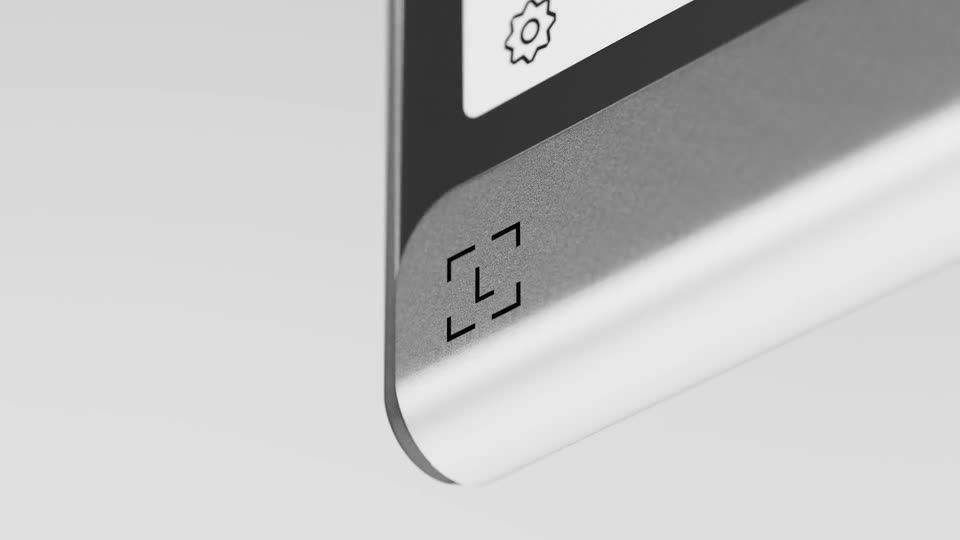
A matte dark gray smartphone back rotates slowly in close-up against a plain light gray background. The square bracket logo stays centered as the device turns, revealing the side edge and volume button on the left.
Techniques: 3D mockup
Camera: Static
11 · Demo · 0:24–0:25
A small silver crypto wallet is shown edge-on against a light gray backdrop, then rotates to face the camera, revealing its screen with a vertical list of app names and a physical button below.
Techniques: 3D mockup
Camera: Static
12 · CTA · 0:25–0:26
A silver hardware wallet floats at an angle in 3D on a gray backdrop, its screen showing a grid of crypto app icons. The outlined word LEDGER and white corner brackets expand across the device face.
On-screen text: “LEDGER”
Techniques: 3D mockup, Kinetic type
Camera: Static
13 · CTA · 0:26–0:27
A ghosted 3D hardware-wallet mockup fades out on a plain gray backdrop while the glowing white LEDGER wordmark, framed by a thin targeting bracket, holds dead center.
On-screen text: “LEDGER”
Techniques: 3D mockup
Camera: Static
14 · CTA · 0:27–0:30
The LEDGER wordmark inside white viewfinder brackets sits centered on a flat gray background, with faint dotted construction lines fading out. The tagline fades in below it, then the URL line appears at the bottom.
On-screen text: “This is what security feels like”, “Available on Ledger.com”
Camera: Static