1:00

Meet Google Pixel 2 | More, more, more
Google · AI · Nov 2017
Kimpton’s 1:02 launch film runs 16 scenes, about 3.9 s each. The product shows up at 0:01 and 5 features are revealed. There is no explicit call to action. The video is structured as one slow, continuous 3D pan across a beige world of tilted paper cards orbiting a central dot-matrix sphere, with serif headlines fading in word by word as waypoints between feature beats and a flat logo card closing the loop. Its defining style is calm and precise: particle-and-ring title assemblies, gentle tilt-and-push camera moves over 3D cards, and data that animates in (counting percentages, self-drawing line charts) at a deliberate, low-tempo pace.
Is this your launch? to your site or press kit.
Google · AI · Nov 2017
Traversal AI · Jul 2026
Films whose music sounds like this one, voice left out
Anthropic · Lo-fi hip-hop
Mistral AI · Lo-fi hip-hop, jazz
Superhuman · Lo-fi hip-hop / chillhop
Brown and tan square particles drift across a cream background, condensing into bottle-like silhouettes, then dispersing into vertical bars and a thin horizontal line along the top.
Techniques: Particles
Camera: Pull out
A ring of gold particles and small blocks rotates from a side-on band into a face-on circle on a cream background. “Introducing” and “evalrouter” fade in at the center, then the ring dissolves to reveal a grid of colored squares.
On-screen text: “Introducing”, “evalrouter”
Techniques: Particles
Camera: Pan
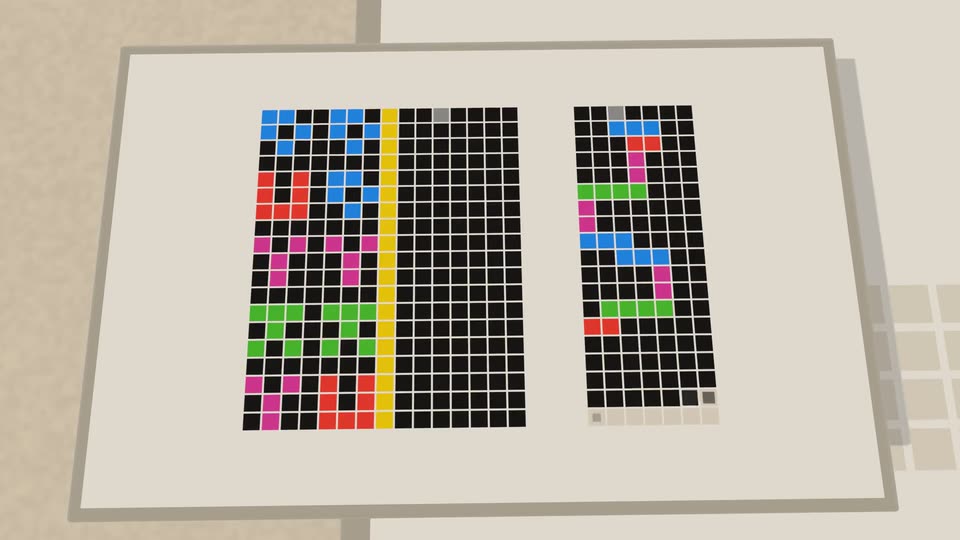
A tilted white card holds a pixel grid of colored and black squares inside a golden particle ring. The camera zooms in as a second empty grid appears on the right and fills with colored pixels, then the pair settles into a single bordered grid.
On-screen text: “GPT-5.6 Sol · low reason n 1g”
Techniques: 3D mockup, Particles, UI zoom
Camera: Push in
A cream results card tilts in 3D on a beige surface, showing two colored grid puzzles, then rotating to a benchmark score counting up to 8.7% as a row of squares fills red and teal. A second card slides in from the top reading One API to evaluate.
On-screen text: “ARC-AGI-2”, “GPT-5.6 Sol · low reasoning”, “0.0%”, “0 of 120 solved”, “Source: ARC Prize, ARC-AGI-2 semi-private evaluation.”, “8.7%”, “10 of 120 solved”, “One API to evaluate”
Techniques: 3D mockup
Camera: Pull out
A textured beige background holds a serif headline that fades in word by word above a tilted paper card. The card's percentage counts up from 17.5 to 42.5 as its square grid fills, then a second card slides in from the right to stack.
On-screen text: “One API to evaluate any model on any task.”
Techniques: Kinetic type, 3D mockup
Camera: Static
A dot-matrix sphere anchors dotted lines linking a model card on the left to a column of benchmark cards on the right. The view then pushes in on the card as it cycles GPT-5.6 Sol, Gemini 3.5 Flash, Claude Sonnet 4.6 and Your model, its reasoning bars filling in.
On-screen text: “One API for thousands of benchmarks.”, “Connect your own model, or use a managed one.”, “Choose the reasoning level for each run.”
Techniques: Kinetic type, 3D mockup, UI zoom, Particles
Camera: Pull out
On a cream backdrop, a tilted card labeled 'Your model' sits left, joined by dotted lines to a large brown sphere of small squares. The camera pans right as dotted trails curve toward new cards at the right edge.
Techniques: 3D mockup
Camera: Pull out
A beige field of dotted routes pans slowly while white cards listing benchmark names and task counts, each with a row of small colored squares, slide across the right side.
Camera: Pan
On a beige field, three flat cards stack at upper right; a dotted trail of small dots curves down to the bottom card, with colored squares gliding along it. The bottom card's pixel grid fills with orange squares. A serif headline builds word by word at lower left.
On-screen text: “Bring your own benchmark.”, “It stays private to your workspace.”
Techniques: Kinetic type
Camera: Static
Benchmark cards drift apart in 3D space, then the view settles on two tilted dashboard panels. A serif headline types out above while dot grids fill in and percentages count up, then the camera pans right to a cost panel.
On-screen text: “Run hundreds of tasks in parallel, with no infrastructure to manage.”
Techniques: 3D mockup, Kinetic type
Camera: Push in
A white chart card lies on a beige surface, tilted in 3D perspective. Colored lines for seven AI models draw themselves across a cost-versus-score grid, dots popping in, while the camera slowly pushes in.
Techniques: 3D mockup
Camera: Static
A flat benchmark dashboard on a beige field holds two white panels. The camera pulls back and pans left, revealing the left panel's model list and grid of green and red squares, while the right line chart of scores versus cost shrinks and drifts right.
Camera: Pull out
A beige void holds a rotating 3D dot-mesh funnel on the left, its dotted branches linking to small white label cards, while two white data panels, a heatmap table and a multi-line chart, float in 3D perspective to the right. Layers drift at different speeds as the camera pans.
Techniques: 3D mockup, Parallax
Camera: Pull out
A dark serif headline fades in word by word over a beige background. Below, a dotted tan sphere radiates dotted lines to a column of small white cards, beside two tilted cards showing a bar chart and a line chart. The text fades out at the end.
On-screen text: “Set it up from your coding agent”, “with one prompt.”
Techniques: Kinetic type, 3D mockup
Camera: Pull out
A 3D scene of a dotted sphere linked by lines to a column of label cards, set over a wireframe grid with two data panels, fades out on a beige background as the lowercase word evalrouter fades in at center.
On-screen text: “evalrouter”
Techniques: 3D mockup
Camera: Static
On a flat beige field, the black evalrouter wordmark and the serif line Evaluate any model against any benchmark. fade in from gray. A low ring of thin, grainy golden bars rotates slowly beneath the text in a locked-off frame.
On-screen text: “evalrouter”, “by Kimpton”, “Evaluate any model against any benchmark.”
Camera: Static