3:06
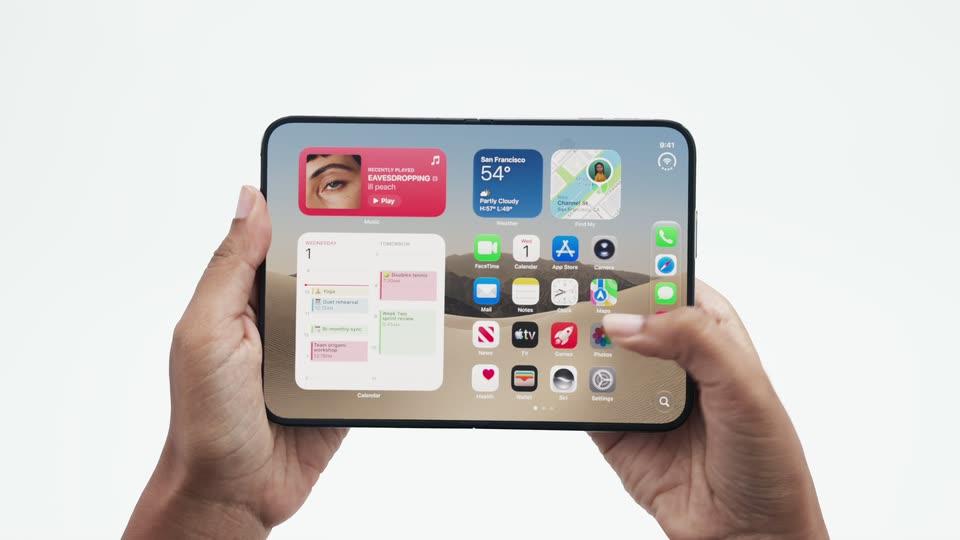

Introducing the new iPhone Duo
Apple · Hardware · Sep 2026
Google Pixel 2 · Nov 2017 · 1:00 · AI-annotated
Google Pixel 2’s 1:00 launch film runs 51 scenes, about 1.2 s each. The product shows up at 0:07 and 8 features are revealed. There is no explicit call to action; a voiceover carries the film. The video is built as a feature walk: a macro beauty-shot hook, a quick product-name reveal, then one short block per feature (display, colours, camera, storage, Lens, Assistant, battery, extra features) each opened by a two-to-four word headline and closed by a 3D device orbit on a plain field, with live-action clips framed as rounded cards. Its style is defined by fast ~30 cuts per minute, word-by-word headline assembly, diagonal light wipes, a recurring lowercase 'more' text motif, and an all
Is this your launch? to your site or press kit.
Apple · Hardware · Sep 2026
Apple · Hardware · Oct 2026
Films whose music sounds like this one, voice left out
Meta · Electronic dance music with funk and disco influences
CapCut · Upbeat modern electronic
Cognition · Modern hip-hop transitioning into a funk and soul fusion
On a plain white background, lowercase words appear in sequence at center: 'of', then 'your' in mid gray, then 'phone' scaling in larger and darker, each held briefly before the frame clears.
On-screen text: “of”, “your”, “phone”
Techniques: Kinetic type
Camera: Static
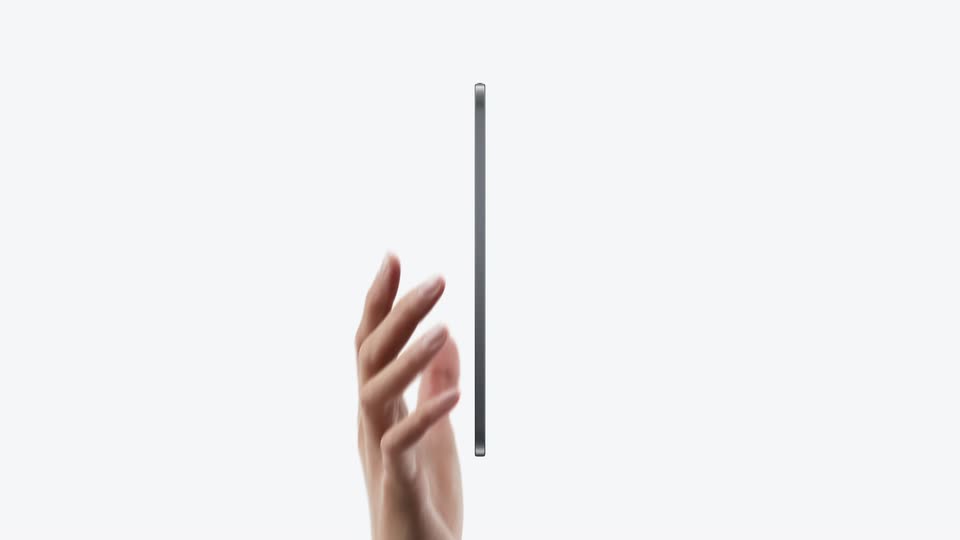
A macro side view of a silver tablet edge with an orange power button, centered on a white background. The frame holds steady with a slight horizontal drift, while the word phone scales in over the device.
On-screen text: “phone”
Camera: Static
A 3D close-up of a matte black device surface with a circular recessed ring. A diagonal sheet of light recedes from the top right as the framing tightens on the ring, a glint tracing its metallic edge.
Techniques: 3D mockup, Light sweep
Camera: Push in
A black phone's top corner rests on a white field, the dual camera and flash in close focus. The device tilts upward, the silver frame catching a thin highlight as the lens and flash come fully into view.
Techniques: 3D mockup
Camera: Pan
A black phone back sits centered on a dark field, its dual camera and round fingerprint ring in focus. The view pushes in toward the lens module while a thin diagonal glint sweeps across the lower corners.
Techniques: 3D mockup, Light sweep
Camera: Pan
Close-up of a black phone back, the camera module and round fingerprint sensor centered. A diagonal black panel sweeps across the frame, masking the device against a white background.
Techniques: Masking
Camera: Static
Close-up of the back of a white Pixel 2 as a large black diagonal band wipes off, revealing the Google Pixel 2 wordmark and G emblem. The phone then turns to the front, the top bezel and screen settle at the bottom edge, and the caption More screen scales in at center.
On-screen text: “More screen”
Techniques: Masking, Kinetic type
Camera: Static
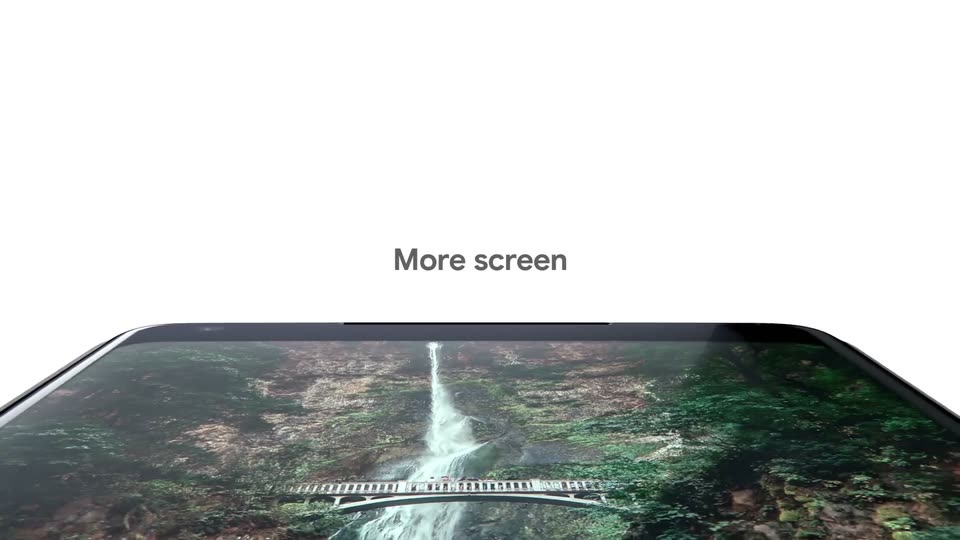
On a white background, the gray caption More screen scales in at center, then a large white numeral 16 pops in. The top edge of a tablet tilts up from the bottom of the frame, its screen filling the view with a waterfall photo.
On-screen text: “More screen”, “16”
Techniques: Kinetic type, 3D mockup
Camera: Pull out
A low 3D camera drifts across an undulating field of red, green, and blue pixel dots, like an OLED panel seen from the side. The white word 16 at center expands into 16 million colours, and a small caption Screen images simulated. sits at the bottom.
On-screen text: “More screen”, “16”, “Screen images simulated.”, “16 million colours”
Techniques: 3D mockup, Kinetic type, Parallax
Camera: Pull out
A macro field of green and magenta OLED pixels ripples in a wave, then resolves into a mountain lake scene with a paddleboarder. The centered caption changes from the pixel count to the display name as the image sharpens.
On-screen text: “16 million colours”, “Screen images simulated.”, “ultra vivid OLED”
Techniques: Morph, Kinetic type
Camera: Static
A black phone in landscape orientation rests on a dark surface, angled in 3D with a soft glow beneath it. Its screen shows a turquoise lake, mountains and a person mid-jump, with a caption across the middle.
On-screen text: “ultra vivid OLED display”, “Screen images simulated.”
Techniques: 3D mockup
Camera: Pull out
A white smartphone stands upright on a plain white surface, seen from the back in 3D perspective, with a camera module at the top and a round fingerprint sensor below. It casts a soft shadow to the right. The frame holds still.
On-screen text: “ultra vivid OLED display”, “Screen images simulated.”
Techniques: 3D mockup
Camera: Static
A pale blue phone stands upright on its bottom edge, back to camera, on a two-tone studio set with a soft cast shadow. White text reads More colours at left. The frame stays locked off.
On-screen text: “More colours”
Techniques: 3D mockup
Camera: Static
A black smartphone stands upright on a dark surface, angled to show its rear camera bar and fingerprint sensor. The white caption “More colours” sits to the left of the device. The frame stays locked and the phone holds its position.
On-screen text: “More colours”
Techniques: 3D mockup
Camera: Static
A white phone with a black dual-lens camera module rises from the bottom left into frame, angled in 3D, while the small caption “and more” stays locked in the center of a light gray background.
On-screen text: “More colours”, “and more”
Techniques: 3D mockup
Camera: Static
A 3D render of a white phone with a black camera island rotates to reveal its side and red button, while the white word whoooooah scales down across the lenses on a plain light background.
On-screen text: “whoooooah”
Techniques: 3D mockup, Kinetic type
Camera: Static
A dark gray headline assembles word by word on a light gray field as a 3D render of a black phone slides in from the right, its rear camera lens and flash facing the viewer. A small legal footnote sits at the bottom throughout the shot.
On-screen text: “The highest-rated camera”, “Based on September 2017 test results from DxOMark Mobile. DxOMark is registered trademark of DxOMark Image Lab.”
Techniques: Kinetic type, 3D mockup
Camera: Static
A black phone corner with camera lens and flash sits at the right of a pale gray frame. Gray text on the left shows “The highest-rated camera”, then swaps to “Again”, above a small disclaimer line along the bottom.
On-screen text: “The highest-rated camera”, “Based on September 2017 test results from DxOMark Mobile. DxOMark is registered trademark of DxOMark Image Lab.”, “Again”
Techniques: 3D mockup
Camera: Static
A white smartphone lies flat on a white background, its screen showing a camera viewfinder of a red-haired woman lying on grass. The camera app's control icons fade in along the left and right edges of the screen.
On-screen text: “Mark Mobil DxOMark is registered trademark of DxOMark Image Lab.”, “Again”
Camera: Static
A rounded rectangle card plays footage of a shirtless man running through shallow surf, while the same shot sits blurred and darkened behind it. The caption appears centered in white over the card and holds still.
On-screen text: “More definition”
Camera: Pan
A group of young people sit around a burning campfire on a dark beach at dusk. Two thin white circles mark faces like camera focus reticles. The caption fades in word by word over the left side.
On-screen text: “in less light”
Techniques: Kinetic type
Camera: Static
Four friends sit around a beach campfire at dusk while the caption in less light sits over the frame, a thin circle marking one person's head. The locked shot then blurs into a fast zoom.
On-screen text: “in less light”
Camera: Pan
A selection rectangle over a portrait of a red-haired woman expands across the frame, then the interface reframes to a sharp centered crop of her face over a blurred backdrop, with a slider and tag icon at the bottom.
Techniques: UI zoom
Camera: Push in
A rounded video player with a scrubber and shield icon frames a smiling woman in a desert. The frame zooms to full-bleed as the word More appears centered over her face.
On-screen text: “More”
Techniques: UI zoom
Camera: Push in
A woman with a large afro stands in a desert, the image starting soft and pulling into focus. The word More gives way to beautiful portraits flanking her face while a white focus square and reticle icon pop in over her cheek.
On-screen text: “More”, “beautiful”, “portraits”
Techniques: Kinetic type
Camera: Static
Two women make exaggerated faces in a tight selfie, white text centered with a flip icon. The view pulls back to reveal the shot inside a phone screen in 3D perspective as the text swaps to two phrases.
On-screen text: “Back or front”, “Yes, selfie”, “portraits”
Techniques: 3D mockup
Camera: Pull out
A phone mockup in 3D perspective shows the camera app with a selfie of two women making faces. The words Yes, selfie and portraits sit in gray on either side. The phone drifts slightly upward.
On-screen text: “Yes, selfie”, “portraits”
Techniques: 3D mockup
Camera: Static
A person in a red shirt walks across wet rocks and steps into the sea, kicking up a splash, while white caption phrases swap in the center. A white Storage Full dialog box with Done and Settings buttons then pops up over the water.
On-screen text: “of this”, “with no more”
Camera: Pan
A white Storage Full dialog with Done and Settings buttons floats centered over a beach clip. A person in red stands in the surf and throws a splash of water. The dialog holds still while the waves play behind it. A small disclaimer line runs along the bottom.
Camera: Pan
A light gray card holds the bold dark gray headline centered above a small light gray footnote. The frame scrolls upward, lifting the text and revealing a faint landscape photo along the bottom edge.
On-screen text: “It's all saved for free”, “Unlimited original-quality online storage for photos and videos taken and uploaded with Pixel until Jan. 15, 2021, and unlimited high quality online storage for”
Camera: Static
A grid of photo and video tiles showing people on a beach, at a skate park and by a pool sits on a white background, the grid panning slowly. A small disclaimer line sits centered at the bottom.
On-screen text: “Unlimited original-quality online storage for photos and videos taken and uploaded with Pixel until Jan. 15, 2021, and unlimited high quality online storage for”
Camera: Pull out
A white panel on the left scrolls a vertical stack of the word unlimited, one line highlighted in blue as unlimited online storage, beside a flat Google Photos screen whose photo grid drifts upward. The right interface shows a Today grid of skate and beach photos above a Thursday, Aug 18 row.
On-screen text: “unlimited”, “unlimited online storage”, “Unlimited original-quality online storage for photos and videos taken and uploaded with Pixel until Jan. 15, 2021, and unlimited high quality online storage for”
Techniques: Kinetic type
Camera: Pull out
A phone in 3D perspective on the right fills its Google Photos grid with thumbnails and year labels, while a column of gray unlimited repeats on the left, one paired with blue online storage.
On-screen text: “unlimited”, “online storage”
Techniques: 3D mockup
Camera: Pull out
A low-angle photo of the Flatiron Building rises into a cloudy blue sky. A smartphone mockup slides in from the bottom left, tilting diagonally so its screen mirrors the sky. White text 'Search more' sits at left, and a small legal caption holds at the bottom.
On-screen text: “Search more”, “Google Lens is only available for search character sets.”, “The image and/or appearance of the FLATIRON BUILDING is a trademark used under limited license.”
Techniques: 3D mockup, Kinetic type
Camera: Pan
A tilted smartphone mockup floats against a blue sky with drifting clouds, its screen framing the Flatiron Building. The phone rotates upright as a white panel rises across the lower screen, and the left-side caption swaps from one phrase to another.
On-screen text: “of what you see”, “The image and/or appearance of the FLATIRON BUILDING is a trademark used under limited license.”, “Google Lens is only available for Latin character sets.”, “with Google Lens”
Techniques: 3D mockup
Camera: Static
A white Google Lens result card for the Flatiron Building fills the lower frame, listing the name, a 4.6 star rating, a thumbnail, and a two-line description. Above, a photo of the tower sits inside a white rounded selection box with a close icon. The frame holds still.
Camera: Static
A plain white frame holds centered gray text. “More help” sits in the middle, then gives way to “from your Google Assistant” in a simple fade swap. The frame stays locked off throughout.
On-screen text: “More help”, “from your Google Assistant”
Techniques: Kinetic type
Camera: Static
Two hands grip a smartphone against a white backdrop. As the thumbs press in, the home screen squashes vertically, then a blue panel wipes up from the bottom edge carrying a camera icon and the line from your Google Assistant.
On-screen text: “Just squeeze”, “from your Google Assistant”
Techniques: Masking
Camera: Static
A hand grips a smartphone against a plain white backdrop; the screen shows the Google Assistant view with four colored dots, a 'Hi, how can I help?' bubble, and a multicolor microphone at the bottom. The shot is locked-off and static.
Camera: Static
White text scales in on black beside a battery icon with a lightning bolt. A white triangle wipes diagonally across the frame, and a small gray LTE label scales in above as the battery fills with gray.
On-screen text: “All with a”, “LTE”
Techniques: Kinetic type, Masking
Camera: Static
A tight crop on the phone's status bar pulls back to a 3D phone standing at an angle on a white surface, its screen showing a dog wallpaper and a dinner notification. Text on the right reads that's always ready, then swaps to more.
On-screen text: “that's always ready”, “more”
Techniques: UI zoom, 3D mockup
Camera: Pull out
A white phone stands upright in 3D perspective on a plain surface, shadow falling left. Its screen cuts from a colorful app feed to a video call with a woman while the backdrop flips from light to dark gray. To the right, the caption reads for more, then and more as the word slides in.
On-screen text: “for more”, “and more”, “more”
Techniques: 3D mockup, Kinetic type
Camera: Static
A 3D phone on a dark background switches its screen from a contact list to a camera view. To the right, the word more repeats in a vertical stack, each copy sliding in and fading as the list grows.
On-screen text: “and more”, “more”, “more”, “more”, “more”
Techniques: 3D mockup, Kinetic type
Camera: Static
A phone in 3D perspective shows a camera app on black while a vertical trail of repeated 'more' words slides upward beside it. The device exits and 'Still want more?' appears above small legal text.
On-screen text: “and more”, “more”, “Still want more?”, “Water protection rating of IP67 under IEC standard 60529. Charger and accessories are not water resistant. Battery use statistics are approximate and representa”
Techniques: 3D mockup, Kinetic type
Camera: Static
On a black field, a stacked “more” gives way to “Still want more?”, then bold white feature labels cycle through the center, each crossfading into the next: “High-def speakers”, “AR stickers”, “Now Playing”, “HDR+”. A small white disclaimer line stays fixed at the bottom.
On-screen text: “more”, “Still want more?”, “High-def speakers”, “AR stickers”, “Now Playing”, “HDR+”, “Water protection rating of IP67 under IEC standard 60529. Charger and accessories are not water resistant. Battery use statistics are approximate and representa”
Techniques: Kinetic type
Camera: Static
A dark frame flashes with a bright central burst that scales the HDR+ label, then cuts to a macro close-up of a black phone back showing the camera lens and flash. Small legal disclaimer text sits along the bottom edge throughout.
On-screen text: “HDR+”, “Water protection rating of IP67 under IEC standard 60529. Charger and accessories are not water resistant. Battery use statistics are approximate and represent”
Techniques: Kinetic type, Light sweep, 3D mockup
Camera: Pull out
A white phone floats in 3D at an angle, back facing up, on a soft blue gradient. The view then tightens to a vertical close-up of four phone edges, each showing a colored accent button. Fine print sits along the bottom.
On-screen text: “more”, “Water protection rating of IP67 under IEC standard 60529. Charger and accessories are not water resistant. Battery use statistics are approximate and represent”
Techniques: 3D mockup
Camera: Static
The back of a white phone with a black camera bar and an orange side button turns in 3D against a plain white background. The camera orbits the device, showing the round fingerprint sensor and the rounded corners.
Techniques: 3D mockup
Camera: Push in
On a plain white background, the gray wordmark Google sits centered. Pixel 2 then appears to its right in darker gray, re-centering the line into the full title Google Pixel 2.
On-screen text: “Google”, “Pixel 2”
Techniques: Kinetic type
Camera: Static
On a plain white background, the gray text Google Pixel 2 sits centered and static. Four small rounded dots in red, blue, yellow and green pop in just below the text.
On-screen text: “Google Pixel 2”
Techniques: Particles
Camera: Static
A multicolor Google G logo, centered on a plain white background, settles into place as its ring segments rotate a few degrees into alignment.
Camera: Static