1:59

Introducing Prism, a free workspace for scientists to write and collaborate on research
OpenAI · AI · Jan 2026
HyperFrames · Apr 2026 · 0:42 · Full motion · AI-annotated
HyperFrames’s 0:42 launch film runs 18 scenes, about 2.4 s each. The product is on screen from the first frame and 1 feature is revealed. There is no explicit call to action. The video is built as a typographic promise on a white card, a fast screen-recording demo of installing and prompting the plugin, then a black-title announcement and brand lockups. Signature moves are word-by-word type builds, motion-blur UI transitions, and a zoom into the live preview that replays the opening card in dark theme.
Is this your launch? to your site or press kit.
OpenAI · AI · Jan 2026
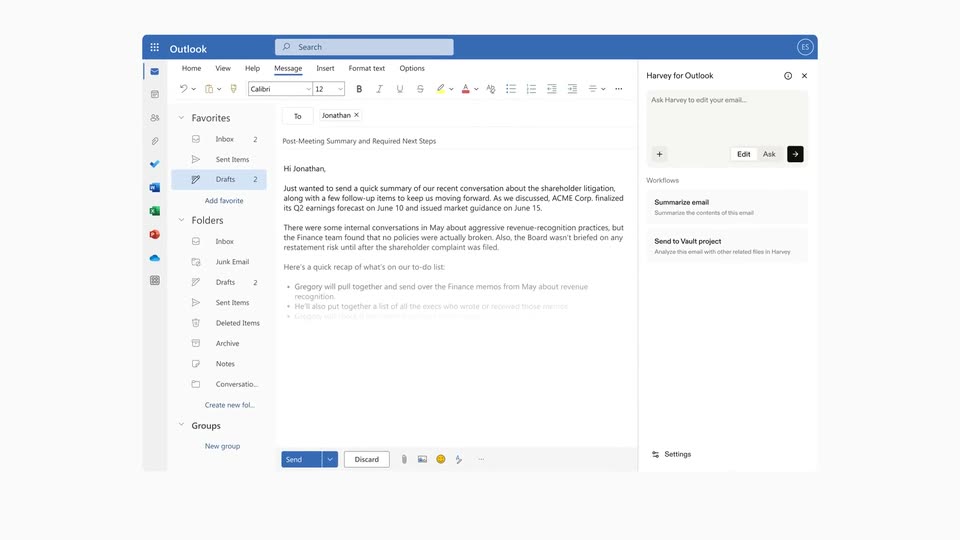
Harvey · Sep 2025
A white card on a blue gradient shows the Codex wordmark and purple cloud icon, then swaps to now becomes your video editor, editor in a black pill. A timeline strip with colored clips slides in below as the line changes to with official plugin from.
On-screen text: “Codex”, “now becomes”, “your video editor”, “with official plugin from”
Techniques: Kinetic type
Camera: Static
On a white rounded card over a blue-purple gradient, the tagline with official plugin from builds word by word, then scales down and settles below the HeyGen HyperFrames lockup, which lands with a green play mark and a teal underline.
On-screen text: “with official plugin from”, “HeyGen”, “HyperFrames”
Techniques: Kinetic type
Camera: Static
A dark chat interface zooms into the left sidebar as the cursor moves to hover over the Plugins item. A caption then scales in reading 'with official plugin from', followed by the static HeyGen and HyperFrames names.
On-screen text: “with official plugin from”, “HeyGen”, “HyperFrames”
Techniques: UI zoom, Cursor demo, Kinetic type
Camera: Pan
A dark plugin screen slides in from the right with horizontal motion blur, then settles sharp. The title 'Make Codex work your way' sits above a search bar and two dropdowns; a large purple card below holds a Computer Use prompt pill and a Try in chat button.
Camera: Pan
A dark plugin browser fills as a cursor types 'Heygen' into the search field, narrowing the list to one HyperFrames result. The cursor clicks the plus icon, opening an install dialog, then the view widens to reveal the full window and left sidebar as the button shows a loading state.
On-screen text: “Make Codex work your way”
Techniques: Cursor demo, UI zoom
Camera: Pull out
A dark app interface shows a plugins page with a search bar and one plugin card, then swaps to a chat composer with an empty input field and a list of task suggestions. A cursor hovers over a small button before the change.
Techniques: Cursor demo
Camera: Static
A dark interface screen shows the heading 'What should we work on?' above a rounded input box. A purple skill chip sits inside the box while the prompt text types out letter by letter, and a mouse cursor appears just below the input field.
Techniques: Cursor demo
Camera: Push in
A dark code-assistant window shows a chat panel and a Codex preview card. The view zooms into the lower-left panel, revealing a file-change list and a text input where the letters ch are typed at the cursor.
Techniques: UI zoom
Camera: Push in
A dark agent interface fills the frame: a DESIGN.md card and a two-file diff summary sit above an input bar where the prompt 'change everything to dark theme' is typed out, a gray circle tracking the caret. The frame blurs out at the end.
Techniques: Cursor demo
Camera: Pull out
A full-window screen of a coding agent: a dark chat panel on the left streams code changes and a prompt, while a white preview card on the right slides in to reveal the Codex wordmark and purple logo. The shot starts as a fast, blurry zoom and settles into a sharp, level frame of the interface and its video timeline.
Techniques: UI zoom, Speed ramp
Camera: Pull out
A dark code-editor window shows an AI chat panel on the left and a preview card on the right; the view zooms into the preview as its text animates from the Codex logo into 'now becomes your video editor', then 'with official plugin from HeyGen HyperFrames'.
On-screen text: “Codex”, “now becomes”, “your video editor”, “with official plugin”, “HeyGen HyperFrames”, “with official plugin from”
Techniques: UI zoom, Kinetic type
Camera: Push in
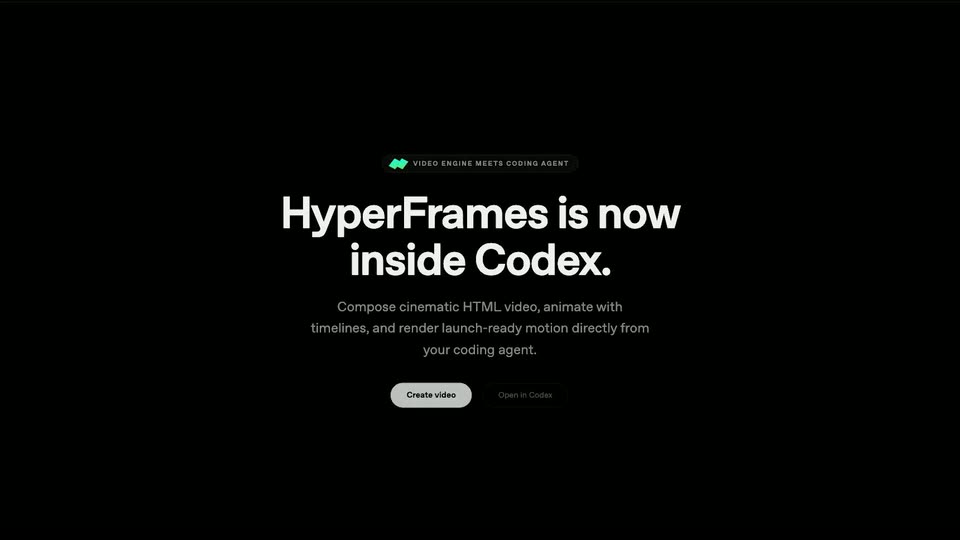
Centered on black, a pill badge with a green icon and the bold white headline scale in, then a gray subhead and two pill buttons fade in beneath. Locked-off frame.
On-screen text: “VIDEO ENGINE MEETS CODING AGENT”, “HyperFrames is now inside Codex.”, “Compose cinematic HTML video, animate with timelines, and render launch-ready motion directly from your coding agent.”
Techniques: Kinetic type
Camera: Static
Dark title card with a glowing green diamond and thin frame lines. A small green INTRODUCING label sits above a large cream headline that fades in from transparent, then three short green dashes draw in beneath it. A small technical header stays fixed in the top right.
On-screen text: “HF-CX / LAUNCH SEQUENCE04.26.2026”, “INTRODUCING”, “Video creation, inside the agentic workflow.”, “Compose cinematic HTML video, animate with timelines, and render launch-ready motion directly from your coding agent.”, “inside Codex.”
Techniques: Kinetic type
Camera: Static
A black split screen fades up from dark. The left panel shows an OpenAI agent badge, the Codex logo and a four-line code block; the right panel holds the green HyperFrames logo, wordmark and four feature pills. A small caption sits at the bottom center.
On-screen text: “INTRODUCING”, “Video creation”, “inside the agentic”, “workflow.”, “HYPERFRAMES X CODEX - REAL ICONS WIRED”
Techniques: Split screen
Camera: Static
A dark Codex window fades up from black to reveal a two-panel card: left, HyperFrames x Codex marks with the headline “Launch videos from the coding agent.”; right, two spec cards, a “Render launch MP4” button and a status pill. A cursor drifts across the right panel.
Techniques: Cursor demo
Camera: Static
On a white field, a green gradient play icon settles on the left while a black asterisk at center spins and morphs into an X; a purple gradient cloud with a white clock hand pops in on the right.
Techniques: Morph
Camera: Static
On a white background, the black stacked wordmark Hey Gen holds center as an iridescent 3D cube rotates and fades, then morphs into a flat four-petal gradient logo mark. Locked-off frame, slow reveal.
On-screen text: “Hey Gen”
Techniques: Morph
Camera: Static
A plain black screen holds the words “Hey” and “Gen” with the brand logo, all locked off and motionless.
On-screen text: “Hey”, “Gen”
Camera: Static