2:35

Pratap Ranade - Today, we’re excited to unveil Heaviside-1, @arenaphysica's second ge
Arena Physica · Sep 2026
HUD · 1:22 · AI-annotated
HUD’s 1:22 launch film runs 24 scenes, about 3.4 s each. The product is on screen from the first frame and 5 features are revealed, with social proof. The call to action lands at 1:17 (94% in), over a voiceover. The video interleaves a live-action founder in a concrete loft with flat UI cards on a cream dot grid, moving from problem to logo reveal to a step-by-step buyer journey. Its signature moves are the rippling dot terrain, the keyhole cube morphs, and hand-drawn orange arrows that lead the eye.
Is this your launch? to your site or press kit.
Arena Physica · Sep 2026
Kairos · Mar 2026
DataVendor · Oct 2026
A man in a black sweater sits on a stool before a concrete wall and two windows showing city buildings, gesturing as he speaks to camera. A lower third with his name and title appears at right. The scene ends on an orange halftone dot transition.
On-screen text: “Hi, I'm Lorenss,”, “Lorenss Martinsons”, “Co-founder of HUD”, “and today we're launching”, “the public beta of DataVendor Al.”, “Currently, Al researchers face”
Camera: Pull out
A field of orange dots forms a rippling 3D terrain on a cream background as the camera dollies forward, the dots streaming outward toward the frame edges. A dark caption box at the bottom cycles four lines of white text.
On-screen text: “Currently, AI researchers face”, “a fragmented data market,”, “where there's a lot of noise”, “but very little signal.”
Techniques: Particles, Parallax
Camera: Push in
A wavy field of gold dots on a cream background flattens into a grid, and thousands of colorful company logos appear in 3D perspective. The camera slowly pulls back over the endless logo plain, then the central icons cluster into a dense block while the outer ones fade out.
On-screen text: “but very little signal.”, “Procuring new data assets”, “comes at the cost of spending time”, “quality-checking and assessing fit”, “to your project's needs.”, “We believe that this is”, “the fundamental bottleneck for model progress,”, “and we've spent the last two years.”
Techniques: Particles, Morph, Parallax
Camera: Push in
A dense cluster of multicolored app icons hovers center-left on a cream field of faint scattered logos. The cluster compresses vertically into a narrow column. A dark rounded caption pill with white text reading creating the best solution sits at the bottom.
On-screen text: “creating the best solution”
Techniques: Particles, Morph
Camera: Static
A 3D iridescent cube with a black keyhole cutout sits centered on a cream background. A ring of small app icons orbits it, then fades out. The cube's surface shifts from rainbow iridescence to solid yellow. A dark caption pill is locked at the bottom.
On-screen text: “for delivering data at scale.”
Techniques: 3D mockup, Morph
Camera: Static
On a plain off-white field, a yellow 3D cube mark sits left of center as the black lowercase wordmark datavendor scales in beside it, settling into a centered lockup. A dark caption pill reading for delivering data at scale. holds at the bottom edge for the first beat, then clears.
On-screen text: “for delivering data at scale.”
Techniques: Kinetic type
Camera: Static
On a cream background, the DataVendor lockup, a yellow cube mark with a black S beside a lowercase black wordmark, sits centered and scales subtly. A dark gray pill caption with white text reading We created DataVendor slides in at the bottom.
On-screen text: “We created DataVendor”
Camera: Static
A bearded man in a black zip sweater sits by a window, gesturing as he talks, while a white card slides in on the right showing the datavendor logo and two bold stats, 4,000+ Vendors and 50K+ Assets listed.
On-screen text: “We created DataVendor”, “to be the definitive marketplace”, “for buying and selling data.”, “More than 4,000 vendors”, “4,000+”, “Vendors”, “have already listed over 50K assets.”, “50K+”, “Assets listed”
Techniques: Split screen
Camera: Static
A man sits before a tall window with a city skyline behind him, talking and gesturing, while a white card on the right shows the datavendor logo, which slides out of the card's top corner. A caption bar reads at the bottom.
On-screen text: “datavendor”, “Here's how it works:”, “50K+”, “Vendors”
Camera: Static
A glossy yellow cube with a gray keyhole cutout spins from a three-quarter angle until it faces the camera, centered on a cream background. A dark rounded caption pill at the bottom reads 'Here's how it works:'.
On-screen text: “Here's how it works:”
Camera: Static
A glossy yellow rounded-square icon with a cream keyhole sits centered on a cream field, captioned below. The camera zooms in until the keyhole fills the frame as a large cutout revealing the background.
On-screen text: “Here's how it works:”
Camera: Static
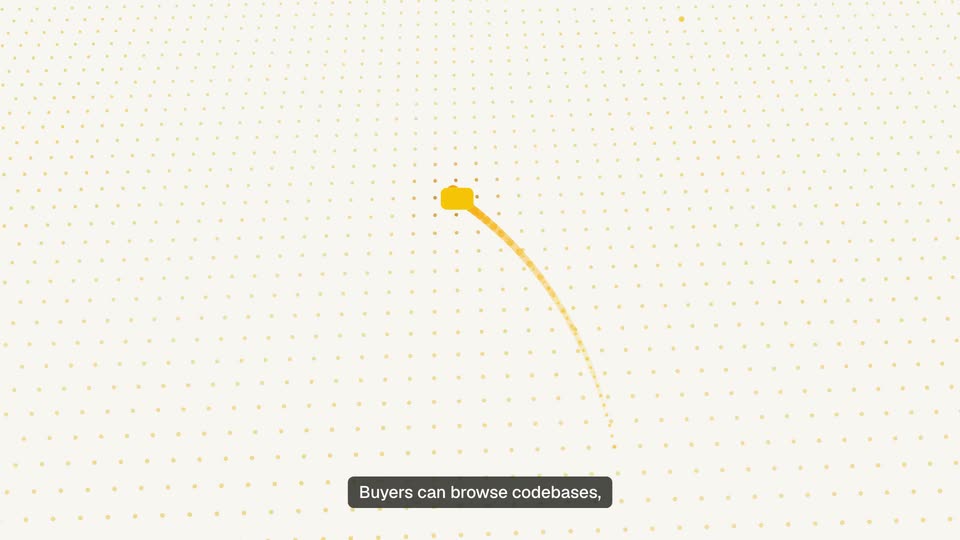
A cream dotted grid fills the frame with a small orange dot at center. A white interface card scales up from that point, revealing a Browse view with category tabs and a codebase listing. A dark caption box with white text appears at the bottom.
On-screen text: “Buyers can browse codebases,”
Camera: Push in
A flat Browse panel sits on a cream dotted background. A black pill selector slides left to right across the category tabs, and the three content cards swap to match each tab. A dark caption box at the bottom updates with subtitle text. The panel fades out at the end.
On-screen text: “Buyers can browse codebases,”, “RL environments, and operational data”, “from the companies that made them.”
Camera: Static
A white card on a dotted cream background shows a list of dataset rows that blur into focus. A cursor glides to the Payroll SWE tasks row, which gains a yellow highlight border, while an orange hand-drawn arrow points into the card at the start.
On-screen text: “For browsing, you can use their UI”, “or plug in your agent via the API.”
Techniques: Cursor demo
Camera: Static
A flat web app card on a cream dot grid lists priced datasets left while code lines type into the right panel. A dark caption pill reads “or plug in your agent via the API.” The card exits; an orange dashed line draws diagonally across the empty grid.
On-screen text: “or plug in your agent via the API.”
Camera: Static
A flat dashboard card on a cream dotted background animates in place: check rows gain yellow ticks and counts, the tasks-reviewed grid fills left to right, model pass bars extend. The status flips from In review to Live with a certified badge; bottom captions read the voiceover.
On-screen text: “Every listing is run through”, “battle-tested quality checks”, “before it goes live.”, “Buyers get to see the highest quality data”
Camera: Static
A flat white listing card on a dotted cream background. The product list reorders, then rows drop out one by one as the filter chips above light up, leaving a single row with a yellow outline. A dark caption pill at the bottom swaps phrases with the voiceover.
On-screen text: “Buyers get to see the highest quality data”, “that matches their precise data requirements”, “before purchase.”
Camera: Static
A flat marketplace card with filter chips and one task row sits on a cream dotted background. The card fades out and a yellow rectangle with an orange trajectory arc draws in, while a caption pill updates below.
On-screen text: “before purchase.”, “Then, buyers try a sample”
Techniques: Morph, Masking
Camera: Static
A flat UI card for a $50,000 listing sits on a dotted cream background. A cursor clicks Try sample, a reward chart draws in, then the cursor selects Make an offer and a $45,000 offer form appears; the card shrinks to a yellow chip.
On-screen text: “Then, buyers try a sample”, “to see if it can fit their training recipe”, “before they commit.”, “After sampling, buyers can buy”, “at the listed price, or make an offer.”
Techniques: Cursor demo, Morph
Camera: Static
A white card on a dotted cream background types a data request, then fills into a published listing. A submissions list scrolls up as a cursor hovers a row, drawing an orange outline around it. A dark caption pill swaps lines at the bottom.
On-screen text: “If you want something that isn't listed?”, “Post a request and our network of data vendors”, “will source the highest quality supply”, “to fit your needs.”
Techniques: Cursor demo
Camera: Static
A white card listing data categories fades out over a dotted cream background, revealing a grid of small orange app icons. An orange line pivots from the cursor toward the bottom of the frame while the caption stays at the bottom.
On-screen text: “to fit your needs.”
Techniques: Cursor demo
Camera: Static
A wall of colorful app icons in 3D perspective collapses into a flat horizon line, then a burst of yellow particles rises and assembles into the headline, which settles in dark type over a dotted perspective grid.
On-screen text: “Train on what”, “no one else has.”
Techniques: Morph, Particles, Kinetic type
Camera: Push in
A cream circle frames the black headline over a receding dotted grid floor. The circle morphs into a yellow keyhole while an orange rounded card scales in around it, the cutout revealing the perspective path into the distance.
On-screen text: “Train on what no one else has.”
Techniques: Morph, Masking
Camera: Pull out
A yellow keyhole badge morphs from a flat rounded square into a 3D cube, then shrinks left as the 'datavendor' and 'hud' wordmarks fade in beside it. A black 'Visit datavendor.ai' pill pops in below, and a bottom caption reads 'You can request access today at datavendor.ai.'
On-screen text: “You can request access today”, “datavendor”, “hud”, “at datavendor.ai.”, “Visit datavendor.ai →”
Techniques: Morph, Kinetic type
Camera: Pull out