1:47


Luca IQ (YC S26) Launch
Luca IQ · B2B · Jul 2026
DataVendor · Oct 2026 · 1:22 · AI-annotated
DataVendor’s 1:22 launch film runs 33 scenes, about 2.5 s each. The product is on screen from the first frame and 4 features are revealed, with social proof. The call to action lands at 1:17 (94% in), over a voiceover. Founder-led launch that cuts between a talking head in a concrete loft and flat cream UI cards, moving from problem to logo reveal to a four-step buyer walkthrough (browse, quality checks, sample, request). Signature moves are halftone dot fields that tilt into 3D terrain, the spinning keyhole cube, and orange arc wipes between interface states.
Is this your launch? to your site or press kit.
Luca IQ · B2B · Jul 2026
Kanopy · Industrials · Oct 2026
Isengard Industries Inc · Industrials · Sep 2026
A man in a black zip sweater and beige trousers sits on a stool before a concrete wall and tall windows overlooking office towers, talking to camera and gesturing. A white lower-third with his name and title sits on the right, and white subtitles run along the bottom.
On-screen text: “Hi, I'm Lorenss,”, “Lorenss Martinsons”, “Co-founder of HUD”, “and today we're launching”, “the public beta of DataVendor Al.”
Camera: Static
A bearded man in a black sweater and beige pants sits on a stool before a window overlooking city buildings, speaking to camera. A name lower-third holds at right. A brown halftone dot grid spreads over the frame, shrinking a circular cutout to mask the shot out.
On-screen text: “Lorenss Martinsons”, “Co-founder of HUD”, “the public beta of DataVendor Al.”
Techniques: Masking
Camera: Static
A halftone image of a person seated at a desk with two monitors, built from orange dots on a cream background, tilts from a flat frontal view into a 3D perspective plane as a caption sits at the bottom.
On-screen text: “Currently, AI researchers face”
Camera: Pull out
A golden lattice of dots and lines rolls into a 3D terrain on a cream field, the camera gliding across it while a few dark dots pop into view. A dark subtitle bar holds the narration at the bottom center.
On-screen text: “Currently, AI researchers face”, “a fragmented data market,”, “where there's a lot of noise”, “but very little signal.”, “Procuring new data assets”
Techniques: Parallax
Camera: Push in
A perspective field of yellow dots on a cream background recedes toward a horizon as the camera pushes forward. A grid of small yellow data-asset icons grows in the center, multiplying outward. A dark caption pill sits at the bottom.
On-screen text: “Procuring new data assets”
Techniques: Parallax
Camera: Pull out
A perspective field of hundreds of app icons on a cream ground starts monochrome yellow and colorizes as the camera glides forward. Corner brackets highlight a few icons in turn, then the whole grid collapses into a dense cluster at center, leaving one small block of logos.
On-screen text: “comes at the cost of spending time”, “quality-checking and assessing fit”, “to your project's needs.”, “We believe that this is”, “the fundamental bottleneck for model progress,”, “and we've spent the last two years”, “creating the best solution”
Techniques: Parallax, Morph
Camera: Pull out
A glossy iridescent cube with a black keyhole sits centered in 3D perspective while a ring of small app icons orbits it, then fades out. The cube's surface shifts to solid yellow and halftone dot corners fade in, with a subtitle line at the bottom.
On-screen text: “for creating the best solution.”, “for delivering data at scale.”
Techniques: 3D mockup
Camera: Push in
A yellow 3D cube bearing a black keyhole mark slides left, revealing the bold black data wordmark beside it on a cream field, while a dark caption pill at the bottom fades out.
On-screen text: “for delivering data at scale.”
Camera: Static
On a cream background, the datavendor lockup sits centered: a glossy yellow cube with a black keyhole mark to the left of the black lowercase wordmark. The wordmark eases into place, its trailing letters settling from a slight horizontal offset.
Camera: Static
A yellow 3D cube with a black S mark sits beside the lowercase datavendor wordmark on a cream field. A white panel wipes in from the right, shrinking the logo and revealing a live-action shot of a person by a window on the left.
On-screen text: “We created DataVendor”
Techniques: Masking
Camera: Static
A bearded man in a black zip sweater sits by a tall window overlooking office towers, gesturing as he speaks. A white card on the right shows the datavendor logo, then the stats 4,000+ Vendors and 50K+ Assets listed animate in. Subtitles run along the bottom.
On-screen text: “We created DataVendor”, “to be the definitive marketplace”, “for buying and selling data.”, “More than 4,000 vendors”, “4,000+”, “Vendors”, “have already listed over 50K assets.”, “50K+”, “Assets listed”
Techniques: Split screen, Kinetic type
Camera: Static
A man sits by a window with city buildings behind him, gesturing as he talks. A white card on the right holds the datavendor logo and two stats, then empties to the logo alone. A dark caption pill at the bottom scales in.
On-screen text: “4,000+”, “Vendors”, “50K+”, “Assets listed”, “Here's how it works:”
Camera: Static
A glossy yellow cube bearing a keyhole mark spins in the center of a cream field, turning from a tilted two-face angle to a flat front as a bright beam with a sparkle sweeps its lower edge. A dark pill caption sits below.
On-screen text: “Here's how it works:”
Techniques: 3D mockup, Light sweep
Camera: Static
A yellow rounded-square logo with a cream keyhole at its center sits on a pale cream field, a dark caption pill below. The composition zooms in, the keyhole growing to fill the frame as the caption scales up.
On-screen text: “Here's how it works:”
Camera: Push in
A pale cream field of small dots ripples in a grid, brightening toward the edges. A single orange dot at the center grows larger as a vertical column of dots lights up through it.
Techniques: Particles
Camera: Push in
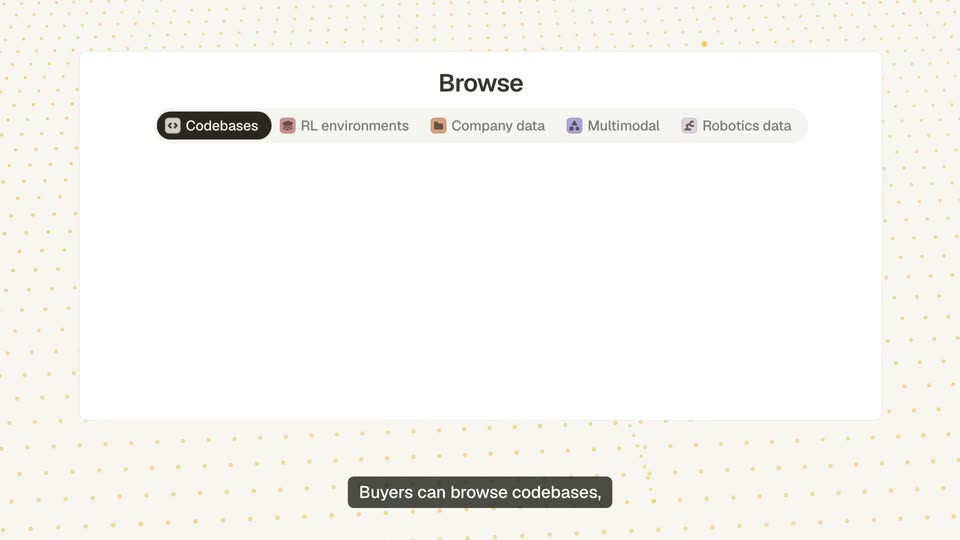
A cream perspective grid of orange dots fills the frame as a single dot travels along a curved path, leaving a fading orange trail. A white rounded card with the word Browse fades in at the center, and a dark caption pill appears at the bottom.
On-screen text: “Buyers can browse codebases,”
Camera: Static
On a dotted cream background, a flat Browse interface shows a tab bar and three data cards; the active tab cycles from Codebases to RL environments to Company data, swapping the card previews, while a bottom caption pill updates with the voiceover.
On-screen text: “Buyers can browse codebases,”, “RL environments, and operational data”, “from the companies that made them.”
Camera: Static
A white product panel titled Browse sits on a cream dotted background, the Multimodal tab active above three data cards with thumbnails, waveforms and prices. The panel holds still while a dark caption pill at the bottom swaps its line of text.
On-screen text: “from the companies that made them.”, “For browsing, you can use their UI”
Camera: Static
A flat white web app card on a cream background of small orange dashes lists five data rows with icons and prices. An orange arc sweeps across, then the cursor hovers a price as an orange border highlights the row; the bottom caption switches.
On-screen text: “For browsing, you can use their UI”, “or plug in your agent via the API”
Techniques: Cursor demo
Camera: Static
A two-panel UI card, a web app list and an agent MCP code panel, settles onto a cream dotted background beside a dark caption pill. The card shrinks into a small yellow chip, then vanishes.
On-screen text: “or plug in your agent via the API.”
Techniques: Morph
Camera: Static
An orange arc draws across a dotted cream background, then a white task card scales in at center, showing a quality-checks list and model pass-rate bars. A dark caption pill with white text sits at the bottom.
On-screen text: “Every listing is run through”
Camera: Static
A flat white product card on a cream dotted field. Check counts tick up, yellow ticks fill the quality list, model bars extend and a square grid turns yellow as a certified badge pops in. The card fades into an empty Verified-only panel while bottom captions track the narration.
On-screen text: “Every listing is run through”, “battle-tested quality checks”, “before it goes live.”, “Buyers get to see the highest quality data”
Camera: Static
A flat white UI card on a dotted cream background lists priced data rows. As the filter chips turn yellow, the rows reorder and drop away until one highlighted row remains, while a dark caption bar at the bottom reads the voiceover.
On-screen text: “Buyers get to see the highest quality data”, “that matches their precise data requirements”, “before purchase.”
Camera: Static
A light product panel with filter chips and a single task row fades out over a cream dotted grid, leaving an orange curve and a small yellow tag. A rounded caption at the bottom crossfades from one line to the next.
On-screen text: “before purchase.”, “Then, buyers try a sample”
Camera: Static
A flat product-listing card sits on a dotted cream background. A cursor clicks Try sample, the right panel fills with a drawn reward chart, then the cursor opens a Make an offer form that submits.
On-screen text: “Then, buyers try a sample”, “to see if it can fit their training recipe”, “before they commit.”, “After sampling, buyers can buy”, “at the listed price, or make an offer.”
Techniques: Cursor demo
Camera: Static
A cream field of small orange dots holds a white request-form card, its Budget field and Publish button visible, which fades out as a thick orange arc draws from the top down to the lower right. A dark caption pill sits fixed at the bottom.
On-screen text: “If you want something that isn't listed?”
Camera: Static
A white form card sits on a cream dotted background. Text fills the request field to read Customer support calls, a cursor clicks the Publish button, and the card re-lays out into a listing with an Open badge, budget and tags. A dark caption pill sits below.
On-screen text: “If you want something that isn't listed?”, “Post a request and our network of data vendors”
Techniques: Cursor demo
Camera: Static
A white request card on a cream dotted background scrolls its submissions list through vendor offers and prices while a cursor hovers a row. The card fades out as a dotted grid with yellow icons and dashed connectors assembles into a rounded shape.
On-screen text: “Post a request and our network of data vendors”, “will source the highest quality supply”, “to fit your needs.”
Techniques: Cursor demo
Camera: Static
A yellow dot grid forms a 3D floor and ceiling around a horizon band of colorful app icons. The grid dissolves as a burst of yellow particles falls onto the icon line, then the headline assembles word by word in dotted yellow letters.
On-screen text: “to fit your needs.”, “Train on what no one else has.”
Techniques: Particles, Kinetic type
Camera: Push in
A two-line bold sans headline sits above a perspective floor of gold dots. The text begins gold, the last word bursting into yellow particles, then snaps to black as a yellow period lands at the end.
On-screen text: “Train on what no one else has.”
Techniques: Kinetic type, Particles
Camera: Static
A white circle holds the black headline over a cream dotted perspective floor, then shrinks and morphs into a keyhole cutout inside a glossy amber squircle as the background flips to orange halftone and yellow star sparkles pop in at the corners.
On-screen text: “Train on what no one else has.”
Techniques: Morph
Camera: Pull out
A yellow rounded-square app icon with a white keyhole mark sits centered on a white field, ringed by a circle of yellow dots. The icon rotates in 3D, turning from a flat face into a spinning cube.
Techniques: 3D mockup
Camera: Pull out
A yellow 3D cube with a black keyhole in a dotted ring shrinks and slides left as the datavendor and hud wordmarks fade in; a black pill button appears below while the lower-third caption swaps from “You can request access today” to “at datavendor.ai.” and fades out.
On-screen text: “You can request access today”, “Visit datavendor.ai →”, “at datavendor.ai.”
Camera: Static